

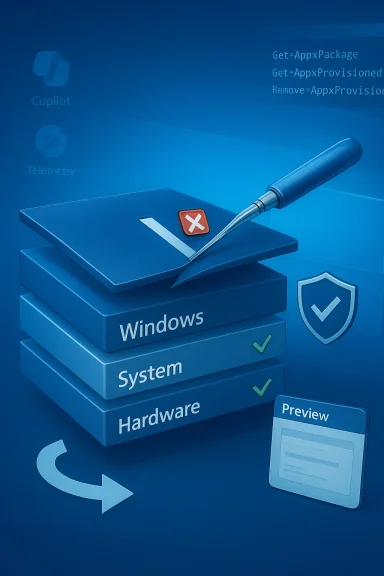
Background / Overview
Windows enthusiasts and IT pros have for years wrestled with preinstalled apps, provisioned packages, and telemetry surfaces that reappear after updates or new-user provisioning. Community projects and single‑machine scripts — from WinDebloat and WinScript to GUI projects such as Winpilot or O&O ShutUp10++ — try to solve parts of this problem, but they differ widely in scope, transparency, and risk profile. Some tools focus on user-level cleanup (uninstalling visible apps), while more aggressive solutions touch the servicing layer (Component‑Based Servicing, or CBS), which can cause upgrade fragility if done incorrectly. These distinctions are central to understanding what Winslop claims to offer and why cautious verification is necessary.
Why this matters today: Windows 11’s expanding AI features and deeper integration of cloud‑enabled components have given rise to a new category of targets for debloat tools — everything from Copilot provisioning to “Recall” and other AI telemetry endpoints. Users seeking to reduce telemetry surfaces or reclaim disk space are therefore attracted to utilities that claim to “remove AI” or “detect hidden bloat,” but the level of system access and the permanence of those removals vary dramatically across projects. Independent community analysis has repeatedly warned that the deeper a tool goes into servicing, the greater the chance of breaking future updates or built‑in features.
What Winslop claims to do
Core promises
According to community reporting and mirrored project pages, Winslop positions itself as a more surgical tool in the debloat ecosystem:
- Detect and remove AI‑related components and other “hidden” or provisioned bloat on Windows 11.
- Offer modular controls and per‑item previews so users can choose what to remove.
- Provide rollback or restore mechanisms to reduce the risk of permanent breakage.
- Ship as an open project (repository + signed releases preferred) so the community can audit filters and defaults.
Softpedia lists a recent Winslop build (version 0.25.11) and characterizes the utility as a free, compact tool aimed at removing bloatware and unused components on Windows 10/11, indicating that the project is available to download and in active distribution channels. This corroborates community visibility but does not, on its own, validate the safety or methods used by the program.
What we can verify and what remains unconfirmed
- Verified: Winslop is distributed publicly and visible on third‑party download sites and community writeups; it is discussed across Windows enthusiast forums and niche tech outlets.
- Needs verification: Whether Winslop performs CBS (Component‑Based Servicing) edits or installs blocker packages to prevent re‑provisioning — steps that carry material upgrade and servicing risk — requires direct inspection of its repository, release notes, or an audit of the shipped binary and filter lists. Several community posts explicitly flag CBS edits as the main source of upgrade fragility and recommend treating any tool that touches the servicing store with extreme caution.
Technical primer: how debloat tools remove “hidden” components
To assess Winslop, users must first understand the technical layers such tools interact with.
Appx/MSIX packages vs. provisioned packages
- Get‑AppxPackage / Remove‑AppxPackage removes a package for the current user. This is low‑to‑medium risk and generally reversible by reinstalling from the Store or using DISM to add packages back.
- Remove‑AppxProvisionedPackage targets provisioned packages — the manifests that cause an app to be reinstalled for new user profiles. Removing provisioning reduces reappearances but is riskier because multiple features sometimes rely on the same package.
Component‑Based Servicing (CBS), WinSxS and blocker packages
The servicing store (WinSxS) is the authoritative repository Windows uses for features and updates. Some aggressive debloat tactics attempt to:
- Remove or alter servicing components directly.
- Install “blocker” packages that trick Windows Update or provisioning into not restoring removed components.
These moves can produce immediate perceived wins — less bloat, fewer inbox apps — but they are the principal reason community testing has found upgrade failures, repair loops, or broken servicing states in machines modified by poorly designed tools. Any claim by a debloater to permanently prevent re‑provisioning must be validated against these risks.
Cross‑checking Winslop’s claims: independent sources and what they show
Community reporting and package directories give us multiple independent data points:
- WindowsForum’s deep community analysis of Winslop treats it as a promising entry but stresses that the Neowin headline (which first amplified the tool) could not be relied on for full technical detail — the article’s specifics needed verification against the project repository. That community write‑up provides a safety playbook and explicitly warns that any tool that edits CBS needs extra caution.
- Chinese‑language coverage (WinDiscover) reports that Winslop focuses on removing Windows 11 AI features and is open on GitHub; the article describes the tool as modular, with rollback options and granular controls for AI components, gaming settings, privacy toggles, and preinstalled apps. This is consistent with the pattern of modern debloat projects that evolve quickly in public repositories.
- Software listing sites (Softpedia) host Winslop packages and list recent updates and version numbers, confirming active distribution and an installable artifact for end users. That said, these listings do not reveal the internal mechanics and must not be taken as a safety endorsement.
Taken together, these independent references confirm Winslop’s existence, its availability, and its community traction — but not the safety of any particular default action it exposes. The most critical, load‑bearing technical claims about servicing‑level edits remain verifiable only by examining the project’s source or official changelog.
Critical analysis: strengths, risks, and design expectations
Notable strengths (assuming Winslop follows responsible practices)
- Granular controls: A tool that exposes a preview of changes and requires user consent for each removal is far safer than one‑click mass purges. Community projects that publish JSON filter lists or modular rules invite review and make auditing feasible.
- Open development: When projects publish source code and maintain clear changelogs, the community can audit filters and detect problematic behaviors before they reach wide usage.
- Rollback support: Creating a System Restore point, exporting manifests, or otherwise offering a documented undo path reduces risk for non‑expert users. These are features many reputable tools emphasize.
Principal risks (real-world failure modes)
- Servicing/upgrade fragility: Edits to CBS or installing blocker packages are the single greatest source of long‑term problems. Feature updates and cumulative updates expect a certain servicing state; altering that state risks update failures and potential system repair operations. The community repeatedly flags this as the main hazard with aggressive debloaters.
- Shared dependency breakage: Removing a provisioned package that multiple features reference can lead to subtle, hard‑to‑diagnose functionality loss (e.g., media codecs, integration features).
- False positives and overreach: Automatic lists may misidentify useful OEM utilities, printer helpers, or 3rd‑party runtime components as “bloat.” Unless the tool has a well‑maintained, documented filter list, users risk deleting necessary components.
- Supply‑chain and AV flags: Because debloaters perform system‑level changes, they often trigger heuristics in antivirus engines or are blocked by enterprise policies. Download provenance and signed binaries matter here.
Practical, defensible playbook for testing Winslop safely
If you want to try Winslop, follow a conservative, repeatable checklist that reflects community best practices:
- Verify publisher and repository
- Prefer signed releases or build from source to reduce supply‑chain risk.
- Inspect the default filter list (JSON or text). Do not trust ambiguous labels like “remove hidden bloat” without a line‑by‑line review.
- Test in a disposable environment
- Use a VM or a non‑production test machine with a snapshot or full image.
- Observe what is removed and confirm whether the tool edits the servicing store. If you can’t determine this from the repo, assume the worst and avoid production installs.
- Create full backups and restore points
- Create a bootable recovery image, a full disk image, and a System Restore point before running any system‑level changes.
- Start with non‑destructive actions
- Uninstall visible user apps and remove non‑critical Store packages first. Leave any setting labeled “Fix servicing store” or “Install blocker package” disabled until you fully understand the implications.
- Verify logs and export manifests
- Choose tools that log every command they run and (if possible) export removed package manifests so you can reprovision later via DISM/winstore if needed.
- For fleet or enterprise use, prefer imaging/MDM
- For managed devices, implement debloat choices in your image or via MDM/Intune policies rather than running a one‑off tool on each machine. This is the supported, durable approach.
Step‑by‑step safe removal example (conservative)
- Download the Winslop release and checksum (or clone the repo).
- In a VM, snapshot the disk.
- Review the filter list and toggle only green / user‑facing items (store apps, OEM trialware).
- Allow Winslop to create a System Restore point and run the selected removals.
- Reboot and test common workflows (Search, Settings, Store, default apps).
- If a major issue appears, use the System Restore point or revert the VM snapshot. If the tool altered servicing components, restore the full image instead of hoping a repair will work.
The wider ecosystem: alternatives and complementary tools
Winslop does not exist in a vacuum. Safer, well‑documented options can provide much of the desired benefit without the same upgrade hazard:
- Manual tools / built‑in commands: DISM, Get‑AppxPackage/Remove‑AppxPackage and Remove‑AppxProvisionedPackage are documented Microsoft commands for cleanup when used judiciously.
- Community tools with conservative defaults: O&O ShutUp10++ centralizes privacy toggles without automatic destructive actions; WinDebloat/Winpilot provide curated lists and a staged approach with user consent. These projects emphasize reversible actions and clearly label high‑risk toggles.
- Image‑first strategy: For IT and those deploying many devices, creating a minimal image or using an image builder (Tiny11 style approaches or custom unattended installs) is a more supportable route than running ad‑hoc modifiers on live systems.
Transparency, community review, and the standard of proof
The only way to trust a debloat tool — Winslop included — is to see:
- A public, canonical repository that lists every item the tool targets (filters) and the exact commands executed for each item.
- Clear changelogs and signed releases so users can validate binaries.
- Reproducible tests from independent community reviewers showing whether the tool touches CBS or only user‑level and provisioned packages.
- Built‑in safeguards: explicit restore operations, exportable logs, and a clearly labeled advanced section for any high‑risk actions.
Absent these, any headline promise that a tool will “detect and remove hidden bloat” should be treated as a marketing claim rather than a technical guarantee. Community reviewers and technical threads have repeatedly emphasized that verification — not hype — must guide deployment decisions when servicing edits are possible.
Conclusion: pragmatic verdict for Windows users and admins
Winslop arrives at a moment when many Windows users want more control over AI features, preinstalled apps, and telemetry. The tool’s public availability, community discussion, and packaging on download sites demonstrate clear demand and a developer response. However, the balancing act remains unchanged:
- For everyday users and less experienced enthusiasts: prefer conservative, transparent tools and avoid any debloater action that mentions servicing store edits or blocker packages. Use O&O ShutUp10++ or selective user‑level removals and stick to documented Microsoft commands for component cleanup.
- For power users and testers: Winslop is worthy of curiosity — but only after you verify the repository, confirm exactly which layers it modifies, and test in VMs. If the project publishes a readable filter list and preserves a reversible workflow for all actions, it could join the list of useful community tools.
- For IT and fleet management: don’t rely on one‑off debloaters. Standardize desired removals in images or MDM policies to ensure consistent, supportable outcomes across updates and to avoid warranty or support complications.
Winslop’s headline promise — more control, less bloat, targeted AI removals — addresses genuine user needs. The appropriate response is cautious engagement: verify the code, test safely, and prefer reversible actions unless you fully understand and accept the upgrade and servicing trade‑offs. The community’s consensus remains the same as ever: backup first, verify second, and treat servicing edits as the exception, not the default.
References
- winslop - new tool to help give users more control Thurrott.com