

WSL 2.7.x should be deployed through a controlled validation ring, not treated as a harmless developer-tool update and not frozen indefinitely. The reported ability of a WSL update to terminate active sessions and restart the Windows host means administrators should approve it only inside a defined maintenance window after confirming that the target package, the virtualization prerequisites, and active developer workloads are ready.
A GitHub issue filed against WSL 2.7.1.0 pre-release documented a particularly disruptive sequence: active WSL sessions were forcibly closed, Windows restarted through Windows Installer, and WSL then failed to launch because the expected hypervisor configuration was incomplete. That report is not proof that every 2.7.x update behaves identically on every PC, but it is more than enough to change the operational classification of a WSL package update.
This is a host-level change with consequences for Linux processes, container work, mounted virtual disks, network-dependent build jobs, and local CI agents. The right question is no longer whether WSL 2.7.x has useful fixes. It is whether the organization can safely tolerate the restart and test the virtualization stack that comes back afterward.
The immediate deployment decision is straightforward: hold broad deployment until a pilot ring completes successfully, then deploy during an approved restart window. Do not approve “the latest WSL” as a standing policy. Microsoft’s public WSL release feed changes over time, so every approval should identify the exact package version, the release notes reviewed, and the date the organization authorized it.
WindowsForum’s June 2026 discussion identified WSL 2.7.10 as the release marked Latest on June 26, 2026. That makes a permanent freeze at WSL 2.7.8 difficult to defend as a maintenance strategy, particularly when the newer build is the current release designation. But “newer” does not mean “safe to install while someone has a long-running Linux task open.”
For an IT team, WSL now belongs in the same broad change-control category as an update that can affect Hyper-V-adjacent components. It may be installed by developers, but it operates beneath their work. A restart or a failure to create the WSL virtual machine is not contained inside one application window.
The practical policy should be validate first, restart deliberately, deploy in rings. That protects productive work without turning a short-term caution into an unsupported and increasingly stale version freeze.
The more subtle risk appears after Windows returns. In the reported 2.7.1.0 pre-release case, WSL would not start because HypervisorPlatform was not enabled, even though the system had been working with VirtualMachinePlatform enabled. The visible WSL error pointed toward a missing file rather than a hypervisor availability problem, creating a troubleshooting detour precisely when a user expects the update to be finished.
Administrators should not overgeneralize one report into a claim that every WSL 2.7.x machine now requires the same prerequisite state. The safer conclusion is narrower: the update path can expose virtualization dependencies that were not previously obvious to the person managing the endpoint. A launch test after reboot is therefore mandatory, not ceremonial.
This distinction also matters for support teams. “The package installed successfully” is not the success criterion. The success criterion is that the required distribution launches and that the real workload—network access, mounts, virtual disks, builds, or automation—still works in the approved configuration.
The second ring can cover a broader developer group once the initial results show a clean reboot, successful WSL launches, and no regression in the critical checks. Only then should the package move into general availability for managed workstations.
WindowsForum users are already discussing this approach around WSL 2.7.10, with particular attention to VHD restores, KVM boot, and DNS validation. Those are useful examples of the principle: test the behavior the organization actually depends on, rather than substituting a generic
The same caution should apply to devices running preview Windows builds. A report concerning Windows 11 Dev Channel build 26200.8246 and WSL 2 Ubuntu launch failures reinforces a basic operational rule: a preview OS is an acceptable test surface, but it should not be the only usable copy of an active Linux environment. A team that relies on WSL should have a recovery-minded plan for its working data and development state before combining an OS preview channel with a WSL package transition.
Avoid promising an easy rollback unless it has been independently validated for the environment. The available evidence here supports careful version capture and staged approval; it does not justify assuming that every package transition can be reversed cleanly under pressure. When a critical pilot test fails, the safer immediate action is to pause promotion, preserve the evidence, and investigate the prerequisite or workload condition.
That evidence should include the pre- and post-update
WSL’s value comes from how closely it integrates Linux workloads with the Windows desktop, but that integration is precisely why its maintenance path deserves discipline. With WSL 2.7.10 already identified as the latest release in late June, the next milestone is not a blanket approval or a permanent hold—it is a documented pilot that proves the package can restart, relaunch, and carry the organization’s real workloads safely.
A GitHub issue filed against WSL 2.7.1.0 pre-release documented a particularly disruptive sequence: active WSL sessions were forcibly closed, Windows restarted through Windows Installer, and WSL then failed to launch because the expected hypervisor configuration was incomplete. That report is not proof that every 2.7.x update behaves identically on every PC, but it is more than enough to change the operational classification of a WSL package update.
This is a host-level change with consequences for Linux processes, container work, mounted virtual disks, network-dependent build jobs, and local CI agents. The right question is no longer whether WSL 2.7.x has useful fixes. It is whether the organization can safely tolerate the restart and test the virtualization stack that comes back afterward.
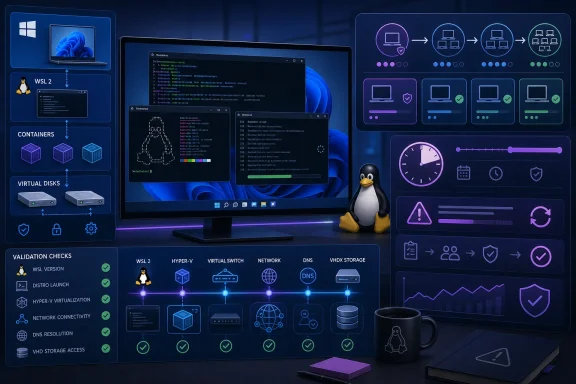 Treat the package as a restart-capable change
The immediate deployment decision is straightforward: hold broad deployment until a pilot ring completes successfully, then deploy during an approved restart window. Do not approve “the latest WSL” as a standing policy. Microsoft’s public WSL release feed changes over time, so every approval should identify the exact package version, the release notes reviewed, and the date the organization authorized it.WindowsForum’s June 2026 discussion identified WSL 2.7.10 as the release marked Latest on June 26, 2026. That makes a permanent freeze at WSL 2.7.8 difficult to defend as a maintenance strategy, particularly when the newer build is the current release designation. But “newer” does not mean “safe to install while someone has a long-running Linux task open.”
For an IT team, WSL now belongs in the same broad change-control category as an update that can affect Hyper-V-adjacent components. It may be installed by developers, but it operates beneath their work. A restart or a failure to create the WSL virtual machine is not contained inside one application window.
The practical policy should be validate first, restart deliberately, deploy in rings. That protects productive work without turning a short-term caution into an unsupported and increasingly stale version freeze.
Build the approval record before the update is offered
The pilot procedure should be concrete enough that another administrator can repeat it and see what changed. Start by recording the current state of each test machine, including its WSL package and basic runtime status.- Open Windows Terminal, Command Prompt, or PowerShell on the pilot device and run
wsl --version. Save the output in the change record so the pre-update WSL package version is known. - Run
wsl --statusand save that output alongside the version record. This establishes the reported WSL configuration before any package transition. - Launch every distribution that matters to the pilot group. A generic Ubuntu launch is useful, but it is not enough if the organization depends on a separate development distribution, a build environment, or a distro with non-default storage.
- Identify active workloads before approving the maintenance window. That includes running shells, local CI jobs, builds, data processing, containers, mounted VHD workflows, and anything that cannot simply be resumed after a host restart.
- Verify the Windows virtualization prerequisites on the pilot configuration before the update. The GitHub report described a machine where Virtual Machine Platform was enabled but HypervisorPlatform was not; after restart, WSL failed with an unhelpful
ERROR_FILE_NOT_FOUNDpath even though the underlying condition was that the hypervisor was unavailable. - Review the exact target WSL package entry in Microsoft’s release feed and attach its release notes and approval date to the change ticket. This prevents the phrase “WSL 2.7.x” from hiding a package substitution halfway through a rollout.
- Schedule a restart-capable window, notify the pilot users, and make the update conditional on no critical work remaining open. If the user cannot stop the workload, that device is not ready for the ring.
- Apply the approved update only in that window. After Windows returns, run
wsl --versionandwsl --statusagain, then record the post-update outputs. - Launch the required distributions, test critical mounts and VHD-related workflows, run the relevant network and DNS checks, and confirm that developer and CI tasks can start and complete normally.
- Promote the package only after the pilot evidence is reviewed. If the pilot discovers a restart surprise, a failed distro launch, or a prerequisite gap, stop promotion and treat the finding as a deployment blocker rather than an individual help-desk problem.
The restart is not the only operational hazard
The reported forced restart is the headline risk because it can interrupt work immediately. The GitHub issue described the update process using forced application-shutdown behavior against active WSL sessions, followed by an automatic Windows restart. In a personal lab, that might mean losing a terminal session. On a workstation used for build automation, local databases, or long-running tasks, it can mean an interrupted job with unclear recovery state.The more subtle risk appears after Windows returns. In the reported 2.7.1.0 pre-release case, WSL would not start because HypervisorPlatform was not enabled, even though the system had been working with VirtualMachinePlatform enabled. The visible WSL error pointed toward a missing file rather than a hypervisor availability problem, creating a troubleshooting detour precisely when a user expects the update to be finished.
Administrators should not overgeneralize one report into a claim that every WSL 2.7.x machine now requires the same prerequisite state. The safer conclusion is narrower: the update path can expose virtualization dependencies that were not previously obvious to the person managing the endpoint. A launch test after reboot is therefore mandatory, not ceremonial.
This distinction also matters for support teams. “The package installed successfully” is not the success criterion. The success criterion is that the required distribution launches and that the real workload—network access, mounts, virtual disks, builds, or automation—still works in the approved configuration.
A ring model is better than both blind rollout and blanket freeze
A sensible first ring is small and intentionally diverse. Include at least one machine with the organization’s ordinary developer workflow, one system using the most important distro configuration, and one endpoint that exercises the storage or networking path that tends to expose WSL problems. Do not make the first ring a collection of idle devices with empty distributions; that validates installation, not operational use.The second ring can cover a broader developer group once the initial results show a clean reboot, successful WSL launches, and no regression in the critical checks. Only then should the package move into general availability for managed workstations.
WindowsForum users are already discussing this approach around WSL 2.7.10, with particular attention to VHD restores, KVM boot, and DNS validation. Those are useful examples of the principle: test the behavior the organization actually depends on, rather than substituting a generic
wsl launch for meaningful acceptance testing.The same caution should apply to devices running preview Windows builds. A report concerning Windows 11 Dev Channel build 26200.8246 and WSL 2 Ubuntu launch failures reinforces a basic operational rule: a preview OS is an acceptable test surface, but it should not be the only usable copy of an active Linux environment. A team that relies on WSL should have a recovery-minded plan for its working data and development state before combining an OS preview channel with a WSL package transition.
Define the rollback conversation before users need it
A restart-window policy is not just a scheduling preference. It determines who owns the decision when a WSL launch fails after the update. The change record should identify the pilot owner, the tested workflows, the planned deployment window, and the action to take if a required distro or workflow does not recover after reboot.Avoid promising an easy rollback unless it has been independently validated for the environment. The available evidence here supports careful version capture and staged approval; it does not justify assuming that every package transition can be reversed cleanly under pressure. When a critical pilot test fails, the safer immediate action is to pause promotion, preserve the evidence, and investigate the prerequisite or workload condition.
That evidence should include the pre- and post-update
wsl --version and wsl --status results, the target package release notes, the time of update, and the specific failing workload. A precise record makes it possible to distinguish an update behavior from a pre-existing endpoint configuration issue.Frequently Asked Questions
Should organizations freeze on WSL 2.7.8?
No. WindowsForum’s June 2026 deployment discussion noted that WSL 2.7.10 was marked Latest on June 26, 2026. The better approach is a controlled ring for the approved current package, rather than an open-ended freeze on an older build.Does every WSL 2.7.x update restart Windows without warning?
The reported behavior concerns a specific WSL 2.7.1.0 pre-release update scenario, not a universal guarantee about every 2.7.x release or device. Administrators should nevertheless plan as though a host restart is possible until their own pilot proves otherwise.What should be tested after the update?
At minimum, verifywsl --version, wsl --status, required distro launches, critical mount or VHD workflows, and network and DNS behavior. Also confirm that no developer process or CI workload was interrupted during the maintenance window.Why check HypervisorPlatform?
The GitHub report described WSL failing after reboot when HypervisorPlatform was not enabled, despite VirtualMachinePlatform being enabled. That makes virtualization prerequisite verification a prudent preflight and post-update investigation step.WSL’s value comes from how closely it integrates Linux workloads with the Windows desktop, but that integration is precisely why its maintenance path deserves discipline. With WSL 2.7.10 already identified as the latest release in late June, the next milestone is not a blanket approval or a permanent hold—it is a documented pilot that proves the package can restart, relaunch, and carry the organization’s real workloads safely.
References
- Primary source: github.com
Loading…
github.com - Primary source: WindowsForum
WSL 2.7.10: Test VHD Restores, KVM Boot and DNS Before Deployment | Windows Forum
A proposed freeze at WSL 2.7.8 is already stale: Microsoft marked WSL 2.7.10 as the Latest release on June 26, 2026. The practical decision is to deploy...windowsforum.com
