

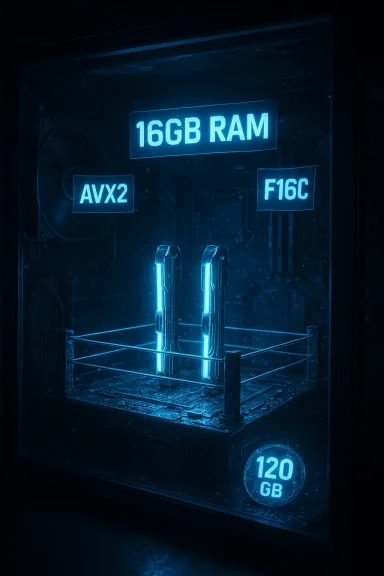
WWE 2K26’s official PC requirements landed with a thud for many players: the minimum is now 16GB of RAM, with a 120GB install footprint and explicit CPU instruction requirements (AVX2 and F16C). What looks like a simple numerical increase is actually the end point of a clear, fast-moving trend that will force owners of older systems—especially machines still running 8GB of RAM—to make real upgrade decisions if they want a smooth experience on March 13, 2026. This article unpacks the new specs, explains what they mean in plain terms, assesses the risk for different user groups, and gives a practical upgrade roadmap so you don’t waste money or time.
The WWE 2K series has incrementally raised PC hardware demands every year, and WWE 2K26 continues that pattern in a way that will be visible to a large portion of the install base. In short:
Minimum:
Common pitfalls:
Benefits for the game and most players:
From a consumer standpoint, the move is aggressive—and rightly so for contemporary gamers who upgrade intermittently—but it will be inconvenient for a not-insignificant group. The most immediate and solvable pain point is RAM: for many desktop users, a straightforward 16GB upgrade will clear the most obvious compatibility roadblock. For laptop owners or anyone chained to older CPUs, the decision becomes tougher.
If you own an 8GB machine and want to play 2K26 at launch, treat this as a clear sign: budget a 16GB upgrade or prepare to play on a different machine or a console equivalent. For those deciding between incremental upgrades, prioritize RAM and fast storage first, then GPU, and treat CPU workarounds as a last resort unless you’re building a new platform.
WWE 2K26’s PC requirements are a practical snapshot of where mainstream PC gaming sits in early 2026: higher memory baselines, explicit instruction‑set expectations, and sizable storage footprints. For players with modern mid‑range rigs, the transition should be seamless; for everyone else, the ring bell has already sounded—time to decide whether to upgrade, switch platforms, or wait for deals and second-hand parts.
Source: The Mirror WWE 2K26’s PC specs are bad news for anyone still running 8GB of RAM
 Background
The WWE 2K series has incrementally raised PC hardware demands every year, and WWE 2K26 continues that pattern in a way that will be visible to a large portion of the install base. In short:- WWE 2K24 listed 8GB RAM as the minimum requirement.
- WWE 2K25 raised the floor to 12GB.
- WWE 2K26 now lists 16GB as the minimum — and the recommended spec also sits at 16GB.
What 2K26’s PC requirements actually say
Below are the load‑bearing items published in 2K’s PC system requirements and mirrored on the Steam listing:Minimum:
- OS: Windows 10/11 (64-bit)
- CPU: Intel i7‑4770 or AMD Ryzen 5 1500X
- Memory: 16 GB RAM
- GPU: NVIDIA RTX 2060 or AMD RX 5700 (GPU must have at least 6 GB of VRAM)
- Storage: 120 GB available space
- CPU must support AVX2 and F16C
- OS: Windows 10/11 (64-bit)
- CPU: Intel i7‑7700 or AMD Ryzen 5 2600
- Memory: 16 GB RAM
- GPU: NVIDIA RTX 3060 (12 GB) or AMD RX 6700 XT (12 GB)
- Storage: 120 GB available space
- CPU must support AVX2 and F16C
Why the changes matter (and why RAM is the headline)
RAM: the slow-but-sure choke point
The move from 8GB (2K24) to 12GB (2K25) to 16GB (2K26) as the minimum reveals how modern game engines consume memory—both for assets and for background systems. There are two practical consequences:- Systems with 8GB of RAM will likely be unable to boot the game, or will run it at severely reduced functionality, with crashes, long load times, or constant paging if the operating system has to swap to disk.
- Even systems with 12GB may hit limits. With 16GB now required, common modern background workloads (browser tabs, Discord, overlays, streaming software) will compete for memory and erode headroom, causing stuttering or reduced frame pacing.
Instruction-set requirements: AVX2 and F16C
Requiring AVX2 and F16C is more than marketing jargon; it’s a real, machine-level capability check. These are vector instruction sets that let the CPU process multiple data elements in parallel, which is especially useful for physics, animation blending, and other CPU-heavy game subsystems.- AVX2 (Advanced Vector Extensions 2) became common on Intel starting with Haswell (4th generation) and on AMD starting with the first Zen chips. It enables 256‑bit integer/float vector operations that massively accelerate certain workloads.
- F16C (also known as CVT16) is a smaller instruction subset used to convert between half‑precision and single‑precision floats—useful for storing large numbers of values (like animation or particle attributes) in compact form and converting them quickly during computation.
- Very old CPUs (pre‑Haswell Intel, pre‑Zen AMD) lack AVX2 and will be blocked.
- Virtual machines or odd OEM configurations can mask CPU feature flags; even a theoretically-capable CPU may be reported as not supporting AVX2/F16C if those flags are disabled.
- Some laptops and ultra‑low-power chips may nominally expose AVX2 but throttle heavily when AVX instructions are executed, leading to thermal throttling and poor performance.
GPU and VRAM: class-based minimums and the VRAM trap
Listing GPU classes (RTX 2060 / RX 5700 for minimum) signals that 2K26 expects a modern feature set and a VRAM baseline. The additional note—minimum 6GB VRAM, recommended 12GB VRAM—can trip up users who focus solely on GPU model name rather than actual memory.Common pitfalls:
- Several older GPUs (GTX-era) may nominally be “capable” of running many games but have too little VRAM for modern textures and high-resolution assets. Running the game at 1080p may be possible on lower VRAM, but texture streaming and higher presets will fail.
- Laptops with mobile GPUs sometimes have reduced VRAM or shared memory behavior; check exact VRAM amounts, not just GPU family.
- The recommended GPU examples (RTX 3060 / RX 6700 XT) are mid-range current-gen cards with enough memory headroom for higher-quality textures and smoother frame pacing.
Storage: 120GB and the SSD factor
120GB is a sizable install. While 1TB drives remain common, not all systems have 200–300GB free. Two practical consequences follow:- If you’re on a smaller SSD, you may have to clear games or media to free up space. HDDs will work for install space, but long load times and streaming stutters are likely; an SSD is strongly recommended to match modern IO demands.
- 120GB is likely to grow through patches and post-launch DLC; plan extra headroom beyond the base installation.
Who’s affected and how badly
The hardware groups most likely to be hit hard by 2K26 are:- Users still on 8GB RAM systems (common in pre‑2020 budget PCs and most older laptops). This is the clearest, most immediate casualty.
- Owners of older GPUs with low VRAM (3–4GB cards, many GTX 10‑series and older mobile cards).
- Systems with CPUs older than Haswell (Intel 3rd gen and earlier) or pre‑Zen AMD chips that lack AVX2/F16C.
- Laptop users with soldered RAM (no upgrade path) or limited internal storage who will struggle to meet both memory and disk needs.
- Virtual machines and cloud gaming instances where feature flags may be masked.
Practical upgrade advice: where to spend money first
If you find your rig below the new minimums, prioritize spending to maximize value.- Upgrade RAM to 16GB first (if possible).
- For most desktops this is the cheapest, highest-impact upgrade. A matched 2x8GB DDR4 kit is the most reliable route.
- For laptops with user‑replaceable SO‑DIMMs, check your motherboard’s supported memory type and maximum capacity before buying.
- Move the game to an SSD (or add one).
- If you’re still on an HDD, buy a 1TB NVMe or SATA SSD where possible. Loading times, texture streaming, and general system responsiveness will improve dramatically.
- Evaluate the GPU only after confirming CPU headroom.
- If you already have a mid‑range GPU with adequate VRAM (≥6GB) and a CPU with AVX2/F16C support, your GPU may be sufficient for 1080p/medium-to-high presets.
- If you’re targeting high resolutions (1440p/4K) or maxed settings, the GPU will be the dominant upgrade cost.
- CPU upgrades are the most complex.
- Desktop CPUs that support AVX2 and F16C are relatively common, but moving to a newer CPU may require a new motherboard and RAM (if changing generations), which increases cost quickly.
- Check whether your current CPU actually exposes AVX2/F16C flags using a tool (see next section) before committing.
- Laptops and OEM systems with soldered RAM may force you to consider a new system.
- In these cases, weigh the cost of a new laptop versus the value of incremental desktop upgrades.
How to check your PC for compatibility (step-by-step)
If you want to confirm whether your machine will run WWE 2K26, follow these steps in order:- Check installed RAM:
- Open Task Manager → Performance tab → Memory. If it shows less than 16GB, you’ll need to upgrade or use another machine.
- Check CPU model and instruction support:
- Identify the CPU model: Task Manager → Performance → CPU (model shown).
- Use a utility like CPU‑Z or the Sysinternals tool “Coreinfo” to inspect supported instruction flags. You’re looking for AVX2 and F16C in the CPU flags output.
- If either flag is missing, the CPU will not meet the stated requirements.
- Confirm GPU and VRAM:
- Task Manager → Performance → GPU shows the model and VRAM.
- Ensure the GPU model is at least in the RTX 2060 / RX 5700 class and that VRAM is 6GB or higher for minimum, 12GB for recommended.
- Check available storage:
- File Explorer → This PC → check the drive where you’ll install the game. You need at least 120GB free, but plan for 20–50GB extra for updates and temporary files.
- Consider thermal/PSU margins:
- Upgrading GPUs or CPUs may require better cooling or a stronger PSU. Check system specs and plan accordingly.
- If in doubt, test with similar titles:
- Games with comparable specs (recent sports or open‑world titles) will give a reasonable performance expectation.
Technical context: why 2K is doing this now
There are multiple technical reasons behind the stricter minimums:- Engine complexity. Modern wrestling simulators have more simultaneous systems—high-resolution character models, complex cloth/rope physics, larger rosters, and increased animation counts. All of these increase memory requirements.
- Unified asset fidelity. 2K26 appears aimed at parity with console current‑gen visual targets and/or a more feature‑complete PC release (including The Island open-hub), which requires a larger working set of textures and data.
- SIMD-accelerated subsystems. Explicitly requiring AVX2 and F16C suggests the developers are using optimized code paths that assume these instructions, either for performance or for reduced memory bandwidth via half‑precision techniques.
- VRAM and texture streaming. Higher-resolution textures, larger crowds, and improved post-processing require more VRAM to keep stuttering and texture pop-in at bay.
The trade-offs and risks for PC gamers and 2K itself
There are clear upside and downside trade-offs in raising minimums.Benefits for the game and most players:
- More headroom for visual fidelity and stability on modern hardware.
- Better baseline experience for the majority of current gamers who already use 16GB+ systems.
- Simplified development and QA when the developer can assume certain instruction sets and memory budgets.
- Smaller, older, or budget‑focused players will be priced out or forced to upgrade, potentially shrinking the low-end audience.
- Laptops and prebuilt systems with soldered RAM are uniquely disadvantaged.
- The instruction-set gating can cause confusion; users may have otherwise “acceptable” CPU and GPU combinations but be blocked because of missing CPU flags or masked CPUID responses in unusual system configurations (older BIOS, virtualized environments).
- With a 120GB install footprint, storage-constrained users must make painful trade-offs between games and essential data.
A measured upgrade plan for different budgets
- Low budget (<$150): Add one 8GB stick to make 16GB (desktop only), or buy a used 16GB kit; add a budget SATA SSD for faster load times if on HDD.
- Mid budget ($150–$400): New 16GB (2×8) DDR4 kit plus NVMe SSD (1TB), or, if GPU is the bottleneck, a modest RTX 3050/3060 used card can be considered.
- High budget ($400+): Full platform refresh—new CPU, motherboard, 32GB RAM, and a modern GPU if you want 1440p/4K. This is most sensible if multiple components are out of date or you plan to keep the system for several years.
Final assessment: are the new requirements justified?
Technically, yes. WWE 2K’s engine and the scope of 2K26 (The Island on PC, larger rosters, modern graphical features) justify higher baseline resource needs. Requiring AVX2 and F16C points to modern optimization strategies that improve performance on supported hardware and enable higher-quality visuals without resorting to brute-force hardware demands.From a consumer standpoint, the move is aggressive—and rightly so for contemporary gamers who upgrade intermittently—but it will be inconvenient for a not-insignificant group. The most immediate and solvable pain point is RAM: for many desktop users, a straightforward 16GB upgrade will clear the most obvious compatibility roadblock. For laptop owners or anyone chained to older CPUs, the decision becomes tougher.
If you own an 8GB machine and want to play 2K26 at launch, treat this as a clear sign: budget a 16GB upgrade or prepare to play on a different machine or a console equivalent. For those deciding between incremental upgrades, prioritize RAM and fast storage first, then GPU, and treat CPU workarounds as a last resort unless you’re building a new platform.
WWE 2K26’s PC requirements are a practical snapshot of where mainstream PC gaming sits in early 2026: higher memory baselines, explicit instruction‑set expectations, and sizable storage footprints. For players with modern mid‑range rigs, the transition should be seamless; for everyone else, the ring bell has already sounded—time to decide whether to upgrade, switch platforms, or wait for deals and second-hand parts.
Source: The Mirror WWE 2K26’s PC specs are bad news for anyone still running 8GB of RAM
