

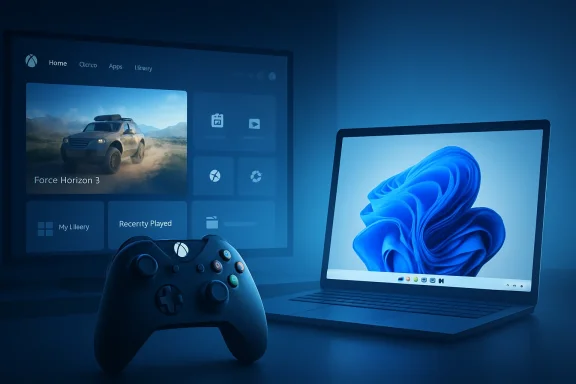
Microsoft began rolling out Xbox mode on April 30, 2026, to Windows 11 PCs in select markets, bringing a controller-first, full-screen gaming interface to desktops, laptops, tablets, and handhelds while keeping the traditional Windows desktop available when users need it. The feature is not a new operating system, and it is not an Xbox console hiding inside your PC. It is something more strategically revealing: Microsoft admitting that Windows, left to its own desktop instincts, is still an awkward living-room gaming platform. Xbox mode is the company’s latest attempt to make the PC feel less like a workplace machine that happens to run games and more like a gaming device that happens to run Windows.
For decades, Windows has won PC gaming by being everywhere, not by being elegant. It had the drivers, the storefronts, the hardware support, the anti-cheat compatibility, the modding culture, and the game catalog. What it rarely had was a graceful answer to the simple question every console solves at boot: where are my games, and how fast can I play them?
Xbox mode is Microsoft’s clearest answer yet. It replaces the normal desktop-first posture with a full-screen, controller-optimized environment that foregrounds recently played titles and a broader game library. That sounds modest until you consider how many PC gaming sessions begin with the decidedly un-console ritual of waking a machine, squinting at the taskbar, dismissing launchers, grabbing a mouse, and hoping the storefront you need updated itself before you sat down.
The feature’s roots matter. Microsoft first pushed this idea as the Xbox full-screen experience for Windows handhelds, where the usual desktop compromises are impossible to ignore. A seven- or eight-inch screen exposes every tiny checkbox, every background tray icon, and every launcher tantrum. On a handheld, Windows does not merely feel clumsy; it feels like an operating system caught wearing the wrong clothes.
Now Microsoft is carrying those lessons back to mainstream PCs. That is the interesting reversal. Handhelds were not a sideshow here; they were the stress test that forced Windows gaming to confront its worst habits.
That distinction matters for enthusiasts. Windows remains Windows. Users can switch back to the desktop, run productivity apps, install competing storefronts, and use the oddball utilities that make PC gaming both powerful and maddening. Xbox mode does not abolish the mess; it hides enough of it to make the first five minutes of gaming feel less like system administration.
Microsoft says Xbox mode aggregates installed games from leading PC storefronts alongside the Xbox Game Pass catalog. If it works reliably, that is the feature’s most practical win. The average PC gamer may own games across Steam, Epic Games Store, GOG, Battle.net, Ubisoft Connect, the Microsoft Store, and subscription libraries. A unified library is not glamorous, but it is exactly the kind of housekeeping consoles perform invisibly and PCs have traditionally outsourced to patience.
There is also a subtle platform politics at work. Microsoft cannot make Steam go away, and it no longer benefits from pretending that PC gaming begins and ends with its own store. Xbox mode’s usefulness depends on acknowledging the real PC market, where Microsoft is an important participant but not the sole landlord.
Steam’s Big Picture mode and later Steam Deck’s SteamOS showed what happens when the interface respects the posture of play. A controller in hand, ten feet from a TV, changes the operating system’s job. Precision gives way to glanceability. Window management gives way to task switching. Update prompts, file pickers, driver panels, and login boxes become not minor annoyances but breaks in the illusion.
Xbox mode is Microsoft recognizing that the illusion matters. Consoles are not loved because they are more powerful than PCs; they are loved because they reduce the number of decisions between intent and play. That is the bar Windows has struggled to clear.
The irony is that Microsoft already knew this from Xbox. The company has spent more than two decades refining console navigation, account identity, achievements, subscriptions, cloud saves, and store discovery. The mystery was why so little of that discipline transferred cleanly to the Windows PC experience. Xbox mode is an overdue institutional handshake between two Microsoft worlds that often felt adjacent rather than integrated.
On handhelds, those excuses collapsed. Tiny touch targets, desktop pop-ups, inconsistent sleep behavior, launcher sprawl, and background processes became visible product flaws. Windows could run more games than SteamOS, especially where anti-cheat and publisher launchers were involved, but the experience often felt less coherent.
Microsoft’s answer has been gradual rather than revolutionary. The full-screen experience arrived first for handhelds, with options to start directly into a gaming home app and reduce some background activity. Xbox mode on broader PCs is the mainstreaming of that experiment. It is Microsoft saying the handheld problem was really a Windows gaming problem all along.
That may prove more consequential than any single interface tweak. Once Microsoft treats controller-first gaming as a first-class Windows scenario, it has to think differently about startup apps, notifications, shell behavior, display scaling, sleep and resume, and app focus. Xbox mode begins as a launcher, but the pressure it creates extends deeper into the OS.
On desktops and laptops, the story is less dramatic. Xbox mode’s most obvious benefit is interface friction, not a sudden frame-rate windfall. A full-screen shell can make a PC feel more console-like, but it does not rewrite GPU drivers, eliminate shader compilation, or solve every launcher’s appetite for background tasks.
This distinction will matter because gamers are allergic to marketing fog. If users expect Xbox mode to transform a midrange laptop into a console-tuned appliance, disappointment will follow. If they expect it to make controller navigation easier, consolidate access to games, and reduce desktop distractions, the feature has a much better chance of being judged fairly.
Microsoft should lean into that honesty. The company does not need to pretend Xbox mode is a magic performance switch. The bigger accomplishment would be making Windows feel less hostile to the way millions of people actually play.
It is also why a console-like interface can only go so far. The moment a game opens a secondary launcher, demands an account login, throws a firewall prompt, or spawns a configuration window, the clean living-room fantasy starts to crack. Microsoft can optimize the shell, but it cannot fully civilize every Windows application that might appear inside it.
This is where Xbox mode’s app behavior becomes important. Microsoft’s support material notes that apps may behave differently in the mode: one window displayed at a time, full-screen presentation where possible, some multi-window behavior constrained, and some desktop keyboard shortcuts disabled. That is sensible for controller navigation, but it also reveals the compromise. Windows apps were not all designed for this world.
The best version of Xbox mode will therefore depend on developers and storefronts playing along. A controller-first shell is only as good as the worst modal dialog between the player and the game. If Microsoft wants Xbox mode to feel native rather than decorative, it will need to nudge the wider PC ecosystem toward better full-screen, controller-safe behavior.
The company’s console strategy has been shifting for years. Xbox is no longer merely a box under the TV; it is a brand spanning consoles, PCs, cloud streaming, handhelds, and potentially other devices. Xbox mode advances that idea by making Windows itself look more like an Xbox endpoint when the user wants it to.
There is risk in that, especially among PC gamers who are sensitive to platform steering. If Xbox mode feels like a neutral gaming dashboard, it will be welcomed. If it feels like an upsell surface for Game Pass with token support for rival stores, it will be treated as another Microsoft funnel.
The difference will come down to restraint. PC gamers do not object to discovery, subscriptions, or storefronts. They object to being trapped, nagged, or patronized. Xbox mode has to be useful before it is promotional.
The immediate relevance is policy and user expectation. Gaming laptops often double as school, creator, contractor, or small-business machines. A mode that changes startup behavior, shell entry points, app focus, and background activity may matter in shared-device or lightly managed scenarios. It is not a security crisis, but it is another reminder that Windows is increasingly a context-switching OS.
There is also a support angle. Users will ask why they do or do not see Xbox mode, especially because the rollout is phased, market-dependent, and tied to Windows 11 version requirements. The feature applies to Windows 11 version 24H2 or later, but availability still depends on support status and rollout timing. That kind of staged deployment is normal for Microsoft and confusing for everyone else.
For admins, the practical stance is simple: know it exists, know where it lives in Settings, and understand that it is not replacing the desktop. The bigger implications are cultural rather than operational. Microsoft is continuing to blur the line between Windows as a productivity platform and Windows as an entertainment appliance.
A console maker can test against a narrow hardware target. Microsoft has to make a console-style experience survive the PC ecosystem. That is a different engineering problem and a different support burden.
The phased rollout also lets Microsoft watch telemetry and feedback before Xbox mode becomes a larger reputational bet. A broken desktop feature is annoying. A broken couch-gaming feature is embarrassing because it fails in the exact moment it promised simplicity.
This is why early expectations should be modest. The first version does not need to be perfect. It needs to be dependable enough that users voluntarily return to it after the novelty wears off.
That is also why comparisons to Steam matter more than comparisons to consoles. Valve proved with Steam Deck that a PC-compatible gaming device can feel coherent if the interface, store, compatibility layer, suspend behavior, and controller model are designed as one experience. Microsoft has the broader compatibility advantage, but Valve has often had the cleaner product story.
Xbox mode is Microsoft trying to close that experience gap without sacrificing Windows’ breadth. That is a difficult balancing act. Too much Windows, and the mode feels cosmetic. Too much console, and PC users fear losing control.
The sweet spot is a layer that is opinionated when you are playing and invisible when you are not. If Microsoft can pull that off, Xbox mode becomes more than a launcher. It becomes a pattern for how Windows adapts to different device roles.
That audience is less forgiving than the average console audience because it has alternatives. Steam Big Picture exists. Playnite exists. Manufacturer launchers exist. Some users will keep using the desktop because they have already built workflows around it. Others will look at SteamOS and wonder why Windows still feels heavier.
This is why Xbox mode’s success will be measured in habit, not headlines. The question is not whether users try it once. The question is whether they set it as part of their normal gaming routine: press controller, enter mode, launch game, forget Windows is there.
If Microsoft achieves that, it will have solved one of Windows gaming’s oldest annoyances. If not, Xbox mode will join the long list of well-intentioned shells that enthusiasts disable after a week.
Source: MobiGyaan Windows 11 gets Xbox Mode bringing console gaming experience to PCs
 Microsoft Finally Stops Pretending the Desktop Is Good Enough
For decades, Windows has won PC gaming by being everywhere, not by being elegant. It had the drivers, the storefronts, the hardware support, the anti-cheat compatibility, the modding culture, and the game catalog. What it rarely had was a graceful answer to the simple question every console solves at boot: where are my games, and how fast can I play them?Xbox mode is Microsoft’s clearest answer yet. It replaces the normal desktop-first posture with a full-screen, controller-optimized environment that foregrounds recently played titles and a broader game library. That sounds modest until you consider how many PC gaming sessions begin with the decidedly un-console ritual of waking a machine, squinting at the taskbar, dismissing launchers, grabbing a mouse, and hoping the storefront you need updated itself before you sat down.
The feature’s roots matter. Microsoft first pushed this idea as the Xbox full-screen experience for Windows handhelds, where the usual desktop compromises are impossible to ignore. A seven- or eight-inch screen exposes every tiny checkbox, every background tray icon, and every launcher tantrum. On a handheld, Windows does not merely feel clumsy; it feels like an operating system caught wearing the wrong clothes.
Now Microsoft is carrying those lessons back to mainstream PCs. That is the interesting reversal. Handhelds were not a sideshow here; they were the stress test that forced Windows gaming to confront its worst habits.
Xbox Mode Is a Shell Strategy, Not a Console Clone
The temptation is to describe Xbox mode as “turning your PC into an Xbox,” but that oversells the magic and undersells the strategy. Microsoft is not replacing Windows with the Xbox OS. It is wrapping Windows gaming in a more purpose-built shell and hoping most players do not need to touch the machinery underneath.That distinction matters for enthusiasts. Windows remains Windows. Users can switch back to the desktop, run productivity apps, install competing storefronts, and use the oddball utilities that make PC gaming both powerful and maddening. Xbox mode does not abolish the mess; it hides enough of it to make the first five minutes of gaming feel less like system administration.
Microsoft says Xbox mode aggregates installed games from leading PC storefronts alongside the Xbox Game Pass catalog. If it works reliably, that is the feature’s most practical win. The average PC gamer may own games across Steam, Epic Games Store, GOG, Battle.net, Ubisoft Connect, the Microsoft Store, and subscription libraries. A unified library is not glamorous, but it is exactly the kind of housekeeping consoles perform invisibly and PCs have traditionally outsourced to patience.
There is also a subtle platform politics at work. Microsoft cannot make Steam go away, and it no longer benefits from pretending that PC gaming begins and ends with its own store. Xbox mode’s usefulness depends on acknowledging the real PC market, where Microsoft is an important participant but not the sole landlord.
The Living Room Is the Battlefield Windows Never Quite Conquered
Windows dominates desks. It has never dominated couches with the same confidence. Plugging a gaming PC into a television has always promised the best of both worlds and then immediately asked the user to keep a wireless keyboard nearby for the worst of both worlds.Steam’s Big Picture mode and later Steam Deck’s SteamOS showed what happens when the interface respects the posture of play. A controller in hand, ten feet from a TV, changes the operating system’s job. Precision gives way to glanceability. Window management gives way to task switching. Update prompts, file pickers, driver panels, and login boxes become not minor annoyances but breaks in the illusion.
Xbox mode is Microsoft recognizing that the illusion matters. Consoles are not loved because they are more powerful than PCs; they are loved because they reduce the number of decisions between intent and play. That is the bar Windows has struggled to clear.
The irony is that Microsoft already knew this from Xbox. The company has spent more than two decades refining console navigation, account identity, achievements, subscriptions, cloud saves, and store discovery. The mystery was why so little of that discipline transferred cleanly to the Windows PC experience. Xbox mode is an overdue institutional handshake between two Microsoft worlds that often felt adjacent rather than integrated.
Handheld PCs Made Windows’ Gaming Problem Impossible to Ignore
The rise of handheld gaming PCs changed the tone of this conversation. Before devices like the Steam Deck, ROG Ally, Legion Go, and MSI Claw, Windows’ gaming rough edges were tolerable because the PC was usually on a desk. A keyboard and mouse were always inches away, and the desktop was the expected default.On handhelds, those excuses collapsed. Tiny touch targets, desktop pop-ups, inconsistent sleep behavior, launcher sprawl, and background processes became visible product flaws. Windows could run more games than SteamOS, especially where anti-cheat and publisher launchers were involved, but the experience often felt less coherent.
Microsoft’s answer has been gradual rather than revolutionary. The full-screen experience arrived first for handhelds, with options to start directly into a gaming home app and reduce some background activity. Xbox mode on broader PCs is the mainstreaming of that experiment. It is Microsoft saying the handheld problem was really a Windows gaming problem all along.
That may prove more consequential than any single interface tweak. Once Microsoft treats controller-first gaming as a first-class Windows scenario, it has to think differently about startup apps, notifications, shell behavior, display scaling, sleep and resume, and app focus. Xbox mode begins as a launcher, but the pressure it creates extends deeper into the OS.
The Performance Claim Needs Careful Reading
There is a performance story around Xbox mode, but it should be handled with precision. On supported handheld scenarios, Microsoft’s documentation describes limiting background processes when Xbox mode starts automatically after sign-in, with the goal of improving gaming performance and battery life. That is meaningful, especially on constrained devices where every watt and every background service matters.On desktops and laptops, the story is less dramatic. Xbox mode’s most obvious benefit is interface friction, not a sudden frame-rate windfall. A full-screen shell can make a PC feel more console-like, but it does not rewrite GPU drivers, eliminate shader compilation, or solve every launcher’s appetite for background tasks.
This distinction will matter because gamers are allergic to marketing fog. If users expect Xbox mode to transform a midrange laptop into a console-tuned appliance, disappointment will follow. If they expect it to make controller navigation easier, consolidate access to games, and reduce desktop distractions, the feature has a much better chance of being judged fairly.
Microsoft should lean into that honesty. The company does not need to pretend Xbox mode is a magic performance switch. The bigger accomplishment would be making Windows feel less hostile to the way millions of people actually play.
The Openness of Windows Is Both the Feature and the Bug
Microsoft’s hardest design problem is that PC gaming’s messiness is also its moat. Windows supports decades of games, countless input devices, mods, overlays, launchers, capture tools, RGB utilities, fan-control panels, anti-cheat systems, and hardware combinations no console team would willingly certify. That chaos is why the platform is powerful.It is also why a console-like interface can only go so far. The moment a game opens a secondary launcher, demands an account login, throws a firewall prompt, or spawns a configuration window, the clean living-room fantasy starts to crack. Microsoft can optimize the shell, but it cannot fully civilize every Windows application that might appear inside it.
This is where Xbox mode’s app behavior becomes important. Microsoft’s support material notes that apps may behave differently in the mode: one window displayed at a time, full-screen presentation where possible, some multi-window behavior constrained, and some desktop keyboard shortcuts disabled. That is sensible for controller navigation, but it also reveals the compromise. Windows apps were not all designed for this world.
The best version of Xbox mode will therefore depend on developers and storefronts playing along. A controller-first shell is only as good as the worst modal dialog between the player and the game. If Microsoft wants Xbox mode to feel native rather than decorative, it will need to nudge the wider PC ecosystem toward better full-screen, controller-safe behavior.
Game Pass Is the Business Model Hiding in the Interface
Xbox mode is framed as a user-experience feature, but it also serves Microsoft’s gaming business. Putting Game Pass beside locally installed PC games in a full-screen interface makes the subscription feel less like an app and more like part of the platform. That is exactly where Microsoft wants it.The company’s console strategy has been shifting for years. Xbox is no longer merely a box under the TV; it is a brand spanning consoles, PCs, cloud streaming, handhelds, and potentially other devices. Xbox mode advances that idea by making Windows itself look more like an Xbox endpoint when the user wants it to.
There is risk in that, especially among PC gamers who are sensitive to platform steering. If Xbox mode feels like a neutral gaming dashboard, it will be welcomed. If it feels like an upsell surface for Game Pass with token support for rival stores, it will be treated as another Microsoft funnel.
The difference will come down to restraint. PC gamers do not object to discovery, subscriptions, or storefronts. They object to being trapped, nagged, or patronized. Xbox mode has to be useful before it is promotional.
Enterprise IT Will Mostly Care When Gaming PCs Become Work PCs Again
For most corporate environments, Xbox mode is not a headline feature. Managed Windows 11 fleets are not suddenly becoming living-room consoles. But IT administrators should still pay attention because Windows features rarely stay in neat consumer boxes.The immediate relevance is policy and user expectation. Gaming laptops often double as school, creator, contractor, or small-business machines. A mode that changes startup behavior, shell entry points, app focus, and background activity may matter in shared-device or lightly managed scenarios. It is not a security crisis, but it is another reminder that Windows is increasingly a context-switching OS.
There is also a support angle. Users will ask why they do or do not see Xbox mode, especially because the rollout is phased, market-dependent, and tied to Windows 11 version requirements. The feature applies to Windows 11 version 24H2 or later, but availability still depends on support status and rollout timing. That kind of staged deployment is normal for Microsoft and confusing for everyone else.
For admins, the practical stance is simple: know it exists, know where it lives in Settings, and understand that it is not replacing the desktop. The bigger implications are cultural rather than operational. Microsoft is continuing to blur the line between Windows as a productivity platform and Windows as an entertainment appliance.
The Rollout Is Cautious Because the Edge Cases Are Brutal
Microsoft is rolling Xbox mode out gradually in select markets, and that caution is not merely corporate timidity. The number of ways a Windows gaming session can go sideways is enormous. Controllers vary. Display configurations vary. Storefronts vary. Overlays collide. Games launch launchers that launch games. Some players use HDR televisions; others use multi-monitor battlestations with capture cards and chat apps.A console maker can test against a narrow hardware target. Microsoft has to make a console-style experience survive the PC ecosystem. That is a different engineering problem and a different support burden.
The phased rollout also lets Microsoft watch telemetry and feedback before Xbox mode becomes a larger reputational bet. A broken desktop feature is annoying. A broken couch-gaming feature is embarrassing because it fails in the exact moment it promised simplicity.
This is why early expectations should be modest. The first version does not need to be perfect. It needs to be dependable enough that users voluntarily return to it after the novelty wears off.
Microsoft’s Real Rival Is Not Sony, It Is Friction
It is easy to frame Xbox mode as a move against PlayStation or Nintendo, but the more immediate rival is friction. Microsoft already has a vast PC gaming footprint. The problem is not whether Windows can run games. The problem is whether Windows can make launching and managing them feel as natural as pressing the Xbox button on a controller.That is also why comparisons to Steam matter more than comparisons to consoles. Valve proved with Steam Deck that a PC-compatible gaming device can feel coherent if the interface, store, compatibility layer, suspend behavior, and controller model are designed as one experience. Microsoft has the broader compatibility advantage, but Valve has often had the cleaner product story.
Xbox mode is Microsoft trying to close that experience gap without sacrificing Windows’ breadth. That is a difficult balancing act. Too much Windows, and the mode feels cosmetic. Too much console, and PC users fear losing control.
The sweet spot is a layer that is opinionated when you are playing and invisible when you are not. If Microsoft can pull that off, Xbox mode becomes more than a launcher. It becomes a pattern for how Windows adapts to different device roles.
The Console Interface Arrives With PC Expectations Attached
The challenge for Microsoft is that PC gamers will judge Xbox mode by PC standards, not console standards. They will expect support for non-Microsoft stores. They will expect ultrawide and multi-monitor sanity. They will expect remappable controls, fast switching, overlay compatibility, and minimal nagging. They will expect the mode to get out of the way the moment it stops helping.That audience is less forgiving than the average console audience because it has alternatives. Steam Big Picture exists. Playnite exists. Manufacturer launchers exist. Some users will keep using the desktop because they have already built workflows around it. Others will look at SteamOS and wonder why Windows still feels heavier.
This is why Xbox mode’s success will be measured in habit, not headlines. The question is not whether users try it once. The question is whether they set it as part of their normal gaming routine: press controller, enter mode, launch game, forget Windows is there.
If Microsoft achieves that, it will have solved one of Windows gaming’s oldest annoyances. If not, Xbox mode will join the long list of well-intentioned shells that enthusiasts disable after a week.
The PC Finally Gets an Xbox Button Worth Pressing
The most concrete lesson of Xbox mode is that Microsoft is no longer treating Windows gaming as just another desktop workload. The company is building a dedicated path through the operating system for play, and that path is shaped by handhelds, subscriptions, controllers, and the living room as much as by tower PCs.- Xbox mode began rolling out on April 30, 2026, for Windows 11 PCs in select markets, with broader availability expanding gradually.
- The feature provides a full-screen, controller-optimized interface for browsing and launching games while preserving access to the normal Windows desktop.
- Microsoft says the mode can aggregate Xbox Game Pass titles and installed games from leading PC storefronts into a single library view.
- The strongest near-term benefit is reduced interface friction, especially for handhelds, TV-connected PCs, and controller-first setups.
- Performance improvements should be understood carefully, with the clearest background-process optimizations applying to supported handheld startup scenarios.
- Xbox mode’s long-term success depends on whether Microsoft and PC game developers can make launchers, dialogs, overlays, and app switching behave cleanly in a console-style environment.
Source: MobiGyaan Windows 11 gets Xbox Mode bringing console gaming experience to PCs
