

Microsoft began rolling out Xbox Mode for Windows 11 on April 30, 2026, bringing a controller-optimized, full-screen Xbox-style interface to desktops, laptops, tablets, and handheld PCs in select markets through a phased Windows update. The feature is not a new console, and it is not quite a new operating system. It is Microsoft’s clearest admission yet that Windows, for all its gaming dominance, has never been comfortable when the keyboard and mouse disappear. The company is trying to turn the PC from a machine that can play games into one that can feel purpose-built for them.
The Windows desktop has always been a superb place to manage files, install drivers, juggle browsers, edit spreadsheets, and troubleshoot why an audio device has renamed itself after a monitor. It has never been a great place to sit ten feet from a television with a controller in your hand. That mismatch has haunted living-room PCs, mini gaming rigs, and handheld Windows devices for years.
Xbox Mode is Microsoft’s answer to that problem, and the answer is tellingly modest. Rather than replacing Windows, it places a console-inspired shell over the parts of Windows that players most often want to avoid. The Xbox app becomes a full-screen, controller-first environment where the library, recently played games, Game Pass, and installed titles from major PC storefronts are meant to be reachable without dropping back to the desktop.
That sounds simple because the best console interfaces are supposed to sound simple. The work is not in inventing a new metaphor. The work is in hiding the wrong one.
For decades, PC gaming’s great bargain has been power in exchange for friction. You get better graphics, cheaper storefront competition, mod support, flexible hardware, and backward compatibility that consoles can only envy. In return, you accept launchers that launch launchers, driver utilities that want attention, and a desktop metaphor that assumes a pointer, a taskbar, and patience.
Xbox Mode is important because it attacks that bargain at the level where most players actually feel it. It does not promise to make a midrange GPU behave like a flagship. It promises that when you sit down to play, Windows will stop making you feel like you are about to file taxes.
Instead, it creates a dedicated gaming layer that behaves more like the Xbox dashboard than Explorer. Microsoft says players can browse and launch games with a controller, move between Xbox Mode and the Windows 11 desktop, and access an aggregated library that includes Game Pass and installed games from leading PC storefronts. That last clause matters: Microsoft knows it cannot win PC gaming by pretending Steam, Epic, Battle.net, GOG, and other ecosystems do not exist.
This is where Xbox Mode differs from the old Microsoft instinct to make the Windows platform synonymous with Microsoft’s own store. The modern Xbox business is less doctrinaire. Game Pass is still the jewel. The Microsoft Store still matters. But the company’s larger ambition is to make Xbox the identity layer across devices, not necessarily the only cash register.
That is why the interface has to be broad enough to feel useful even for players who own most of their games elsewhere. If Xbox Mode were merely a Game Pass kiosk, it would be dismissed as another corporate overlay. If it can reliably gather a player’s actual library, remember what they last played, launch games cleanly, and stay out of the way, it becomes infrastructure.
The distinction is crucial. A bad launcher asks users to change habits for the vendor’s benefit. A good shell makes existing habits feel less chaotic.
The Steam Deck sharpened the contrast. Valve did not make Linux magically simpler than Windows for every use case; it built a gaming appliance around SteamOS and Proton, then hid most of the complexity unless the user went looking for it. The result was not just a handheld PC. It was a handheld PC with a default answer to the question, “What happens when I press the power button?”
Windows handhelds often had a less satisfying answer: eventually, after login prompts, launchers, updates, focus issues, overlays, and maybe a tiny desktop scaled for ants, you would get to the game. Enthusiasts tolerated it because the hardware was flexible and game compatibility was often excellent. Mainstream users were less forgiving.
Microsoft’s first serious response was the Full Screen Experience for handhelds, which later became Xbox Mode. Its expansion to conventional Windows 11 PCs shows that the company no longer sees the problem as limited to portable devices. The same friction exists on a tower connected to a living-room TV, a laptop docked at a couch setup, or a tablet used as a compact game machine.
The handheld market merely made the problem impossible to ignore. Once users had experienced a controller-first PC through SteamOS, Windows could not keep pretending that a Start menu and a taskbar were good enough.
Microsoft’s advantage is obvious. Windows is the default gaming platform for the overwhelming majority of PC titles, anti-cheat systems, GPU utilities, and peripheral software. It does not need to translate Windows compatibility into another operating system. It owns the environment where the games already run.
Its disadvantage is equally obvious. Windows is not just a gaming platform. It is a general-purpose operating system with enterprise baggage, legacy assumptions, background services, notification systems, account prompts, security layers, update behavior, and decades of UI sediment. Valve could build SteamOS around play. Microsoft has to persuade Windows to behave.
That makes Xbox Mode both less elegant and potentially more consequential than Steam Big Picture. Valve’s interface sits atop a store and an ecosystem. Microsoft’s interface sits atop the operating system itself. If Microsoft gets the integration right, Xbox Mode can make every Windows gaming PC feel more appliance-like without sacrificing the open platform beneath it.
But that “if” is doing a lot of work. Steam’s strength is that it mostly knows what it is. Windows’ weakness is that it knows too many things at once.
That does not make it useless. Interface friction is real friction. If a gaming session starts faster, requires fewer trips to the desktop, produces fewer notification interruptions, and works more predictably with a controller, the experience improves even if the frame-rate counter never moves.
Still, Microsoft has to be careful here. PC gamers are exquisitely sensitive to the difference between a mode that looks cleaner and a mode that measurably improves performance. Windows already has a “Game Mode,” and years of tuning utilities have trained users to distrust vague promises about background optimization. If Xbox Mode is primarily a shell, Microsoft should say so plainly and let the product succeed on comfort rather than imagined benchmarks.
The better argument is not that Xbox Mode turns Windows into a lean gaming OS. It is that Windows has accumulated so many non-gaming affordances that hiding them at the right moment has value. Silence the noise, enlarge the targets, route the controller properly, and get the player back to the library. That is not glamorous engineering, but it is the sort of polish that makes a device feel intentional.
In gaming, intentionality matters. A console feels good not because it is more powerful than a PC, but because it has fewer visible escape hatches.
The modern PC library is less a shelf than an archaeological dig. A player may own games across Steam, Epic, Xbox, EA, Ubisoft, Battle.net, itch.io, GOG, and a folder of standalone launchers accumulated over fifteen years. Some games require separate authentication. Some update through their own clients. Some do not behave properly unless launched through a specific storefront. Some resent overlays. Some forget which monitor they belong on.
If Xbox Mode can tame enough of that sprawl, it becomes more than a prettier Xbox app. It becomes the “home screen” Windows gaming has lacked. The technical challenge is not simply listing shortcuts. It is making those shortcuts feel reliable from a controller-first interface, including the awkward cases where a third-party launcher interrupts the flow.
That is where Microsoft’s ambitions may collide with the messy sovereignty of PC gaming. Storefronts have incentives to preserve their own front doors. Publishers like their launchers because launchers capture attention, accounts, telemetry, and store traffic. Players, meanwhile, want the game they clicked to appear without a corporate procession.
Xbox Mode will be judged by those edge cases. A beautiful interface that dumps the user into a tiny login dialog is not a console-like experience. It is Windows wearing a costume.
A full-screen Windows gaming interface naturally favors whatever is most deeply integrated into it. Game Pass titles can be surfaced cleanly. Cloud saves can be emphasized. Xbox Play Anywhere games can become proof points for Microsoft’s pitch that the boundary between console and PC is dissolving. The company does not need to lock out competitors to tilt the room.
This is the softer version of platform power. Instead of forcing users through the Microsoft Store, Xbox Mode can normalize the idea that the Xbox layer is where PC gaming begins. Steam may still own the transaction. Microsoft wants to own the session.
That distinction is increasingly important as Xbox hardware becomes less central to the Xbox business. Microsoft has spent years putting first-party games on more platforms, expanding cloud access, and treating “Xbox” as a service identity rather than a box under the television. Xbox Mode is a Windows-side expression of the same strategy.
The risk is that users notice the steering. If Xbox Mode feels like a neutral cockpit, it can earn trust. If it feels like a Game Pass billboard with grudging support for the rest of the PC, it will be treated as another thing to disable.
For most managed environments, Xbox Mode will be a curiosity rather than a crisis. Administrators already have tools to restrict apps, manage Store access, configure update rings, and shape user environments. The broader point is symbolic: Microsoft keeps adding consumer identity layers to an operating system that enterprises still rely on as infrastructure.
That does not mean Xbox Mode is inappropriate for Windows. Gaming is one of the platform’s strongest cultural and commercial anchors. But it does reinforce why Windows sometimes feels like a house with too many owners. The same OS image must support a domain-joined office laptop and a docked handheld trying to behave like a console.
Microsoft’s long-term challenge is segmentation without fragmentation. Gamers need Windows to feel more focused. IT needs Windows to remain governable. Developers need compatibility. OEMs need differentiation. Microsoft wants Xbox services at the center without making Windows feel like adware.
Xbox Mode is one attempt to resolve that by making the gaming experience opt-in and reversible. It does not tear out the desktop. It gives players another front door. That is the right instinct, but the execution will determine whether users see it as choice or clutter.
Xbox Mode gives that idea another credible push. A Windows 11 PC connected to a TV can now present something closer to a console dashboard when the user wants to play. For families, shared spaces, and players who use a PC as both workstation and entertainment box, that matters.
The living-room PC does not need to defeat the console to be successful. It needs to stop feeling absurd. Nobody wants to reach for a wireless keyboard because a launcher stole focus. Nobody wants to squint at a system tray from across the room. Nobody wants a notification about a printer while launching a gamepad session.
A controller-first shell cannot fix every issue, but it can change the default posture. It says the PC understands where it is. That is a meaningful shift from the old assumption that every Windows machine is ultimately a desk machine, no matter what screen it is plugged into.
The irony is that Microsoft has had the Xbox design language sitting next door for twenty-five years. The company did not lack a model for couch gaming. It lacked the willingness to let Windows borrow enough of it.
This is not the death of the console. It is the decline of the console as the only canonical Xbox device. In Microsoft’s emerging worldview, an Xbox can be a console, a PC app, a handheld, a cloud session, or a full-screen mode inside Windows. The brand becomes the continuity layer.
That has benefits for players. Purchases, saves, subscriptions, and social identity can travel more easily. Developers can target a more unified ecosystem. Hardware makers can build devices that benefit from Xbox-like software without waiting for Microsoft to manufacture every form factor itself.
It also creates confusion. If everything is Xbox, then Xbox has to mean something more precise than “games with a green logo nearby.” Xbox Mode helps by making the brand experiential. It is not just where the game was bought. It is how the system behaves when the player chooses to play.
That is why Microsoft cannot afford for Xbox Mode to be merely cosmetic. The more the Xbox brand stretches across devices, the more the interface has to carry the burden of coherence.
These are not minor details. Console-like experiences are built from hundreds of tiny refusals to let the user fall through the floorboards. The moment a player has to grab a mouse, the illusion weakens. The second time it happens, the mode becomes optional. The third time, the user goes back to Steam Big Picture or the desktop shortcut they already trust.
Microsoft has one major advantage: it can update the Windows, Xbox app, and Game Bar pieces together over time. The April rollout is not a final verdict. It is the start of a feedback loop that began on handhelds and now extends to the broader Windows PC base.
But that also means expectations should be calibrated. A phased rollout in select markets is a cautious launch, not a coronation. Microsoft is testing whether the interface can survive the diversity of real Windows machines, real storefronts, real peripherals, and real user habits.
That diversity is why Windows dominates PC gaming. It is also why making Windows feel like a console is brutally hard.
Both arguments are persuasive to different audiences. SteamOS offers a more curated, appliance-like environment, especially for users who live mostly inside Steam. Windows offers broader compatibility and fewer worries about whether a particular anti-cheat, launcher, mod tool, or niche utility will work. Xbox Mode tries to reduce the comfort gap while preserving the compatibility advantage.
That makes it a defensive move as much as an offensive one. Microsoft does not want the next generation of handheld and living-room PC gaming to normalize the idea that Windows is the thing you remove to make gaming pleasant. Xbox Mode exists partly to prevent that narrative from hardening.
The challenge is that Valve’s strength is focus. Microsoft’s strength is reach. Focus usually wins the first impression; reach wins when the ecosystem is messy. Xbox Mode has to use Microsoft’s reach without inheriting all of Windows’ mess.
If it succeeds, Windows becomes harder to dislodge from new gaming form factors. If it fails, SteamOS and other console-like shells gain a sharper argument: compatibility is not enough if the experience feels like work.
But openness and exposure are not the same thing. A good system can keep advanced controls available without putting them in the player’s path every time. Consoles have understood this for years. Phones understand it. Even smart TVs, for all their sins, understand that a remote-driven interface needs a different grammar from a desktop.
Xbox Mode is Microsoft catching up to that design reality. The PC is no longer confined to a desk, and Windows can no longer assume that every user session begins with productivity. Sometimes the machine is on a couch. Sometimes it is in two hands. Sometimes it is docked to a television and expected to behave like entertainment hardware.
The future of Windows gaming may depend less on raw compatibility than on context. The operating system has to know when to be a desktop, when to be a tablet, when to be a handheld, and when to get out of the way. Xbox Mode is a step toward that contextual Windows, even if it arrives years later than it should have.
The difference will be visible quickly. If Xbox Mode is fast, quiet, controller-reliable, and generous toward non-Microsoft libraries, players will use it. If it nags, advertises, breaks focus, or privileges corporate messaging over the user’s actual games, it will become another icon people learn to ignore.
Microsoft does not need to beat Steam at being Steam. It needs to make Windows less hostile to the ways people now play. That means accepting that the Xbox layer is most powerful when it feels like a service to the player, not a campaign against rival storefronts.
The company also needs to keep the desktop escape hatch obvious. PC gamers do not want a locked-down console replica. They want the option to stop dealing with Windows until they need Windows. Xbox Mode’s promise is not replacement; it is selective disappearance.
That is a subtle product philosophy, and Microsoft has not always excelled at subtlety. But the opportunity is real. The gaming PC is ready to become less fussy without becoming less free.
Source: GameSpace.com Microsoft Rolls Out Xbox Mode For Windows 11, Turning PCs Into Console-Like Gaming Hubs
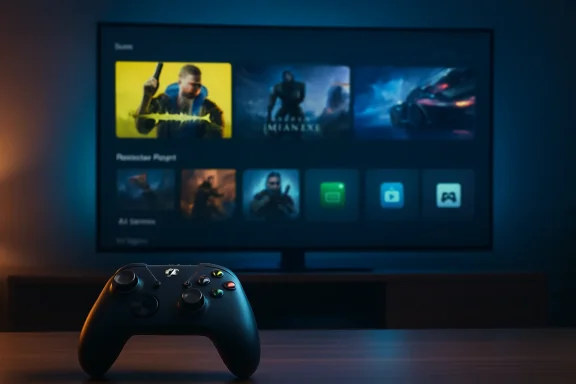 Microsoft Finally Admits the Desktop Is the Wrong Front Door for Gaming
The Windows desktop has always been a superb place to manage files, install drivers, juggle browsers, edit spreadsheets, and troubleshoot why an audio device has renamed itself after a monitor. It has never been a great place to sit ten feet from a television with a controller in your hand. That mismatch has haunted living-room PCs, mini gaming rigs, and handheld Windows devices for years.Xbox Mode is Microsoft’s answer to that problem, and the answer is tellingly modest. Rather than replacing Windows, it places a console-inspired shell over the parts of Windows that players most often want to avoid. The Xbox app becomes a full-screen, controller-first environment where the library, recently played games, Game Pass, and installed titles from major PC storefronts are meant to be reachable without dropping back to the desktop.
That sounds simple because the best console interfaces are supposed to sound simple. The work is not in inventing a new metaphor. The work is in hiding the wrong one.
For decades, PC gaming’s great bargain has been power in exchange for friction. You get better graphics, cheaper storefront competition, mod support, flexible hardware, and backward compatibility that consoles can only envy. In return, you accept launchers that launch launchers, driver utilities that want attention, and a desktop metaphor that assumes a pointer, a taskbar, and patience.
Xbox Mode is important because it attacks that bargain at the level where most players actually feel it. It does not promise to make a midrange GPU behave like a flagship. It promises that when you sit down to play, Windows will stop making you feel like you are about to file taxes.
The Feature Is Less Radical Than the Branding, and That Is the Point
There is a temptation to describe Xbox Mode as Microsoft “turning PCs into consoles,” but that overstates the technology and understates the strategy. Xbox Mode does not seal Windows away. It does not prevent users from returning to the normal desktop. It does not turn every PC game into a console-certified, single-button experience.Instead, it creates a dedicated gaming layer that behaves more like the Xbox dashboard than Explorer. Microsoft says players can browse and launch games with a controller, move between Xbox Mode and the Windows 11 desktop, and access an aggregated library that includes Game Pass and installed games from leading PC storefronts. That last clause matters: Microsoft knows it cannot win PC gaming by pretending Steam, Epic, Battle.net, GOG, and other ecosystems do not exist.
This is where Xbox Mode differs from the old Microsoft instinct to make the Windows platform synonymous with Microsoft’s own store. The modern Xbox business is less doctrinaire. Game Pass is still the jewel. The Microsoft Store still matters. But the company’s larger ambition is to make Xbox the identity layer across devices, not necessarily the only cash register.
That is why the interface has to be broad enough to feel useful even for players who own most of their games elsewhere. If Xbox Mode were merely a Game Pass kiosk, it would be dismissed as another corporate overlay. If it can reliably gather a player’s actual library, remember what they last played, launch games cleanly, and stay out of the way, it becomes infrastructure.
The distinction is crucial. A bad launcher asks users to change habits for the vendor’s benefit. A good shell makes existing habits feel less chaotic.
The Handheld PC Forced Microsoft’s Hand
Xbox Mode did not emerge in a vacuum. It follows years of increasingly awkward evidence that Windows is both the strongest and weakest part of Windows handheld gaming. Devices such as the ROG Ally, Legion Go, and newer Xbox-branded handheld efforts proved there is demand for portable PC gaming hardware. They also proved that Windows, unmodified, is a poor handheld interface.The Steam Deck sharpened the contrast. Valve did not make Linux magically simpler than Windows for every use case; it built a gaming appliance around SteamOS and Proton, then hid most of the complexity unless the user went looking for it. The result was not just a handheld PC. It was a handheld PC with a default answer to the question, “What happens when I press the power button?”
Windows handhelds often had a less satisfying answer: eventually, after login prompts, launchers, updates, focus issues, overlays, and maybe a tiny desktop scaled for ants, you would get to the game. Enthusiasts tolerated it because the hardware was flexible and game compatibility was often excellent. Mainstream users were less forgiving.
Microsoft’s first serious response was the Full Screen Experience for handhelds, which later became Xbox Mode. Its expansion to conventional Windows 11 PCs shows that the company no longer sees the problem as limited to portable devices. The same friction exists on a tower connected to a living-room TV, a laptop docked at a couch setup, or a tablet used as a compact game machine.
The handheld market merely made the problem impossible to ignore. Once users had experienced a controller-first PC through SteamOS, Windows could not keep pretending that a Start menu and a taskbar were good enough.
Steam Big Picture Was the Warning Shot Microsoft Took Years to Answer
Valve has been living in this territory for a long time. Steam Big Picture Mode gave PC gamers a television-friendly interface years before Microsoft had a credible equivalent, and the Steam Deck’s interface refined that idea into something closer to a complete console environment. The comparison is unavoidable because both products answer the same user complaint: the PC is powerful, but the desktop gets in the way.Microsoft’s advantage is obvious. Windows is the default gaming platform for the overwhelming majority of PC titles, anti-cheat systems, GPU utilities, and peripheral software. It does not need to translate Windows compatibility into another operating system. It owns the environment where the games already run.
Its disadvantage is equally obvious. Windows is not just a gaming platform. It is a general-purpose operating system with enterprise baggage, legacy assumptions, background services, notification systems, account prompts, security layers, update behavior, and decades of UI sediment. Valve could build SteamOS around play. Microsoft has to persuade Windows to behave.
That makes Xbox Mode both less elegant and potentially more consequential than Steam Big Picture. Valve’s interface sits atop a store and an ecosystem. Microsoft’s interface sits atop the operating system itself. If Microsoft gets the integration right, Xbox Mode can make every Windows gaming PC feel more appliance-like without sacrificing the open platform beneath it.
But that “if” is doing a lot of work. Steam’s strength is that it mostly knows what it is. Windows’ weakness is that it knows too many things at once.
Performance Claims Need a Cold Shower
The most important caveat around Xbox Mode is that it should not be mistaken for a magic performance switch. Microsoft describes a streamlined experience that minimizes background distractions and centers games. Some reports and community discussion have framed this as reducing background activity or freeing resources, particularly in handheld contexts, but Xbox Mode on standard PCs should be understood first as a user-interface shift.That does not make it useless. Interface friction is real friction. If a gaming session starts faster, requires fewer trips to the desktop, produces fewer notification interruptions, and works more predictably with a controller, the experience improves even if the frame-rate counter never moves.
Still, Microsoft has to be careful here. PC gamers are exquisitely sensitive to the difference between a mode that looks cleaner and a mode that measurably improves performance. Windows already has a “Game Mode,” and years of tuning utilities have trained users to distrust vague promises about background optimization. If Xbox Mode is primarily a shell, Microsoft should say so plainly and let the product succeed on comfort rather than imagined benchmarks.
The better argument is not that Xbox Mode turns Windows into a lean gaming OS. It is that Windows has accumulated so many non-gaming affordances that hiding them at the right moment has value. Silence the noise, enlarge the targets, route the controller properly, and get the player back to the library. That is not glamorous engineering, but it is the sort of polish that makes a device feel intentional.
In gaming, intentionality matters. A console feels good not because it is more powerful than a PC, but because it has fewer visible escape hatches.
The Aggregated Library Is the Real Battleground
The most strategically loaded part of Xbox Mode is not the full-screen animation or the controller navigation. It is the aggregated library. Microsoft wants Xbox Mode to gather Game Pass titles and installed games from leading PC storefronts into one place, which is exactly the kind of promise that sounds trivial until you remember how fragmented PC gaming has become.The modern PC library is less a shelf than an archaeological dig. A player may own games across Steam, Epic, Xbox, EA, Ubisoft, Battle.net, itch.io, GOG, and a folder of standalone launchers accumulated over fifteen years. Some games require separate authentication. Some update through their own clients. Some do not behave properly unless launched through a specific storefront. Some resent overlays. Some forget which monitor they belong on.
If Xbox Mode can tame enough of that sprawl, it becomes more than a prettier Xbox app. It becomes the “home screen” Windows gaming has lacked. The technical challenge is not simply listing shortcuts. It is making those shortcuts feel reliable from a controller-first interface, including the awkward cases where a third-party launcher interrupts the flow.
That is where Microsoft’s ambitions may collide with the messy sovereignty of PC gaming. Storefronts have incentives to preserve their own front doors. Publishers like their launchers because launchers capture attention, accounts, telemetry, and store traffic. Players, meanwhile, want the game they clicked to appear without a corporate procession.
Xbox Mode will be judged by those edge cases. A beautiful interface that dumps the user into a tiny login dialog is not a console-like experience. It is Windows wearing a costume.
Game Pass Moves From Subscription to Surface Area
Xbox Mode also gives Microsoft a new way to put Game Pass where the player’s hands already are. That matters because Game Pass is no longer just a subscription catalog. It is Microsoft’s primary mechanism for making Xbox feel continuous across console, PC, cloud, and handheld.A full-screen Windows gaming interface naturally favors whatever is most deeply integrated into it. Game Pass titles can be surfaced cleanly. Cloud saves can be emphasized. Xbox Play Anywhere games can become proof points for Microsoft’s pitch that the boundary between console and PC is dissolving. The company does not need to lock out competitors to tilt the room.
This is the softer version of platform power. Instead of forcing users through the Microsoft Store, Xbox Mode can normalize the idea that the Xbox layer is where PC gaming begins. Steam may still own the transaction. Microsoft wants to own the session.
That distinction is increasingly important as Xbox hardware becomes less central to the Xbox business. Microsoft has spent years putting first-party games on more platforms, expanding cloud access, and treating “Xbox” as a service identity rather than a box under the television. Xbox Mode is a Windows-side expression of the same strategy.
The risk is that users notice the steering. If Xbox Mode feels like a neutral cockpit, it can earn trust. If it feels like a Game Pass billboard with grudging support for the rest of the PC, it will be treated as another thing to disable.
Enterprise Windows Now Has a Consumer Gaming Doorway
There is an odd corporate tension in bringing Xbox Mode broadly to Windows 11 PCs, including machines that may live in professional environments. Windows is one product family serving gamers, students, developers, accountants, kiosk operators, hospitals, and governments. Every consumer feature that arrives through Windows Update has a shadow conversation in IT departments.For most managed environments, Xbox Mode will be a curiosity rather than a crisis. Administrators already have tools to restrict apps, manage Store access, configure update rings, and shape user environments. The broader point is symbolic: Microsoft keeps adding consumer identity layers to an operating system that enterprises still rely on as infrastructure.
That does not mean Xbox Mode is inappropriate for Windows. Gaming is one of the platform’s strongest cultural and commercial anchors. But it does reinforce why Windows sometimes feels like a house with too many owners. The same OS image must support a domain-joined office laptop and a docked handheld trying to behave like a console.
Microsoft’s long-term challenge is segmentation without fragmentation. Gamers need Windows to feel more focused. IT needs Windows to remain governable. Developers need compatibility. OEMs need differentiation. Microsoft wants Xbox services at the center without making Windows feel like adware.
Xbox Mode is one attempt to resolve that by making the gaming experience opt-in and reversible. It does not tear out the desktop. It gives players another front door. That is the right instinct, but the execution will determine whether users see it as choice or clutter.
The Living-Room PC Gets Another Chance
The living-room gaming PC has been “almost there” for roughly two decades. Small-form-factor builds, HDMI output, wireless controllers, quiet cooling, and high-refresh televisions should have made the concept mainstream long ago. Instead, it remained the province of enthusiasts willing to troubleshoot from a couch.Xbox Mode gives that idea another credible push. A Windows 11 PC connected to a TV can now present something closer to a console dashboard when the user wants to play. For families, shared spaces, and players who use a PC as both workstation and entertainment box, that matters.
The living-room PC does not need to defeat the console to be successful. It needs to stop feeling absurd. Nobody wants to reach for a wireless keyboard because a launcher stole focus. Nobody wants to squint at a system tray from across the room. Nobody wants a notification about a printer while launching a gamepad session.
A controller-first shell cannot fix every issue, but it can change the default posture. It says the PC understands where it is. That is a meaningful shift from the old assumption that every Windows machine is ultimately a desk machine, no matter what screen it is plugged into.
The irony is that Microsoft has had the Xbox design language sitting next door for twenty-five years. The company did not lack a model for couch gaming. It lacked the willingness to let Windows borrow enough of it.
The Console and the PC Are Colliding From Both Directions
Xbox Mode arrives as Microsoft is openly blending its console and PC strategies. The company has talked about future Xbox hardware, broader compatibility, and a more consistent experience across screens. At the same time, it has pushed Xbox games beyond traditional console boundaries and leaned harder into Windows as part of the Xbox platform.This is not the death of the console. It is the decline of the console as the only canonical Xbox device. In Microsoft’s emerging worldview, an Xbox can be a console, a PC app, a handheld, a cloud session, or a full-screen mode inside Windows. The brand becomes the continuity layer.
That has benefits for players. Purchases, saves, subscriptions, and social identity can travel more easily. Developers can target a more unified ecosystem. Hardware makers can build devices that benefit from Xbox-like software without waiting for Microsoft to manufacture every form factor itself.
It also creates confusion. If everything is Xbox, then Xbox has to mean something more precise than “games with a green logo nearby.” Xbox Mode helps by making the brand experiential. It is not just where the game was bought. It is how the system behaves when the player chooses to play.
That is why Microsoft cannot afford for Xbox Mode to be merely cosmetic. The more the Xbox brand stretches across devices, the more the interface has to carry the burden of coherence.
The First Version Will Be Judged by Its Annoyances
The early measure of Xbox Mode will not be whether it impresses in a demo. It will be whether it fails gracefully in the dull, common, infuriating cases that define PC gaming. Does it return properly after a game exits? Does it handle games that open launchers? Does it preserve controller focus? Does it make alt-tabbing less necessary, or just hide the moment when alt-tabbing becomes inevitable?These are not minor details. Console-like experiences are built from hundreds of tiny refusals to let the user fall through the floorboards. The moment a player has to grab a mouse, the illusion weakens. The second time it happens, the mode becomes optional. The third time, the user goes back to Steam Big Picture or the desktop shortcut they already trust.
Microsoft has one major advantage: it can update the Windows, Xbox app, and Game Bar pieces together over time. The April rollout is not a final verdict. It is the start of a feedback loop that began on handhelds and now extends to the broader Windows PC base.
But that also means expectations should be calibrated. A phased rollout in select markets is a cautious launch, not a coronation. Microsoft is testing whether the interface can survive the diversity of real Windows machines, real storefronts, real peripherals, and real user habits.
That diversity is why Windows dominates PC gaming. It is also why making Windows feel like a console is brutally hard.
A Cleaner Front Door Does Not End the Platform War
There is a quiet competitive angle here that should not be ignored. Valve used the Steam Deck to prove that PC gaming could be packaged as a console-like experience without Windows. Microsoft is now using Xbox Mode to argue the inverse: Windows can become console-like without giving up Windows.Both arguments are persuasive to different audiences. SteamOS offers a more curated, appliance-like environment, especially for users who live mostly inside Steam. Windows offers broader compatibility and fewer worries about whether a particular anti-cheat, launcher, mod tool, or niche utility will work. Xbox Mode tries to reduce the comfort gap while preserving the compatibility advantage.
That makes it a defensive move as much as an offensive one. Microsoft does not want the next generation of handheld and living-room PC gaming to normalize the idea that Windows is the thing you remove to make gaming pleasant. Xbox Mode exists partly to prevent that narrative from hardening.
The challenge is that Valve’s strength is focus. Microsoft’s strength is reach. Focus usually wins the first impression; reach wins when the ecosystem is messy. Xbox Mode has to use Microsoft’s reach without inheriting all of Windows’ mess.
If it succeeds, Windows becomes harder to dislodge from new gaming form factors. If it fails, SteamOS and other console-like shells gain a sharper argument: compatibility is not enough if the experience feels like work.
The Windows Gaming PC Starts Acting Like a Device
The most concrete value of Xbox Mode is that it lets a Windows gaming PC behave more like a device and less like a workstation at the moment play begins. That does not erase the PC’s complexity, and it should not. The openness of Windows is still the reason many players choose it.But openness and exposure are not the same thing. A good system can keep advanced controls available without putting them in the player’s path every time. Consoles have understood this for years. Phones understand it. Even smart TVs, for all their sins, understand that a remote-driven interface needs a different grammar from a desktop.
Xbox Mode is Microsoft catching up to that design reality. The PC is no longer confined to a desk, and Windows can no longer assume that every user session begins with productivity. Sometimes the machine is on a couch. Sometimes it is in two hands. Sometimes it is docked to a television and expected to behave like entertainment hardware.
The future of Windows gaming may depend less on raw compatibility than on context. The operating system has to know when to be a desktop, when to be a tablet, when to be a handheld, and when to get out of the way. Xbox Mode is a step toward that contextual Windows, even if it arrives years later than it should have.
The New Xbox Button Is a Test of Microsoft’s Discipline
Xbox Mode will earn its place if Microsoft treats restraint as a feature. The company’s worst consumer instincts involve promotion, prompts, and identity sprawl. Its best gaming instincts involve compatibility, continuity, and respecting where players already are.The difference will be visible quickly. If Xbox Mode is fast, quiet, controller-reliable, and generous toward non-Microsoft libraries, players will use it. If it nags, advertises, breaks focus, or privileges corporate messaging over the user’s actual games, it will become another icon people learn to ignore.
Microsoft does not need to beat Steam at being Steam. It needs to make Windows less hostile to the ways people now play. That means accepting that the Xbox layer is most powerful when it feels like a service to the player, not a campaign against rival storefronts.
The company also needs to keep the desktop escape hatch obvious. PC gamers do not want a locked-down console replica. They want the option to stop dealing with Windows until they need Windows. Xbox Mode’s promise is not replacement; it is selective disappearance.
That is a subtle product philosophy, and Microsoft has not always excelled at subtlety. But the opportunity is real. The gaming PC is ready to become less fussy without becoming less free.
The Couch, the Handheld, and the Update Ring Now Share a Front Door
Xbox Mode is not the biggest Windows gaming feature ever shipped, but it is one of the clearest signals of where Microsoft thinks the platform is going. The company is not abandoning the desktop; it is admitting that the desktop should no longer be the only default experience for a gaming PC.- Xbox Mode began rolling out to Windows 11 PCs on April 30, 2026, in select markets, with availability expanding gradually through Windows Update.
- The feature provides a full-screen, controller-optimized Xbox-style interface for desktops, laptops, tablets, and handheld Windows devices.
- Microsoft positions the mode as a streamlined gaming experience that minimizes distractions, not as a guaranteed performance booster.
- The aggregated library is central to the pitch because it attempts to bring Game Pass and installed games from major PC storefronts into one controller-friendly home.
- The feature is best understood as Microsoft’s answer to Steam Big Picture, Steam Deck-style interfaces, and the growing expectation that PC gaming should work comfortably away from a desk.
- Its success will depend less on visual polish than on whether it handles launchers, overlays, focus changes, controllers, and desktop handoffs without breaking the illusion.
Source: GameSpace.com Microsoft Rolls Out Xbox Mode For Windows 11, Turning PCs Into Console-Like Gaming Hubs
