

Microsoft began rolling out Xbox Mode for Windows 11 PCs on April 30, 2026, bringing a full-screen, controller-optimized Xbox-style interface to select markets across desktops, laptops, tablets, and handhelds, with broader availability expanding gradually through Windows Update. The feature is not a new operating system, not a console emulator, and not a magic performance switch. It is Microsoft’s most explicit attempt yet to make Windows behave like a living-room gaming platform without giving up the messy openness that made PC gaming powerful in the first place. That tension — console simplicity layered over Windows complexity — is the real story.
For decades, Windows has been the default home of PC gaming because it could run almost anything. That breadth was always its advantage, but it was never the same thing as elegance. A Windows gaming session still begins too often with a mouse cursor, a launcher, a pop-up, a driver prompt, a notification, a storefront update, and a reminder that the PC is a general-purpose machine reluctantly cosplaying as a console.
Xbox Mode is Microsoft’s answer to a truth Valve exposed with the Steam Deck: players do not always want a desktop. Sometimes they want the PC’s library, prices, mods, and performance options inside a focused interface that behaves predictably from the couch or in the hands. Windows can already do this in pieces, but pieces are precisely the problem.
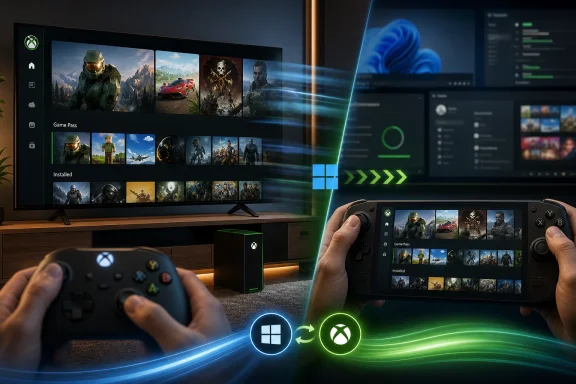
The new mode turns the Xbox app into a full-screen, controller-first shell where players can browse recent titles, launch games, access Game Pass, use Game Bar, and move between apps without dropping immediately into the familiar desktop sprawl. Microsoft says the experience is inspired by Xbox consoles and built to reduce background distractions. That wording matters because it tells us what Xbox Mode is trying to fix: not Windows compatibility, but Windows presence.
The company is not killing the desktop. It is trying to make the desktop optional for a certain kind of session. For handhelds, living-room PCs, and casual Game Pass browsing, optionality is not cosmetic; it is the difference between a device that feels like an appliance and one that feels like a work laptop with RGB lighting.
The company’s official guidance is mundane: keep Windows 11 updated and enable the setting to receive the latest updates as soon as they are available. Once eligible, users can jump into Xbox Mode from the PC and leave it when they want to return to the standard Windows 11 desktop. The escape hatch is important. Microsoft knows it cannot wall off PC users the way it can console users.
This is also why the public rollout feels more like a platform move than an app update. Xbox Mode has been visible in testing under the older “full screen experience” branding, especially around Windows handhelds, but the April 30 release marks its broader arrival on ordinary Windows 11 PCs. Desktops and laptops are now part of the same design conversation as handhelds and future Xbox-branded PC-like hardware.
That is a meaningful shift. Microsoft has spent years insisting Xbox is not just a box under the TV but a service, an identity layer, and a cross-device ecosystem. Xbox Mode makes that slogan visible on Windows. It gives the company a common front door for Game Pass, installed games, cloud gaming, social features, and third-party storefront entries — all without requiring Windows to stop being Windows underneath.
Xbox Mode does not go that far. It sits on Windows 11 rather than replacing it. That gives Microsoft a compatibility advantage — anti-cheat support, native Game Pass installs, broad driver coverage, every launcher under the sun — but it also means Xbox Mode inherits Windows’ habits. A full-screen shell can reduce friction, but it cannot fully erase the update model, permissions system, background services, or legacy expectations of a general-purpose OS.
That trade-off is the core of Microsoft’s bet. Valve optimized around a controlled handheld experience and accepted that some Windows games would remain awkward. Microsoft is optimizing around compatibility and trying to sand down the interface afterward. One approach starts with the console-like experience and works outward; the other starts with Windows and builds a console-like layer on top.
For enthusiasts, that distinction will decide whether Xbox Mode feels like a breakthrough or a skin. If it simply launches the Xbox app full-screen, many users will shrug and return to Steam. If it reliably suppresses distractions, improves controller navigation, manages multitasking gracefully, and respects non-Microsoft game libraries, it becomes more than a front end. It becomes an admission that the Windows desktop should not be the mandatory lobby for every kind of play.
Part of that is habit. Steam is where many PC gamers already own their libraries, manage friends, buy indies, mod games, and discover sales. But part of it is interface. Game Pass is strongest when browsing feels casual and console-like — when a player can sample, install, and hop between games without the psychological overhead of “managing a PC.”
Xbox Mode gives Microsoft a better stage for that behavior. A controller-first, full-screen layout naturally favors subscription discovery. It makes the PC feel less like a storefront battlefield and more like a media device. The aggregated library language is doing a lot of work here, because Microsoft knows Xbox Mode cannot be credible if it feels like a walled garden for Microsoft Store purchases.
The hard part is trust. PC players are wary of any interface that appears to privilege one ecosystem while claiming to organize them all. If Xbox Mode treats Steam, Epic, GOG, Battle.net, Ubisoft Connect, and other libraries as second-class shortcuts, the pitch weakens. If it recognizes that the modern PC library is fragmented by default, Microsoft has a chance to make Xbox Mode useful even to people who rarely buy games from Microsoft.
On paper, Windows handhelds have enormous advantages. They run Game Pass natively. They often support games that struggle on SteamOS because of anti-cheat or launcher dependencies. They can use mainstream Windows drivers and utilities. They are PCs, not console-like islands.
In practice, that strength has often come wrapped in friction. Tiny taskbars, desktop login flows, software overlays, power profiles, driver utilities, and competing launchers make handheld Windows feel like a system integrator project. Enthusiasts can tolerate that. Mainstream players generally will not.
Xbox Mode is Microsoft’s attempt to give OEMs and users a more coherent default experience. It does not solve every handheld problem — battery life, shader compilation, suspend/resume behavior, thermal tuning, and per-game settings remain major battlegrounds — but it addresses the first five minutes. Those first five minutes matter. If a handheld boots into confusion, the hardware has already lost momentum.
That does not mean the traditional Xbox console disappears tomorrow. Consoles still offer a predictable price point, a standardized target for developers, and a low-maintenance experience for households that do not want PC complexity. But Microsoft is clearly preparing for a world in which the line between Xbox console and Windows gaming PC gets blurrier.
The rumored and discussed future Xbox hardware direction — custom silicon, hybrid PC-console ideas, closer Windows integration — fits this pattern. Even without leaning on speculation, Xbox Mode shows the direction of travel. Microsoft is building a continuum: console, PC, handheld, cloud, and TV experiences all wrapped in a recognizable Xbox layer.
The risk is that a continuum can become mush. Xbox as a brand gains reach but loses clarity if users cannot tell what is native, streamed, installed, owned, subscribed, cross-buy, console-only, PC-only, or “Xbox Play Anywhere.” Xbox Mode can help by presenting a unified experience, but it can also expose how complicated the underlying licensing and platform reality remains.
For a living-room PC connected to a television, Xbox Mode makes immediate sense. Launch into a readable full-screen interface, navigate with a controller, open a game, and avoid the awkward ritual of using a wireless keyboard on the sofa. For a gaming laptop, the use case is narrower but still real: plug into a TV, hand a controller to a friend, or treat the machine like a console during travel.
For a desktop power user sitting at a monitor with a keyboard and mouse, the appeal is weaker. These players already have workflows. They know where their games live. They may prefer Steam’s overlay, Discord, browser tabs, monitoring tools, mod managers, and a pile of utilities Microsoft would probably classify as distractions.
That is why Xbox Mode must be permissive. If it behaves like a mode, users may welcome it. If it behaves like a campaign to route PC gaming through Microsoft’s preferred surfaces, users will disable it, mock it, or ignore it. The difference will show up not in launch-day marketing but in defaults, prompts, and how gracefully the system handles games purchased elsewhere.
Microsoft’s consumer and enterprise Windows priorities have long coexisted uneasily. The same OS family serves school labs, gaming rigs, medical offices, kiosks, engineering workstations, and corporate laptops. Xbox Mode is a reminder that Windows 11 is not just an enterprise substrate; it is also Microsoft’s consumer platform, ad surface, subscription funnel, and gaming beachhead.
Most business deployments will likely handle Xbox Mode the way they handle other consumer gaming components: remove, restrict, or ignore depending on the environment. But its arrival reinforces a broader complaint from IT admins: Windows increasingly ships as a bundle of experiences that must be curated back into shape for professional use.
That does not make Xbox Mode bad. It makes it another example of Microsoft’s unified Windows problem. A feature can be sensible for a home gaming handheld and absurd on a corporate desktop. The question is whether Microsoft gives administrators clean controls or forces them into another round of post-install cleanup.
A full-screen interface can reduce interruptions. It can make app switching cleaner. It can potentially limit some background behavior while a gaming session is active. But it does not turn Windows into a console OS, and it does not rewrite the physics of CPU scheduling, GPU drivers, memory pressure, or thermal limits.
On high-end desktops, any performance difference may be hard to detect outside edge cases. On handhelds and lower-power systems, small reductions in overhead matter more, especially when memory and battery life are constrained. Even then, the experience gains may be more about consistency than raw frames per second.
That distinction matters because Microsoft should not let Xbox Mode be judged against an impossible promise. If users expect a 15 percent frame-rate uplift, they will be disappointed. If they expect fewer desktop interruptions, better controller navigation, and a cleaner path into games, the feature has a fairer chance.
Xbox Mode wants to be the layer above that mess. If it can show installed games from leading storefronts, surface Game Pass titles, and keep recently played games close at hand, it addresses a real pain point. But the quality of that aggregation will determine whether users see it as a helpful dashboard or just another launcher asking to be first.
The best version of Xbox Mode would not care where a game came from. It would launch Steam games gracefully, respect publisher launchers without duplicating clutter, expose controller compatibility where useful, and avoid nagging users to prefer Microsoft services. The worst version would turn third-party libraries into decorative proof of openness while reserving the best experience for Game Pass.
Microsoft has a narrow path here. It needs Xbox Mode to promote Xbox without making the PC feel captured by Xbox. That is a very Microsoft problem: the company is most persuasive when its platforms connect things, and least persuasive when they appear to herd users toward a subscription.
Microsoft has invested heavily in adaptive gaming hardware and accessibility messaging over the past decade. Xbox Mode gives that work a broader Windows context. A PC that can become easier to navigate with a controller is not just more console-like; it is potentially more usable for people who find the standard desktop tiring or impractical.
There is also a broader living-room computing angle. Windows Media Center is long gone, and Microsoft has never fully replaced that idea of a ten-foot Windows interface. Xbox Mode is not a media center, but it revives part of the concept: a PC interface designed to be seen from a distance and controlled without a keyboard.
That may sound niche, but niches shape hardware. Mini PCs, handheld docks, compact gaming rigs, and TV-connected laptops all benefit from a Windows mode that does not assume a desk. If Microsoft wants Windows to remain central as gaming form factors diversify, it needs this kind of interface discipline.
Names matter because they set expectations. A full-screen experience sounds like a UI option. A mode sounds like a product posture. Microsoft wants users to think of Windows 11 as capable of shifting into Xbox behavior when the context calls for it.
That is a subtle but important reframe. Windows has long had modes — tablet mode, focus sessions, game mode, S mode, kiosk configurations — but Xbox Mode carries brand gravity. It borrows emotional familiarity from the console and applies it to the PC.
The danger is overpromising. If “Xbox Mode” feels like a thin launcher over ordinary Windows, the name will invite jokes. If it feels coherent, fast, and reliable, the name gives Microsoft a simple phrase for something PC gaming has needed: a way to make Windows step back.
This matters for indies, Game Pass releases, and cross-platform titles. If Xbox Mode becomes a common entry point, games that require fiddly launchers, tiny configuration windows, or first-run desktop prompts will feel broken in a way they might not have before. The bar for “console-like” PC behavior rises when the OS itself presents a console-like front door.
It could also increase pressure on Microsoft to clean up the handoff between store, launcher, overlay, and game. A game that launches through Xbox Mode should not drop the player into a surprise account sign-in window designed for mouse input. Every such moment punctures the illusion.
The irony is that Xbox Mode may make Windows’ rough edges more visible, not less. Once Microsoft promises a streamlined experience, every unstreamlined dependency becomes more annoying. That pressure could be healthy if it forces better packaging, better controller support, and fewer first-run obstacles.
Its importance is more modest and more structural. Microsoft is acknowledging that gaming on Windows is not only about APIs, frame rates, and storefronts. It is about the shape of the session. It is about how quickly a player can get from intent to play.
That is the lesson the console market has always understood. Consoles win not because they are more open, but because they are less interruptive. The PC wins because it can do more. Xbox Mode is Microsoft’s attempt to borrow the console’s focus without surrendering the PC’s range.
If the company keeps improving it, Xbox Mode could become one of those Windows features that feels obvious in hindsight. Of course a gaming PC should have a controller-first mode. Of course a handheld should not boot into a desktop. Of course Game Pass needs a better full-screen home. The question is why it took this long.
Source: OpenCritic Xbox Releases A Game-Changing Update For PC
 Microsoft Is Finally Admitting the Desktop Is the Problem
For decades, Windows has been the default home of PC gaming because it could run almost anything. That breadth was always its advantage, but it was never the same thing as elegance. A Windows gaming session still begins too often with a mouse cursor, a launcher, a pop-up, a driver prompt, a notification, a storefront update, and a reminder that the PC is a general-purpose machine reluctantly cosplaying as a console.Xbox Mode is Microsoft’s answer to a truth Valve exposed with the Steam Deck: players do not always want a desktop. Sometimes they want the PC’s library, prices, mods, and performance options inside a focused interface that behaves predictably from the couch or in the hands. Windows can already do this in pieces, but pieces are precisely the problem.
The new mode turns the Xbox app into a full-screen, controller-first shell where players can browse recent titles, launch games, access Game Pass, use Game Bar, and move between apps without dropping immediately into the familiar desktop sprawl. Microsoft says the experience is inspired by Xbox consoles and built to reduce background distractions. That wording matters because it tells us what Xbox Mode is trying to fix: not Windows compatibility, but Windows presence.
The company is not killing the desktop. It is trying to make the desktop optional for a certain kind of session. For handhelds, living-room PCs, and casual Game Pass browsing, optionality is not cosmetic; it is the difference between a device that feels like an appliance and one that feels like a work laptop with RGB lighting.
The Rollout Is Small Because the Ambition Is Not
Microsoft is rolling Xbox Mode out in waves, beginning with select markets and expanding over the coming weeks. That gradual approach will frustrate enthusiasts who expect a switch to appear everywhere immediately, but it is also typical of modern Windows feature deployment. Microsoft wants telemetry, compatibility signals, and a chance to throttle the blast radius if the interface misbehaves across the wonderfully chaotic zoo of Windows PCs.The company’s official guidance is mundane: keep Windows 11 updated and enable the setting to receive the latest updates as soon as they are available. Once eligible, users can jump into Xbox Mode from the PC and leave it when they want to return to the standard Windows 11 desktop. The escape hatch is important. Microsoft knows it cannot wall off PC users the way it can console users.
This is also why the public rollout feels more like a platform move than an app update. Xbox Mode has been visible in testing under the older “full screen experience” branding, especially around Windows handhelds, but the April 30 release marks its broader arrival on ordinary Windows 11 PCs. Desktops and laptops are now part of the same design conversation as handhelds and future Xbox-branded PC-like hardware.
That is a meaningful shift. Microsoft has spent years insisting Xbox is not just a box under the TV but a service, an identity layer, and a cross-device ecosystem. Xbox Mode makes that slogan visible on Windows. It gives the company a common front door for Game Pass, installed games, cloud gaming, social features, and third-party storefront entries — all without requiring Windows to stop being Windows underneath.
This Is Not SteamOS, and That Is Both the Strength and the Weakness
The obvious comparison is Steam Big Picture Mode and, more importantly, SteamOS on the Steam Deck. Valve’s great trick was not inventing a controller-friendly launcher. It was hiding Linux well enough that many users did not have to care they were using it. SteamOS gives the Deck a coherent identity: press the power button, see your games, play your games, suspend your games.Xbox Mode does not go that far. It sits on Windows 11 rather than replacing it. That gives Microsoft a compatibility advantage — anti-cheat support, native Game Pass installs, broad driver coverage, every launcher under the sun — but it also means Xbox Mode inherits Windows’ habits. A full-screen shell can reduce friction, but it cannot fully erase the update model, permissions system, background services, or legacy expectations of a general-purpose OS.
That trade-off is the core of Microsoft’s bet. Valve optimized around a controlled handheld experience and accepted that some Windows games would remain awkward. Microsoft is optimizing around compatibility and trying to sand down the interface afterward. One approach starts with the console-like experience and works outward; the other starts with Windows and builds a console-like layer on top.
For enthusiasts, that distinction will decide whether Xbox Mode feels like a breakthrough or a skin. If it simply launches the Xbox app full-screen, many users will shrug and return to Steam. If it reliably suppresses distractions, improves controller navigation, manages multitasking gracefully, and respects non-Microsoft game libraries, it becomes more than a front end. It becomes an admission that the Windows desktop should not be the mandatory lobby for every kind of play.
Game Pass Needed a Better Room to Live In
Xbox Mode is also a Game Pass move, even when Microsoft frames it more broadly. Game Pass on PC has always been powerful on paper and uneven in practice. The subscription offers a large catalog, day-one Microsoft releases, cloud options, and cross-device continuity, but the PC experience has never felt as culturally central as Steam.Part of that is habit. Steam is where many PC gamers already own their libraries, manage friends, buy indies, mod games, and discover sales. But part of it is interface. Game Pass is strongest when browsing feels casual and console-like — when a player can sample, install, and hop between games without the psychological overhead of “managing a PC.”
Xbox Mode gives Microsoft a better stage for that behavior. A controller-first, full-screen layout naturally favors subscription discovery. It makes the PC feel less like a storefront battlefield and more like a media device. The aggregated library language is doing a lot of work here, because Microsoft knows Xbox Mode cannot be credible if it feels like a walled garden for Microsoft Store purchases.
The hard part is trust. PC players are wary of any interface that appears to privilege one ecosystem while claiming to organize them all. If Xbox Mode treats Steam, Epic, GOG, Battle.net, Ubisoft Connect, and other libraries as second-class shortcuts, the pitch weakens. If it recognizes that the modern PC library is fragmented by default, Microsoft has a chance to make Xbox Mode useful even to people who rarely buy games from Microsoft.
The Handheld War Forced Windows to Grow Up
The most important audience for Xbox Mode may not be desktop users at all. It is handheld PC owners, present and future. The rise of devices like the Steam Deck, ROG Ally, Legion Go, MSI Claw, and other Windows-based handhelds exposed how poorly the traditional Windows interface scales down to thumbsticks and seven-inch screens.On paper, Windows handhelds have enormous advantages. They run Game Pass natively. They often support games that struggle on SteamOS because of anti-cheat or launcher dependencies. They can use mainstream Windows drivers and utilities. They are PCs, not console-like islands.
In practice, that strength has often come wrapped in friction. Tiny taskbars, desktop login flows, software overlays, power profiles, driver utilities, and competing launchers make handheld Windows feel like a system integrator project. Enthusiasts can tolerate that. Mainstream players generally will not.
Xbox Mode is Microsoft’s attempt to give OEMs and users a more coherent default experience. It does not solve every handheld problem — battery life, shader compilation, suspend/resume behavior, thermal tuning, and per-game settings remain major battlegrounds — but it addresses the first five minutes. Those first five minutes matter. If a handheld boots into confusion, the hardware has already lost momentum.
The “Console-Like PC” Is Really a Business Strategy
Microsoft’s language around Xbox has shifted from hardware ownership to access. The company wants Xbox to mean your library, your subscription, your friends, your saves, and your identity across screens. Xbox Mode is one of the clearest expressions of that strategy because it makes Windows itself a potential Xbox surface.That does not mean the traditional Xbox console disappears tomorrow. Consoles still offer a predictable price point, a standardized target for developers, and a low-maintenance experience for households that do not want PC complexity. But Microsoft is clearly preparing for a world in which the line between Xbox console and Windows gaming PC gets blurrier.
The rumored and discussed future Xbox hardware direction — custom silicon, hybrid PC-console ideas, closer Windows integration — fits this pattern. Even without leaning on speculation, Xbox Mode shows the direction of travel. Microsoft is building a continuum: console, PC, handheld, cloud, and TV experiences all wrapped in a recognizable Xbox layer.
The risk is that a continuum can become mush. Xbox as a brand gains reach but loses clarity if users cannot tell what is native, streamed, installed, owned, subscribed, cross-buy, console-only, PC-only, or “Xbox Play Anywhere.” Xbox Mode can help by presenting a unified experience, but it can also expose how complicated the underlying licensing and platform reality remains.
PC Gamers Will Judge the Friction, Not the Branding
The PC audience is not hostile to good interfaces. It is hostile to interfaces that get in the way. This is why Microsoft’s biggest challenge is not convincing people that a controller-friendly shell is useful. Steam already proved that. The challenge is convincing them that Microsoft’s shell is the one worth using.For a living-room PC connected to a television, Xbox Mode makes immediate sense. Launch into a readable full-screen interface, navigate with a controller, open a game, and avoid the awkward ritual of using a wireless keyboard on the sofa. For a gaming laptop, the use case is narrower but still real: plug into a TV, hand a controller to a friend, or treat the machine like a console during travel.
For a desktop power user sitting at a monitor with a keyboard and mouse, the appeal is weaker. These players already have workflows. They know where their games live. They may prefer Steam’s overlay, Discord, browser tabs, monitoring tools, mod managers, and a pile of utilities Microsoft would probably classify as distractions.
That is why Xbox Mode must be permissive. If it behaves like a mode, users may welcome it. If it behaves like a campaign to route PC gaming through Microsoft’s preferred surfaces, users will disable it, mock it, or ignore it. The difference will show up not in launch-day marketing but in defaults, prompts, and how gracefully the system handles games purchased elsewhere.
Enterprise IT Has a Different Set of Headaches
For WindowsForum’s sysadmin crowd, Xbox Mode will land differently. A controller-first gaming shell on Windows 11 may be exciting at home and irrelevant or irritating at work. In managed environments, anything that adds consumer-facing surfaces to business devices raises the same old questions: Can it be disabled? Can it be hidden? Will it appear on shared machines? Does it complicate imaging, policy, or user support?Microsoft’s consumer and enterprise Windows priorities have long coexisted uneasily. The same OS family serves school labs, gaming rigs, medical offices, kiosks, engineering workstations, and corporate laptops. Xbox Mode is a reminder that Windows 11 is not just an enterprise substrate; it is also Microsoft’s consumer platform, ad surface, subscription funnel, and gaming beachhead.
Most business deployments will likely handle Xbox Mode the way they handle other consumer gaming components: remove, restrict, or ignore depending on the environment. But its arrival reinforces a broader complaint from IT admins: Windows increasingly ships as a bundle of experiences that must be curated back into shape for professional use.
That does not make Xbox Mode bad. It makes it another example of Microsoft’s unified Windows problem. A feature can be sensible for a home gaming handheld and absurd on a corporate desktop. The question is whether Microsoft gives administrators clean controls or forces them into another round of post-install cleanup.
The Performance Story Needs Careful Reading
Microsoft and some reports around Xbox Mode have emphasized reduced distractions and, in some contexts, reduced background activity. That phrasing has led to understandable hopes that Xbox Mode might unlock measurable performance improvements. Here, expectations need to be sober.A full-screen interface can reduce interruptions. It can make app switching cleaner. It can potentially limit some background behavior while a gaming session is active. But it does not turn Windows into a console OS, and it does not rewrite the physics of CPU scheduling, GPU drivers, memory pressure, or thermal limits.
On high-end desktops, any performance difference may be hard to detect outside edge cases. On handhelds and lower-power systems, small reductions in overhead matter more, especially when memory and battery life are constrained. Even then, the experience gains may be more about consistency than raw frames per second.
That distinction matters because Microsoft should not let Xbox Mode be judged against an impossible promise. If users expect a 15 percent frame-rate uplift, they will be disappointed. If they expect fewer desktop interruptions, better controller navigation, and a cleaner path into games, the feature has a fairer chance.
The Real Competitor Is the Mess Between Launchers
PC gaming’s launcher problem is not new, but it has become more absurd as every publisher, platform, and subscription service has tried to own a slice of the player relationship. Steam, Epic, GOG, EA, Ubisoft, Battle.net, Riot, Rockstar, itch.io, Microsoft Store, cloud libraries, and standalone executables all coexist on the same machine. The result is abundance without coherence.Xbox Mode wants to be the layer above that mess. If it can show installed games from leading storefronts, surface Game Pass titles, and keep recently played games close at hand, it addresses a real pain point. But the quality of that aggregation will determine whether users see it as a helpful dashboard or just another launcher asking to be first.
The best version of Xbox Mode would not care where a game came from. It would launch Steam games gracefully, respect publisher launchers without duplicating clutter, expose controller compatibility where useful, and avoid nagging users to prefer Microsoft services. The worst version would turn third-party libraries into decorative proof of openness while reserving the best experience for Game Pass.
Microsoft has a narrow path here. It needs Xbox Mode to promote Xbox without making the PC feel captured by Xbox. That is a very Microsoft problem: the company is most persuasive when its platforms connect things, and least persuasive when they appear to herd users toward a subscription.
Accessibility and Living-Room Computing Could Be the Quiet Win
The controller-first pitch is not only about laziness or couch gaming. It also has accessibility implications. A full-screen, simplified interface with predictable focus, large targets, and reduced visual clutter can help players who struggle with dense desktop UI, small text, or mouse-driven navigation.Microsoft has invested heavily in adaptive gaming hardware and accessibility messaging over the past decade. Xbox Mode gives that work a broader Windows context. A PC that can become easier to navigate with a controller is not just more console-like; it is potentially more usable for people who find the standard desktop tiring or impractical.
There is also a broader living-room computing angle. Windows Media Center is long gone, and Microsoft has never fully replaced that idea of a ten-foot Windows interface. Xbox Mode is not a media center, but it revives part of the concept: a PC interface designed to be seen from a distance and controlled without a keyboard.
That may sound niche, but niches shape hardware. Mini PCs, handheld docks, compact gaming rigs, and TV-connected laptops all benefit from a Windows mode that does not assume a desk. If Microsoft wants Windows to remain central as gaming form factors diversify, it needs this kind of interface discipline.
The Name Change Tells You Microsoft Knows the Audience
“Xbox Full Screen Experience” was accurate and terrible. It sounded like an internal feature description that escaped into public view. “Xbox Mode” is cleaner, more memorable, and more strategic. It implies a state of the PC, not merely a larger app window.Names matter because they set expectations. A full-screen experience sounds like a UI option. A mode sounds like a product posture. Microsoft wants users to think of Windows 11 as capable of shifting into Xbox behavior when the context calls for it.
That is a subtle but important reframe. Windows has long had modes — tablet mode, focus sessions, game mode, S mode, kiosk configurations — but Xbox Mode carries brand gravity. It borrows emotional familiarity from the console and applies it to the PC.
The danger is overpromising. If “Xbox Mode” feels like a thin launcher over ordinary Windows, the name will invite jokes. If it feels coherent, fast, and reliable, the name gives Microsoft a simple phrase for something PC gaming has needed: a way to make Windows step back.
Developers Should Watch the Interface, Not Just the Storefront
Game developers may be tempted to see Xbox Mode primarily as another discovery surface. That is true, but the more interesting question is how it changes player expectations. A controller-first Windows shell encourages more PC games to behave well without a keyboard and mouse from the first launch.This matters for indies, Game Pass releases, and cross-platform titles. If Xbox Mode becomes a common entry point, games that require fiddly launchers, tiny configuration windows, or first-run desktop prompts will feel broken in a way they might not have before. The bar for “console-like” PC behavior rises when the OS itself presents a console-like front door.
It could also increase pressure on Microsoft to clean up the handoff between store, launcher, overlay, and game. A game that launches through Xbox Mode should not drop the player into a surprise account sign-in window designed for mouse input. Every such moment punctures the illusion.
The irony is that Xbox Mode may make Windows’ rough edges more visible, not less. Once Microsoft promises a streamlined experience, every unstreamlined dependency becomes more annoying. That pressure could be healthy if it forces better packaging, better controller support, and fewer first-run obstacles.
The Update Matters Because It Is Modest
The phrase “game-changing” gets thrown around too easily in gaming coverage, and Xbox Mode is not game-changing in the sense of instantly transforming what Windows can run. It will not make a weak laptop into an Xbox Series X. It will not make every Steam game a Game Pass game. It will not remove the need for drivers, storage management, or the occasional trip back to the desktop.Its importance is more modest and more structural. Microsoft is acknowledging that gaming on Windows is not only about APIs, frame rates, and storefronts. It is about the shape of the session. It is about how quickly a player can get from intent to play.
That is the lesson the console market has always understood. Consoles win not because they are more open, but because they are less interruptive. The PC wins because it can do more. Xbox Mode is Microsoft’s attempt to borrow the console’s focus without surrendering the PC’s range.
If the company keeps improving it, Xbox Mode could become one of those Windows features that feels obvious in hindsight. Of course a gaming PC should have a controller-first mode. Of course a handheld should not boot into a desktop. Of course Game Pass needs a better full-screen home. The question is why it took this long.
The April 30 Rollout Draws a Line Under Windows Gaming’s Old Excuses
The immediate lesson is not that everyone should rush to enable Xbox Mode today. The rollout is staged, the experience will vary, and the first public version should be treated as a beginning rather than a verdict. But the direction is clear enough to matter.- Microsoft began rolling out Xbox Mode for Windows 11 PCs on April 30, 2026, starting in select markets and expanding gradually through Windows Update.
- Xbox Mode provides a full-screen, controller-optimized interface for browsing and launching games, including Game Pass titles and installed games from major PC storefronts.
- The feature can reduce desktop distractions, but users should not assume it will deliver major performance gains on every PC.
- The biggest practical beneficiaries are likely to be handheld gaming PCs, TV-connected desktops, and players who want a console-like session without giving up Windows compatibility.
- Enterprise admins should treat Xbox Mode as another consumer Windows feature that may need policy attention on managed devices.
- Microsoft’s long-term challenge is making Xbox Mode feel like a neutral gaming layer rather than another storefront competing for control of the PC.
Source: OpenCritic Xbox Releases A Game-Changing Update For PC
