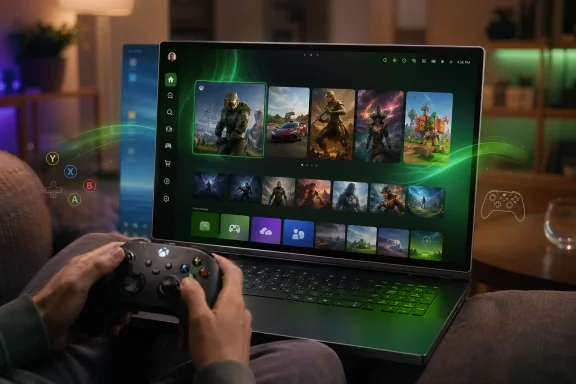
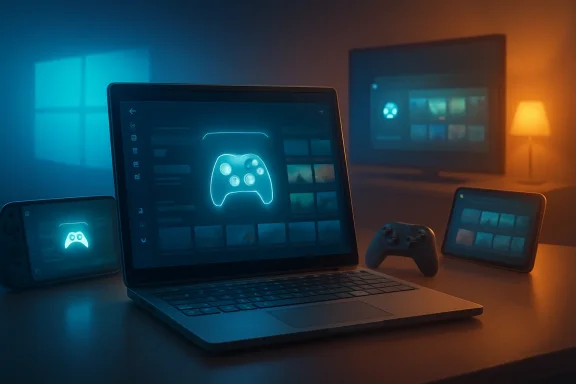
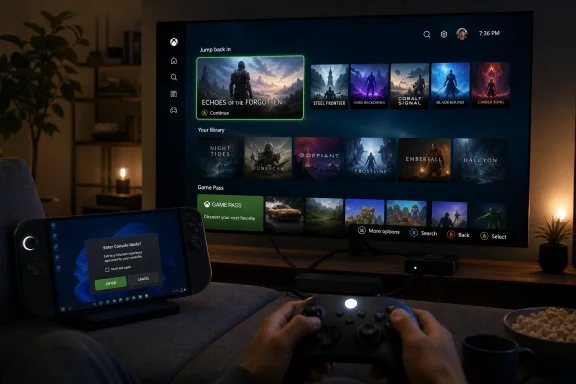
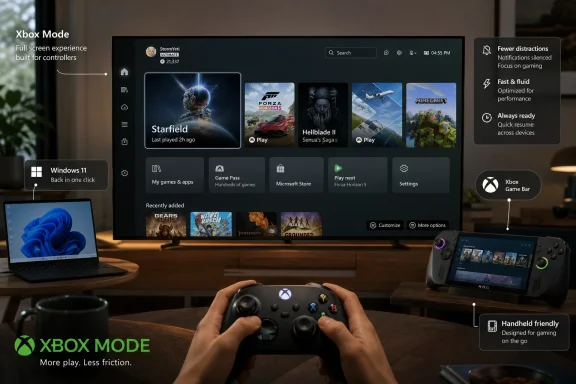
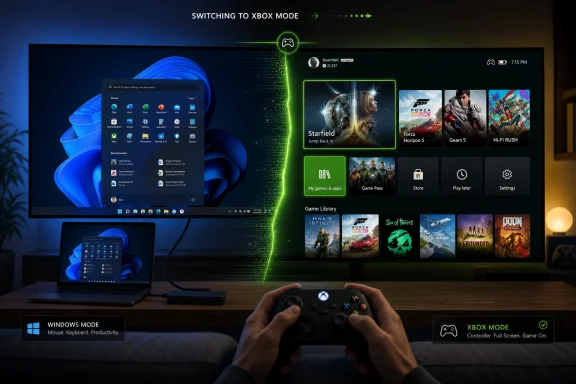
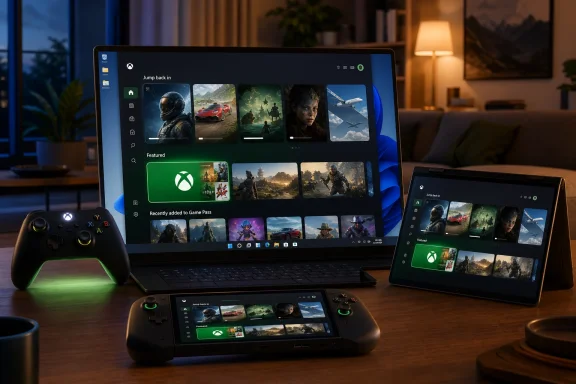
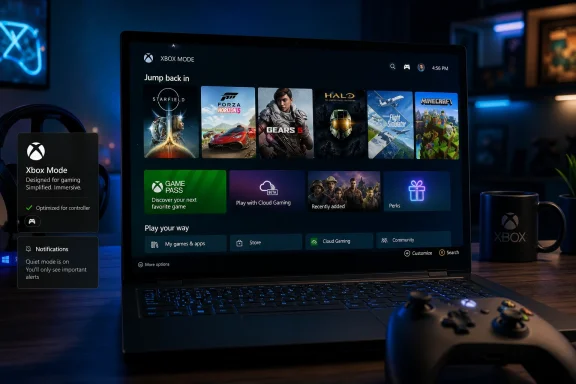
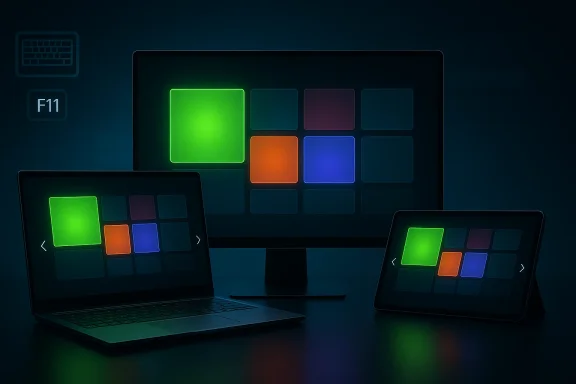
Microsoft’s latest Windows 11 Canary build is pushing the Xbox full-screen experience far beyond the handheld niche, and that makes this one of the more interesting gaming UI moves the company has made in years. In build 29570.1000, Microsoft is officially testing an Xbox Mode-style interface on laptops, desktops, and tablets, not just handhelds, with access through the Xbox app, Game Bar settings, or the Win+F11 shortcut. The change is still limited to the Windows Insider Canary channel, but it signals that Microsoft wants a more controller-friendly, console-like layer to become a normal part of Windows rather than a handheld-only experiment.
Microsoft has been steadily rethinking how gaming should feel on Windows, and this rollout is the clearest sign yet that the company sees value in a more focused, console-style interface across the broader PC ecosystem. The original idea was straightforward: handhelds like the ROG Ally and other Windows gaming portables needed a cleaner, less desktop-heavy way to get into games quickly. Once that UI proved useful there, expanding it to traditional PCs became the logical next step.
The feature has gone through a deliberate progression. Microsoft first introduced the full screen experience on Windows handhelds, then expanded testing to more Windows 11 PC form factors in Insider builds, and now the Canary channel is receiving the same concept in a more active development branch. The move suggests that Microsoft is not merely polishing a handheld feature, but testing a broader gaming shell that can sit on top of standard Windows without replacing it.
That distinction matters. A full-screen gaming layer is not the same as a separate gaming operating system, but it does borrow the best parts of one: fewer distractions, controller-first navigation, and a home screen centered on installed games rather than files and desktop clutter. For players who use a PC like a living-room console some of the time, the appeal is obvious. For everyone else, the key question is whether this is a useful convenience or just another feature competing for attention in an already crowded Windows UI stack.
There is also a broader strategic angle. Microsoft has spent years trying to blur the boundaries between Xbox, PC, and portable gaming, and the expansion of Xbox Mode fits neatly into that effort. By making Windows itself feel more like a console when needed, Microsoft strengthens the case for Xbox app adoption, Game Bar usage, and the broader Xbox ecosystem on Windows 11.
Microsoft’s own messaging has emphasized that the experience is designed for console-style navigation and controller-first gaming. That language matters because it frames the feature as a usability layer, not a brand gimmick. In practice, the feature reduces background distractions and creates a cleaner home screen where games are the focal point, which is exactly what many handheld users wanted and what some desktop users may now find attractive.
The rollout to PCs was first previewed in late 2025. Microsoft said the full-screen experience would expand beyond handhelds to laptops, desktops, and tablets, and that preview established the basic pattern now being tested in Canary: a broad form-factor approach with the same core interface. At that time, Microsoft also made clear that the feature could be entered from Task View, Game Bar, or the Win+F11 shortcut.
The new Canary build goes a step further by putting the feature into a build that represents Microsoft’s active development branch rather than a more conservative preview lane. That does not guarantee a near-term release to stable Windows 11 users, but it does indicate that the company is comfortable testing the experience under more aggressive conditions. Canary builds often surface ideas early, and the fact that this one includes Xbox Mode on multiple form factors suggests the project has moved beyond a simple prototype.
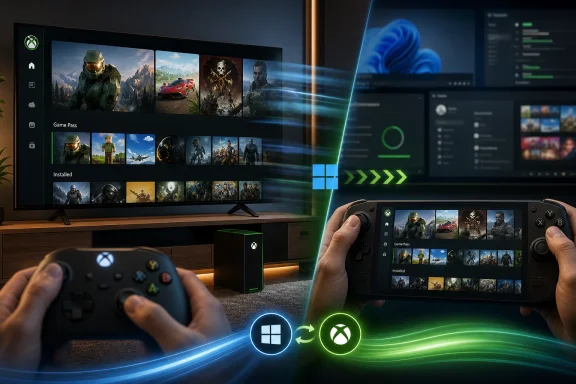
The result is a more flexible Windows identity. Windows no longer has to be purely a desktop operating system with gaming as an app-layer afterthought. Instead, it can briefly become a console-like launcher when the user wants it to, then drop back into standard productivity mode just as easily. That dual identity is potentially powerful, but it also raises familiar Windows questions about complexity, fragmentation, and whether too many special modes eventually make the platform harder to understand. That tension is the real story here.
Access is also simple by design. Microsoft says the experience can be launched through the Xbox app, the Game Bar settings menu, or by pressing Win+F11. That matters because it makes the feature available from the places players already use, rather than forcing a separate launcher or hidden system utility.
Microsoft has also said users can switch back to the desktop without rebooting, which is a small but crucial detail. That instant return lowers the cost of trying the mode and makes it more attractive for mixed-use PCs where gaming sessions are only part of the day. In other words, it behaves like a temporary state rather than a permanent commitment.
There is also a hardware argument. Microsoft’s note about similar APU and iGPU hardware across handhelds, laptops, and tablets is more than a technical footnote. It implies that performance and power behavior are converging enough that a single gaming interface can work across more device classes without major compromises. That is a helpful justification for Microsoft, because it reframes the feature as an architecture-aware optimization rather than a branding exercise.
That strategy has competitive implications. If Microsoft can make Windows feel more like a console when desired, it strengthens the platform against dedicated gaming OS ecosystems and against device makers that try to own the gaming interface entirely. It also helps explain why Microsoft continues to invest in features that seem small on paper but matter a great deal in daily use. A smoother start to gaming is often the difference between a feature people try once and a feature they rely on.
The desktop use case is subtler than the handheld one. On a handheld, the full-screen experience solves an obvious pain point: tiny targets, awkward desktop navigation, and too much friction between booting the device and launching a game. On a desktop, the benefit is less about necessity and more about convenience, but convenience is often enough to justify an optional mode.
There is also a psychological benefit. When the desktop disappears, the user’s attention follows the game. That sounds simple, but the Windows desktop has always been full of little interruptions, from notifications to taskbar distractions to the temptation to switch contexts. Xbox Mode tries to solve that by making gaming feel like a mode rather than just another app.
For enterprises, Xbox Mode is unlikely to be a priority. But its presence in Windows 11’s active development pipeline still matters because it demonstrates Microsoft’s willingness to keep the client OS flexible across vastly different usage models. In managed environments, the key question is not whether staff will use Xbox Mode, but whether the operating system can keep gaming features from becoming noise.
In that sense, the feature is a reminder that Windows still has to serve multiple masters at once. One branch of development can be about games and controllers, while another can be about app removal policies and device management. The challenge for Microsoft is maintaining clarity so those worlds do not collide in ways that confuse admins or consumers.
It also places indirect pressure on rivals. If Windows can offer a cleaner gaming-first mode without abandoning general-purpose computing, the argument for alternative gaming environments becomes harder to sustain on mainstream PC hardware. That does not eliminate competition, but it does raise the bar for any platform that wants to claim a smoother “console on PC” experience.
If that bet pays off, it may also help Microsoft’s broader ecosystem: Xbox app engagement, Game Pass discovery, and controller-based navigation all become easier when the OS itself is collaborating with the experience. That is a subtle but meaningful competitive advantage. Interfaces shape habits, and habits shape platform loyalty.
Microsoft’s own Windows Insider guidance has emphasized that Canary is an earliest preview build option and that movement between channels can be disruptive. That context matters because it reminds users that this isn’t a simple beta checkbox; it is part of Microsoft’s experimental future-platform pipeline. If Xbox Mode graduates from here, it will have survived some of the most volatile testing conditions in Windows development.
It also suggests that Microsoft sees the feature as scalable enough to justify broad testing. If the UI were only useful on handhelds, the company would have little reason to complicate PC form factors so early. The broader rollout implies a larger vision: a common gaming shell for a wide range of Windows hardware.
It also gives Microsoft room to improve the gaming story in small but meaningful ways over time. Once the interface exists, the company can refine navigation, optimize launch flows, and tighten integration with Xbox services. That creates a platform on which future gaming features can land more naturally.
There is also the risk of fragmentation. If the experience behaves differently across handhelds, tablets, and desktops, users may not know what to expect from one device to the next. Consistency will matter a great deal here, especially if Microsoft wants the feature to feel like a unified gaming layer rather than a collection of device-specific experiments.
The most interesting question is not whether Xbox Mode exists, but whether Microsoft can make it feel indispensable on the right devices. If the company can preserve speed, simplicity, and consistency, the feature could become one of those quiet platform improvements that changes user habits more than marketing slogans ever could. If it falls short, it may remain a niche curiosity for Insiders and handheld enthusiasts.
Source: KitGuru New Windows 11 Canary build brings Xbox Mode to multiple form factors - KitGuru
 Overview
Microsoft has been steadily rethinking how gaming should feel on Windows, and this rollout is the clearest sign yet that the company sees value in a more focused, console-style interface across the broader PC ecosystem. The original idea was straightforward: handhelds like the ROG Ally and other Windows gaming portables needed a cleaner, less desktop-heavy way to get into games quickly. Once that UI proved useful there, expanding it to traditional PCs became the logical next step.The feature has gone through a deliberate progression. Microsoft first introduced the full screen experience on Windows handhelds, then expanded testing to more Windows 11 PC form factors in Insider builds, and now the Canary channel is receiving the same concept in a more active development branch. The move suggests that Microsoft is not merely polishing a handheld feature, but testing a broader gaming shell that can sit on top of standard Windows without replacing it.
That distinction matters. A full-screen gaming layer is not the same as a separate gaming operating system, but it does borrow the best parts of one: fewer distractions, controller-first navigation, and a home screen centered on installed games rather than files and desktop clutter. For players who use a PC like a living-room console some of the time, the appeal is obvious. For everyone else, the key question is whether this is a useful convenience or just another feature competing for attention in an already crowded Windows UI stack.
There is also a broader strategic angle. Microsoft has spent years trying to blur the boundaries between Xbox, PC, and portable gaming, and the expansion of Xbox Mode fits neatly into that effort. By making Windows itself feel more like a console when needed, Microsoft strengthens the case for Xbox app adoption, Game Bar usage, and the broader Xbox ecosystem on Windows 11.
Background
The idea behind Xbox full-screen experience did not emerge in a vacuum. Microsoft has been steadily iterating on the gaming layer of Windows through Game Bar, Xbox app integration, and handheld optimization, all while competitors and device makers have shown growing interest in PC gaming devices that behave more like consoles. The ROG Ally era accelerated that thinking, because it exposed how much friction traditional Windows can create when the user’s intent is simply to launch a game and play.Microsoft’s own messaging has emphasized that the experience is designed for console-style navigation and controller-first gaming. That language matters because it frames the feature as a usability layer, not a brand gimmick. In practice, the feature reduces background distractions and creates a cleaner home screen where games are the focal point, which is exactly what many handheld users wanted and what some desktop users may now find attractive.
The rollout to PCs was first previewed in late 2025. Microsoft said the full-screen experience would expand beyond handhelds to laptops, desktops, and tablets, and that preview established the basic pattern now being tested in Canary: a broad form-factor approach with the same core interface. At that time, Microsoft also made clear that the feature could be entered from Task View, Game Bar, or the Win+F11 shortcut.
The new Canary build goes a step further by putting the feature into a build that represents Microsoft’s active development branch rather than a more conservative preview lane. That does not guarantee a near-term release to stable Windows 11 users, but it does indicate that the company is comfortable testing the experience under more aggressive conditions. Canary builds often surface ideas early, and the fact that this one includes Xbox Mode on multiple form factors suggests the project has moved beyond a simple prototype.
Why handheld lessons matter
Handheld Windows devices taught Microsoft something important: if a machine is being used mostly for gaming, the desktop can feel like overhead. The same logic applies to some laptops and tablets, particularly devices with APU and iGPU hardware that resemble handheld architectures more than traditional tower PCs. Microsoft explicitly points to that hardware overlap as part of the rationale for the expansion.The result is a more flexible Windows identity. Windows no longer has to be purely a desktop operating system with gaming as an app-layer afterthought. Instead, it can briefly become a console-like launcher when the user wants it to, then drop back into standard productivity mode just as easily. That dual identity is potentially powerful, but it also raises familiar Windows questions about complexity, fragmentation, and whether too many special modes eventually make the platform harder to understand. That tension is the real story here.
What Xbox Mode Actually Does
The most important thing to understand is that Xbox Mode is not replacing Windows desktop. It is an optional, full-screen gaming interface that places the Xbox app and your games at the center while reducing background distractions. Microsoft’s description is intentionally practical rather than theatrical: the company wants users to think of it as a streamlined way to sit back with a controller and jump into play.Access is also simple by design. Microsoft says the experience can be launched through the Xbox app, the Game Bar settings menu, or by pressing Win+F11. That matters because it makes the feature available from the places players already use, rather than forcing a separate launcher or hidden system utility.
Entry points and navigation
The entry points are important because they reveal Microsoft’s intent: the feature should feel integrated, not bolted on. Task View support and Game Bar access mean that Windows can stay familiar while offering a separate layer for gaming sessions. The Win+F11 shortcut, meanwhile, gives power users a direct and memorable toggle.Microsoft has also said users can switch back to the desktop without rebooting, which is a small but crucial detail. That instant return lowers the cost of trying the mode and makes it more attractive for mixed-use PCs where gaming sessions are only part of the day. In other words, it behaves like a temporary state rather than a permanent commitment.
- Xbox Mode is optional, not mandatory.
- Game Bar and the Xbox app are the primary launch points.
- Win+F11 provides a quick keyboard toggle.
- The desktop remains available immediately when you exit.
- The interface is designed around controller-first use.
Why Microsoft Is Expanding It Now
The timing is not accidental. Microsoft has spent the last year making the Windows gaming story more coherent across handhelds and PCs, and this expansion lets the company test whether the same interface can scale across much larger device categories. Once the company had an operating proof point on handhelds, the next logical question was whether the concept also made sense on thin-and-light laptops, small tablets, and even desktop systems used in couch gaming setups.There is also a hardware argument. Microsoft’s note about similar APU and iGPU hardware across handhelds, laptops, and tablets is more than a technical footnote. It implies that performance and power behavior are converging enough that a single gaming interface can work across more device classes without major compromises. That is a helpful justification for Microsoft, because it reframes the feature as an architecture-aware optimization rather than a branding exercise.
The strategic logic
Microsoft is also trying to remove friction from the path between “I have a Windows device” and “I am in a game.” Every layer of simplification helps the Xbox app become more central, and every improvement to Game Bar deepens the notion that Windows is a gaming platform first-class enough to have its own launcher mode. The company benefits if people think of Xbox on Windows as a cohesive experience rather than a collection of separate apps.That strategy has competitive implications. If Microsoft can make Windows feel more like a console when desired, it strengthens the platform against dedicated gaming OS ecosystems and against device makers that try to own the gaming interface entirely. It also helps explain why Microsoft continues to invest in features that seem small on paper but matter a great deal in daily use. A smoother start to gaming is often the difference between a feature people try once and a feature they rely on.
What This Means for Desktop Users
For traditional desktop users, Xbox Mode is probably best understood as a situational interface. It is not meant to replace the normal desktop workflow, and for many people it will only make sense when a controller is in hand and the goal is gaming rather than multitasking. That said, desktops can still benefit from a mode that suppresses clutter and foregrounds games, especially in living-room or media-center setups.The desktop use case is subtler than the handheld one. On a handheld, the full-screen experience solves an obvious pain point: tiny targets, awkward desktop navigation, and too much friction between booting the device and launching a game. On a desktop, the benefit is less about necessity and more about convenience, but convenience is often enough to justify an optional mode.
Consumer scenarios
The biggest consumer wins are likely to come from households that treat a Windows PC like a hybrid console. A living-room desktop, a tablet on a stand, or a gaming laptop connected to a TV all become more appealing when the interface looks and behaves like a console launcher. That is especially true for users who rotate between mouse-and-keyboard and controller play.There is also a psychological benefit. When the desktop disappears, the user’s attention follows the game. That sounds simple, but the Windows desktop has always been full of little interruptions, from notifications to taskbar distractions to the temptation to switch contexts. Xbox Mode tries to solve that by making gaming feel like a mode rather than just another app.
- Better fit for TV-connected PCs
- Useful for controller-first gaming
- Cleaner experience for shared household devices
- More natural on tablets used as couch companions
- Lower friction for users who dislike desktop clutter
Enterprise and Education Implications
Although the gaming feature itself is obviously aimed at consumers, Microsoft’s broader Canary build also includes a noteworthy enterprise-related change: a policy-based removal of preinstalled Microsoft apps for Windows Enterprise and Education. That is important because it shows the same build family is carrying both consumer-facing gaming work and administrative controls for managed environments.For enterprises, Xbox Mode is unlikely to be a priority. But its presence in Windows 11’s active development pipeline still matters because it demonstrates Microsoft’s willingness to keep the client OS flexible across vastly different usage models. In managed environments, the key question is not whether staff will use Xbox Mode, but whether the operating system can keep gaming features from becoming noise.
Mixed-use device reality
The rise of hybrid-use hardware complicates the story. Schools, small businesses, and shared-device deployments increasingly use tablets and lightweight PCs that could technically support gaming features even if that is not their primary purpose. Microsoft’s ability to keep the gaming layer optional and policy-neutral will determine whether this feature remains harmless in enterprise contexts.In that sense, the feature is a reminder that Windows still has to serve multiple masters at once. One branch of development can be about games and controllers, while another can be about app removal policies and device management. The challenge for Microsoft is maintaining clarity so those worlds do not collide in ways that confuse admins or consumers.
The Competitive Landscape
This change does not happen in a vacuum. The market for gaming devices has shifted toward more compact, more flexible form factors, and the idea of a dedicated gaming shell is now a serious differentiator rather than a curiosity. Microsoft’s move suggests it wants Windows to be the default substrate for that new wave of devices instead of merely the underlying OS that users work around.It also places indirect pressure on rivals. If Windows can offer a cleaner gaming-first mode without abandoning general-purpose computing, the argument for alternative gaming environments becomes harder to sustain on mainstream PC hardware. That does not eliminate competition, but it does raise the bar for any platform that wants to claim a smoother “console on PC” experience.
Why the UI matters strategically
User interface changes are often dismissed as cosmetic, but in gaming they influence behavior more than people expect. A launcher that feels faster, a mode that reduces distractions, and a toggle that is easy to remember can all shift how often a device is used for gaming. Microsoft is betting that a simplified full-screen shell will make Windows feel more purpose-built for play.If that bet pays off, it may also help Microsoft’s broader ecosystem: Xbox app engagement, Game Pass discovery, and controller-based navigation all become easier when the OS itself is collaborating with the experience. That is a subtle but meaningful competitive advantage. Interfaces shape habits, and habits shape platform loyalty.
Why Canary Matters
The Canary channel is where Microsoft tests the roughest edges of Windows development, so a feature arriving here is not a promise of immediate mainstream release. Instead, it signals that the company wants real-world signal on a feature before deciding how far to push it. That makes Canary a particularly revealing place to watch because it shows where Microsoft is willing to spend engineering attention.Microsoft’s own Windows Insider guidance has emphasized that Canary is an earliest preview build option and that movement between channels can be disruptive. That context matters because it reminds users that this isn’t a simple beta checkbox; it is part of Microsoft’s experimental future-platform pipeline. If Xbox Mode graduates from here, it will have survived some of the most volatile testing conditions in Windows development.
What the rollout signals
The fact that Microsoft is expanding the feature to more form factors in Canary suggests confidence, but not certainty. The company is still gathering feedback through Feedback Hub and still framing the experience as something Insiders should evaluate rather than something the mainstream should expect tomorrow. That is exactly how Microsoft likes to de-risk features that touch core UX behavior.It also suggests that Microsoft sees the feature as scalable enough to justify broad testing. If the UI were only useful on handhelds, the company would have little reason to complicate PC form factors so early. The broader rollout implies a larger vision: a common gaming shell for a wide range of Windows hardware.
Strengths and Opportunities
The main strength of Xbox Mode is that it tackles a real problem: Windows often feels more like a work environment than a play environment. By creating a dedicated full-screen layer, Microsoft is giving users a cleaner path into games without forcing them to give up the flexibility of the desktop. That is a compelling compromise, and it aligns well with how many people actually use PCs today.It also gives Microsoft room to improve the gaming story in small but meaningful ways over time. Once the interface exists, the company can refine navigation, optimize launch flows, and tighten integration with Xbox services. That creates a platform on which future gaming features can land more naturally.
- Cleaner controller-first navigation
- Better fit for couch gaming and TV-connected PCs
- Less distraction than the standard desktop
- A stronger role for the Xbox app and Game Bar
- Potentially better user retention for gaming-focused sessions
- More coherent experience across handhelds, laptops, tablets, and desktops
- A useful testing ground for future Xbox-PC integration
Risks and Concerns
The biggest risk is feature bloat. Windows has a long history of accumulating modes, toggles, and special experiences that can confuse users if they are not clearly explained. Xbox Mode will need to remain intuitive and genuinely optional, or it could become one more Windows feature that sounds better than it feels in practice.There is also the risk of fragmentation. If the experience behaves differently across handhelds, tablets, and desktops, users may not know what to expect from one device to the next. Consistency will matter a great deal here, especially if Microsoft wants the feature to feel like a unified gaming layer rather than a collection of device-specific experiments.
- Confusing UX if the feature is not explained well
- Inconsistent behavior across form factors
- Possible overlap with existing launcher ecosystems
- Risk of overpromising before the feature matures
- Potential distractions if the desktop-to-mode transition is clunky
- Insider-only testing could encourage premature hype
- Enterprise admins may prefer to keep gaming features invisible
Looking Ahead
The near-term story is simple: this feature is not finished, and Canary testing means there is still plenty of room for refinement. But the larger trend is unmistakable. Microsoft is steadily turning Windows 11 into a more adaptable environment, one that can shift between desktop computing and console-like gaming without asking the user to choose permanently between the two.The most interesting question is not whether Xbox Mode exists, but whether Microsoft can make it feel indispensable on the right devices. If the company can preserve speed, simplicity, and consistency, the feature could become one of those quiet platform improvements that changes user habits more than marketing slogans ever could. If it falls short, it may remain a niche curiosity for Insiders and handheld enthusiasts.
What to watch next
- Whether Microsoft expands testing beyond the Canary channel
- Whether the feature gains more customization or launcher options
- How the mode behaves on tablets and hybrid 2-in-1 devices
- Whether Microsoft ties the experience more tightly to Game Pass
- Whether desktop users adopt it for living-room or controller-based play
Source: KitGuru New Windows 11 Canary build brings Xbox Mode to multiple form factors - KitGuru