

Microsoft’s Xbox Mode is now in preview for Xbox Insiders on Windows 11 PCs, while ROG Xbox Ally X owners are also testing Auto Super Resolution and docked-display improvements as Microsoft pushes its PC gaming shell toward a console-like future in 2026. The short version is that the idea is finally coherent, but the execution still has too much Windows showing through the seams. For handheld PC gaming, that is an inconvenience. For the next Xbox, it could become the whole argument.
The latest round of updates makes Microsoft’s strategy easier to understand than it was a year ago. Xbox on PC is no longer just an app, a subscription tab, and a library view competing with Steam from inside the Windows desktop. It is becoming a mode, a shell, and eventually perhaps the default personality of Xbox hardware itself. That is a much bigger bet than adding controller navigation to a storefront.
The Windows Central testing paints a familiar picture for anyone who has tried to make Windows behave like an appliance: Microsoft has solved enough of the obvious problems to make the ambition plausible, but not enough of the annoying ones to make it invisible. Xbox Mode can hide the desktop. It cannot yet hide the fact that the machine underneath is still a Windows PC.
The most important shift in Microsoft’s PC gaming push is not any single feature. It is the admission, implicit but unmistakable, that the old Xbox app was never going to be the center of the living-room PC experience by itself.
For years, Xbox on Windows felt like a service layer rather than a platform. Game Pass lived there, Microsoft Store titles lived there, and achievements lived there in a way that often felt divorced from the rituals of console gaming. But the actual experience of playing remained scattered across Windows settings, Game Bar overlays, device drivers, display menus, controller profiles, third-party launchers, and whatever input method happened to be nearest.
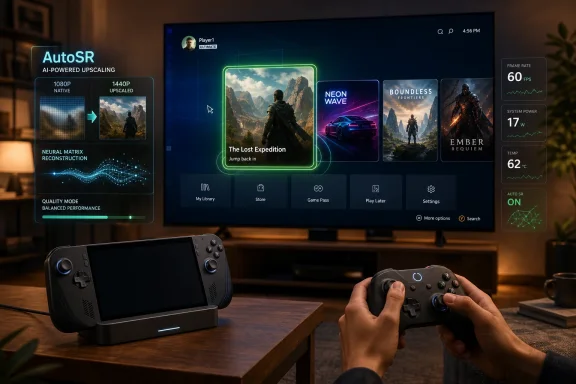
Xbox Mode tries to collapse that sprawl into something closer to a console shell. It removes or suppresses the normal desktop environment, presents a controller-friendly task switcher, and leans on a compact Xbox Game Bar-style interface for gaming settings. The goal is not merely to make Windows easier to navigate with a controller. The goal is to make Windows less visible.
That distinction matters. A controller-compatible Windows interface is still a PC. A boot-to-Xbox experience that handles display output, game launching, overlay behavior, and input switching without demanding a mouse begins to look like a console. Microsoft’s challenge is that users can feel the difference instantly, even if they cannot describe it in architectural terms.
The early Xbox Mode preview suggests Microsoft understands the assignment. The problem is that understanding the assignment is not the same as passing it.
On a handheld, every delay feels personal. A sluggish store is not just a sluggish store; it is a broken living-room illusion. A cursor that rubber-bands through queued navigation inputs is not just a UI bug; it is a reminder that the system is translating between worlds rather than belonging to one.
That is why Windows Central’s experience with the Xbox Ally feels so revealing. The device itself is clearly good enough to become part of a daily gaming routine. It is powerful, flexible, and capable of doing things a Steam Deck or Switch cannot do in the same way. But the friction is not abstract. It shows up in boot behavior, store navigation, controller focus, achievement pop-ups, and display switching.
Microsoft’s pitch depends on making those frictions rare enough that the user stops thinking about them. At the moment, the Xbox Ally still asks for too much forgiveness. Enthusiasts will grant it because they understand the trade. Console players may not.
Windows has historically been poor at this kind of appliance behavior. It can manage external displays, audio devices, power states, scaling, and controllers, but it often exposes the complexity of doing so. A docked handheld cannot afford that. If the user needs to reach for a mouse to select the right monitor, the spell is broken.
The improvements described in the latest Xbox Mode testing are therefore meaningful. The Ally should now output automatically to an external display and turn off the handheld screen by default. That is exactly the kind of low-level behavioral polish Microsoft needs if it wants Windows gaming hardware to feel intentional rather than improvised.
But controller handling remains the dangerous edge. If a game cannot reliably distinguish between an embedded controller and an external one, the docked fantasy collapses quickly. The reported inability to get an external controller working properly in Lies of P is not just a bug in one game session. It is evidence of the hardest class of problem Microsoft faces: the place where Windows, the game, the shell, the input stack, and developer assumptions all overlap.
Consoles succeed because they narrow the number of valid states. Windows succeeds because it supports almost all of them. Xbox Mode is Microsoft’s attempt to get both benefits at once.
AutoSR uses neural processing hardware to upscale lower-resolution game output into a sharper image. In practice, that means a demanding game can render less expensively while still looking acceptable on the target display. This is not a new idea in PC gaming broadly — players already know the territory through DLSS, FSR, XeSS, and console upscaling techniques — but the appeal of AutoSR is that it is built into Windows and can potentially apply across existing games without each developer doing bespoke work.
That is exactly the sort of feature a Windows-based Xbox needs. If Microsoft is serious about a hybrid console-PC future, it cannot rely entirely on developers individually optimizing for every handheld, docked, and living-room scenario. It needs platform-level systems that make games behave better by default.
Windows Central’s testing suggests AutoSR can be dramatic when it works. The comparison to putting glasses back on is the sort of subjective description that matters because upscaling quality is experienced more than measured by most users. If a poorly optimized game can become clearer or smoother with a system-level toggle, Microsoft has something genuinely valuable.
The problem is in the phrase when it works. Preview status buys Microsoft some patience, but the reported inconsistencies are exactly the kind that ordinary players hate: some games need restarts, some need fullscreen, some tolerate borderless windowing, and some appear to lose the feature after loading screens. That is PC behavior, not console behavior.
Still, previews are useful because they reveal the direction of travel. The issue here is not that Xbox Mode has bugs. The issue is that Microsoft is trying to build a console-like experience on a platform whose greatest strength has always been permissiveness.
Windows lets developers do strange things with windows, overlays, input focus, launchers, anti-cheat systems, display modes, graphics APIs, and controller interpretation. That openness is why PC gaming is vast. It is also why a notification can steal focus from a game, a volume overlay can create stutter, or an achievement pop-up can behave like a foreign object.
A console platform can dictate more. It can impose certification rules, require expected behavior, and reduce the range of weird states. Windows can impose some rules, but not without risking the flexibility that makes PC gaming attractive in the first place.
That is the central tension of Xbox Mode. Microsoft does not merely need to build a better interface. It needs to civilize the parts of Windows gaming that were never designed to be part of a 10-foot, controller-first, no-excuses experience.
Steam’s advantage is not just that it has a larger library. It is that PC players trust it as a durable account system, storefront, patcher, social layer, launcher, refund mechanism, and compatibility database. Valve spent years turning messy PC gaming into something that feels coherent enough for most people, then used the Steam Deck to prove that coherence could survive in handheld form.
Microsoft has a different advantage: Windows itself. It controls the operating system, the gaming APIs, the Xbox identity layer, Game Pass, and the console ecosystem. In theory, that gives Microsoft a more powerful end-to-end position than Valve has.
In practice, that advantage only matters if the experience is better. A slow Xbox PC store undercuts the entire proposition because it makes the official route feel less polished than the workaround. If Xbox Mode launches beautifully but the store lags, misfires, or buries the right version of a game, users will drift back to the tools that feel dependable.
This is especially dangerous for Game Pass. Subscription access can get users in the door, but a clumsy shell can train them to treat Xbox on PC as a utility rather than a home. Microsoft needs Xbox Mode to be more than the place where Game Pass games live. It needs it to feel like the place where Windows gaming makes the most sense.
That is an audacious idea. It could make the next Xbox the most flexible console ever built: a living-room device that plays Xbox games, PC games, Game Pass titles, and perhaps software from storefronts that traditional consoles would never allow. It would also place Microsoft in a very different competitive posture against Sony, Nintendo, and Valve.
But the Windows Central testing shows why the strategy is dangerous. A hybrid Xbox cannot feel like a PC that has been asked to cosplay as a console. It has to feel like a console that happens to carry PC powers underneath.
That difference is everything. If Project Helix boots into a smooth Xbox shell, handles controllers perfectly, runs Xbox console libraries cleanly, supports PC games without obvious compatibility chaos, and hides Windows maintenance from ordinary users, Microsoft could redefine what a console is. If it ships with focus bugs, store sluggishness, controller ambiguity, and overlay weirdness, it will inherit the worst of both markets.
Console buyers tolerate fewer excuses than PC players. They expect the box to know what it is.
Microsoft has spent much of the last few years talking about AI, cloud infrastructure, Copilot, and enterprise productivity. Those businesses matter enormously, but consumer Windows has often felt like it was surviving on institutional momentum rather than affection. Gamers, in particular, notice when the OS becomes a place where features arrive faster than rough edges disappear.
A quality push aimed at performance and usability is therefore not cosmetic. It is a prerequisite for Microsoft’s gaming hardware ambitions. A Windows-based Xbox requires Windows to behave like a platform Microsoft is proud to put in the living room, not just the platform that happens to run everything.
The irony is that Windows is still Microsoft’s superpower. No other console maker can offer the breadth of PC gaming without negotiating against the entire structure of its own business. But a superpower can become a liability when users experience it as inconsistency.
Project Helix will not be judged by how clever the architecture is. It will be judged by whether the user can sit down, press a button, and play.
That means games need to behave properly with controller-first navigation, external displays, suspend-and-resume expectations, overlays, achievements, and system-level upscaling. It means launchers and anti-cheat tools cannot assume a desktop user is always present. It means focus handling, window modes, and input switching have to stop being afterthoughts.
Microsoft can encourage this through tooling, certification, store requirements, and developer messaging. It can make the best path the easiest path. It can also use Project Helix as leverage: if the next Xbox is a Windows-compatible target, developers who already support Xbox on PC well may be better positioned for the next generation.
But this is a delicate sell. PC developers already juggle Steam, Epic, GOG, Microsoft Store packaging, handheld profiles, cloud saves, anti-cheat compatibility, GPU vendors, and multiple upscaling systems. If Xbox Mode feels like one more checklist item rather than a meaningful market, adoption will be uneven.
That is why Microsoft needs the user experience to improve quickly. Developers follow users, and users follow trust.
Microsoft should have been first to that outcome. Windows had the games, the drivers, the vendor support, and the mainstream developer target. Instead, Valve turned compatibility work, shader pipelines, community ratings, and a focused shell into a product identity.
Xbox Mode is Microsoft’s answer, but it arrives in a market that has already learned what a serious handheld gaming interface can feel like. The comparison is not always fair because Windows supports more games and more hardware permutations. It is unavoidable because users do not evaluate architecture diagrams. They evaluate evenings on the couch.
Nintendo sets the other benchmark. The Switch is technically modest and increasingly old, but its docked-handheld transition remains the emotional standard. It proves that convenience beats theoretical flexibility for a huge part of the audience.
Microsoft is trying to combine the breadth of Windows, the library promise of Xbox, and the form-factor fluency of Switch-like hardware. That is a compelling triangle. It is also a very hard one to hold.
That audience is valuable, but it is not enough. If Microsoft wants Xbox Mode to matter beyond the Insider ring, it has to cross the patience gap between PC hobbyists and console customers. The latter do not want to understand why fullscreen behaves differently from borderless windowed mode. They do not want to restart a game to re-enable upscaling. They do not want to wonder whether an achievement notification stole focus.
This is where Microsoft’s own branding raises the stakes. Calling it Xbox Mode invokes the console promise. It tells users to expect the clarity and reliability associated with Xbox, not merely a nicer front end for Windows.
The Xbox Ally can survive as an enthusiast device with visible seams. A next-generation Xbox cannot. If Project Helix is going to carry the brand forward, the seams must become the exception rather than the texture of the product.
The company is now assembling the pieces of a real platform story: Xbox Mode as the shell, AutoSR as a system-level performance tool, Game Bar as the settings bridge, improved docking as the living-room handoff, and Project Helix as the hardware destination. The result could be more than a handheld UI. It could be the foundation for Microsoft’s next gaming identity.
But foundations are judged by what can be built on them. Right now, the structure is promising and uneven. It works well enough to make the future imaginable, and badly enough in places to make that future feel risky.
Microsoft’s advantage is that it still has time. Preview software can improve quickly, especially when the problem is visible and the company is clearly paying attention. The danger is that the hardest work is not adding features. It is removing the small betrayals of confidence that make a user reach for a mouse, reboot a game, or open Steam instead.
The latest round of updates makes Microsoft’s strategy easier to understand than it was a year ago. Xbox on PC is no longer just an app, a subscription tab, and a library view competing with Steam from inside the Windows desktop. It is becoming a mode, a shell, and eventually perhaps the default personality of Xbox hardware itself. That is a much bigger bet than adding controller navigation to a storefront.
The Windows Central testing paints a familiar picture for anyone who has tried to make Windows behave like an appliance: Microsoft has solved enough of the obvious problems to make the ambition plausible, but not enough of the annoying ones to make it invisible. Xbox Mode can hide the desktop. It cannot yet hide the fact that the machine underneath is still a Windows PC.
 Microsoft Has Stopped Pretending the Xbox App Is Enough
The most important shift in Microsoft’s PC gaming push is not any single feature. It is the admission, implicit but unmistakable, that the old Xbox app was never going to be the center of the living-room PC experience by itself.For years, Xbox on Windows felt like a service layer rather than a platform. Game Pass lived there, Microsoft Store titles lived there, and achievements lived there in a way that often felt divorced from the rituals of console gaming. But the actual experience of playing remained scattered across Windows settings, Game Bar overlays, device drivers, display menus, controller profiles, third-party launchers, and whatever input method happened to be nearest.
Xbox Mode tries to collapse that sprawl into something closer to a console shell. It removes or suppresses the normal desktop environment, presents a controller-friendly task switcher, and leans on a compact Xbox Game Bar-style interface for gaming settings. The goal is not merely to make Windows easier to navigate with a controller. The goal is to make Windows less visible.
That distinction matters. A controller-compatible Windows interface is still a PC. A boot-to-Xbox experience that handles display output, game launching, overlay behavior, and input switching without demanding a mouse begins to look like a console. Microsoft’s challenge is that users can feel the difference instantly, even if they cannot describe it in architectural terms.
The early Xbox Mode preview suggests Microsoft understands the assignment. The problem is that understanding the assignment is not the same as passing it.
The Handheld Makes Every Windows Quirk Feel Larger
The Xbox Ally is the right device to expose the promise and fragility of this plan. Handheld PCs are brutally honest products because they remove the escape routes that desktop users take for granted. There is no comfortable assumption that a keyboard is nearby, no generous monitor to absorb awkward UI, and no patience for a settings dialog that expects precision mouse input.On a handheld, every delay feels personal. A sluggish store is not just a sluggish store; it is a broken living-room illusion. A cursor that rubber-bands through queued navigation inputs is not just a UI bug; it is a reminder that the system is translating between worlds rather than belonging to one.
That is why Windows Central’s experience with the Xbox Ally feels so revealing. The device itself is clearly good enough to become part of a daily gaming routine. It is powerful, flexible, and capable of doing things a Steam Deck or Switch cannot do in the same way. But the friction is not abstract. It shows up in boot behavior, store navigation, controller focus, achievement pop-ups, and display switching.
Microsoft’s pitch depends on making those frictions rare enough that the user stops thinking about them. At the moment, the Xbox Ally still asks for too much forgiveness. Enthusiasts will grant it because they understand the trade. Console players may not.
Docking Is Where the Console Dream Meets the Windows Driver Model
The new docked experience is one of the most important pieces of the puzzle because it aims directly at the Nintendo Switch expectation: pick up the device, drop it into a dock, and continue playing on a television. This is the sort of interaction that sounds simple only because consoles have trained users to forget how much coordination is happening underneath.Windows has historically been poor at this kind of appliance behavior. It can manage external displays, audio devices, power states, scaling, and controllers, but it often exposes the complexity of doing so. A docked handheld cannot afford that. If the user needs to reach for a mouse to select the right monitor, the spell is broken.
The improvements described in the latest Xbox Mode testing are therefore meaningful. The Ally should now output automatically to an external display and turn off the handheld screen by default. That is exactly the kind of low-level behavioral polish Microsoft needs if it wants Windows gaming hardware to feel intentional rather than improvised.
But controller handling remains the dangerous edge. If a game cannot reliably distinguish between an embedded controller and an external one, the docked fantasy collapses quickly. The reported inability to get an external controller working properly in Lies of P is not just a bug in one game session. It is evidence of the hardest class of problem Microsoft faces: the place where Windows, the game, the shell, the input stack, and developer assumptions all overlap.
Consoles succeed because they narrow the number of valid states. Windows succeeds because it supports almost all of them. Xbox Mode is Microsoft’s attempt to get both benefits at once.
AutoSR Is the Most Console-Like Feature in the Whole Stack
Automatic Super Resolution may be the most promising technology in this bundle because it attacks the central handheld tradeoff: image quality versus performance. On compact gaming hardware, rendering at a lower resolution and upscaling well can be the difference between “technically playable” and “actually enjoyable.”AutoSR uses neural processing hardware to upscale lower-resolution game output into a sharper image. In practice, that means a demanding game can render less expensively while still looking acceptable on the target display. This is not a new idea in PC gaming broadly — players already know the territory through DLSS, FSR, XeSS, and console upscaling techniques — but the appeal of AutoSR is that it is built into Windows and can potentially apply across existing games without each developer doing bespoke work.
That is exactly the sort of feature a Windows-based Xbox needs. If Microsoft is serious about a hybrid console-PC future, it cannot rely entirely on developers individually optimizing for every handheld, docked, and living-room scenario. It needs platform-level systems that make games behave better by default.
Windows Central’s testing suggests AutoSR can be dramatic when it works. The comparison to putting glasses back on is the sort of subjective description that matters because upscaling quality is experienced more than measured by most users. If a poorly optimized game can become clearer or smoother with a system-level toggle, Microsoft has something genuinely valuable.
The problem is in the phrase when it works. Preview status buys Microsoft some patience, but the reported inconsistencies are exactly the kind that ordinary players hate: some games need restarts, some need fullscreen, some tolerate borderless windowing, and some appear to lose the feature after loading screens. That is PC behavior, not console behavior.
Preview Software Can Excuse Bugs, Not Philosophy
It is fair to say Xbox Mode and AutoSR are unfinished. Microsoft is using Insider channels for a reason, and the company has been more open in recent years about rolling gaming features out in stages. A preview should be judged differently from a finished consumer release.Still, previews are useful because they reveal the direction of travel. The issue here is not that Xbox Mode has bugs. The issue is that Microsoft is trying to build a console-like experience on a platform whose greatest strength has always been permissiveness.
Windows lets developers do strange things with windows, overlays, input focus, launchers, anti-cheat systems, display modes, graphics APIs, and controller interpretation. That openness is why PC gaming is vast. It is also why a notification can steal focus from a game, a volume overlay can create stutter, or an achievement pop-up can behave like a foreign object.
A console platform can dictate more. It can impose certification rules, require expected behavior, and reduce the range of weird states. Windows can impose some rules, but not without risking the flexibility that makes PC gaming attractive in the first place.
That is the central tension of Xbox Mode. Microsoft does not merely need to build a better interface. It needs to civilize the parts of Windows gaming that were never designed to be part of a 10-foot, controller-first, no-excuses experience.
The Store Remains the Weakest Link in Microsoft’s Strongest Argument
If Microsoft wants Xbox Mode to become the front door of PC gaming, the Xbox PC store cannot feel like the slowest room in the house. Store performance, discoverability, and reliability are not side issues. They are platform credibility.Steam’s advantage is not just that it has a larger library. It is that PC players trust it as a durable account system, storefront, patcher, social layer, launcher, refund mechanism, and compatibility database. Valve spent years turning messy PC gaming into something that feels coherent enough for most people, then used the Steam Deck to prove that coherence could survive in handheld form.
Microsoft has a different advantage: Windows itself. It controls the operating system, the gaming APIs, the Xbox identity layer, Game Pass, and the console ecosystem. In theory, that gives Microsoft a more powerful end-to-end position than Valve has.
In practice, that advantage only matters if the experience is better. A slow Xbox PC store undercuts the entire proposition because it makes the official route feel less polished than the workaround. If Xbox Mode launches beautifully but the store lags, misfires, or buries the right version of a game, users will drift back to the tools that feel dependable.
This is especially dangerous for Game Pass. Subscription access can get users in the door, but a clumsy shell can train them to treat Xbox on PC as a utility rather than a home. Microsoft needs Xbox Mode to be more than the place where Game Pass games live. It needs it to feel like the place where Windows gaming makes the most sense.
Project Helix Turns Today’s Polish Problems Into Tomorrow’s Platform Risk
The stakes rise sharply if the next Xbox is indeed built around the same broad direction. Project Helix has been described in industry reporting as a next-generation Xbox effort designed to bring console and PC gaming closer together, with Windows and Xbox Mode playing a central role. Microsoft has also publicly leaned into the idea that future Xbox hardware will bridge existing Xbox libraries and PC-style openness.That is an audacious idea. It could make the next Xbox the most flexible console ever built: a living-room device that plays Xbox games, PC games, Game Pass titles, and perhaps software from storefronts that traditional consoles would never allow. It would also place Microsoft in a very different competitive posture against Sony, Nintendo, and Valve.
But the Windows Central testing shows why the strategy is dangerous. A hybrid Xbox cannot feel like a PC that has been asked to cosplay as a console. It has to feel like a console that happens to carry PC powers underneath.
That difference is everything. If Project Helix boots into a smooth Xbox shell, handles controllers perfectly, runs Xbox console libraries cleanly, supports PC games without obvious compatibility chaos, and hides Windows maintenance from ordinary users, Microsoft could redefine what a console is. If it ships with focus bugs, store sluggishness, controller ambiguity, and overlay weirdness, it will inherit the worst of both markets.
Console buyers tolerate fewer excuses than PC players. They expect the box to know what it is.
Windows K2 Sounds Like an Admission That Quality Became a Strategy Problem
The reported Windows K2 initiative matters because it suggests Microsoft recognizes that the problem is broader than Xbox. If Windows itself is inconsistent, Xbox Mode can only paper over so much. Gaming polish depends on the OS being predictable at the exact moments users are least willing to troubleshoot.Microsoft has spent much of the last few years talking about AI, cloud infrastructure, Copilot, and enterprise productivity. Those businesses matter enormously, but consumer Windows has often felt like it was surviving on institutional momentum rather than affection. Gamers, in particular, notice when the OS becomes a place where features arrive faster than rough edges disappear.
A quality push aimed at performance and usability is therefore not cosmetic. It is a prerequisite for Microsoft’s gaming hardware ambitions. A Windows-based Xbox requires Windows to behave like a platform Microsoft is proud to put in the living room, not just the platform that happens to run everything.
The irony is that Windows is still Microsoft’s superpower. No other console maker can offer the breadth of PC gaming without negotiating against the entire structure of its own business. But a superpower can become a liability when users experience it as inconsistency.
Project Helix will not be judged by how clever the architecture is. It will be judged by whether the user can sit down, press a button, and play.
Developers Are Being Asked to Meet Microsoft Halfway
A cleaner Xbox-on-Windows future cannot be delivered by Microsoft alone. Developers and publishers will have to decide whether Xbox Mode is important enough to support deliberately rather than accidentally.That means games need to behave properly with controller-first navigation, external displays, suspend-and-resume expectations, overlays, achievements, and system-level upscaling. It means launchers and anti-cheat tools cannot assume a desktop user is always present. It means focus handling, window modes, and input switching have to stop being afterthoughts.
Microsoft can encourage this through tooling, certification, store requirements, and developer messaging. It can make the best path the easiest path. It can also use Project Helix as leverage: if the next Xbox is a Windows-compatible target, developers who already support Xbox on PC well may be better positioned for the next generation.
But this is a delicate sell. PC developers already juggle Steam, Epic, GOG, Microsoft Store packaging, handheld profiles, cloud saves, anti-cheat compatibility, GPU vendors, and multiple upscaling systems. If Xbox Mode feels like one more checklist item rather than a meaningful market, adoption will be uneven.
That is why Microsoft needs the user experience to improve quickly. Developers follow users, and users follow trust.
Valve Is the Shadow Over Every Xbox Mode Demo
The Steam Deck is not the most powerful handheld PC, but it remains the cleanest argument for why software integration matters more than raw capability. Valve did not make Linux gaming perfect. It made a curated, controller-first, suspend-friendly handheld experience good enough that users forgave the remaining complexity.Microsoft should have been first to that outcome. Windows had the games, the drivers, the vendor support, and the mainstream developer target. Instead, Valve turned compatibility work, shader pipelines, community ratings, and a focused shell into a product identity.
Xbox Mode is Microsoft’s answer, but it arrives in a market that has already learned what a serious handheld gaming interface can feel like. The comparison is not always fair because Windows supports more games and more hardware permutations. It is unavoidable because users do not evaluate architecture diagrams. They evaluate evenings on the couch.
Nintendo sets the other benchmark. The Switch is technically modest and increasingly old, but its docked-handheld transition remains the emotional standard. It proves that convenience beats theoretical flexibility for a huge part of the audience.
Microsoft is trying to combine the breadth of Windows, the library promise of Xbox, and the form-factor fluency of Switch-like hardware. That is a compelling triangle. It is also a very hard one to hold.
The Enthusiast Patience Gap Is Microsoft’s Real Enemy
The most forgiving audience for Xbox Mode is the one least representative of its future. Windows enthusiasts, handheld PC owners, and Game Pass power users will tolerate previews, toggle hunts, driver updates, app refreshes, and strange fixes. They may even enjoy the process.That audience is valuable, but it is not enough. If Microsoft wants Xbox Mode to matter beyond the Insider ring, it has to cross the patience gap between PC hobbyists and console customers. The latter do not want to understand why fullscreen behaves differently from borderless windowed mode. They do not want to restart a game to re-enable upscaling. They do not want to wonder whether an achievement notification stole focus.
This is where Microsoft’s own branding raises the stakes. Calling it Xbox Mode invokes the console promise. It tells users to expect the clarity and reliability associated with Xbox, not merely a nicer front end for Windows.
The Xbox Ally can survive as an enthusiast device with visible seams. A next-generation Xbox cannot. If Project Helix is going to carry the brand forward, the seams must become the exception rather than the texture of the product.
The Shape of Microsoft’s Gamble Is Finally Visible
The latest Xbox PC updates do not prove Microsoft has solved Windows gaming. They prove Microsoft has chosen a direction. That alone is significant after years in which Xbox on PC often felt strategically important but experientially underbuilt.The company is now assembling the pieces of a real platform story: Xbox Mode as the shell, AutoSR as a system-level performance tool, Game Bar as the settings bridge, improved docking as the living-room handoff, and Project Helix as the hardware destination. The result could be more than a handheld UI. It could be the foundation for Microsoft’s next gaming identity.
But foundations are judged by what can be built on them. Right now, the structure is promising and uneven. It works well enough to make the future imaginable, and badly enough in places to make that future feel risky.
Microsoft’s advantage is that it still has time. Preview software can improve quickly, especially when the problem is visible and the company is clearly paying attention. The danger is that the hardest work is not adding features. It is removing the small betrayals of confidence that make a user reach for a mouse, reboot a game, or open Steam instead.
The Xbox Ally Is Now Microsoft’s Most Useful Warning Sign
The concrete lessons from this testing are not subtle, and that may be the best thing about them. The Xbox Ally is functioning as a public stress test for Microsoft’s bigger Xbox-on-Windows theory, exposing the problems while there is still time to fix them.- Xbox Mode is no longer just a handheld feature; it is becoming Microsoft’s controller-first shell for Windows 11 gaming PCs.
- AutoSR has real potential on limited hardware, but its preview behavior is too inconsistent to feel like a console-grade feature today.
- Docked play is improving, yet external controller detection and game focus problems still undermine the living-room experience.
- The Xbox PC store remains a strategic weakness because performance and discoverability shape whether users trust the platform.
- Project Helix will need to hide Windows complexity far more effectively than the current Xbox Ally software does.
- Microsoft’s biggest task is not inventing more gaming features, but making the existing ones feel predictable every time.
References
- Primary source: Windows Central
Published: Tue, 19 May 2026 11:00:00 GMT
Xbox Ally in 2026: Thoughts on the state of "Xbox Mode" on Windows PC, AutoSR tested, and what comes next for Xbox Helix | Windows Central
I often think I'm the only "game journalist" on Earth actively using the Xbox Ally and Xbox Mode on PC. There are at least DOZENS of us globally using these devices ... so for that very small audience, I thought I'd share some thoughts on its current state.www.windowscentral.com - Related coverage: techradar.com
If you're wondering why Microsoft's Xbox mode is still missing after installing the latest Windows 11 update, here's why | TechRadar
Hopefully, the rollout will be completed soonwww.techradar.com - Related coverage: t3.com
New Xbox hardware leaks early – the build up to Project Helix begins here | T3
Xbox seems to be working on numerous new devices – as these leaked images showwww.t3.com - Related coverage: gamespot.com
Xbox's Next Console, Project Helix, Officially Plays PC And Xbox Games - GameSpot
The rumors about PC and Xbox games being playable on the next system have been confirmed.www.gamespot.com - Related coverage: gematsu.com
Project Helix alpha development kits to ship in 2027; Xbox mode coming to Windows 11 in April - Gematsu
Microsoft Gaming shared updates on its newly announced next-generation hardware Project Helix during the Xbox Developer Summit keynote address at Game Developer…www.gematsu.com - Official source: blogs.windows.com
Windows 11 PC gamers: Xbox mode rolls out and ROG Xbox Ally updates include Auto SR preview
Xbox mode will begin rolling out in select markets to Windows 11 PCs, including laptops, desktops and tablets, bringing a console-inspired Xbox experience to more players than ever. Xbox mode is designed for the moments when you want your gamesblogs.windows.com
- Official source: support.microsoft.com
Automatic Super Resolution - Microsoft Support
Automatic Super Resolution is the first OS-integrated AI technique where your games not only play better but look stunning too!support.microsoft.com - Related coverage: timesofgames.com
- Related coverage: techspot.com
Next-gen Xbox sounds a lot like a PC with an Xbox UI and AMD's FSR Diamond | TechSpot
After sharing the first basic details about its next Xbox console earlier this month, Microsoft has revealed more about the platform's technology this week at the Game...www.techspot.com
