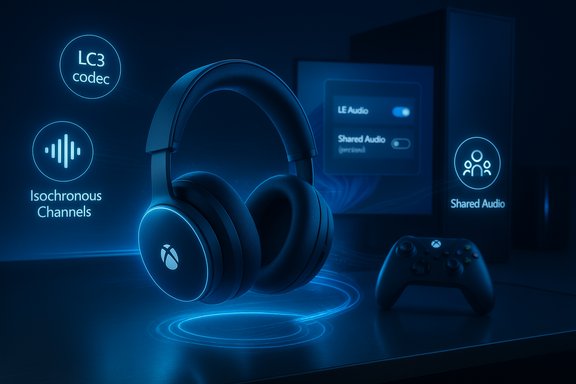
Xbox Wireless Headset LE Audio LC3 Update with Windows 11 Support

  • Thread Author
Microsoft has quietly delivered a meaningful firmware update for the Xbox Wireless Headset that brings Bluetooth LE Audio (LC3) support, promising improved battery efficiency, lower latency, and richer voice quality—features that align the headset with recent Windows 11 audio improvements and the new LE Audio ecosystem rolling out across PCs and accessories.

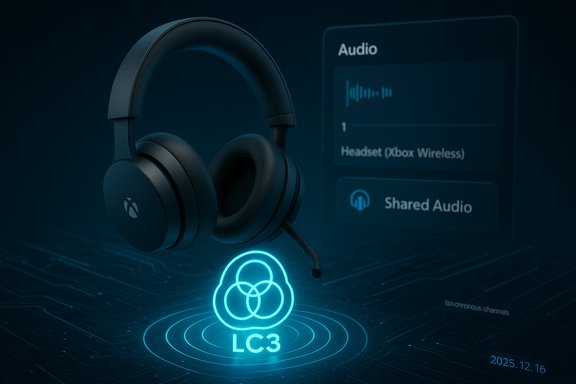
A wireless headset hovers above a glowing LC3 cloud icon with a blue audio panel in the background.Background / Overview​

Bluetooth LE Audio (LE Audio) is the Bluetooth SIG’s next-generation audio architecture built around the LC3 codec, isochronous channels, and broadcast-style primitives (Auracast). These elements together enable better perceived audio quality at lower bitrates, synchronized multi-sink streaming, and improved power efficiency compared with legacy Bluetooth Classic audio stacks. Microsoft and the industry have been moving Windows toward full LE Audio support—introducing super wideband stereo on Windows and new shared-audio flows—so the Xbox Wireless Headset update is part of a broader platform shift. The update is targeted at the refreshed Xbox Wireless Headset released in October 2024, not the original 2021 model. Microsoft’s official Xbox Wire post and independent reporting make that distinction clear. The firmware is delivered through the Xbox Accessories app on console and Windows, and Microsoft says the update unlocks LE Audio features when the host device and drivers support them.

What Microsoft announced (short summary)​

  • A firmware update for the latest Xbox Wireless Headset that adds Bluetooth LE Audio support, rolling out now via the Xbox Accessories app on console and Windows.
  • Promised benefits include better battery life, lower end-to-end latency, super wideband stereo voice (stereo-quality voice while the mic is active), and compatibility with Windows LE Audio features such as shared audio/broadcasting preview.
  • The feature depends on host support: Windows 11 builds with LE Audio plumbing (and appropriate OEM drivers), or consoles/handheld devices that expose LE Audio stacks in their Bluetooth controllers.

Why LE Audio matters for gaming headsets​

The technical advantage in plain language​

  • LC3 codec: Delivers comparable or improved perceived audio quality at much lower bitrates than the legacy SBC codec, reducing radio airtime and battery draw on earbuds/headsets.
  • Isochronous channels (ISO): Provide timing guarantees so the same audio stream can be delivered to multiple receivers with tight synchronization—essential for features like shared audio.
  • TMAP / super wideband stereo: Allows simultaneous high-quality stereo media and microphone use without dropping audio to mono, addressing a long-standing Bluetooth trade-off gamers and streamers have lived with.

Practical outcomes for players​

  • Longer sessions between charges: Lower bitrates mean less power spent on wireless radio transmission; that can translate into measurable battery gains in real use, depending on host and use-case.
  • Cleaner voice chat: Especially on platforms where the host (PC or handheld) supports the newer Windows audio routing and codecs, voice can sound more natural and less muffled than legacy HFP-based voice.
  • Lower latency: LE Audio’s design reduces radio overhead and can yield lower latency, benefiting lip-sync and responsiveness in games—again, dependent on complete end-to-end support.

What the Xbox Wireless Headset update actually delivers​

Microsoft’s communications and independent coverage identify the concrete changes for the Xbox Wireless Headset:
  • Firmware update adds Bluetooth LE Audio / LC3 support to the October 2024 model.
  • The update enables the headset to participate in Windows LE Audio features such as super wideband stereo and Windows’ shared audio preview, where a PC can stream the same audio to two LE Audio sinks simultaneously.
  • Microsoft explicitly lists the firmware as available through the Xbox Accessories app, and the company notes that LE Audio benefits require a host (Windows or device) with LE Audio support and updated audio drivers.

Compatibility and minimum requirements (what to check before updating)​

This update is ecosystem-dependent; installing the headset firmware is only one piece of the puzzle.
  • Which headset model? The update applies to the newer Xbox Wireless Headset released in October 2024 (the refreshed model), not the 2021 revision. Confirm your unit’s model/year before attempting an update.
  • Host device requirements:
  • For Windows features (super wideband stereo, shared audio), you need Windows 11 with LE Audio support (24H2 or later for some features) and OEM Bluetooth drivers that expose ISO/LE Audio primitives.
  • For consoles or handhelds, the device must expose LE Audio in its Bluetooth controller firmware/drivers; Microsoft has stated the update is relevant as Xbox gaming expands to Windows 11 PCs and handhelds.
  • Accessory firmware: The headset must be updated via the Xbox Accessories app to enable the LE Audio stack on the headset itself.
  • Bluetooth controller: Many older Bluetooth radios—even those reporting Bluetooth 5.x—do not support LE Audio without firmware-level support. Expect fragmentation and model-level gating.
Checklist before updating:
  • Confirm you own the October 2024 Xbox Wireless Headset model.
  • Back up any headset profile settings in the Xbox Accessories app if desired.
  • Update your host OS (Windows 11 24H2 recommended for desktop LE Audio features).
  • Install any OEM Bluetooth driver updates your PC vendor offers.
  • Use the Xbox Accessories app on console/Windows to apply the firmware.

How to update (step-by-step)​

  • Open the Xbox Accessories app on your Xbox console or Windows 11 PC.
  • Connect your Xbox Wireless Headset to the console/PC (use the standard wireless pairing or USB as required by your device).
  • In the Xbox Accessories app, navigate to your headset’s settings and look for firmware update prompts. Follow the app prompts to download and apply the update.
  • After the update, pair the headset to a Windows 11 PC with LE Audio-capable Bluetooth (if testing PC-related features). Make sure to update your PC’s Bluetooth drivers from the OEM.
  • Optionally, test super wideband stereo by making a call or using a game/chat app on Windows 11 24H2+, and try Windows’ Shared Audio preview on supported Copilot+ PCs if you’re an Insider.

Real-world performance: what to expect and why results vary​

LE Audio offers real potential improvements, but real-world experience depends on every element of the audio chain:
  • Identical devices sync better: Two identical LE-enabled earbuds/headphones from the same vendor tend to synchronize more tightly than mixed-brand pairings, because vendor DSP and buffering strategies differ. Expect better sync and lower risk of audible drift with matched hardware.
  • Processing introduces delay: Features like active noise cancellation (ANC) or aggressive DSP can introduce latency inside a headset. Even with ISO timing, internal processing can make two different models sound slightly out-of-sync.
  • Host driver maturity matters: OEM drivers and firmware updates on the PC or handheld are often the gating factor. Microsoft’s staged rollouts and Copilot+ gating reflect the need to coordinate drivers and firmware.
Empirical testers—early reviewers and outlets—report meaningful battery and voice quality lifts on LE Audio-capable systems, but the exact percentage of battery improvement depends heavily on codec configuration, sample rates, and use cases (music vs. game audio + mic). Treat battery gains as a likely but variable benefit rather than a fixed number.

Strengths and clear wins​

  • Modern codec and power economy: LC3’s efficiency is the central technical win; in many scenarios it will extend playback time and reduce radio-related power draw.
  • Stereo voice (no more “music goes to mud”): For gamers who move between media and voice chat, super wideband stereo eliminates a listener-facing downgrade that previously forced mono or muffled audio during mic use.
  • Convergence with Windows LE Audio features: This firmware update positions the Xbox Wireless Headset to benefit from Windows 11 innovations—shared audio, improved spatial audio workflows, and better voice routing—when the host supports them.

Risks, caveats and unanswered questions​

  • Fragmentation remains the largest risk: LE Audio requires coordinated support across headset firmware, Bluetooth controller firmware, and OS drivers. Many PCs and dongles will not immediately support the new features. Expect patchwork support and troubleshooting.
  • Not all headsets are covered: The update applies to the refreshed 2024 headset only; owners of older Xbox headset models should not assume compatibility.
  • Exact battery gains are not guaranteed: Microsoft’s messaging promises extended battery life, but does not publish a specific percentage uplift tied to the LE Audio update—actual gains will vary with bitrate settings, ANC usage, and protocol fallbacks. Treat claims of precise battery improvements cautiously.
  • Latency caveats for competitive gaming: While LE Audio can reduce latency relative to poorly-implemented classic Bluetooth flows, for the strictest competitive scenarios dedicated low-latency RF dongles or wired connections may still remain superior. Measure and evaluate if milliseconds matter in your use case.
  • Support complexity for IT/help desks: Troubleshooting will often span multiple vendors—Microsoft for OS-level behavior, PC OEMs for Bluetooth drivers, and headset firmware teams—lengthening support cycles for enterprises rolling headsets out at scale.

Cross‑checking the claims (verification)​

Key claims in Microsoft’s announcement were validated against independent reporting and platform coverage:
  • Claim: Firmware adds LE Audio to the refreshed Xbox Wireless Headset. Confirmed by Microsoft’s Xbox Wire announcement and independent reporting (The Verge).
  • Claim: LE Audio yields lower latency, better battery, and super wideband stereo. This is supported by Windows Central and Tom’s Hardware coverage of Windows’ LE Audio and super wideband stereo work, which explain LC3 and ISO benefits on Windows 11. These independent technical explainers corroborate Microsoft’s specific feature claims.
  • Claim: Shared audio compatibility with Windows Shared Audio preview. Microsoft’s communications and Windows Insider coverage explain how Windows implements a two-sink shared audio preview using LE Audio primitives; users should confirm their Copilot+ PC or Windows Insider status to participate.
Where precise numbers (e.g., “battery increases by X%”) are absent in official messaging, the available evidence supports the qualitative improvements but not a fixed numeric claim—those should be measured in independent lab tests or vendor-provided benchmarks.

Practical recommendations​

  • If you own the October 2024 Xbox Wireless Headset and use it with Windows 11, apply the firmware update via the Xbox Accessories app and then update your PC’s Bluetooth drivers from the OEM. Test super wideband stereo and shared-audio features after you confirm host support.
  • If you rely on the headset for competitive gaming where absolute minimum latency is essential, keep a wired or low-latency dongle option handy and evaluate end-to-end latency after the update before switching permanently.
  • For IT teams deploying headsets broadly, include Bluetooth controller model and driver compatibility checks in procurement and pilot phases; don’t assume Bluetooth 5.x equals LE Audio readiness.

Conclusion​

The Xbox Wireless Headset’s LE Audio firmware update is a timely, standards-based improvement that aligns Microsoft’s own accessory with the broader LE Audio momentum on Windows 11. It delivers real technical advantages—LC3 efficiency, stereo-quality voice during mic use, and compatibility with Windows shared-audio flows—while also exposing the practical realities of ecosystem rollouts: driver dependencies, firmware gating, and device fragmentation.
For most users of the refreshed 2024 headset, the update is a clear win: simpler access to higher-quality Bluetooth voice and likely battery improvements without buying new hardware. For professionals and competitive gamers, the update is an important step forward but not a wholesale replacement for wired or dedicated RF solutions until the wider ecosystem matures and OEM drivers stabilize.

Source: Neowin https://www.neowin.net/amp/xbox-wir...and-audio-with-new-bluetooth-le-audio-update/
 

Microsoft has quietly pushed a firmware update that brings Bluetooth Low Energy (LE) Audio / LC3 support to the refreshed Xbox Wireless Headset, a move that aligns the headset with Windows 11’s recent LE Audio work and unlocks practical benefits—lower Bluetooth latency, improved battery efficiency, stereo-quality voice while the mic is active, and support for Windows’ shared-audio preview—when the host PC or device exposes LE Audio primitives.

A digital visualization related to the article topic.Background​

LE Audio is the Bluetooth Special Interest Group’s next-generation audio architecture, centered on the LC3 codec, isochronous channels (ISO), and broadcast-style features (Auracast). These elements improve perceived audio quality at lower bitrates, enable synchronized multi-sink playback, and reduce power draw versus legacy Bluetooth Classic audio paths. That technical foundation is why Microsoft and other vendors are baking LE Audio into operating systems and accessories. Microsoft announced the firmware update in its December update notes and distributed it via the Xbox Accessories app; independent outlets report the update applies to the October 2024 refreshed Xbox Wireless Headset and is delivered as a firmware flash—you must update the headset using the Xbox Accessories app on an Xbox console or a Windows 11 PC to enable LE Audio mode on the headset itself. The update does not target the original 2021 Xbox Wireless Headset SKU.

What Microsoft shipped: the user-visible changes​

Microsoft’s messaging and third‑party coverage condense the firmware’s user-facing benefits into four headline items:
  • Bluetooth LE Audio / LC3 support on the headset, enabling LE Audio behaviors when paired to a host that supports the stack.
  • Lower Bluetooth latency relative to older Classic Bluetooth audio paths in many workflows, improving lip‑sync and responsiveness for gaming audio.
  • Improved battery life when using Bluetooth modes, driven by LC3’s efficiency and reduced radio airtime.
  • Super wideband stereo voice and compatibility with Windows’ Shared Audio (preview)—Windows features that allow stereo media to continue while the microphone is active and permit streaming one audio source to multiple LE Audio sinks in sync (preview gated to Copilot+ devices and Windows Insiders initially).
These are practical, standards‑based upgrades, not new hardware features. The firmware lets the headset participate in the LE Audio ecosystem; the realized benefits depend on the rest of the chain—Bluetooth controller firmware, OEM drivers, and Windows 11 versions.

Quick summary: who gets what​

  • Applies only to the refreshed Xbox Wireless Headset (October 2024 model)—not the original 2021 model.
  • Delivered through the Xbox Accessories app on Xbox consoles and Windows 11 PCs; the app checks and flashes headset firmware.
  • Windows‑only features like super wideband stereo and Shared Audio (preview) require Windows 11 24H2+ and OEM driver support; the Shared Audio preview is initially limited to select Copilot+ PCs and Insider builds.

Why LE Audio matters for gaming headsets (technical breakdown)​

Understanding what changes and why requires a short technical primer on LE Audio primitives and the new audio profiles they enable.

LC3 codec: efficiency, quality, and power​

The LC3 codec is the core quality-and-efficiency improvement in LE Audio. It achieves comparable or better perceived audio quality at lower bitrates than legacy codecs like SBC. For battery-powered headsets, lower bitrate for a given quality means less radio airtime and measurable power savings—especially during extended Bluetooth sessions. That’s the source of Microsoft’s battery-life claims.

Isochronous Channels (ISO) and multi-sink sync​

ISO channels provide timing guarantees so that streams sent to multiple receivers remain synchronized. That enables robust multi‑listener scenarios (Shared Audio) and improves deterministic playback important for gaming, where timing and synchronization matter.

TMAP / Super wideband stereo​

Traditionally, Bluetooth on Windows forced a tradeoff: high-quality stereo audio (A2DP) or mic support (HFP/HSP) with poor mono voice. LE Audio introduces profiles and transport modes that allow stereo media to continue at super‑wideband quality while the mic is active—what Microsoft calls super wideband stereo. That’s a direct quality win for players who switch between music/game audio and voice chat.

Auracast / Broadcast and Shared Audio​

Auracast‑style broadcasting lets a transmitter feed many receivers (one‑to‑many). Windows’ Shared Audio preview builds on that technology to permit streaming a single game audio session to two LE Audio receivers simultaneously from a PC, using Quick Settings as the UI. This is a convenience feature with accessibility and social use cases, though it’s gated by hardware and driver readiness today.

Compatibility — the practical constraints​

This firmware update is necessary but not sufficient to realize LE Audio benefits. The realized user experience depends on four layers:
  • Headset firmware (now updated via Xbox Accessories).
  • Host Bluetooth controller firmware (chipset vendor).
  • OEM Bluetooth and audio drivers exposing LE Audio and ISO support.
  • Windows 11 OS support (features like super wideband stereo and Shared Audio require 24H2+ and, in the case of Shared Audio, limited Copilot+/Insider support initially).
Many laptop/PC Bluetooth radios will report Bluetooth 5.2/5.3 but still lack LE Audio support without firmware or driver updates. Expect fragmentation for months as chipset vendors and OEMs update drivers. Microsoft’s staged approach (Insiders + Copilot+ gating) reflects this fragmentation and the coordination required.

How to update and verify LE Audio on your headset (step-by-step)​

  • Install or open the Xbox Accessories app on your Xbox Series X|S, Xbox One, or Windows 11 PC.
  • Power on and connect your refreshed Xbox Wireless Headset (October 2024 model). Confirm your SKU before proceeding.
  • In the app, select the headset and check for firmware updates. If available, follow the prompts to apply the update. Keep the headset powered through the flash.
  • On Windows, update your OEM Bluetooth drivers (use manufacturer downloads rather than generic drivers where possible). Reboot if required.
  • Pair the headset to Windows via Settings > Bluetooth & devices. If the OS and drivers expose LE Audio, you’ll see LE Audio device profiles or settings (for example, “Use LE Audio when available”).
  • To try Shared Audio (preview), enroll a compatible Copilot+ PC in Windows Insider Dev or Beta (as documented), update drivers/Windows, then use the Shared audio (preview) Quick Settings tile to pick two LE Audio accessories. Expect the UI tile to appear only after drivers expose the feature.

Real-world testing: what to measure and how​

For readers who want objective verification before swapping daily workflows:
  • Baseline capture: before updating, record a 10‑minute playback + mic usage loop and note battery runtime and perceived sync.
  • Latency test: record an audio‑to‑visual event with a high‑frame‑rate camera and measure audio delay; repeat after updating to compare. Use the same volume and playback file to keep conditions consistent.
  • Voice quality: record voice chat with and without the updated LE Audio path and compare frequency response and clarity. Super wideband stereo should show a higher band-limited response and better stereo imaging when the mic is active.
Objective tests will separate headset firmware benefits from broader Windows stack improvements introduced in recent Windows 11 builds. Independent lab-style testing is still the best path to precise numbers for latency and battery delta.

Strengths — clear wins​

  • Standards-based upgrade: Microsoft chose a standards route (LC3 / ISO / Auracast) rather than a proprietary band‑aid. That encourages cross‑platform interoperability as other vendors ship LE Audio firmware.
  • Tangible user benefits: For many players the trio of lower latency, extended Bluetooth battery life, and stereo-quality voice while using the mic will be immediately noticeable on properly configured Windows systems.
  • Ecosystem signaling: Bringing LE Audio to a first‑party Xbox headset nudges OEMs and accessory makers to prioritize LE Audio firmware and driver updates, accelerating the platform transition.

Risks, caveats and unknowns​

  • Ecosystem fragmentation is the largest practical risk. LE Audio requires coordinated support across headset firmware, Bluetooth controller firmware, OS drivers, and apps. Many PCs (even with BT 5.2/5.3) will need vendor firmware/drivers before they can fully use LE Audio features. Expect a patchwork rollout.
  • Claims without hard numbers. Microsoft’s messaging promises improved battery life and lower latency but doesn’t publish specific percentages or millisecond deltas for typical setups. These outcomes are use-case dependent and should be verified by independent testing if you require exact thresholds.
  • Latency variability for competitive gaming. While LE Audio can lower Bluetooth latency in many scenarios, dedicated wired or proprietary low-latency RF dongles may still outperform Bluetooth for esports where every millisecond counts. Measure before replacing wired setups.
  • Support complexity for fleets and help desks. Troubleshooting an LE Audio deployment can require coordination between Microsoft (OS), chipset vendors (Bluetooth firmware), OEMs (drivers), and accessory makers. IT teams must plan for a heavier support burden during early adoption.
  • Privacy & broadcast considerations. Auracast-like broadcasting increases the surface area for public audio broadcasts. Windows’ Shared Audio preview is paired and curated today, but public broadcast scenarios can have privacy implications as Auracast adoption grows. Be mindful about when and where you enable broadcast features.

Practical recommendations​

  • If you own the refreshed October 2024 Xbox Wireless Headset, install the firmware update via Xbox Accessories—there’s no downside to updating and it prepares the headset for future Windows LE Audio features.
  • For Windows 11 users who want to use super wideband stereo or Shared Audio (preview), update to Windows 11 24H2+ and install OEM Bluetooth/audio driver updates from your PC manufacturer. Don’t rely on generic Microsoft drivers unless your OEM lists LE Audio support.
  • Competitive gamers should test end‑to‑end latency with their real games and servers before switching away from wired or RF-based audio. If you need absolute minimum latency, maintain a wired fallback.
  • IT and procurement teams should add LE Audio/LC3 support and firmware-update commitments to headset purchasing specs and pilot across representative hardware before broad deployments. Expect driver coordination with vendors.

Cross‑checking and verification​

Key claims (firmware adds LE Audio, benefits include lower latency/better battery/super wideband stereo, and Shared Audio preview on Windows) are documented by Microsoft’s Xbox update notes and corroborated by independent reporting from major outlets tracking Windows LE Audio progress. The Windows Insider blog provides the device and compatibility list for Shared Audio preview and details required Windows/driver conditions; The Verge, Windows Central, and Tom’s Hardware provide independent explanations of super wideband stereo, LC3 advantages, and the practical limitations of early rollouts. Where Microsoft or outlets make qualitative claims (e.g., “longer battery life”), there is consensus on directionality, but no single authoritative source offers fixed numeric deltas—those must be measured. Flagged caveat: any claim promising a specific percentage of battery improvement or millisecond latency reduction is currently unverifiable from Microsoft’s public materials; treat such numeric claims cautiously until independent lab tests publish quantified results.

Market context and what comes next​

Microsoft’s firmware move places the Xbox Wireless Headset squarely within the growing LE Audio ecosystem. Other device makers—Sony, Samsung, Google and multiple accessory vendors—are already shipping LE Audio capable products or firmware updates, and Windows 11’s super wideband stereo and Shared Audio flows show Microsoft’s platform-level commitment to LE Audio. If chipset and OEM driver rollouts keep pace, LE Audio should become a mainstream expectation across PCs, laptops, handhelds, and phones—ushering in everyday features like synchronized shared listening, accessible Auracast services, and improved headset battery economies. However, the first months of broader deployment will be heterogeneous: expect a mix of great experiences on supported Copilot+ machines and frustrating gaps on older devices awaiting chipset or OEM driver updates. Microsoft’s staged rollout via Insiders and Copilot+ gating is a pragmatic approach to limit the support fallout while the ecosystem matures.

Conclusion​

The Xbox Wireless Headset firmware update that adds Bluetooth LE Audio / LC3 support is a meaningful, standards-first upgrade that prepares Microsoft’s own accessory for the modern Windows audio stack. For owners of the October 2024 headset and Windows 11 users with LE Audio-capable hardware, the update promises real benefits—improved battery efficiency, lower Bluetooth latency in many workflows, and stereo-quality voice even while using the mic—plus compatibility with Windows’ Shared Audio preview for multi-listener scenarios. That said, the benefits are conditional. The full experience requires coordinated support across headset firmware, Bluetooth controller firmware, OEM drivers, and Windows 11 versions; the rollout will be patchy at first. Users who depend on measured latency or mission-critical reliability should test the updated LE Audio path in their actual workflows and keep wired or low-latency RF fallbacks until the ecosystem stabilizes.
For most players, the update is a practical win: update the headset, update your PC drivers, and try the new LE Audio experiences where your hardware supports them—then measure and share results with the community to help quantify the real-world gains as the LE Audio era unfolds.

Source: TechPowerUp Microsoft updates the Xbox Wireless Headset with Bluetooth LE Audio | TechPowerUp}
 

Back
Top