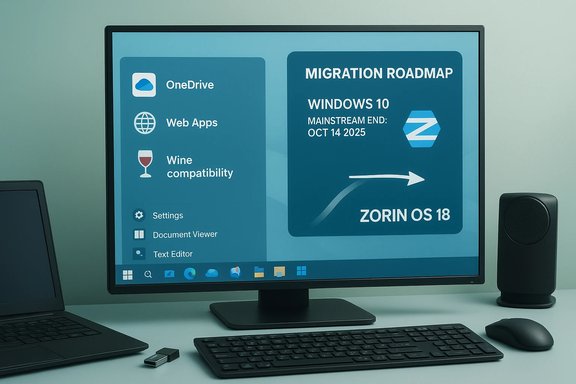
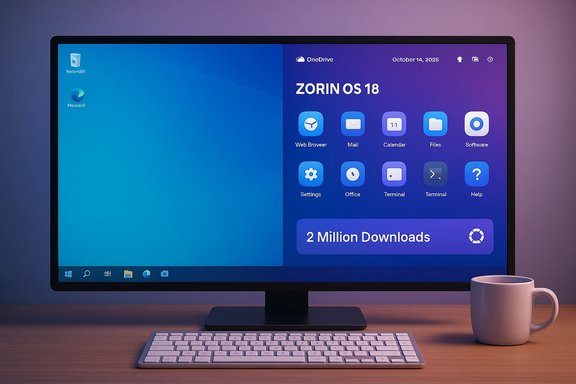
Zorin OS’s surge to two million downloads in under three months has turned a calendar event into a tangible migration story for desktop computing: the timing — coinciding with Microsoft’s decision to end mainstream support for Windows 10 — coupled with Zorin’s Windows‑friendly design, has driven a wave of trial activity that looks unlike typical distro buzz and forces a fresh conversation about what “post‑Windows‑10” desktop choices mean for consumers and small organisations.
Microsoft’s support lifecycle change for Windows 10 created a hard decision point for hundreds of millions of PCs: mainstream support ended on October 14, 2025, after which retail Home and Pro installations no longer receive routine security updates or tech assistance unless enrolled in consumer Extended Security Updates (ESU) or upgraded to Windows 11. The company’s guidance is explicit — upgrade eligible devices to Windows 11, buy time with ESU, or replace/repurpose the PC. That precise calendar cutoff amplified migration pressure. For a significant subset of Windows 10 devices the path to Windows 11 is blocked by hardware gating (TPM, UEFI Secure Boot, CPU family lists), which left perfectly functional machines technically “unsupported” and accelerated interest in alternatives. Zorin OS 18 landed in that window and intentionally positioned itself as a migration‑focused, Windows‑friendly Linux desktop.
Conclusion
The confluence of a hard Microsoft lifecycle deadline and Zorin OS 18’s migration‑focused features produced an unusually visible wave of desktop curiosity and trial — two million downloads is a headline nobody in the Linux world can ignore, and it marks a practical pivot point for many Windows 10 holdouts. That momentum, however, will only be meaningful if it converts into stable, supported deployments backed by robust compatibility tooling, vendor partnerships, and realistic operational planning. In the meantime, administrators and users should use the remaining ESU runway, pilot cautiously, document every migration step, and avoid tradeoffs that weaken security in pursuit of immediate connectivity.
Source: TechRepublic https://www.techrepublic.com/articl...s.com/series/best-windows-apps-this-week-36/]
 Background / Overview
Microsoft’s support lifecycle change for Windows 10 created a hard decision point for hundreds of millions of PCs: mainstream support ended on October 14, 2025, after which retail Home and Pro installations no longer receive routine security updates or tech assistance unless enrolled in consumer Extended Security Updates (ESU) or upgraded to Windows 11. The company’s guidance is explicit — upgrade eligible devices to Windows 11, buy time with ESU, or replace/repurpose the PC. That precise calendar cutoff amplified migration pressure. For a significant subset of Windows 10 devices the path to Windows 11 is blocked by hardware gating (TPM, UEFI Secure Boot, CPU family lists), which left perfectly functional machines technically “unsupported” and accelerated interest in alternatives. Zorin OS 18 landed in that window and intentionally positioned itself as a migration‑focused, Windows‑friendly Linux desktop.What the headlines say
- Zorin Group and multiple outlets reported that Zorin OS 18 crossed two million downloads in under three months, with Zorin claiming roughly three‑quarters of those downloads originated from Windows PCs — a figure widely repeated in the press and on social channels.
- Microsoft officially ended free mainstream support for Windows 10 on October 14, 2025, a hard date that removed routine security updates for retail Windows 10 editions and forced many users to choose between Windows 11, ESU, or switching platforms.
- Separate news coverage in the same window highlights a different operational story: Microsoft’s January 2026 security rollup caused an authentication regression that broke credential prompts in the Windows App for Azure Virtual Desktop and Windows 365, prompting Known Issue Rollback guidance and temporary workarounds. That bug illustrated the fragility of cloud‑centric desktop flows amid rapid update cadences.
- The user‑facing software landscape also saw routine refreshes: legacy utilities such as MiniTool Partition Wizard Free 9 and gaming optimizers like Game Fire 5 remain part of the tooling conversation — historical releases that addressed OS migration and Windows 10 compatibility in their own eras. These items are relevant context for readers considering disk migration, cloning, or performance tuning while switching OSes.
Why Zorin OS 18’s numbers matter — and what they don’t
The strength of downloads as signal
Downloads are a powerful early indicator: two million ISO fetches in under three months is an unusually large trial volume for a desktop Linux release. In a migration scenario, a spike in downloads originating from Windows user agents is especially meaningful because it shows real people are taking concrete steps to evaluate a different operating system rather than passively reading coverage. Multiple accounts point to a mid‑November one‑million milestone and a follow‑up mid‑January announcement that pushed the tally toward two million, with a consistent message that roughly 75–78% of download origins were Windows machines.The limits of download metrics
Downloads do not equal installs, active users, or permanent migrations. An ISO fetch can represent:- A live‑USB trial session
- A virtual machine test
- A re‑download or mirror fetch
- A single user testing on multiple devices
Why timing and product choices amplified the effect
Zorin OS 18 intentionally minimized migration friction, which matters when users are making a security‑driven decision under time pressure. Key product hooks that lowered the switching cost include:- Familiar desktop layouts and Zorin Appearance that mimic Windows conventions and reduce relearning.
- OneDrive integration via Online Accounts so cloud‑stored files remain accessible.
- Web Apps / PWA tooling to convert Microsoft 365, Google Docs, or other cloud services into desktop‑like entries.
- An updated Windows‑app compatibility stack (Wine/Proton improvements and an app detection database).
Practical implications for users and IT teams
Short term (0–6 months)
- Treat the Zorin download surge as a tester wave, not an instant replacement of Windows at scale.
- Use consumer ESU or staged Windows 11 upgrades as a controlled runway for orderly migration planning where needed. Microsoft’s ESU guidance and Windows 10 lifecycle pages explain the enrollment options and timelines.
- Run live‑USB trials and VM tests for all mission‑critical apps before committing to a cutover.
Medium term (6–18 months)
- Inventory devices and classify by upgrade eligibility (Windows 11 vs. unsupported).
- Pilot Zorin OS or other Linux distros on a small group, with specific test cases for peripherals, printers, and bespoke applications.
- If a Windows‑app dependency persists, evaluate virtualization (Cloud PC, AVD) or compatibility layers (Wine, Proton) with acceptance criteria.
Operational checklist for migrations
- Backup data: image drives and export cloud sync settings.
- Create a rollback plan: full system images or an easy re‑install path to Windows.
- Validate identity and SSO flows if migrating business users — many enterprise sign‑in flows still assume Microsoft‑centric tooling.
- Plan helpdesk updates and documentation to minimise first‑day support load.
The Windows App authentication regression — a cautionary lesson
January 2026’s cumulative update (released January 13, 2026) introduced a regression that caused credential prompt failures when launching Azure Virtual Desktop and Windows 365 sessions from the Windows App client. Microsoft acknowledged the problem and supplied Known Issue Rollback (KIR) guidance and temporary workarounds (use the Remote Desktop client or the Windows App web client) while an out‑of‑band fix was prepared. The bug affected a wide range of supported Windows builds and underscored two practical lessons:- Pushing security rollups without exhaustive end‑to‑end testing across cloud‑desktop flows can break productivity for organisations relying on Cloud PC or AVD as primary endpoints.
- Rolling back an LCU or applying KIR is operationally painful: uninstalling an update restores connectivity but sacrifices the latest security fixes; KIR aims to surgically disable the offending change while preserving remaining patches.
Tools and utilities in the migration conversation
MiniTool Partition Wizard Free 9 — what it is and why it showed up in coverage
MiniTool Partition Wizard Free 9 is a historically significant release (originally announced in 2015) that introduced a Migrate OS to SSD/HD wizard and added support for Windows Storage Spaces in the Windows 8/Server 2012 era. Coverage of MiniTool Partition Wizard Free 9 in current roundups reflects its long‑standing role in disk cloning, migration, and partition management — tasks that are central to migrating a device’s contents from Windows to a new drive or to a different OS installation workflow. Readers should note this release is not a new 2026 launch; it’s an older but still useful utility for cloning and migration scenarios. Why this matters for a Zorin migration:- If you’re moving a Windows system to a new SSD before switching OSes, partition‑aware cloning tools simplify the process.
- Always verify UEFI/secure‑boot and partition scheme (MBR vs GPT) compatibility when migrating and ensure you have rescue media.
Game Fire 5 and optimization tools
Articles about legacy performance utilities such as Game Fire 5 appear in some news roundups; these items historically added Windows 10 compatibility and optimization engines focused on gaming performance. They’re relevant to users who plan to keep Windows on some machines for gaming while converting others to Linux. But these titles are generally tweaking tools rather than migration platforms — useful for squeezing extra performance from retained Windows systems, not as migration enablers.Critical analysis — strengths, weaknesses, and risk assessment
Strengths and positives
- Market signal: Zorin’s 2M downloads are an unmistakable signal of heightened interest in Linux alternatives among Windows users — especially those facing hardware barriers to Windows 11. Multiple independent outlets reported the milestone and the developer amplified it publicly, making it verifiable at the level of company messaging and press coverage.
- Low‑friction UX choices: By designing for familiarity (layouts, OneDrive access, PWA tooling), Zorin mitigated the main psychological blockers that keep mainstream users on Windows.
- Real operational options: For many households and small offices, Zorin offers a viable way to extend device life, avoid hardware replacements, and maintain security through active updates.
Weaknesses and unknowns
- Conversion vs curiosity: Download counts overstate permanent adoption. Conversion and retention rates are not publicly disclosed and are the critical follow‑on metrics that determine long‑term impact.
- Compatibility edges: Professional and vertical apps (industry‑specific tools, some Adobe suites, specialised device management software) remain a friction point; compatibility layers and virtualization workarounds add operational overhead.
- Support and SLAs: Enterprises accustomed to Microsoft SLA coverage may find community and paid third‑party support insufficient for critical production uses.
Risks and mitigation
- Risk: Users uninstalling Windows updates to workaround bugs (e.g., the Windows App login regression) open endpoints to security exposures. Mitigation: prefer Known Issue Rollback or KIR policies that surgically disable regressions where available and weigh rollback decisions with security teams.
- Risk: Premature full cutovers at scale that overwhelm helpdesks. Mitigation: staged pilots, documented rollback plans, and VM fallbacks for mission‑critical Windows apps.
- Risk: False optimism from headline numbers leading to underprepared migrations. Mitigation: insist on pragmatic pilot KPIs (key apps validated, printers tested, retention measured at 30–90 days).
Practical migration playbook (concise)
- Inventory and classify devices by Windows 11 eligibility and application criticality.
- For non‑eligible devices, create a prioritized pilot group (5–25 users) to install Zorin OS 18 via live USB or VM.
- Validate cloud workflows (OneDrive, Teams/Office online), browser‑based apps, and peripheral drivers.
- For essential Windows‑only apps, evaluate:
- Virtualization (AVD/Cloud PC) with contingency for client regressions.
- Compatibility layers (Wine/Proton) with explicit support testing.
- Document rollback procedures and keep full disk images for 30 days post‑cutover.
- Train helpdesk teams and publish user guides for common first‑day tasks.
How to interpret the platform competition angle
Zorin’s milestone is not a coup de grace against Windows; it is a concrete demonstration that when vendor lifecycle policies create real cost or security pressure, well‑designed alternatives can capture a sizeable wave of curiosity and trial. The long tail of enterprise adoption, ISV support, and OEM partnerships will decide whether this curiosity becomes a structural shift in desktop share. In short: this is a meaningful market signal, not an instant market revolution.Final assessment and recommendations
- The Zorin OS 18 two‑million download milestone is a verifiable and newsworthy event: it shows large‑scale trial interest, largely driven by Windows 10’s end of mainstream support and Zorin’s explicit migration tooling. Treat the number as evidence of intent and trial, not definitive conversions.
- Microsoft’s Windows 10 end of support on October 14, 2025 is the structural trigger. Organisations and households should use ESU and staged upgrades as a runway for orderly planning.
- The Windows App authentication issue from January 2026 illustrates the operational risk of update regressions in cloud‑desktop workflows; administrators must keep rollback/KIR procedures at hand and prefer tested deployment rings for critical fleets.
- Practical migration work requires pilot testing, data backup, compatibility validation, and realistic expectations about third‑party application support and long‑term support options.
Conclusion
The confluence of a hard Microsoft lifecycle deadline and Zorin OS 18’s migration‑focused features produced an unusually visible wave of desktop curiosity and trial — two million downloads is a headline nobody in the Linux world can ignore, and it marks a practical pivot point for many Windows 10 holdouts. That momentum, however, will only be meaningful if it converts into stable, supported deployments backed by robust compatibility tooling, vendor partnerships, and realistic operational planning. In the meantime, administrators and users should use the remaining ESU runway, pilot cautiously, document every migration step, and avoid tradeoffs that weaken security in pursuit of immediate connectivity.
Source: TechRepublic https://www.techrepublic.com/articl...s.com/series/best-windows-apps-this-week-36/]