📎 AI Summary:
The thread discusses how to enable thumbnail previews for image files like JPG and PNG in a Windows 7 folder. The original poster was unsure how to view images directly instead of generic icons after switching to a new laptop, and a responder provided step-by-step instructions to adjust folder options. The conversation ends with the original poster confirming the solution worked, and a brief comment about the Windows version.
davidhk129
Essential Member
- Joined
- May 19, 2012
- Messages
- 1,315
I don't understand what do you mean by changing files so you can see them.
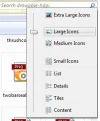
Your screenshot show all your items are shown in icons. Do you mean you want to see the picture instead of the icon ?
If so, follow these simple steps......
click Start button > in the search box, type folder options > click Enter > click View at the top > UN-check the box " Always show icons, never thumbnails " > click OK when done.
If that is not what you are asking, please explain a bit further.
P.S. Just curious........
This is Windows 7 forum. If you just bought a new computer, shouldn't it be either Win 8 or Win 8.1 ? What version is it ?
Your screenshot show all your items are shown in icons. Do you mean you want to see the picture instead of the icon ?
If so, follow these simple steps......
click Start button > in the search box, type folder options > click Enter > click View at the top > UN-check the box " Always show icons, never thumbnails " > click OK when done.
If that is not what you are asking, please explain a bit further.
P.S. Just curious........
This is Windows 7 forum. If you just bought a new computer, shouldn't it be either Win 8 or Win 8.1 ? What version is it ?
Last edited by a moderator:
davidhk129
Essential Member
- Joined
- May 19, 2012
- Messages
- 1,315
You are welcome.