John92awd

New Member
Joined
Dec 28, 2010
Messages
12
My computer randomly shuts down and recovers itself...
Thaught the W7 forum community my be able to help me?
keep getting bug code 10 but have had 30 and 80 on one other instance

system is msi h55m-e23 mobo, intel core i3-550, 8gb ddr1333, 1tb hdd, 400watt psu
 

Attachments

Solution
so do you think that win32k.sys is corrupt? i did uninstall avg since that dump file and it crashed agian on me. and i asked because i'm a bit of a noob to this minidump stuff, i thaught it was being caused by an incorrect driver

No, win32k.sys isn't corrupt.

Update:

Intel Management Engine Interface Sep. 2009

Link Removed

Uninstall:

CA Software Dec 2009


IF IT CRASHES AGAIN, ATTACH YOUR LATEST CRASH DUMP(-S).

TorrentG

Banned
Joined
May 31, 2010
Messages
7,774
Welcome.

1) Please provide the screen shots from my signature as they are going to be needed here.

2) Uninstall AVG in safe mode with the tool to remove it which you can Google for. Reboot and install MSE.
 

John92awd

New Member
Joined
Dec 28, 2010
Messages
12
okay, just saw your stickey about cpu-z, i will download tonight as well as mse (witch i didn't know existed till now) does avg cause problems that can be avoided with mse?
 

Last edited:

cybercore

New Member
Joined
Jul 7, 2009
Messages
15,612
CPU-Z:

Link Removed

Link Removed


Uninstall AVG:

Link Removed


Install MSE:

Link Removed due to 404 Error
 

John92awd

New Member
Joined
Dec 28, 2010
Messages
12
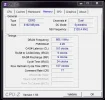
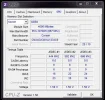
okay, here are the memory and spd shots you wanted. also removed avg.
 

Attachments

  • momory.webp
    momory.webp
    22.5 KB · Views: 406
  • spd.webp
    spd.webp
    26.2 KB · Views: 429

John92awd

New Member
Joined
Dec 28, 2010
Messages
12
k, i'm going to download to learn more about minidumping but did you look at my dump file?
 

cybercore

New Member
Joined
Jul 7, 2009
Messages
15,612
k, i'm going to download to learn more about minidumping but did you look at my dump file?

I did, why?

Ok:

122810-17940-01
BugCheck A, {0, 2, 0, fffff80002aec2b3}
IRQL_NOT_LESS_OR_EQUAL (a)
An attempt was made to access a pageable (or completely invalid) address at an
interrupt request level (IRQL) that is too high. This is usually
caused by drivers using improper addresses.
Probably caused by : win32k.sys

You have AVG, Nov. 2010
Intel Management Engine Interface Sep. 2009

CA Software Dec 2009

Realtek Jun 2010


Not sure why you asked ....
 

John92awd

New Member
Joined
Dec 28, 2010
Messages
12
so do you think that win32k.sys is corrupt? i did uninstall avg since that dump file and it crashed agian on me. and i asked because i'm a bit of a noob to this minidump stuff, i thaught it was being caused by an incorrect driver
 

cybercore

New Member
Joined
Jul 7, 2009
Messages
15,612
so do you think that win32k.sys is corrupt? i did uninstall avg since that dump file and it crashed agian on me. and i asked because i'm a bit of a noob to this minidump stuff, i thaught it was being caused by an incorrect driver

No, win32k.sys isn't corrupt.

Update:

Intel Management Engine Interface Sep. 2009

Link Removed

Uninstall:

CA Software Dec 2009


IF IT CRASHES AGAIN, ATTACH YOUR LATEST CRASH DUMP(-S).
 

Solution