📎 AI Summary:
The thread discusses a user experiencing BSOD issues with a Radeon HD 5750 graphics card during gaming, with troubleshooting advice provided by a responder. The expert suggests updating GPU and Intel drivers, checks system and power supply details, and recommends stress testing the graphics card to identify potential hardware faults. The overall sentiment indicates ongoing troubleshooting efforts, with potential hardware defect as a possible cause.

xjustass

New Member
Member details
Joined
Jan 29, 2014
Messages
7
Thread Author #1
I am getting bsod on my xfx readeon hd 5750, when playing or doing something. Sometimes my video card stopped worked. Can you help me?
 

Attachments

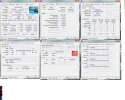
  • CPu-z info.webp
    CPu-z info.webp
    133.1 KB · Views: 369
  • W7F_30-01-2014.zip
    W7F_30-01-2014.zip
    1.6 MB · Views: 223
Last edited:
Solution
Code:
*******************************************************************************
*                                                                             *
*                        Bugcheck Analysis                                    *
*                                                                             *
*******************************************************************************

Use !analyze -v to get detailed debugging information.

BugCheck A0000001, {5, 0, 0, 0}

Probably caused by : atikmdag.sys ( atikmdag+4d701 )

Followup: MachineOwner

Hi,
every dmp file you sent was the same as the above. So let's check on your driver situation:

I'm unsure about your motherboard and what bios update it needs so I'm...

kemical

Essential Member
Member details
Joined
Aug 28, 2007
Messages
36,163
Code:
*******************************************************************************
*                                                                             *
*                        Bugcheck Analysis                                    *
*                                                                             *
*******************************************************************************

Use !analyze -v to get detailed debugging information.

BugCheck A0000001, {5, 0, 0, 0}

Probably caused by : atikmdag.sys ( atikmdag+4d701 )

Followup: MachineOwner

Hi,
every dmp file you sent was the same as the above. So let's check on your driver situation:

I'm unsure about your motherboard and what bios update it needs so I'm going to advise to leave the bios alone for now. If we need to come back to that then we will.

atikmdag.sys Mon Jun 27 20:38:05 2011: GPU driver. Download the application found here:
Link Removed
Use this ( you need to run it in safe mode) to un-install your current gpu drivers. What it also does is to remove any left over bits n bobs left behind by previous driver installs.
The latest WHQL AMD driver for your card is here:
Link Removed

Your Intel drivers need updating. Run the driver utility found here:
Link Removed

See how you get on after updating the above. Any further dmp files please post.
 

Solution

xjustass

New Member
Member details
Joined
Jan 29, 2014
Messages
7
Thread Author #6
400 V first in this pc ware geforce 8500 gt than i put this (readeon hd 5750) from that time i am getting bsod.Temperature when playing 40oC. At first was like that in foto .
 

Attachments

  • 20140113_141322.webp
    20140113_141322.webp
    254.1 KB · Views: 288

kemical

Essential Member
Member details
Joined
Aug 28, 2007
Messages
36,163
Hmm.... If you look in the start menu find command prompt. Right click on it and choose properties. Look for 'run as administrator' and click that. Once you have an admin command prompt open type:
sfc /scannow
Press enter and await results. I'm wondering if your system files are corrupt.
 

kemical

Essential Member
Member details
Joined
Aug 28, 2007
Messages
36,163
Is it possible for you to test the graphics card in a friends machine? If it bsod's in their machine too then you know it possibly defective. If you can't use a friends machine try testing the card with Furrmark as this will stress the card. If the card fails or you get a bsod then your card might be defective.
http://www.ozone3d.net/benchmarks/fur/
 

xjustass

New Member
Member details
Joined
Jan 29, 2014
Messages
7
Thread Author #11
I will try that. Thanks you.
 

Last edited:
