Kiwi Gamer

New Member
Joined
Feb 19, 2011
Messages
12
Was running on Windows vista Home Premium 64 bit, but recently have made the switch to Windows 7 Ultimate 64bit. Running a Nvidia GTX 260, Drivers are up to date. Never Been Overclocked.

But recently have been getting A Fatal Pink Screen of Death Error that crashes the video of my computer, The sound continues for an average of 30 then crashes also. It is more of a Pink/Green mess of pixels.
Problem signature:
Problem Event Name: BlueScreen
OS Version: 6.1.7600.2.0.0.256.1
Locale ID: 1033

Additional information about the problem:
BCCode: 124
BCP1: 0000000000000000
BCP2: FFFFFA8007D518F8
BCP3: 0000000000000000
BCP4: 0000000000000000
OS Version: 6_1_7600
Service Pack: 0_0
Product: 256_1

That is the latest Error Dump I have recorded.

This error only seems to occur only when playing recent games (Fallout New Vegas, Left 4 Dead 1 & 2, Deadspace 2 etc) And doesn't seem to occur on older or more simple games. (Medieval 2: Total War, Minecraft, Super Meat boy)

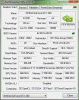
I am wondering if it is my Graphics Card over-heating, As the fan is only at 40%. (1400 RPM) My Case is a Thermaltake Armor+MX.

I will attach as much information as I can collect. Any help or advice would be much appreciated.

Kiwi Gamer.
 

Attachments

  • DriverList.txt
    DriverList.txt
    19.7 KB · Views: 335
  • hosts.txt
    hosts.txt
    988 bytes · Views: 309
  • RunInfoLocal.txt
    RunInfoLocal.txt
    308 bytes · Views: 343
  • RunInfoCurrent.txt
    RunInfoCurrent.txt
    2 bytes · Views: 652
  • Untitled.webp
    Untitled.webp
    35.1 KB · Views: 505
  • EventSys.txt
    EventSys.txt
    108.8 KB · Views: 1,107
  • WindowsUpdate.txt
    WindowsUpdate.txt
    85.5 KB · Views: 442
  • DxDiag.txt
    DxDiag.txt
    30.3 KB · Views: 329
  • 022011-24195-01.dmp
    022011-24195-01.dmp
    256 KB · Views: 381
  • EventApp.txt
    EventApp.txt
    21.7 KB · Views: 1,040
  • error.txt
    error.txt
    720 bytes · Views: 398
  • ms.nfo
    ms.nfo
    1.2 MB · Views: 375
  • Systeminfo.txt
    Systeminfo.txt
    3.7 KB · Views: 300
  • Untitled2.webp
    Untitled2.webp
    24.4 KB · Views: 375
  • Gpu.gif
    Gpu.gif
    18.1 KB · Views: 533
  • RAMMon - SPD Info.txt
    RAMMon - SPD Info.txt
    20.9 KB · Views: 320
  • SPD.webp
    SPD.webp
    29.2 KB · Views: 553
Last edited:
Solution
-- 124 can be faulty CPU/RAM/BIOS/actually anything faulty in the hardware such as PSU.
-- 124 can be caused by wrong hardware settings such as clocks and voltages


1. Upgrade BIOS to the latest
2. Clean "vanilla" install
3. Test hardware:

RAM RAM - Test with Memtest86+ - Windows 7 Forums

CPU, RAM CPU - Stress Test with Prime95 - Windows 7 Forums

Videocard Video Card - Stress Test with Furmark - Windows 7 Forums
OCCT 3.1 Available With an Improved GPU Stress Test - 3D Tech News, Pixel Hacking, Data Visualization and 3D Programming - Geeks3D.com

Hard Disk HDDScan
PassMark DiskCheckup - SMART hard drive monitoring utility
HD Tune website
Link Removed -...

cybercore

New Member
Joined
Jul 7, 2009
Messages
15,641
1. You didn't attach SPD. Ok, give me RAMMON report:
PassMark RAMMon - Identify RAM type, speed & memory timings


BugCheck 124, {0, fffffa800804f038, 0, 0}
WHEA_UNCORRECTABLE_ERROR (124)
A fatal hardware error has occurred.
Probably caused by : hardware
0x124_AuthenticAMD_PROCESSOR_CACHE_PRV


2. Stop 0x124 - what it means and what to try - Windows 7 Forums


Crash Dumps:

Code:
Microsoft (R) Windows Debugger Version 6.12.0002.633 AMD64
Copyright (c) Microsoft Corporation. All rights reserved.


Loading Dump File [F:\a\Minidump\D M P\DMP\022011-24195-01.dmp]
Mini Kernel Dump File: Only registers and stack trace are available

Symbol search path is: SRV*c:\websymbols*http://msdl.microsoft.com/download/symbols
Executable search path is: 
Windows 7 Kernel Version 7600 MP (4 procs) Free x64
Product: WinNt, suite: TerminalServer SingleUserTS
Built by: 7600.16695.amd64fre.win7_gdr.101026-1503
Machine Name:
Kernel base = 0xfffff800`02e49000 PsLoadedModuleList = 0xfffff800`03086e50
Debug session time: Sat Feb 19 23:43:36.175 2011 (UTC - 5:00)
System Uptime: 0 days 0:00:09.422
Loading Kernel Symbols
....................................................
Loading User Symbols
Mini Kernel Dump does not contain unloaded driver list
*******************************************************************************
*                                                                             *
*                        Bugcheck Analysis                                    *
*                                                                             *
*******************************************************************************

Use !analyze -v to get detailed debugging information.

BugCheck 124, {0, fffffa800804f038, 0, 0}

Probably caused by : hardware

Followup: MachineOwner
---------

1: kd> !analyze -v
*******************************************************************************
*                                                                             *
*                        Bugcheck Analysis                                    *
*                                                                             *
*******************************************************************************

WHEA_UNCORRECTABLE_ERROR (124)
A fatal hardware error has occurred. Parameter 1 identifies the type of error
source that reported the error. Parameter 2 holds the address of the
WHEA_ERROR_RECORD structure that describes the error conditon.
Arguments:
Arg1: 0000000000000000, Machine Check Exception
Arg2: fffffa800804f038, Address of the WHEA_ERROR_RECORD structure.
Arg3: 0000000000000000, High order 32-bits of the MCi_STATUS value.
Arg4: 0000000000000000, Low order 32-bits of the MCi_STATUS value.

Debugging Details:
------------------


BUGCHECK_STR:  0x124_AuthenticAMD

CUSTOMER_CRASH_COUNT:  1

DEFAULT_BUCKET_ID:  VISTA_DRIVER_FAULT

PROCESS_NAME:  System

CURRENT_IRQL:  0

STACK_TEXT:  
fffff880`031af6f0 fffff800`03103a99 : fffffa80`0804f010 fffffa80`06d3bb60 fffff8a0`00000004 00000000`00000001 : nt!WheapCreateLiveTriageDump+0x6c
fffff880`031afc10 fffff800`02fe5677 : fffffa80`0804f010 fffff800`0305e5f8 fffffa80`06d3bb60 00000002`00000005 : nt!WheapCreateTriageDumpFromPreviousSession+0x49
fffff880`031afc40 fffff800`02f4dc45 : fffff800`030c0360 fffffa80`07d05828 fffffa80`07d05820 fffffa80`06d3bb60 : nt!WheapProcessWorkQueueItem+0x57
fffff880`031afc80 fffff800`02ec6961 : fffff880`011cfe00 fffff800`02f4dc20 fffffa80`06d3bb60 00000000`00000000 : nt!WheapWorkQueueWorkerRoutine+0x25
fffff880`031afcb0 fffff800`0315c7c6 : 00000000`00000000 fffffa80`06d3bb60 00000000`00000080 fffffa80`06d27040 : nt!ExpWorkerThread+0x111
fffff880`031afd40 fffff800`02e97c26 : fffff880`02f64180 fffffa80`06d3bb60 fffff880`02f6efc0 00000000`00000000 : nt!PspSystemThreadStartup+0x5a
fffff880`031afd80 00000000`00000000 : fffff880`031b0000 fffff880`031aa000 fffff880`031af0e0 00000000`00000000 : nt!KxStartSystemThread+0x16


STACK_COMMAND:  kb

FOLLOWUP_NAME:  MachineOwner

MODULE_NAME: hardware

IMAGE_NAME:  hardware

DEBUG_FLR_IMAGE_TIMESTAMP:  0

FAILURE_BUCKET_ID:  X64_0x124_AuthenticAMD_PROCESSOR_CACHE_PRV

BUCKET_ID:  X64_0x124_AuthenticAMD_PROCESSOR_CACHE_PRV

Followup: MachineOwner
---------


Drivers:

Code:
start             end                 module name
fffff880`00e00000 fffff880`00e57000   ACPI     ACPI.sys     Mon Jul 13 19:19:34 2009 (4A5BC106)
fffff880`01194000 fffff880`0119f000   amdxata  amdxata.sys  Tue May 19 13:56:59 2009 (4A12F2EB)
fffff880`01161000 fffff880`0116a000   atapi    atapi.sys    Mon Jul 13 19:19:47 2009 (4A5BC113)
fffff880`0116a000 fffff880`01194000   ataport  ataport.SYS  Mon Jul 13 19:19:52 2009 (4A5BC118)
fffff880`01450000 fffff880`0145a000   AVGIDSEH AVGIDSEH.Sys Mon Sep 13 18:46:38 2010 (4C8EA9CE)
fffff880`01446000 fffff880`01450000   avgrkx64 avgrkx64.sys Mon Sep 06 20:49:37 2010 (4C858C21)
fffff880`00c00000 fffff880`00cc0000   CI       CI.dll       Mon Jul 13 21:32:13 2009 (4A5BE01D)
fffff880`01416000 fffff880`01446000   CLASSPNP CLASSPNP.SYS Mon Jul 13 19:19:58 2009 (4A5BC11E)
fffff880`00ce7000 fffff880`00d45000   CLFS     CLFS.SYS     Mon Jul 13 19:19:57 2009 (4A5BC11D)
fffff880`014a8000 fffff880`0151b000   cng      cng.sys      Mon Jul 13 19:49:40 2009 (4A5BC814)
fffff880`0145a000 fffff880`01468000   crashdmp crashdmp.sys Mon Jul 13 20:01:01 2009 (4A5BCABD)
fffff880`01400000 fffff880`01416000   disk     disk.sys     Mon Jul 13 19:19:57 2009 (4A5BC11D)
fffff880`01474000 fffff880`0147d000   dump_atapi dump_atapi.sys Mon Jul 13 19:19:47 2009 (4A5BC113)
fffff880`01468000 fffff880`01474000   dump_ataport dump_ataport.sys Mon Jul 13 19:19:47 2009 (4A5BC113)
fffff880`0147d000 fffff880`01490000   dump_dumpfve dump_dumpfve.sys Mon Jul 13 19:21:51 2009 (4A5BC18F)
fffff880`011eb000 fffff880`011ff000   fileinfo fileinfo.sys Mon Jul 13 19:34:25 2009 (4A5BC481)
fffff880`0119f000 fffff880`011eb000   fltmgr   fltmgr.sys   Mon Jul 13 19:19:59 2009 (4A5BC11F)
fffff880`0152c000 fffff880`01536000   Fs_Rec   Fs_Rec.sys   Mon Jul 13 19:19:45 2009 (4A5BC111)
fffff880`015bc000 fffff880`015f6000   fvevol   fvevol.sys   Fri Sep 25 22:34:26 2009 (4ABD7DB2)
fffff880`01600000 fffff880`0164a000   fwpkclnt fwpkclnt.sys Mon Jul 13 19:21:08 2009 (4A5BC164)
fffff800`02e00000 fffff800`02e49000   hal      hal.dll      Mon Jul 13 21:27:36 2009 (4A5BDF08)
fffff880`017f5000 fffff880`017fe000   hwpolicy hwpolicy.sys Mon Jul 13 19:19:22 2009 (4A5BC0FA)
fffff800`00bae000 fffff800`00bb8000   kdcom    kdcom.dll    Mon Jul 13 21:31:07 2009 (4A5BDFDB)
fffff880`013c7000 fffff880`013e1000   ksecdd   ksecdd.sys   Mon Jul 13 19:20:54 2009 (4A5BC156)
fffff880`017b0000 fffff880`017db000   ksecpkg  ksecpkg.sys  Fri Dec 11 01:03:32 2009 (4B21E0B4)
fffff880`00cc6000 fffff880`00cd3000   mcupdate mcupdate.dll Mon Jul 13 21:29:09 2009 (4A5BDF65)
fffff880`01147000 fffff880`01161000   mountmgr mountmgr.sys Mon Jul 13 19:19:54 2009 (4A5BC11A)
fffff880`00e57000 fffff880`00e61000   msisadrv msisadrv.sys Mon Jul 13 19:19:26 2009 (4A5BC0FE)
fffff880`01000000 fffff880`0105e000   msrpc    msrpc.sys    Mon Jul 13 19:21:32 2009 (4A5BC17C)
fffff880`017e3000 fffff880`017f5000   mup      mup.sys      Mon Jul 13 19:23:45 2009 (4A5BC201)
fffff880`0165e000 fffff880`01750000   ndis     ndis.sys     Mon Jul 13 19:21:40 2009 (4A5BC184)
fffff880`01750000 fffff880`017b0000   NETIO    NETIO.SYS    Mon Jul 13 19:21:46 2009 (4A5BC18A)
fffff800`02e49000 fffff800`03426000   nt       ntkrnlmp.exe Tue Oct 26 22:43:09 2010 (4CC791BD)
fffff880`01224000 fffff880`013c7000   Ntfs     Ntfs.sys     Mon Jul 13 19:20:47 2009 (4A5BC14F)
fffff880`010aa000 fffff880`010bf000   partmgr  partmgr.sys  Mon Jul 13 19:19:58 2009 (4A5BC11E)
fffff880`01077000 fffff880`010aa000   pci      pci.sys      Mon Jul 13 19:19:51 2009 (4A5BC117)
fffff880`01130000 fffff880`01137000   pciide   pciide.sys   Mon Jul 13 19:19:49 2009 (4A5BC115)
fffff880`01137000 fffff880`01147000   PCIIDEX  PCIIDEX.SYS  Mon Jul 13 19:19:48 2009 (4A5BC114)
fffff880`0151b000 fffff880`0152c000   pcw      pcw.sys      Mon Jul 13 19:19:27 2009 (4A5BC0FF)
fffff880`00cd3000 fffff880`00ce7000   PSHED    PSHED.dll    Mon Jul 13 21:32:23 2009 (4A5BE027)
fffff880`01582000 fffff880`015bc000   rdyboost rdyboost.sys Mon Jul 13 19:34:34 2009 (4A5BC48A)
fffff880`00f98000 fffff880`00fc7000   SCSIPORT SCSIPORT.SYS Mon Jul 13 20:01:04 2009 (4A5BCAC0)
fffff880`017db000 fffff880`017e3000   spldr    spldr.sys    Mon May 11 12:56:27 2009 (4A0858BB)
fffff880`00e68000 fffff880`00f8f000   splk     splk.sys     Wed Apr 07 21:29:00 2010 (4BBD315C)
fffff880`01801000 fffff880`019fe000   tcpip    tcpip.sys    Sun Jun 13 23:39:04 2010 (4C15A458)
fffff880`00fc7000 fffff880`00fd4000   vdrvroot vdrvroot.sys Mon Jul 13 20:01:31 2009 (4A5BCADB)
fffff880`0164a000 fffff880`0165a000   vmstorfl vmstorfl.sys Mon Jul 13 19:42:54 2009 (4A5BC67E)
fffff880`010bf000 fffff880`010d4000   volmgr   volmgr.sys   Mon Jul 13 19:19:57 2009 (4A5BC11D)
fffff880`010d4000 fffff880`01130000   volmgrx  volmgrx.sys  Mon Jul 13 19:20:33 2009 (4A5BC141)
fffff880`01536000 fffff880`01582000   volsnap  volsnap.sys  Mon Jul 13 19:20:08 2009 (4A5BC128)
fffff880`00d45000 fffff880`00de9000   Wdf01000 Wdf01000.sys Mon Jul 13 19:22:07 2009 (4A5BC19F)
fffff880`00de9000 fffff880`00df8000   WDFLDR   WDFLDR.SYS   Mon Jul 13 19:19:54 2009 (4A5BC11A)
fffff880`00f8f000 fffff880`00f98000   WMILIB   WMILIB.SYS   Mon Jul 13 19:19:51 2009 (4A5BC117)
Mini Kernel Dump does not contain unloaded driver list
 

Kiwi Gamer

New Member
Joined
Feb 19, 2011
Messages
12
I Ran Memtest86+ for 12 hours and got no errors, then I played around with it and found that when I run the Probe on the memory ranging options, I get the same crash that I do for games?

I also Believe that I don't have a SMbus controller installed, could that possibly be affecting it?
 

cybercore

New Member
Joined
Jul 7, 2009
Messages
15,641
Install all missing drivers.
Replace AVG with MSE:

Link Removed

Link Removed due to 404 Error
 

Kiwi Gamer

New Member
Joined
Feb 19, 2011
Messages
12
Okay will do. I have found out that my PCI standard Ram Controller has no driver installed, could this be effecting anything? And how would I go about installing one?
 

cybercore

New Member
Joined
Jul 7, 2009
Messages
15,641
Okay will do. I have found out that my PCI standard Ram Controller has no driver installed, could this be effecting anything? And how would I go about installing one?

It shouldn't necessarily give you 0x124.

me said:
Install all missing drivers.

Go to your motherboard support download the latest. Install them, then check in device manager for any warnings.
 

Kiwi Gamer

New Member
Joined
Feb 19, 2011
Messages
12
I think I will try a clean install of windows to try and resolve the problem. Do you think it is my Ram or my GPU that is causing the problem?
 

cybercore

New Member
Joined
Jul 7, 2009
Messages
15,641
-- 99% that clean install will fix nothing. But go ahead if you want.
-- 124 can be faulty CPU/RAM/BIOS/actually anything faulty in the hardware such as PSU.
-- 124 can be caused by wrong hardware settings such as clocks and voltages
-- faulty videocards usually give you tdr 116, 117, 119
 

Kiwi Gamer

New Member
Joined
Feb 19, 2011
Messages
12
What would you recommend to do to try and diagnose what is causing the crashes? I am sure that my Clocks and Voltages haven't been changed from there default.
 

cybercore

New Member
Joined
Jul 7, 2009
Messages
15,641
-- 124 can be faulty CPU/RAM/BIOS/actually anything faulty in the hardware such as PSU.
-- 124 can be caused by wrong hardware settings such as clocks and voltages


1. Upgrade BIOS to the latest
2. Clean "vanilla" install
3. Test hardware:

RAM RAM - Test with Memtest86+ - Windows 7 Forums

CPU, RAM CPU - Stress Test with Prime95 - Windows 7 Forums

Videocard Video Card - Stress Test with Furmark - Windows 7 Forums
OCCT 3.1 Available With an Improved GPU Stress Test - 3D Tech News, Pixel Hacking, Data Visualization and 3D Programming - Geeks3D.com

Hard Disk HDDScan
PassMark DiskCheckup - SMART hard drive monitoring utility
HD Tune website
Link Removed - Invalid URL


Things like motherboard and power supply are tested by their replacement.

~~~~~~

Stop 0x124 - what it means and what to try - Windows 7 Forums
 

Solution