Daisuke13
New Member
Member details
- Joined
- Feb 14, 2021
- Messages
- 2
Hello everyone, I would like you to help me with a minidump error that causes the blue screen with the error code nmi hardware failure and tells me that it is in the system minidump, what can I do?
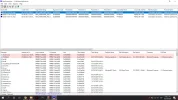
021321-8093-01.dmp NMI_HARDWARE_FAILURE 0x00000080 00000000`004f4454 00000000`00000000 00000000`00000000 00000000`00000000 PSHED.dll PSHED.dll+15b0 Controlador de errores de hardware específicos de la plataforma Sistema operativo Microsoft® Windows® Microsoft Corporation 10.0.19041.860 (WinBuild.160101.0800) x64 ntoskrnl.exe+3f5a80 C:\Windows\Minidump\021321-8093-01.dmp 8 15 19041 2,256,740
020621-21781-01.dmp NMI_HARDWARE_FAILURE 0x00000080 00000000`004f4454 00000000`00000000 00000000`00000000 00000000`00000000 PSHED.dll PSHED.dll+15b0 Controlador de errores de hardware específicos de la plataforma Sistema operativo Microsoft® Windows® Microsoft Corporation 10.0.19041.860 (WinBuild.160101.0800) x64 ntoskrnl.exe+3f5a80 C:\Windows\Minidump\020621-21781-01.dmp 8 15 19041 2,097,700
020521-8421-01.dmp NMI_HARDWARE_FAILURE 0x00000080 00000000`004f4454 00000000`00000000 00000000`00000000 00000000`00000000 PSHED.dll PSHED.dll+15b0 Controlador de errores de hardware específicos de la plataforma Sistema operativo Microsoft® Windows® Microsoft Corporation 10.0.19041.860 (WinBuild.160101.0800) x64 ntoskrnl.exe+3f5a80 C:\Windows\Minidump\020521-8421-01.dmp 8 15 19041
021321-8093-01.dmp NMI_HARDWARE_FAILURE 0x00000080 00000000`004f4454 00000000`00000000 00000000`00000000 00000000`00000000 PSHED.dll PSHED.dll+15b0 Controlador de errores de hardware específicos de la plataforma Sistema operativo Microsoft® Windows® Microsoft Corporation 10.0.19041.860 (WinBuild.160101.0800) x64 ntoskrnl.exe+3f5a80 C:\Windows\Minidump\021321-8093-01.dmp 8 15 19041 2,256,740
020621-21781-01.dmp NMI_HARDWARE_FAILURE 0x00000080 00000000`004f4454 00000000`00000000 00000000`00000000 00000000`00000000 PSHED.dll PSHED.dll+15b0 Controlador de errores de hardware específicos de la plataforma Sistema operativo Microsoft® Windows® Microsoft Corporation 10.0.19041.860 (WinBuild.160101.0800) x64 ntoskrnl.exe+3f5a80 C:\Windows\Minidump\020621-21781-01.dmp 8 15 19041 2,097,700
020521-8421-01.dmp NMI_HARDWARE_FAILURE 0x00000080 00000000`004f4454 00000000`00000000 00000000`00000000 00000000`00000000 PSHED.dll PSHED.dll+15b0 Controlador de errores de hardware específicos de la plataforma Sistema operativo Microsoft® Windows® Microsoft Corporation 10.0.19041.860 (WinBuild.160101.0800) x64 ntoskrnl.exe+3f5a80 C:\Windows\Minidump\020521-8421-01.dmp 8 15 19041