Kyle

Essential Member
Joined
Feb 7, 2008
Messages
1,634
Official Minimum Specs

Update: Official Specs listed below

CPU: 1 GHz+ 32 or 64-Bit processor
RAM: 1 GB for 32-Bit, 2 GB for 64-Bit
GPU: 128 MB DirectX 9, WDDM 1.0 Compatible Video Card
HDD: 15 GB for 32-Bit, 20 GB for 64-Bit

Other:
DVD Drive
DX9 Capable sound card
1024x768 or better capable screen
Keyboard + Mouse
An internet connection for updates and activation.
 

Last edited:
Solution
You have two issues.
#1 your graphics card is actually integrated, and is horrible with rendering Aero.
#2 you only have 512 MB of RAM, which, while it will run Windows 7, is getting eaten up by the OS. You NEED more RAM.

hammydown

Excellent Member
Premium Supporter
Joined
Nov 10, 2008
Messages
1,634
Specs look perfect to me but i would recommend at least a 1.5 GHz processor because i have a pc running 1.5 and it runs real slow. I cant imagine having any less processor power. Just a thought!
 

Kyle

Essential Member
Joined
Feb 7, 2008
Messages
1,634
I've seen a 1 GHz netbook with 1 GB of RAM running it, ran perfectly.
It really depends on what kind of processor it is though, but 1 GHz is a decent starting point.
 

hammydown

Excellent Member
Premium Supporter
Joined
Nov 10, 2008
Messages
1,634
true i had a Celeron M 1.6 GHz processor running it. Very possible but i just want to provide the best recommendations as possible so i am with you on this one. Great idea to put this post up im gonna go ahead and award you some reputation.
 

Kyle

Essential Member
Joined
Feb 7, 2008
Messages
1,634
Why thank you. :)
& Yeah, a VIA netbook processor at 1.2 GHz would kill that Celeron, so it depends on the processor.
 

Bladeripper

New Member
Joined
Jan 14, 2009
Messages
24
mmm not so sure about the 1gb ram i instaled it and found it was ranning 900ishmb of ram on start up
 

Kyle

Essential Member
Joined
Feb 7, 2008
Messages
1,634
You need to turn off superfetch and other programs that sap RAM. On initial start up I get it running anywhere from 530-730 MB, and with tweaking I can get it down to about 500, with still booting things like Messenger and uTorrent.
 

Bladeripper

New Member
Joined
Jan 14, 2009
Messages
24
ahh ok thnks fo the info. how do you do that? as in find those programs and turn them of for good?

i know it sounds like a stupid question but i stuck with Xp and still learning my way around windows 7
 

Last edited:

Kyle

Essential Member
Joined
Feb 7, 2008
Messages
1,634
My main ways of "lightening the OS" have been disabling Services that run in the background.
Google "Disable Services Vista" and you should get a good idea what you can disable and how. It depends from person to person, but you should be able to lighten it up some.
 

dzuchowski

New Member
Joined
Jan 16, 2009
Messages
106
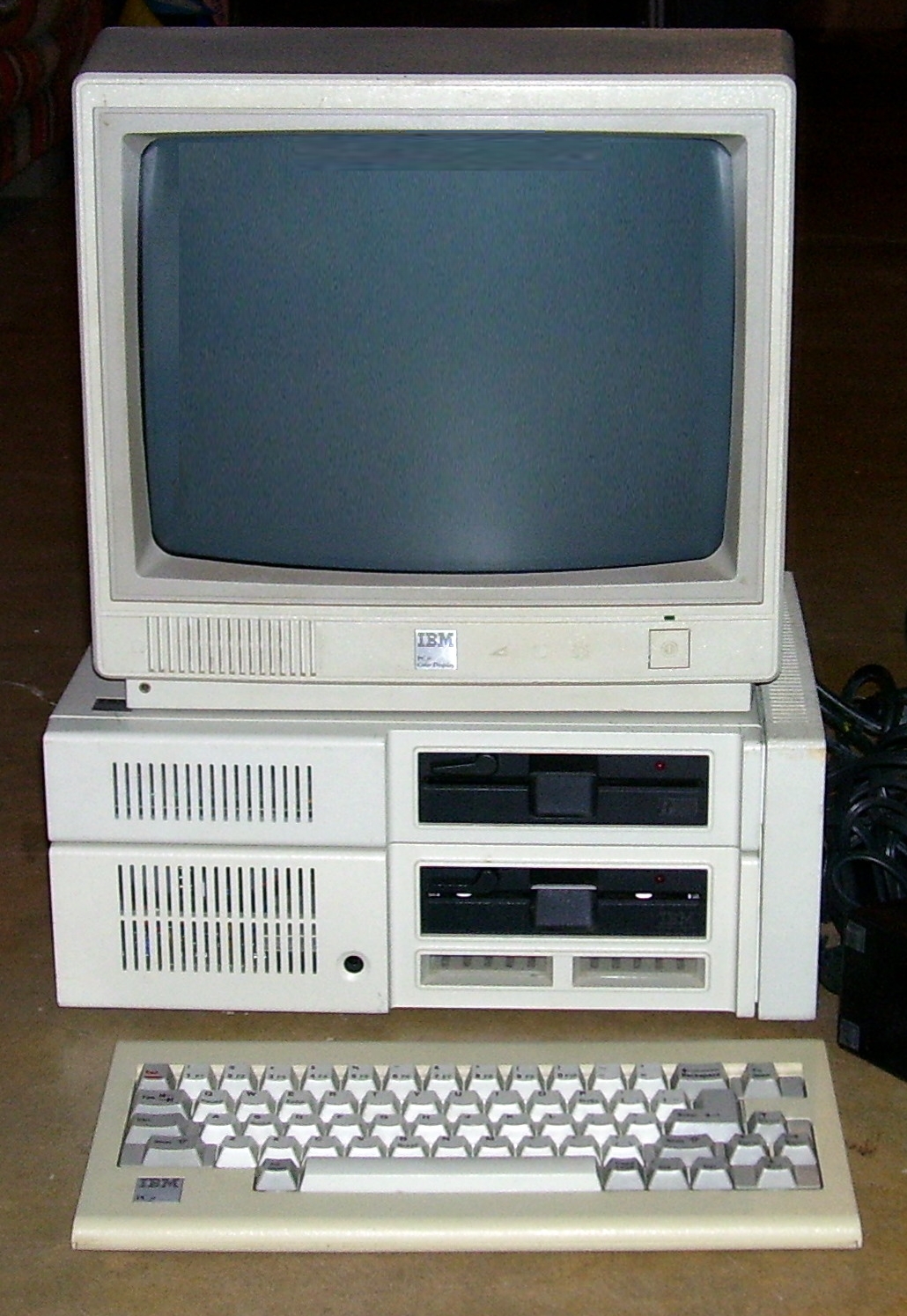
i wounder if i can get windows 7 to run on a pcjr with a 8088 intel cou, 256mb of ram, 20mb hard drive, cga video.
http://en.wikipedia.org/wiki/IBM_PCjr

PCjr_expanded_cropped.jpg
 

Last edited:

Kyle

Essential Member
Joined
Feb 7, 2008
Messages
1,634
Shouldn't be a problem as long as it meets the other requirements too.
 

haxcid

Senior Member
Joined
Jan 11, 2009
Messages
99
I have it up and running on:

Athlon 1Ghz
Asus A7V-133
1.0 Gig Ram pc133
Nvidia FX5200 agp card
80gb 7200rpm hdd.

It runs, it is not fast by any means. At idle it is using 340meg ram. I found that the biggest hog is .net it tends to spike the cpu at 100% a lot.
 

mutant_builder

New Member
Joined
Jan 19, 2009
Messages
34
I am not having problems on this test bed

athlon mobile XP 1.9 @ 1.6Ghz
1Gig pc266
80Gig WD Caviar @ 5400
Gigabyte nVidia GeForce FX5200 128 AGP @4x

True a 6600 would be nicer for graphics, but what the heck.

I will give it a few weeks before I run it on my gaming rig.
 

jimbo45

New Member
Joined
Jan 20, 2009
Messages
1,208
I bet that machine cost more in those days in equivalent money than my entire network (6 computers including a 4GB Dual Core 2.00 GHZ T7250 processor laptop) today.

My first floppy disk drive way back when (5.25 inches and really floppy) was a "Massive 128KB" and cost around 700 GBP -- over 3,000 GBP in todays money.

At least today inspite of "credit Crunch", Rapaciouis banks and bankers most of whom should now be learning their computing trade either at a nice federal facility or at "the City Hotel" decent stuff is cheap. You don't have to go totally Bonkers to get good performing hardware.

Cheers
jimbo
 

Kai

New Member
Joined
Feb 1, 2009
Messages
23
I run Windows 7 with no lag and supa fast performance. I was pretty much amazed.

Fujitsu Siemens Li 1718
Dual Screen (1200x800 + 1440x900)
2GB Ram
ATI Readon Express 200M
80GB Harddrive
500GB External Harddrive
Intel Pentium Dual Core
1.73GHz
Atheros Wireless Card

4x USB
2x Ethenet
1x CD Tray
Mouse
Headphone etc

Runs fine :)
 

Ryou

New Member
Joined
Mar 4, 2009
Messages
4
I don't know if this goes here...but I'm pretty short of time...so here I Come ^^

I have this Hardware
Pro: Intel Pentium Dual Core E2200 @ 2.20GHz
RAM: 512 MB
Graphics: Intel GMA 950 256 MB
HD: Some 80GB IDE Hard Disk ^^u

Then I Installed Windows 7 X64 Build 7000....and here comes the issue

It does'nt matter what I tunr off....the OS just idling eats up almost 85% of my ram, the index says 1,9 but this is for the Hard Drive....so...what is happennig?

I've had turn off all fancy effects and still the problem is here (my Win 7 looks like Win 98!! xD)......Can anyone lend me a hand?

Beforehand Thx ^^
 

Kyle

Essential Member
Joined
Feb 7, 2008
Messages
1,634
You have two issues.
#1 your graphics card is actually integrated, and is horrible with rendering Aero.
#2 you only have 512 MB of RAM, which, while it will run Windows 7, is getting eaten up by the OS. You NEED more RAM.
 

Solution

Ryou

New Member
Joined
Mar 4, 2009
Messages
4
yeah...thx for you repply Kyle ^^

I'd increased the size of the pagination file...and the performance had incresed, is minimal but is better than nothing........even i can use aero now....i know i should turn that off, it but it looks sooooooooo cool xDD
 

seko512

New Member
Joined
Mar 13, 2009
Messages
4
I don't know if this goes here...but I'm pretty short of time...so here I Come ^^

I have this Hardware
Pro: Intel Pentium Dual Core E2200 @ 2.20GHz
RAM: 512 MB
Graphics: Intel GMA 950 256 MB
HD: Some 80GB IDE Hard Disk ^^u

Then I Installed Windows 7 X64 Build 7000....and here comes the issue

It does'nt matter what I tunr off....the OS just idling eats up almost 85% of my ram, the index says 1,9 but this is for the Hard Drive....so...what is happennig?

I've had turn off all fancy effects and still the problem is here (my Win 7 looks like Win 98!! xD)......Can anyone lend me a hand?

Beforehand Thx ^^

use the 32Bit version it takes less from RAM