
📎 AI Summary:
The user reports issues with the Windows 10 start menu and settings after rolling back from a preview build to the RTM version, noting that options are greyed out and unchangeable. Several responders suggest performing a system reset, but the user prefers to live with the current state. Overall, the discussion revolves around troubleshooting start menu problems following a Windows update rollback, with a consensus leaning towards resetting as a solution.

NDRman

New Member
Member details
Joined
Oct 10, 2015
Messages
6
Thread Author #1
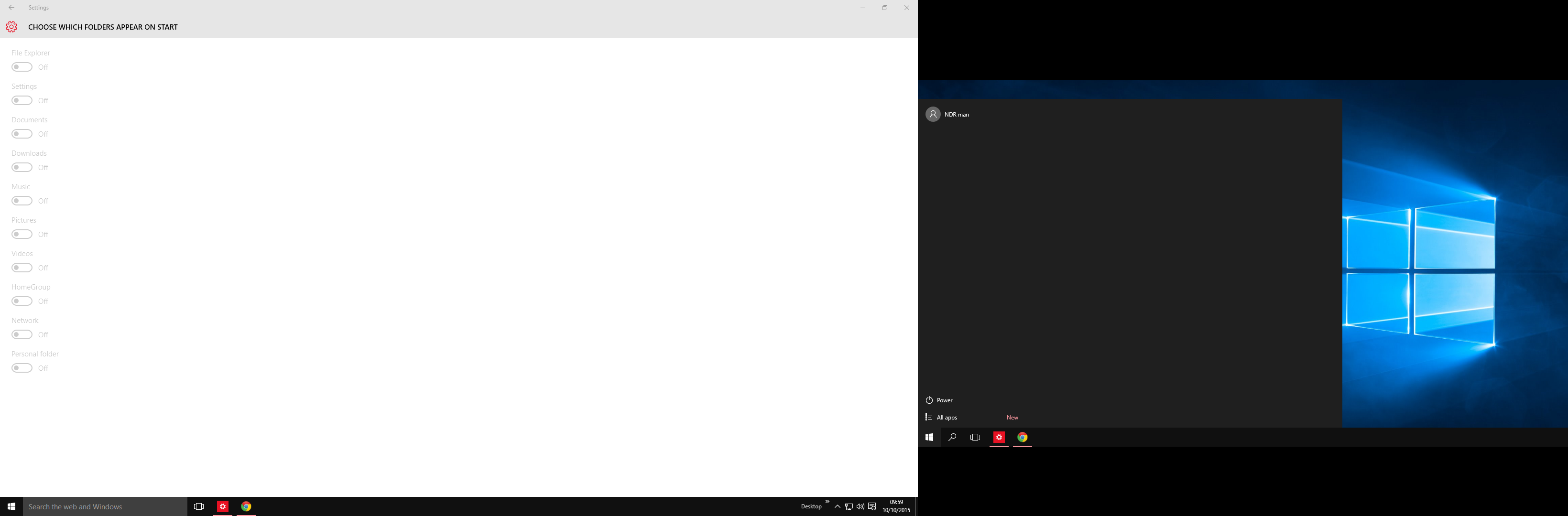
I got the previews and was doing fine until I got a preview which broke my sound so I naturally rolled back, however when I did, my start menu was empty and I can't add anything
Ly3N5eK.png


I tried changing the settings and can bring back the stuff like recent apps but I can't bring back options that are above the power button like settings or the file explorer button, but they are all greyed out. Am I doing something wrong or is it hidden in the settings or something?

I have a feeling I'm missing something really obvious since I can't find anyone else having these problems.
 

Last edited:
Solution
No but I've done an update and I still can't select anything and I'm currently on version KB3093266, thanks for a quick reply.
Hmm... Well that's a cumulative update for Windows 10. I meant which version of windows 10 are you using? The RTM or an insider preview version? In any case I still would recommend doing a reset. If you can't get to the settings whilst win 10 is running then reboot and once you get to the lock screen (where you input your password) look for the button to reboot (usually up on the right or bottom right). Press the shift key and then press the button to reboot and this should get you into the recovery console.

NDRman

New Member
Member details
Joined
Oct 10, 2015
Messages
6
Thread Author #3
No but I've done an update and I still can't select anything and I'm currently on version KB3093266, thanks for a quick reply.
 

kemical

Essential Member
Member details
Joined
Aug 28, 2007
Messages
36,163
No but I've done an update and I still can't select anything and I'm currently on version KB3093266, thanks for a quick reply.
Hmm... Well that's a cumulative update for Windows 10. I meant which version of windows 10 are you using? The RTM or an insider preview version? In any case I still would recommend doing a reset. If you can't get to the settings whilst win 10 is running then reboot and once you get to the lock screen (where you input your password) look for the button to reboot (usually up on the right or bottom right). Press the shift key and then press the button to reboot and this should get you into the recovery console.
 
Solution

davehc

Essential Member
Premium Supporter
Member details
Joined
May 1, 2008
Messages
5,546
In your picture. Can you select the first two items to "on". That is the default.
 

NDRman

New Member
Member details
Joined
Oct 10, 2015
Messages
6
Thread Author #7
Hmm... Well that's a cumulative update for Windows 10. I meant which version of windows 10 are you using? The RTM or an insider preview version? In any case I still would recommend doing a reset. If you can't get to the settings whilst win 10 is running then reboot and once you get to the lock screen (where you input your password) look for the button to reboot (usually up on the right or bottom right). Press the shift key and then press the button to reboot and this should get you into the recovery console.

I was using a preview, my start menu was fine but I was lagging a bit so I turned off previews and rolled back to the RTM and then this happened