
📎 AI Summary:
The thread discusses issues with Microsoft Edge becoming slow after a Windows update in March 2020, particularly affecting YouTube loading times and background service workers. The original poster seeks solutions for improved performance, trying repairing, resetting, and reinstalling Edge; eventually reinstalling via the Microsoft website resolves the problem. Multiple contributors suggest alternative browsers temporarily and confirm the reinstalls fix the slowdown, with overall positive resolution at the end.

anotherwindowsuser

Well-Known Member
Member details
Joined
Jun 3, 2020
Messages
345
Thread Author #1
In March there was quite a big update on my computer which took a whopping 30 minutes for the computer to install with three reboots (bare in mind this computer takes about 10-13 seconds to start that's a long time) and since then it seems that Edge browser is now loading up YouTube very slowly, there is some kind of service worker in the background that appears to take 6 seconds to start (see attached picture) - did anyone else get this issue lately? Also what can I do because I have cleared cache as much as I can. Even clicking on the alerts buttong to load up comments of videos I interacted with takes an age. I read an old article saying edge was slow because it didn't have certain API's and Chrome was much faster because it did. Any help welcome.

 

Attachments

  • Capture.webp
    Capture.webp
    7.9 KB · Views: 131

AdrianG001

Senior Member
Member details
Joined
Feb 19, 2018
Messages
108
In March there was quite a big update on my computer which took a whopping 30 minutes for the computer to install with three reboots (bare in mind this computer takes about 10-13 seconds to start that's a long time) and since then it seems that Edge browser is now loading up YouTube very slowly, there is some kind of service worker in the background that appears to take 6 seconds to start (see attached picture) - did anyone else get this issue lately? Also what can I do because I have cleared cache as much as I can. Even clicking on the alerts buttong to load up comments of videos I interacted with takes an age. I read an old article saying edge was slow because it didn't have certain API's and Chrome was much faster because it did. Any help welcome.

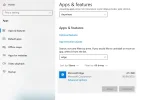
I am sorry to hear that you have this problem. I will be glad to help you solve it, though.

1. Repair Edge. To do this go to Settings>Apps>Apps and Features and type "Microsoft Edge" in the search box. Click Advanced Options and select "Repair."

2. Reset Edge. To do this go to Settings>Apps>Apps and Features and type "Microsoft Edge" in the search box. Click Advanced Options and select "Reset."

3. Reinstall Edge.
 

anotherwindowsuser

Well-Known Member
Member details
Joined
Jun 3, 2020
Messages
345
Thread Author #3
I am sorry to hear that you have this problem. I will be glad to help you solve it, though.

1. Repair Edge. To do this go to Settings>Apps>Apps and Features and type "Microsoft Edge" in the search box. Click Advanced Options and select "Repair."

2. Reset Edge. To do this go to Settings>Apps>Apps and Features and type "Microsoft Edge" in the search box. Click Advanced Options and select "Reset."

3. Reinstall Edge.

I'll try this thanks but what does repair do if I need to reinstall it anyway?
 

anotherwindowsuser

Well-Known Member
Member details
Joined
Jun 3, 2020
Messages
345
Thread Author #4
OK well something is very strange here, I tried step 1 a repair, no difference, I tried step 2 a rest which it warned I was going to lose all my history, favourites and site settings etc. This DID NOT happen and after I rebooted the PC I was still logged into YouTube.com and when finally I went to do step 3, it has the "uninstall" button faded out and I cannot use it?? How is this possible? I even closed Edge just in case it running was an issue, I still couldn't uninstall it.
 

Attachments

  • Captureuninstall.webp
    Captureuninstall.webp
    22.9 KB · Views: 129

anotherwindowsuser

Well-Known Member
Member details
Joined
Jun 3, 2020
Messages
345
Thread Author #5
Someone suggested I remove the folder and reinstall Edge via powershell as per this video. I am curious to know if there might be issues with this procedure?


DanMarcy

New Member
Member details
Joined
Jun 4, 2020
Messages
12
You should try using another browser like google chrome, mozilla firefox or opera. Let see what happen next.
 

anotherwindowsuser

Well-Known Member
Member details
Joined
Jun 3, 2020
Messages
345
Thread Author #9
I went to the MS website and reinstalled it, it didn't even advise me I was installing edge when it was already there, anyway this solved the problem, thank you all for your efforts.
 

Solution

DanMarcy

New Member
Member details
Joined
Jun 4, 2020
Messages
12
I went to the MS website and reinstalled it, it didn't even advise me I was installing edge when it was already there, anyway this solved the problem, thank you all for your efforts.

That's great! Glad to hear that your problem is solved.