📎 AI Summary:
The thread discusses issues with renaming a Windows user profile, with the original poster experiencing the error "0X80070057 - Parameter is incorrect." Contributors suggest solutions including renaming the profile through user management by accessing "lusrmgr.msc," copying files to external drives, and troubleshooting via formatting or safe mode. The overall sentiment indicates that the problem is complex, requiring specific methods or troubleshooting steps to resolve the profile renaming error.

Brasco147

New Member
Member details
Joined
Aug 13, 2019
Messages
3
Thread Author #1
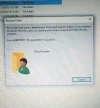
I have been trying to rename my user profile and it this error message keeps popping up "error 0X80070057 -Parameter is incorrect". Please how do I solve this.
 

Attachments

  • IMG_20190813_133154_369.webp
    IMG_20190813_133154_369.webp
    45.6 KB · Views: 159

Neemobeer

Windows Forum Team
Staff member
Member details
Joined
Jul 4, 2015
Messages
8,995
You'll need to do it from another account and also don't simply rename the folder you'll need to do it through user management
 

Brasco147

New Member
Member details
Joined
Aug 13, 2019
Messages
3
Thread Author #3
Yes I know, I am doing it from a different account. How do I access the user management?
 

Neemobeer

Windows Forum Team
Staff member
Member details
Joined
Jul 4, 2015
Messages
8,995
Press [Win Key + r] and type lusrmgr.msc
 

Solution

Brasco147

New Member
Member details
Joined
Aug 13, 2019
Messages
3
Thread Author #5
Still won't work.
 

Attachments

  • IMG_20190821_112311.webp
    IMG_20190821_112311.webp
    302.7 KB · Views: 161

samK

Member
Member details
Joined
Apr 18, 2020
Messages
84
Insert the Windows 7 installation DVD, and then start the installation.
Select your preferences in the Language to install, Time and currency format and Keyboard or input method options. Then click Next.
Click Install now.
In the screen of the Microsoft license agreement, click I accept the terms of license, and then click Next.
Click Custom (Advanced).
Select Disk 0 partition 1, and click Delete.
Click OK when propmted.
Select Disk 0 partition 2, and click Delete.
Click OK when propmted.
Click New.
Define the size of the disk, and then click Apply.
Click OK when propmted.
Select Disk 0 partition 2, and then click Formatting.
Click OK when propmted.
Formatting should complete correctly. Click Next to continue.
 

AdrianG001

Senior Member
Member details
Joined
Feb 19, 2018
Messages
108
I have been trying to rename my user profile and it this error message keeps popping up "error 0X80070057 -Parameter is incorrect". Please how do I solve this.

1) What are you trying to copy on external drive?
2) were you able to copy files earlier on to his external hard drive?
3) Since when are you facing this issue?
4) Did you make any hardware or software changes on the computer?

I would suggest that you try to copy on different computer and check if issue persists. And if there is no data on external hard drive, try to format it and check if you are able to copy or not.

Also try to copy it in safe mode and check if it works.

i. Restart the computer.
ii. Start tapping F8 key.
iii. You will get advanced boot option window.
iv. Select the option “Safe mode".