
Solution
I did that with the same result.
Try this: Go to C:\Windows\ServiceProfiles\LocalService\AppData\Roaming\PeerNetworking and delete all of the files in this folder. Now restart the computer.
Go to Services again and you should be able to start 'Peer Networking Grouping' and 'Peer Name Resolution Protocol'. Restart the computer again.
When you log on this time, check the event log again, to ensure no errors concerning the two services are present and also check Services to ensure the two services concerned are running.
You should now have full functionality restored to your homegroup.
I am running 2 PC's both with Windows 7 Ultimate 64 bit system. The laptop will not let me modify a home group. What should I do to get past this problem?
Are you an administrator on your laptop? Have you tried to leave the homegroup and join the one from your desktop?
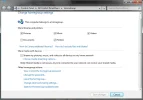
How do I do this?
Turn the computer off completely, wait 10 seconds or so and then turn it back on.
I did that with the same result.
Try this: Go to C:\Windows\ServiceProfiles\LocalService\AppData\Roaming\PeerNetworking and delete all of the files in this folder. Now restart the computer.
Go to Services again and you should be able to start 'Peer Networking Grouping' and 'Peer Name Resolution Protocol'. Restart the computer again.
When you log on this time, check the event log again, to ensure no errors concerning the two services are present and also check Services to ensure the two services concerned are running.
You should now have full functionality restored to your homegroup.
On the laptop I tried this and got: Windows could not start the Peer Networking Grouping service on local computer. Error 1068 the dependency service or group failed to start.
Can you check your services.msc and ensure that Peer Networking Grouping service is started?
I checked and it was what you wanted me to check
So that service is enabled?
You might want to try the method mentioned in this thread:
Unable to leave HomeGroup (& change password)
Let us know!
On the laptop I tried this and got: Windows could not start the Peer Networking Grouping service on local computer. Error 1068 the dependency service or group failed to start.
Okay -- try the method in the above thread and let us know.
Would re-installing Windows 7 Ultimate 64 bit operating system cure the ills?
Well yes -- a clean install solves almost all problems but my goal was to assist you without having to visit that route.
Similar threads
- Replies
- 5
- Views
- 7K

- Solved
- Replies
- 7
- Views
- 3K

- Solved
- Replies
- 2
- Views
- 3K


- Solved
- Replies
- 1
- Views
- 1K


- Solved
- Replies
- 4
- Views
- 5K