📎 AI Summary:
The thread revolves around a user experiencing a lingering search result for "HP Coolsense" after uninstalling the program. Despite deleting the app and clearing remnants with tools like Revo Uninstaller and CCleaner, the entry persisted in Windows Search, which was resolved by clearing the search history. The overall sentiment is that the issue was caused by cached search history rather than a residual application or registry entry.

Grievous

New Member
Member details
Joined
Jul 15, 2014
Messages
2
Thread Author #1
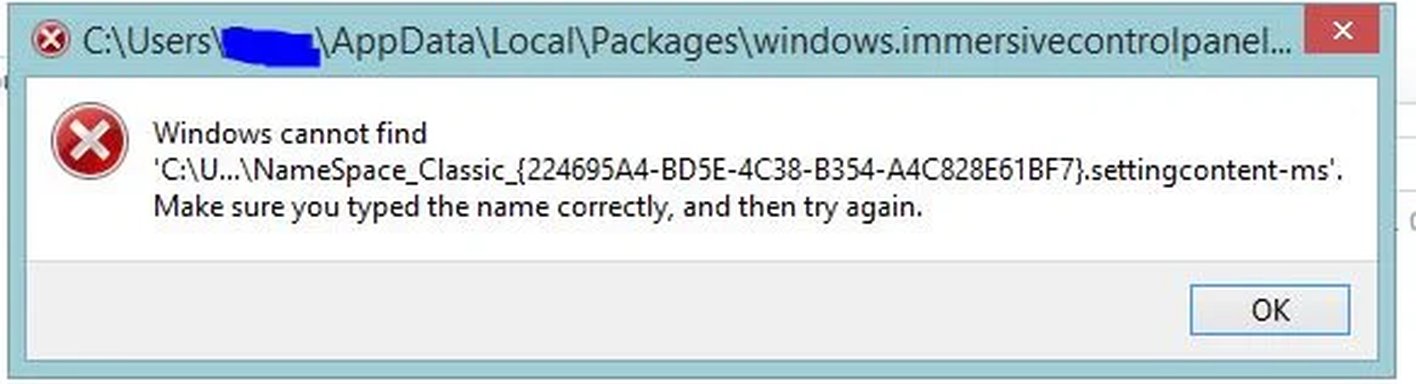
This is a minor issue but it is bugging me. I have uninstalled "HP Coolsense" from my PC and can't find a reference to it anywhere. But it still shows up in my windows search (the one that shows up from the right) . . with an icon and everything (unfortunately I can't snip that but I could the error that comes up, which is attached).

Is there a way to refresh this? I can't right-click on the entry either--it doesn't do anything.

It isn't:
  • in the list of installed programs
  • in the registry (I searched for "coolsense" FWIW).
  • In the "all program" section of the metro menu
I was thinking this was a Windows Search/Indexing issue--I normally leave that off, but I turned it off and it rebuilt my index and it's still there.

Any suggestions? Appreciate it.
 

Attachments

  • Capture.webp
    Capture.webp
    14.1 KB · Views: 255
Solution
Hey guys I tried ccleaner. Rebuilding my search index. Reinstalling the app then uninstalling it with Revo uninstaller. Deleting latent files in Program Files (and x86) a and AppData.

Know what fixed it? Deleting Search History. Who knew when searching for an App in the search bar it would be a part of search history . . and when you uninstalled it you'd have to clear it? It looked like any other app I search for.

Thanks for the suggestions.

davidhk129

Essential Member
Member details
Joined
May 19, 2012
Messages
1,315
No answer from me, except......
Since it is a HP product, have you tried HP Support forums ?
 

patcooke

Microsoft MVP
Microsoft MVP
Member details
Joined
May 16, 2010
Messages
5,688
It is likely to be files/folders/registry entries which need cleaning up after uninstall. Try downloading a free copy of ccleaner from here:

Link Removed

and run it to:

1. Remove any junk files - use the cleaner function
2. clean your registry - use the registry function and scan for issues.
 

Grievous

New Member
Member details
Joined
Jul 15, 2014
Messages
2
Thread Author #4
Hey guys I tried ccleaner. Rebuilding my search index. Reinstalling the app then uninstalling it with Revo uninstaller. Deleting latent files in Program Files (and x86) a and AppData.

Know what fixed it? Deleting Search History. Who knew when searching for an App in the search bar it would be a part of search history . . and when you uninstalled it you'd have to clear it? It looked like any other app I search for.

Thanks for the suggestions.
 

Solution