📎 AI Summary:
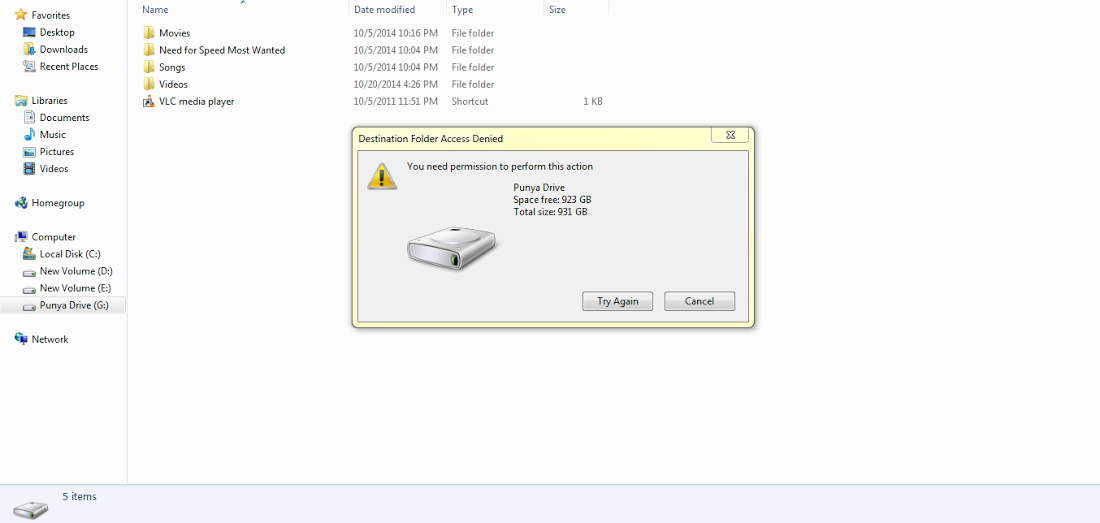
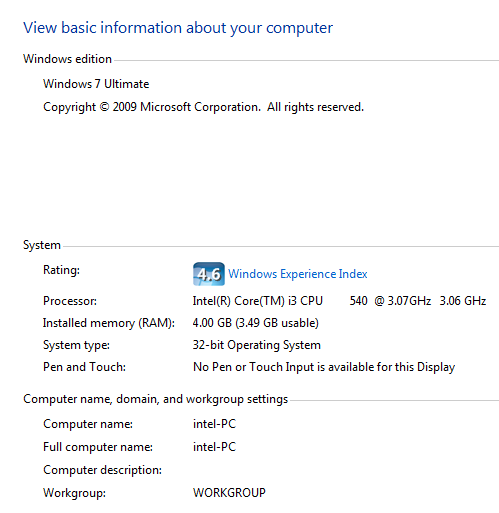
The thread discusses a Windows 7 Ultimate issue where the user cannot copy or create files on USB drives. The original poster inquires about the problem and provides system details, while a respondent suggests it might be a permissions issue, advising to check security settings and user rights. Overall, the conversation centers on diagnosing and resolving USB write restrictions, with helpful suggestions relating to permissions.
The thread discusses a Windows 7 Ultimate issue where the user cannot copy or create files on USB drives. The original poster inquires about the problem and provides system details, while a respondent suggests it might be a permissions issue, advising to check security settings and user rights. Overall, the conversation centers on diagnosing and resolving USB write restrictions, with helpful suggestions relating to permissions.