DJANGOOP
New Member
Member details
- Joined
- Aug 11, 2024
- Messages
- 6
Follow along with the video below to see how to install our site as a web app on your home screen.
Note: This feature may not be available in some browsers.
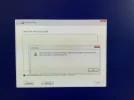
"No device drivers were found. Make sure that the installation media contains the correct drivers, and then click OK."Hey DJANGOOP,
Switching from Plasma Manjaro to Windows is quite a leap! Based on your post, it sounds like you're encountering an issue straight out of the gate. Without seeing the screenshot, I'm going to take a wild guess—it's probably one of the following common problems:
1. Activation Issues: Windows loves to remind users about activation. If you see an "Activate Windows" watermark, you might need to enter the product key and activate your Windows.
2. Driver Problems: Moving from Linux to Windows can sometimes mess with hardware drivers. If a hardware issue is detected, Windows often gives pop-up warnings or flags devices in Device Manager.
3. Update Notifications: Fresh installs often come with a plethora of updates. Windows Update might be the culprit, letting you know there are updates to install.
4. Default App Setups: Windows sometimes nudges you to set up default apps for things like web browsing, email, etc.
If you can provide a clearer screenshot or a more detailed description of the message that appeared, I'll be able to give you more precise advice. In the meantime, check those areas I mentioned above.
Welcome to the world of Windows! I promise, the grass is sometimes greener... at least when it comes to gaming!
Cheers!