

2020-01 Cumulative Update for Windows 10 Version 1903 for x64-based Systems (KB4528760) - Error 0x800706be . This update will not install and the update troubleshooter will not resolve the problem. I wish to install the latest version of the Edge browser but cannot until this update has been installed. Any help appreciated.
📎 AI Summary:
The user is experiencing repeated failures installing a Windows 10 1903 cumulative update (KB4528760), with error 0x800706be, and is unable to update Microsoft Edge until this is resolved. Several troubleshooting steps have been attempted, including running SFC and DISM scans, clearing the SoftwareDistribution folder, but the update still fails. The overall sentiment indicates ongoing frustration with unresolved file corruption and update error issues despite multiple efforts.
The user is experiencing repeated failures installing a Windows 10 1903 cumulative update (KB4528760), with error 0x800706be, and is unable to update Microsoft Edge until this is resolved. Several troubleshooting steps have been attempted, including running SFC and DISM scans, clearing the SoftwareDistribution folder, but the update still fails. The overall sentiment indicates ongoing frustration with unresolved file corruption and update error issues despite multiple efforts.
Solution

They did, so my next suggestion is to goto C:\Windows\SoftwareDistribution\Download and to delete everything in there to remove the pending updates, reboot and thene try the dism command again.

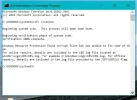
Scannow and cleanup image did not work - still corrupt files that could not be repaired. CBS file attached
Attachments
-
 Microsoft Defender: No threats detected Scan detailsscannow log.webp36.5 KB · Views: 146

nmsuk
Essential Member
Member details
- Joined
- Sep 7, 2009
- Messages
- 4,328
Scannow and cleanup image did not work - still corrupt files that could not be repaired. CBS file attached
Did you do the DISM command too, followed again by sfc /scannow. It can take a few attempts to fix the files
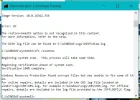
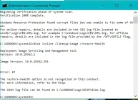
I have just run SFC, then DISM, then SFC again, and then tried to install the problem update - it failed once more. I have attached a couple of screenshots showing the operations.
Attachments
-
 Microsoft Defender: No threats detected Scan detailsDISM check & scannow2.webp38.5 KB · Views: 165
 -
 Microsoft Defender: No threats detected Scan detailsDISM check.webp38.5 KB · Views: 163
Try opening an admin command prompt and running in order sfc /scannow and then dism /online /cleanup-image /restore-health and then reboot before trying again,
Did you try the above suggestion?
Sent from my iPhone using Tapatalk
Have done exactly as you suggest but unfortunately the result is the same:
Your device is missing important security and quality fixes
There were problems installing some updates, but we'll try again later.
2020-02 Cumulative Update for Windows 10 Version 1903 for x64-based Systems (KB4532693) - Error 0x800706be
Your device is missing important security and quality fixes
There were problems installing some updates, but we'll try again later.
2020-02 Cumulative Update for Windows 10 Version 1903 for x64-based Systems (KB4532693) - Error 0x800706be

Rapaaja
Active Member
Member details
- Joined
- Feb 18, 2019
- Messages
- 280
Hi have you checked Windows Defender for updates
Your device is missing important security and quality fixes
Link Removed
 Rapaaja
Your device is missing important security and quality fixes
Link Removed
windows 10 will not accept my updates, error 0x800706be
I am having bad issues on 3 updates none will go in they keep saying error 0x800706be on all three updates one update says Cumulative update for windows 10 verison 1511 for x64-based system
answers.microsoft.com
Last edited:
I think the problem might actually be one of the defender updates, of which there have been 18 in the last 14 days - one unsuccessful. Recently I started to get trouble - Thunderbird email kept stalling, websites were blocked, programs got error messages and right-clicking was very slow: I installed the free full antivirus program provided by my ISP and all of the problems disappeared.

