📎 AI Summary:
The thread discusses an issue where the user, carsten888, encounters a broken screen and non-functional links when trying to reserve a Windows 10 upgrade. The suggested troubleshooting steps include running system health checks with DISM and SFC commands, and uninstalling/reinstalling the upgrade reservation tool, but the user continues to experience errors. Overall, the user is considering waiting for an official Windows update to resolve the problem, while other users offer basic troubleshooting advice.

carsten888

Senior Member
Member details
Joined
Dec 25, 2009
Messages
83
Thread Author #1
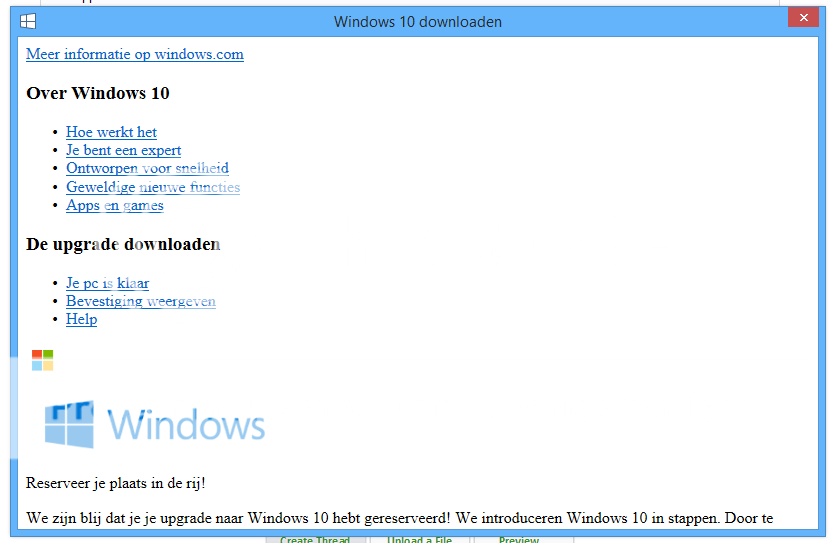
When I click the windows 10 icon to 'reserve' my upgrade I get this broken screen.
Knipsel_zpsqb6zspni.png


None of the links work.

At the bottom it says this contradiction:
Reserve a place in the que!
We are happy you reserved your upgrade to windows 10. We introduce windows 10 in steps. By
 

Solution
Right click in the bottom left hand corner of the desktop. You'll see a menu appear and from choose Administrator command prompt. Type or copy and paste:
DISM /Online /Cleanup-Image /RestoreHealth
Press enter and wait until the scan finishes (patience please)
In the same command prompt window once the above scan finishes type:
sfc /scannow
Press enter and await results.

Now try the app again.

You could also try uninstalling the update which initiates the reservation:
Link Removed

Then re-install it and see if makes a difference.

kemical

Essential Member
Member details
Joined
Aug 28, 2007
Messages
36,163
Have you tried the Help link or doesn't that work either? Also try rebooting and then go through the process again.
 

carsten888

Senior Member
Member details
Joined
Dec 25, 2009
Messages
83
Thread Author #3
The help link does not work. Reboot gives same result.
 

kemical

Essential Member
Member details
Joined
Aug 28, 2007
Messages
36,163
Right click in the bottom left hand corner of the desktop. You'll see a menu appear and from choose Administrator command prompt. Type or copy and paste:
DISM /Online /Cleanup-Image /RestoreHealth
Press enter and wait until the scan finishes (patience please)
In the same command prompt window once the above scan finishes type:
sfc /scannow
Press enter and await results.

Now try the app again.

You could also try uninstalling the update which initiates the reservation:
Link Removed

Then re-install it and see if makes a difference.
 

Solution

carsten888

Senior Member
Member details
Joined
Dec 25, 2009
Messages
83
Thread Author #5
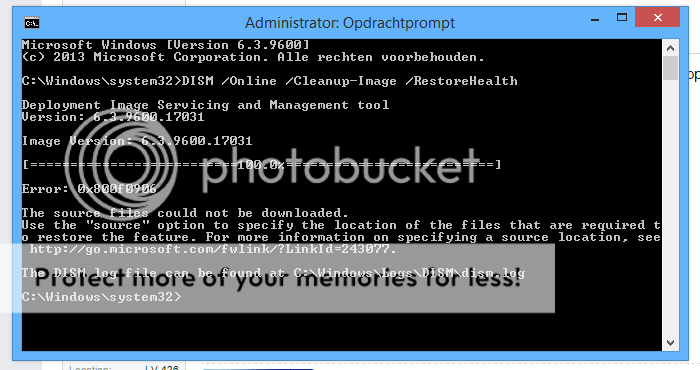
I'm getting this error.

I tried the link, but I don't understand all that. I'm not a pro in operating systems. I will just wait for windows to fix this in an update.

Knipsel_zpsfi0xlass.png
 

kemical

Essential Member
Member details
Joined
Aug 28, 2007
Messages
36,163
This FAQ may help it does have some interesting stuff:
Link Removed