📎 AI Summary:
The thread discusses a user’s observation of unusual visuals resembling Windows 7 pop-up effects when rapidly spamming F11 and ALT+ENTER keys in Command Prompt, with others asking about their usage and curiosity behind it. The original poster explains they use ALT+ENTER to maximize the console due to their keyboard setup requiring FN keys for F-keys. Additional comments relate to personal experiences with Windows 10 and alternative methods for window management, highlighting general curiosity and minor technical discussions.

bruhmoment22222

New Member
Member details
Joined
Sep 5, 2020
Messages
2
Thread Author #1

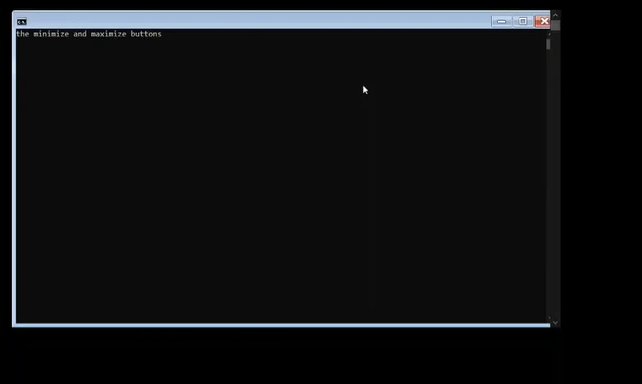
I was writing some basic batch code and discovered F11 and ALT+ENTER worked to maximize cmd. However, if you spammed it fast enough, you could see something that looks a bit like windows 7 pop up at the minimize and maximize buttons. can someone explain this?
 

davehc

Essential Member
Premium Supporter
Member details
Joined
May 1, 2008
Messages
5,546
I could see a brief flashing screen, but too short to examine.
For curiosity, why do you use that key combination. Is it something connected with batch files?
I use F11, or the square top right.
 

bruhmoment22222

New Member
Member details
Joined
Sep 5, 2020
Messages
2
Thread Author #3
Here's a picture from the video:
I use ALT+ENTER to maximize my screen because my keyboard has to use FN keys to activate the real purpose of F keys (I know you can change this in BIOS but I like it like this).
 

Attachments

  • test.webp
    test.webp
    3.1 KB · Views: 147

Jafra8

Active Member
Member details
Joined
Oct 13, 2019
Messages
16
May be better than Windows 7. I have been using windows 10 more than 4 years. Not bad at all.
 

Neemobeer

Windows Forum Team
Staff member
Member details
Joined
Jul 4, 2015
Messages
8,995
Shift+Ctrl+Win+arrow can maximize, minimize and dock a window on the sides or quarter screen