JacobAFournier
New Member
Member details
- Joined
- May 25, 2015
- Messages
- 9
Hey guys! I need some help, I have never done this before so I am new to the process. I have a desktop that I have recently built but do not yet have a wireless card for it. (I'm waiting for it in the mail, should be here next week) My router isn't in my room so I'm trying to use my old laptop to bridge my connection to the desktop via Ethernet cable. I've watched a few videos online showing that it is a very simple process... But, it's not working for me.
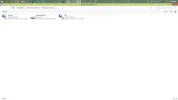
In the screenshot you can see that I have the connection bridged... My issue is that while my laptop still functions fine on the internet it is not transferring to my desktop. It says no internet access on the desktop and when I run the windows troubleshooting tool it says ""Ethernet" doesn't have a valid IP configuration." (Ethernet is the name of the connection it shows)
In the screenshot you can see that I have the connection bridged... My issue is that while my laptop still functions fine on the internet it is not transferring to my desktop. It says no internet access on the desktop and when I run the windows troubleshooting tool it says ""Ethernet" doesn't have a valid IP configuration." (Ethernet is the name of the connection it shows)