
Computerworld correctly frames Copilot research as more than asking a vague question and accepting the first fluent answer. The publication recommends choosing an appropriate mode, constraining sources, using uploaded material, bringing in work from other AI tools, and reserving Microsoft’s Researcher agent for demanding assignments. The useful addition is to treat those as parts of a research workflow, not six interchangeable Copilot tricks.
Microsoft’s own documentation now draws a sharper product boundary than the how-to article does. Standard Copilot chat is for fast summaries, short replies, and lightweight analysis. Researcher is built to retrieve, compare, organize, and cite information across the web and — for licensed work accounts — the Microsoft 365 content to which the user already has access. That split affects what a result can safely be used for.
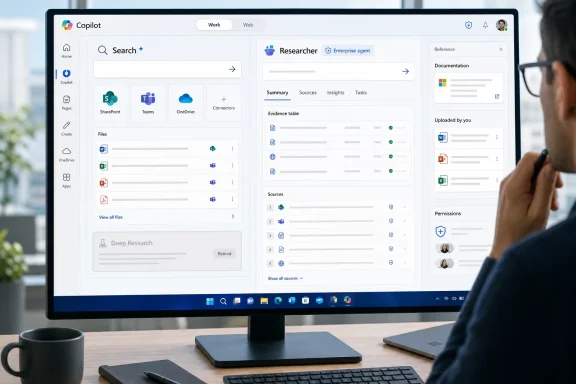 The consumer Deep Research option is gone
The most time-sensitive detail is Microsoft’s retirement notice. Starting August 18, Deep Research stopped being available in the consumer Copilot app. Microsoft says existing reports have not been deleted: Microsoft 365 Personal and Family subscribers can find prior reports in chat history, while Microsoft 365 Premium subscribers can continue detailed work through Researcher.
That means a Windows user following an older Copilot guide may still see Smart, Think Deeper, Search, and Study and Learn choices, but should not expect the former Deep Research workflow to be present. Computerworld’s description of the standard app as broadly useful remains fair; its discussion needs a clearer separation between fast public-web assistance and the paid Researcher experience that Microsoft is positioning as the replacement for deeper reports.
For ordinary consumer research, Search mode is the safer starting point when the answer needs to be checked. It presents links and citations as part of the response, rather than making the user ask for them after the fact. Think Deeper may produce a more structured answer, but structure is not evidence. If Copilot makes a precise claim about a regulation, product support date, security issue, pricing change, or medical or financial matter, open the original source before relying on it.
The research mistake to avoid is asking Copilot to “research” a subject without defining what a good answer must contain. A request such as “Tell me about Windows 11 hardware requirements” gives the model too much latitude to choose sources, time periods, and even the meaning of “requirements.” A better prompt explicitly asks for the current supported CPU and security requirements, separates Microsoft’s official rules from reported workarounds, and requires a source list.
