
Microsoft’s July 2026 Teams roundup is most consequential for organizations running meeting rooms, not for ordinary chat users: it bundles new room-management controls, expanded cross-platform meeting access, and AI-assisted note-taking into a month otherwise dominated by smaller workflow changes. But the “July” label obscures an important operational detail—several items in the list were already documented in earlier Teams Rooms releases or are still completing staged rollouts, so admins should not assume that every capability arrived on every device last month.
Neowin’s July 31 roundup identifies Viva Engage communities inside Teams, searchable keyboard shortcuts, LinkedIn Hiring Assistant integration, a separate Teams Recap app, browser sign-in persistence controls, and a long list of room-device changes. Microsoft’s own Teams documentation and Microsoft 365 roadmap entries confirm much of that direction. They also show that availability depends heavily on license, cloud, hardware model, firmware, and management portal access.
For IT departments, the practical news is that Teams is becoming more of a control plane for physical collaboration spaces and less of a standalone Windows client update. That changes the work required before turning features on.
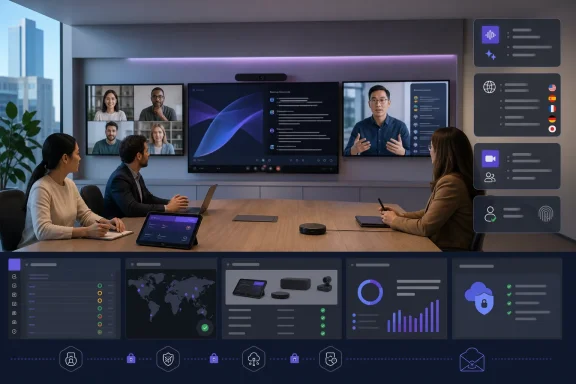
The July collection highlights nine workplace upgrades: AI-powered in-person meeting notes through Facilitator; bulk app-setting deployment for Teams Rooms on Android; digital signage on Teams panels; human interpreter listening mode on Teams Rooms for Windows; Interpreter support on Teams Phone devices for VoIP calls; passwordless Microsoft Entra resource accounts on Teams Rooms for Windows; two-way settings synchronization between Android rooms or panels and the Teams Rooms Pro Management portal; call-quality surveys for Android rooms; and Google Meet joining from Windows-based Teams Rooms in GCC and GCC High.
These are not one feature, and they do not share one rollout path. The most useful change for a large deployment may be the individual settings page and two-way synchronization for Android rooms and panels. Teams administrators have long had to contend with the difference between a setting visible on a device and a setting represented in the management portal. Microsoft’s newer Pro Management portal documentation now describes both individual-device configuration and reusable templates or bulk device-setting jobs. That makes configuration drift more detectable, but it also makes the portal the place where room changes should be made and audited.
The stated bulk application of app settings is especially relevant when a tenant has dozens or hundreds of Android rooms. A setting adjusted manually at a console can be overwritten by a centrally applied template; conversely, a room that has not connected or restarted may not receive a job immediately. Microsoft says a room must be online, connected, and signed in for portal settings to apply, and deployment can wait for a maintenance window to avoid disrupting an active room.
The message for administrators is straightforward: treat these as managed-device changes. Test templates and device-setting jobs on a pilot room, record the local app version and OEM firmware, then stage the wider change. A July feature list is not a substitute for a deployment plan.
The feature lets an unused front-of-room display show web-hosted or third-party signage rather than the normal room screen. Microsoft supports Appspace and XOGO as native content-provider integrations, while other deployments can use a web URL meeting Microsoft’s browser and content-security-policy requirements. SharePoint and OneDrive for Business URLs are specifically unsupported as custom signage sources, a limitation that will catch organizations that expected to reuse an authenticated internal communications page.
There are further constraints. Digital signage is unavailable in GCC, GCC High, and Department of Defense environments, and Microsoft says it is not currently supported on Cisco Teams Rooms on Android. Some Android hardware may also fail to enter sleep mode as expected when signage is enabled. That creates a modest but real electricity, panel-life, and after-hours-display consideration for facilities teams.
This is the material distinction buried in the feature list: signage turns a meeting-room endpoint into a communications display, with all the content-governance implications that follow. The display can expose room names, meeting previews, and corporate content in public corridors unless administrators deliberately configure the Teams Rooms banner and signage source. The management portal gives appropriate controls, but it does not decide what should be displayed in a semi-public space.
Commercial support had already been available from February 2026, according to the roadmap record. July’s change is therefore a government-cloud expansion, not the debut of Google Meet interoperability.
That matters for federal contractors, public-sector organizations, and regulated enterprises that deliberately use GCC or GCC High. A room equipped for Teams no longer automatically becomes a dead end when an external partner schedules in Google Meet. Yet it should still be validated against the organization’s conditional-access rules, calendar processing, network egress policies, and the room vendor’s supported software baseline. Direct Guest Join reduces meeting friction; it does not make every in-meeting control, recording policy, or third-party feature behave identically across platforms.
Microsoft’s July admin release notes also show the wider shift: management of Android Teams Rooms, Teams panels, and Teams phones is moving from the Teams admin center to the Pro Management portal. The larger consequence is that device operations are being centralized around the portal and its licensing model, not around the Teams desktop client.
The feature has limits worth spelling out. Microsoft says only licensed users can initiate Facilitator, although unlicensed participants can see its notes and responses. It does not support external meetings, and its AI-generated notes currently work only when one spoken language is used; in a multilingual meeting, notes are generated only for the parts matching the selected language. Microsoft also warns that meeting controls such as watermarking and copy-and-paste prevention are not applied to Facilitator responses or AI-generated notes.
For compliance teams, the last point should be treated as an implementation gate, not a footnote. A tenant that has designed a meeting policy around watermarks or restricted copying must decide whether Facilitator-generated notes create an alternate route for sensitive meeting material. Microsoft further says those notes are not automatically collected as cloud attachments in Microsoft Purview eDiscovery Preview. That does not mean the material is invisible everywhere, but it does mean retention and discovery assumptions need to be tested rather than inferred.
The new Teams Recap app fits the same pattern. Moving recaps into a dedicated app may make catch-up material easier to find, particularly as the Meet app is reshaped around events. It also concentrates recordings, transcripts, action items, and AI summaries into a surface that administrators should include in training, data-classification, and lifecycle reviews.
This is a collaboration change with an adoption consequence: project channels, chats, and broad organizational communities are now co-located. Organizations should give employees a simple distinction between a Teams channel for work execution and an Engage community for broader discussion, leadership communication, or knowledge exchange. Without that, Teams becomes easier to enter but harder to govern coherently.
Search in the keyboard-shortcut dialog is an uncontroversial quality-of-life improvement. The LinkedIn Hiring Assistant integration is narrower: LinkedIn says it lets licensed Recruiter users request hiring-manager feedback from within Teams. It is not a new recruiting platform included with a standard Teams license, and the July roundup does not specify licensing, regional availability, or a rollout schedule. Recruiters should confirm their LinkedIn Recruiter and Hiring Assistant entitlements before treating this as deployable.
The new browser sign-in persistence choice also deserves a policy decision. Letting Teams retain a browser sign-in through restarts reduces repeated authentication, while requiring sign-in each time better suits shared or high-risk endpoints. This should align with existing Microsoft Entra session, browser-profile, and shared-device policies rather than become a user-by-user convenience setting.
Finally, the July hardware list is certification news, not a feature rollout. Microsoft’s certified-hardware register confirms MaxHub Panel SP10 and the Q-SYS Room Scheduling Panel QSP 11; the published roundup misspells MaxHub as “MAXHUUB” and uses a looser Q-SYS product name. Certification means Microsoft has validated a defined device and firmware combination for Teams, not that an organization can skip its own interoperability, network, lifecycle, or support testing.
The next action for Teams administrators is to inventory which rooms are Windows, Android, GCC, GCC High, and commercially licensed; identify which use Teams Rooms Pro; and pilot the features that change data handling or device settings. July’s headline is a long list, but the operational reality is narrower: Teams Rooms Pro Management, Facilitator governance, and cross-platform room joining are the changes that can alter how a managed Windows meeting estate actually behaves.
For IT departments, the practical news is that Teams is becoming more of a control plane for physical collaboration spaces and less of a standalone Windows client update. That changes the work required before turning features on.
Teams Rooms gets the largest share of the work
The July collection highlights nine workplace upgrades: AI-powered in-person meeting notes through Facilitator; bulk app-setting deployment for Teams Rooms on Android; digital signage on Teams panels; human interpreter listening mode on Teams Rooms for Windows; Interpreter support on Teams Phone devices for VoIP calls; passwordless Microsoft Entra resource accounts on Teams Rooms for Windows; two-way settings synchronization between Android rooms or panels and the Teams Rooms Pro Management portal; call-quality surveys for Android rooms; and Google Meet joining from Windows-based Teams Rooms in GCC and GCC High.These are not one feature, and they do not share one rollout path. The most useful change for a large deployment may be the individual settings page and two-way synchronization for Android rooms and panels. Teams administrators have long had to contend with the difference between a setting visible on a device and a setting represented in the management portal. Microsoft’s newer Pro Management portal documentation now describes both individual-device configuration and reusable templates or bulk device-setting jobs. That makes configuration drift more detectable, but it also makes the portal the place where room changes should be made and audited.
The stated bulk application of app settings is especially relevant when a tenant has dozens or hundreds of Android rooms. A setting adjusted manually at a console can be overwritten by a centrally applied template; conversely, a room that has not connected or restarted may not receive a job immediately. Microsoft says a room must be online, connected, and signed in for portal settings to apply, and deployment can wait for a maintenance window to avoid disrupting an active room.
The message for administrators is straightforward: treat these as managed-device changes. Test templates and device-setting jobs on a pilot room, record the local app version and OEM firmware, then stage the wider change. A July feature list is not a substitute for a deployment plan.
Digital signage is real—but it is not newly born in July
Digital signage is presented as a July Teams Panels improvement, yet Microsoft’s Teams Rooms release notes show Android-room signage was introduced with the April 2026 Teams Rooms on Android release, version 1449/1.0.96.2026087210. Microsoft’s setup guidance also establishes requirements that do not appear in the monthly roundup: Teams Rooms Pro licensing, Pro Management portal access, and a supported Teams Rooms version are required.The feature lets an unused front-of-room display show web-hosted or third-party signage rather than the normal room screen. Microsoft supports Appspace and XOGO as native content-provider integrations, while other deployments can use a web URL meeting Microsoft’s browser and content-security-policy requirements. SharePoint and OneDrive for Business URLs are specifically unsupported as custom signage sources, a limitation that will catch organizations that expected to reuse an authenticated internal communications page.
There are further constraints. Digital signage is unavailable in GCC, GCC High, and Department of Defense environments, and Microsoft says it is not currently supported on Cisco Teams Rooms on Android. Some Android hardware may also fail to enter sleep mode as expected when signage is enabled. That creates a modest but real electricity, panel-life, and after-hours-display consideration for facilities teams.
This is the material distinction buried in the feature list: signage turns a meeting-room endpoint into a communications display, with all the content-governance implications that follow. The display can expose room names, meeting previews, and corporate content in public corridors unless administrators deliberately configure the Teams Rooms banner and signage source. The management portal gives appropriate controls, but it does not decide what should be displayed in a semi-public space.
Google Meet access reaches government-cloud Teams Rooms
The clearest July availability milestone is Google Meet interoperability for Teams Rooms on Windows in GCC and GCC High. Microsoft’s roadmap describes this as two-way Direct Guest Join: a Teams Rooms on Windows device can join a Google Meet meeting, while a Google Meet device can join a Teams meeting. Joining can occur through the room calendar or by meeting ID.Commercial support had already been available from February 2026, according to the roadmap record. July’s change is therefore a government-cloud expansion, not the debut of Google Meet interoperability.
That matters for federal contractors, public-sector organizations, and regulated enterprises that deliberately use GCC or GCC High. A room equipped for Teams no longer automatically becomes a dead end when an external partner schedules in Google Meet. Yet it should still be validated against the organization’s conditional-access rules, calendar processing, network egress policies, and the room vendor’s supported software baseline. Direct Guest Join reduces meeting friction; it does not make every in-meeting control, recording policy, or third-party feature behave identically across platforms.
Microsoft’s July admin release notes also show the wider shift: management of Android Teams Rooms, Teams panels, and Teams phones is moving from the Teams admin center to the Pro Management portal. The larger consequence is that device operations are being centralized around the portal and its licensing model, not around the Teams desktop client.
AI notes and recap features need governance before convenience
Facilitator’s new role in in-person meetings is part of a broader attempt to make Teams meeting intelligence work when participants are gathered around a room system rather than joining from individual laptops. Microsoft describes Facilitator as an AI-powered agent that can generate collaborative notes, answer questions from meeting and web content, track topics, and capture action items.The feature has limits worth spelling out. Microsoft says only licensed users can initiate Facilitator, although unlicensed participants can see its notes and responses. It does not support external meetings, and its AI-generated notes currently work only when one spoken language is used; in a multilingual meeting, notes are generated only for the parts matching the selected language. Microsoft also warns that meeting controls such as watermarking and copy-and-paste prevention are not applied to Facilitator responses or AI-generated notes.
For compliance teams, the last point should be treated as an implementation gate, not a footnote. A tenant that has designed a meeting policy around watermarks or restricted copying must decide whether Facilitator-generated notes create an alternate route for sensitive meeting material. Microsoft further says those notes are not automatically collected as cloud attachments in Microsoft Purview eDiscovery Preview. That does not mean the material is invisible everywhere, but it does mean retention and discovery assumptions need to be tested rather than inferred.
The new Teams Recap app fits the same pattern. Moving recaps into a dedicated app may make catch-up material easier to find, particularly as the Meet app is reshaped around events. It also concentrates recordings, transcripts, action items, and AI summaries into a surface that administrators should include in training, data-classification, and lifecycle reviews.
Chat, recruiting, sign-in controls, and certification are the smaller changes
On the user side, Viva Engage communities now appear within Teams navigation rather than requiring people to work through the separate Engage app. Microsoft’s rollout documentation says existing community memberships are synchronized into Teams, favorites can appear in the Teams navigation, and the capability is enabled by default for eligible users with Viva Engage access. Individual users can hide communities, but they cannot fully disable the underlying experience for themselves.This is a collaboration change with an adoption consequence: project channels, chats, and broad organizational communities are now co-located. Organizations should give employees a simple distinction between a Teams channel for work execution and an Engage community for broader discussion, leadership communication, or knowledge exchange. Without that, Teams becomes easier to enter but harder to govern coherently.
Search in the keyboard-shortcut dialog is an uncontroversial quality-of-life improvement. The LinkedIn Hiring Assistant integration is narrower: LinkedIn says it lets licensed Recruiter users request hiring-manager feedback from within Teams. It is not a new recruiting platform included with a standard Teams license, and the July roundup does not specify licensing, regional availability, or a rollout schedule. Recruiters should confirm their LinkedIn Recruiter and Hiring Assistant entitlements before treating this as deployable.
The new browser sign-in persistence choice also deserves a policy decision. Letting Teams retain a browser sign-in through restarts reduces repeated authentication, while requiring sign-in each time better suits shared or high-risk endpoints. This should align with existing Microsoft Entra session, browser-profile, and shared-device policies rather than become a user-by-user convenience setting.
Finally, the July hardware list is certification news, not a feature rollout. Microsoft’s certified-hardware register confirms MaxHub Panel SP10 and the Q-SYS Room Scheduling Panel QSP 11; the published roundup misspells MaxHub as “MAXHUUB” and uses a looser Q-SYS product name. Certification means Microsoft has validated a defined device and firmware combination for Teams, not that an organization can skip its own interoperability, network, lifecycle, or support testing.
The next action for Teams administrators is to inventory which rooms are Windows, Android, GCC, GCC High, and commercially licensed; identify which use Teams Rooms Pro; and pilot the features that change data handling or device settings. July’s headline is a long list, but the operational reality is narrower: Teams Rooms Pro Management, Facilitator governance, and cross-platform room joining are the changes that can alter how a managed Windows meeting estate actually behaves.
References
- Primary source: Neowin
Published: 2026-08-02T11:42:01+00:00
Loading…
www.neowin.net - Related coverage: learn.microsoft.com
Release notes for Microsoft Teams - Office release notes | Microsoft Learn
This article describes the release notes information about new admin features for Microsoft Teams and Teams admin center.learn.microsoft.com - Related coverage: nsaneforums.com
Loading…
nsaneforums.com - Related coverage: techcommunity.microsoft.com
Loading…
techcommunity.microsoft.com - Related coverage: neowin.net
Loading…
www.neowin.net - Related coverage: learn.microsoft.com
Loading…
learn.microsoft.com - Related coverage: windowsforum.com
Loading…
windowsforum.com - Related coverage: techcommunity.microsoft.com
Loading…
techcommunity.microsoft.com - Related coverage: 2tolead.com
Loading…
www.2tolead.com - Related coverage: support.microsoft.com
Loading…
support.microsoft.com - Related coverage: support.microsoft.com
Loading…
support.microsoft.com - Related coverage: office365itpros.com
Loading…
office365itpros.com - Related coverage: shu.edu
What’s New in Microsoft 365 – July 2026
Learn about upcoming Microsoft 365 updates for Teams, Outlook, SharePoint and OneDrive, including new collaboration features and important platform changes.www.shu.edu - Related coverage: devblogs.microsoft.com
What's new in Microsoft Foundry | Build Edition | Microsoft Foundry Blog
Microsoft Build 2026 brings a major set of Microsoft Foundry updates for developers building agents: hosted runtimes, Toolboxes, memory, Voice Live, Foundry IQ, new models, managed compute, and trust, evaluation, and observability tools.devblogs.microsoft.com - Related coverage: utwente.nl
Loading…
www.utwente.nl - Related coverage: redit.ch
Loading…
redit.ch - Related coverage: supersimple365.com
Loading…
supersimple365.com - Related coverage: flowdocs.co
Loading…
flowdocs.co - Related coverage: kbworks.eu
Microsoft Roadmap, messagecenter and blogs updates from 01-07-2026 - KbWorks - SharePoint and Teams Specialist
01-July-2026 Below you will find a collection of news published yesterday. This news consists of Microsoft's Roadmap when it is updated it will be below withkbworks.eu - Related coverage: partner.microsoft.com
Loading…
partner.microsoft.com