
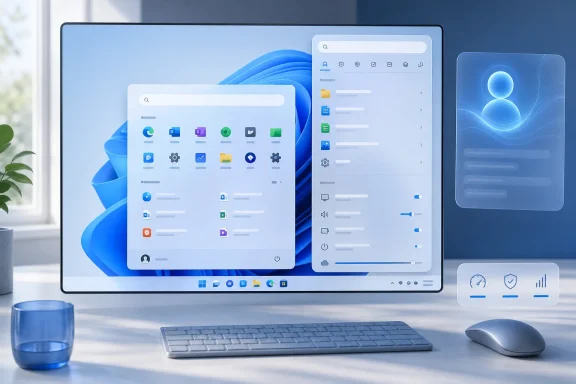
 Overview: Why This Windows Argument Resonates
The claim that Windows is “getting the care it deserves again” is deliberately subjective, but it is not baseless. Microsoft has recently signaled a sharper focus on the operating system’s foundational experience: performance, reliability, quality, and craft. The company has also publicly tied future Windows work to Insider feedback, a notable acknowledgement that the people who use, deploy, customize, and troubleshoot Windows every day have often felt unheard. Pavan Davuluri’s Windows leadership team framed the effort in exactly those terms.
That recalibration matters because Windows has spent much of the last decade caught in competing corporate agendas. It has been a platform for Microsoft 365, a gateway to Azure services, a showcase for Copilot and on-device AI, and an endpoint management target for enterprise customers. Each of those roles has commercial logic. None, however, automatically guarantees that Start, Search, File Explorer, notifications, setup, updating, or the taskbar will feel coherent and dependable to the person in front of the PC.
The renewed attention is therefore less about any one visual refresh than about priorities. If Microsoft is truly improving Windows by reducing friction, restoring meaningful choice, and focusing on core responsiveness, that would represent a welcome reversal from years in which too many changes felt designed around engagement, promotion, or strategic positioning rather than the customer’s workflow.
From Windows 3.x to Cloud Services: The Shift in Microsoft’s Center of Gravity
Dalton’s perspective is useful precisely because it spans several distinct Microsoft eras. He began working with Windows 3.x environments, later encountered Windows NT 3.1 during a major corporate rollout, helped replace Microsoft Mail with the then-new Exchange platform, and joined Microsoft UK in 1997. His subsequent work around Exchange and enterprise technology gave him a close view of the company’s transition from desktop software vendor to enterprise platform and cloud-services giant. His career narrative reflects the lived experience of someone who saw Windows evolve from a product Microsoft had to defend at all costs into one component of a much larger portfolio.
For much of the 1990s and 2000s, Windows was more than a client operating system. It was the foundation of the company’s identity, commercial leverage, and enterprise ecosystem. Windows desktops fed demand for Office, Windows Server, Exchange, management tools, developer platforms, and partner services. In businesses, the operating system was also inseparable from the broader infrastructure stack: domain logons, file services, printing, software deployment, directory services, security policy, and line-of-business applications.
That model began to change decisively as Microsoft committed to subscriptions and hosted services. Microsoft launched Office 365 globally on June 28, 2011, combining Office, SharePoint Online, Exchange Online, and Lync Online in a subscription-based cloud service. Microsoft’s launch announcement described it as an always-up-to-date offering available across 40 markets, an early public marker of the company’s new direction.
The strategy worked. The company is now structurally organized around large business segments including Productivity and Business Processes, Intelligent Cloud, and More Personal Computing. Microsoft reported fiscal 2025 revenue of $281.7 billion, with $120.8 billion from Productivity and Business Processes and $106.3 billion from Intelligent Cloud, compared with $54.6 billion from More Personal Computing. Microsoft’s 2025 annual report also says that Azure demand drove a 34% increase in Azure and other cloud-services revenue, while Windows and Devices revenue increased by 2%.
Those numbers do not mean Windows is unimportant. They do show why Windows may no longer command the same internal gravity it once did. Windows is still the endpoint through which vast numbers of users access Microsoft’s services, but it is no longer the single dominant economic engine. That distinction helps explain the product tension of the Windows 10 and Windows 11 years: Windows often seemed to be asked to support everything else.
The Cost of Treating the Desktop as a Funnel
A mature operating system inevitably contains commercial integrations. Search connects to the web. Store recommendations promote applications. Widgets surface information. Setup screens advertise services. An assistant can offer help. The issue is not that Microsoft has business interests. The issue is whether those interests override the fundamental expectation that a paid, personal-computing environment should primarily serve the user.
When Start or Search becomes cluttered with promotional material, the product feels less like a tool and more like contested real estate. When essential components slow down because they depend on web-driven layers, users notice the contradiction immediately: a local operating system should be exceptionally good at opening local apps, locating local files, changing local settings, and powering local workflows.
This is why the current direction has the potential to matter beyond a handful of UI tweaks. The best Windows improvements are not always flashy. They are the ones that remove a needless click, make the correct search result appear first, lower the chance of a crash, reduce update disruption, or let people configure the shell around how they actually work.
The Desktop Years Still Define User Expectations
Windows has repeatedly been judged by its ability to correct its own mistakes. Dalton identifies a familiar historical rhythm: an ambitious release draws criticism, then a successor restores confidence by concentrating on polish, compatibility, speed, and familiarity. His retrospective places Windows XP, Windows 7, Windows 10, and Windows 11 within that long cycle of ambition, backlash, and refinement.
Windows XP and the Security Turning Point
Windows XP unified Microsoft’s consumer and business desktop lines behind the Windows NT architecture, creating a platform that became extraordinarily durable. Its long life also exposed the seriousness of Windows security problems in the early broadband era. Microsoft’s response was the Trustworthy Computing push, which turned security review and secure-by-design principles into core development requirements.
That history remains relevant because it demonstrates that Windows can improve dramatically when Microsoft makes a focused organizational commitment. Security was not fixed by a single feature. It required a shift in engineering culture, priorities, testing, patching, and release discipline. The same principle applies today to reliability and user experience.
Vista, Windows 7, and the Value of Recovery Releases
Windows Vista is often remembered less for its technical ambition than for driver problems, performance complaints, compatibility friction, and a perception that the system asked too much of existing PCs. Windows 7 succeeded in part because it made the platform feel more settled. It retained Vista’s technical foundation while improving speed, compatibility, polish, and confidence.
The lesson is not that every Windows release needs a direct successor to repair it. The lesson is that customers will forgive change when the result is tangibly better. They are much less willing to accept change that removes habits, adds friction, or seems disconnected from practical benefits.
Windows 8 is an even clearer example. Microsoft’s effort to respond to the rise of tablets and touch computing produced a design that frequently clashed with conventional keyboards, mice, multi-window workflows, and enterprise deployments. Windows 10 restored a more familiar relationship between Start, desktop applications, and touch-friendly features without requiring every user to embrace a tablet-first interaction model.
Windows 11’s Real Test Is Not Its Appearance
Windows 11 arrived with a more centered and simplified design language, tighter hardware requirements, and a visibly different Start menu and taskbar. For some users, the look is clean and modern. For others, especially experienced desktop users and IT administrators, it has often felt less configurable than what came before.
That reaction is not merely resistance to visual change. The Windows shell is muscle memory. The taskbar, Start menu, right-click menu, search box, notification area, and Explorer windows are touched thousands of times over the life of a PC. A tiny regression in one of those areas can create disproportionate frustration because it interrupts work repeatedly.
The strongest case for a renewed Windows focus is therefore not that Windows 11 must become Windows 10 again. It is that Microsoft should preserve modern design while restoring the agency and efficiency users expect from Windows.
Start Menu Changes Suggest a More Practical Direction
The Start menu has always been a symbol of Microsoft’s relationship with its users. It is where Windows begins, and it is where Microsoft’s design decisions are made most visible. Recent Windows 11 changes point toward more flexibility rather than a single mandatory layout.
Microsoft’s current documentation describes a Start menu that includes configurable areas for pinned apps, recommendations, all apps, account controls, folders, and power options. It also documents category, grid, and list views for the All section. Microsoft Learn’s Start configuration guide further explains that organizations can use Configuration Service Providers and Group Policy to tailor the experience across managed fleets.
For consumers, the broader message is just as significant: Start no longer needs to be treated as an untouchable design object. It should be a functional launcher that can accommodate different habits. A student, a developer, a front-line employee, a home user, and an IT administrator do not all need the same shell arrangement.
Enterprise Control Is Not Just an IT Detail
The business value of Start menu customization is easy to underestimate. In a classroom, kiosk, retail environment, shared workstation deployment, or tightly managed frontline setting, irrelevant apps and recommendations are distractions. A predictable Start experience can reduce mistakes, shorten onboarding time, and make a Windows PC feel purpose-built rather than generic.
Microsoft’s policy documentation lists controls for elements including Start pins, recommended content, recently added apps, category view, and Start size. The Start policy reference confirms that administrators can hide the Recommended section, control app-list behavior, configure pins using JSON, and use policy settings to govern Start customization.
That is a meaningful improvement in philosophy. Windows has long been strongest when it supports both freedom and management: personal devices can be personal, while institutional devices can be consistent and constrained where necessary. The product becomes weaker when every customer is forced into a compromise designed for neither group.
Flexibility Must Reach Ordinary Users Too
Enterprise policy support alone will not satisfy enthusiasts and power users. The consumer-facing experience must provide useful controls without registry edits, third-party shell replacements, hidden flags, or obscure workarounds. Being able to hide unhelpful recommendations, choose a useful All Apps view, keep the launcher compact, and organize pinned software should be expected behavior on a modern desktop OS.
Microsoft’s broader Start menu work includes a scrollable layout, category-oriented All Apps access, and the ability to hide the Recommended section, with additional modular controls under development. Its July coverage frames the update as an effort to address long-running complaints about rigidity rather than merely repaint the interface.
The important qualification is that feature rollouts and experimental builds are not the same thing as a universal, finished experience. Microsoft still needs to carry these improvements through testing, regional availability, servicing, accessibility validation, and broad deployment. But the direction is more encouraging than the old assumption that Windows users should simply adapt to a fixed shell.
Search Is Becoming a Better Example of Windows Serving the User
If there is one recent change that captures the “care it deserves” thesis, it is the renewed work on Windows Search. Search should be a utility: type a few letters, find an app, document, setting, or file, then get back to work. It should not make users compete with web promotions, trivia, visual clutter, or ambiguous results.
Microsoft has announced a set of Search improvements for Windows Insiders in the Experimental channel, including a calmer home screen, clearer labels for result sources, removal of promotional content from web results, local-result prioritization, improved typo handling, better settings ranking, enhanced file discovery, and reliability work. The Windows Insider Blog says the changes are being introduced gradually through Controlled Feature Rollout, which means availability will vary among Insider devices.
Less Clutter, More Control
The most important Search changes are not necessarily the most visually dramatic. Microsoft says promotional content has been removed from web results, which will now display relevant answers rather than leading with products and promotions. The company’s announcement also says users can choose whether web results and Microsoft Store suggestions appear beside local matches.
That is a straightforward but meaningful correction. A local search utility should not force a binary choice between usefulness and monetization. Users who want web or Store suggestions can retain them. Users who want Search to remain local and focused can reduce that noise. The design recognizes that different people use Search differently—and that control itself is a feature.
Microsoft also says apps, settings, and files should surface ahead of web and Store suggestions when they are the stronger match. That may sound obvious, but it addresses one of the most irritating Windows search failures: typing the name of a local destination and receiving a web result instead of the thing the user intended to open.
Reliability Has to Be the Baseline
Microsoft’s Insider post explicitly includes efforts to reduce Search crashes and loading issues. The same announcement promises more reliability work ahead. This should be treated as a baseline expectation, not a luxury feature.
Windows is an operating system, not a web application in a browser tab. Its most-used interfaces should be fast on modest hardware, resilient under long uptime, and capable of performing basic tasks without delays that make users question whether the machine heard them. Restoring that expectation would do more for Windows 11’s reputation than another collection of wallpapers or AI shortcuts.
AI Needs a Better Balance With Everyday Computing
It would be unfair to describe Microsoft’s Windows AI ambitions as entirely misplaced. Features that use local hardware to accelerate image understanding, accessibility tasks, writing support, translation, and workflow assistance may prove useful to many people. The problem emerges when AI is treated as the answer to every design question, or when core applications become cluttered by features users neither requested nor can easily ignore.
The appropriate principle is simple: AI should be available where it provides clear value, optional where it changes behavior or handles sensitive data, and invisible where it does not help.
Recall remains the clearest example of why that standard matters. Microsoft describes Recall as a Copilot+ PC feature that uses locally stored and locally analyzed snapshots to let users search what they have previously seen on screen. Microsoft’s Recall management documentation states that it is opt-in for consumers, requires user consent to save snapshots, uses local processing, and requires Windows Hello authentication before snapshots can be accessed.
Those safeguards are substantial. Microsoft also says Recall is disabled and removed by default on managed commercial devices unless an organization explicitly enables it through policy. The same documentation provides important reassurances about administrative control and local processing. For enterprise environments, Microsoft has also documented data loss prevention controls that can block sensitive content from being included in Recall snapshots. Microsoft Purview guidance explains how organizations can use DLP policies to audit or restrict content captured by Recall.
The Risk Is Not Only Technical
Even when technical controls are well designed, perception and trust matter. A feature built around persistent screen snapshots naturally raises questions about sensitive documents, personal information, medical records, financial data, credentials, regulated content, and shared-device behavior. Microsoft has responded with opt-in design, encryption-related requirements, Windows Hello protections, filtering, and management capabilities—but it must continue to communicate those protections with unusual clarity.
The broader Windows lesson is that users need to feel that their PC works for them. AI features cannot become another layer of unwanted prompts, compulsory buttons, vague cloud boundaries, or confusing setup decisions. They should earn a place through usefulness, not through ubiquity.
This is where the apparent retreat from indiscriminate AI insertion is important. A simpler application with an optional AI command is usually more respectful than an application redesigned around a feature many users will never touch. The best Windows experience can support advanced AI without making ordinary computing feel like a demonstration platform.
Windows 10’s End of Support Raises the Stakes
This renewed focus on Windows 11 arrives after an important transition: Windows 10 reached end of support on October 14, 2025. Microsoft says devices can continue to run Windows 10, but standard support no longer includes feature updates, quality updates, security updates, or technical support; eligible customers can use Extended Security Updates as a temporary bridge. Microsoft’s lifecycle guidance is explicit that ESU is a security-extension option rather than a replacement for a supported operating system lifecycle.
That reality places a heavier burden on Windows 11. For years, dissatisfied users could remain on Windows 10 while waiting for Windows 11 to improve. That safety valve has narrowed. Businesses and consumers now have stronger reasons to move forward, whether through hardware refreshes, migration plans, Windows 365, or extended security coverage.
Microsoft cannot assume that migration pressure will create affection. Organizations may upgrade because they have to, but a successful migration depends on predictable application behavior, device compatibility, management clarity, accessibility, security, and minimal disruption to established work. Home users judge the upgrade just as directly through speed, layout, pop-ups, unwanted suggestions, and whether their familiar tasks remain easy.
A more polished, less promotional, more configurable Windows 11 is therefore not just a user-experience win. It is a strategic necessity.
What Microsoft Still Has to Prove
There are real reasons for optimism, but there is also a meaningful gap between a better direction and a fully repaired Windows experience. The company’s recent messaging will only matter if it becomes durable product practice.
Consistency Must Replace One-Off Fixes
Windows has accumulated inconsistencies through decades of evolution. Legacy dialogs coexist with modern settings pages. Some experiences follow Windows 11’s visual language, while others appear inherited from older releases. Certain controls live in Settings, others in Control Panel, and still others behind administrative tools, policies, or registry values.
Modernizing that landscape is difficult because compatibility is one of Windows’ greatest strengths. The risk is that the company chases cosmetic uniformity while breaking workflows, management practices, or familiar troubleshooting paths. The better approach is careful convergence: make the modern paths complete and reliable before retiring or hiding old ones.
Performance Claims Need Broad Validation
Microsoft’s stated focus on performance and reliability is promising, but it must be proven across the full hardware spectrum. Windows runs on premium Copilot+ PCs, aging business laptops, self-built desktops, education devices, virtual machines, industrial systems, and managed fleets with complex security software. A change that feels smooth on a new high-end machine may still create friction on common hardware.
This is why Insider feedback is valuable but insufficient by itself. Microsoft needs telemetry, accessibility testing, OEM validation, enterprise pilot programs, quality servicing, and transparent issue tracking. The company has learned this lesson before, particularly when large changes collide with the diversity of the Windows ecosystem.
User Choice Must Be Genuine
The strongest measure of Microsoft’s renewed care will be whether users retain meaningful control when its business incentives point elsewhere. Can people turn off web suggestions without hunting through obscure settings? Can they choose how much recommendation content appears? Can IT administrators configure a clean device experience without fighting consumer-oriented defaults? Can users avoid AI features they do not want while still receiving security and quality improvements?
Microsoft’s Search changes are encouraging because they are based on this principle of choice. The Windows Insider announcement directly emphasizes control over web and Store suggestions alongside a focus on local relevance. That mindset needs to extend throughout Windows.
A Better Windows Does Not Need to Be a Different Windows
The most persuasive part of Dalton’s argument is that it does not call for Microsoft to abandon the cloud, AI, subscriptions, or enterprise management. Those are central to the company Microsoft has become. Nor does it suggest that Windows must freeze itself in the Windows 7 era to satisfy enthusiasts.
Instead, it argues for a better hierarchy of priorities. Windows should first be a dependable, configurable, fast, respectful operating system. It can then be a gateway to Microsoft 365, a secure endpoint for cloud management, an AI-capable platform, and a storefront for services—but in that order.
That is how Windows earns loyalty across generations of users. It is how a student’s first PC becomes a trusted work machine, how a home desktop remains useful for years, and how an enterprise fleet avoids becoming a source of unnecessary friction. Windows has survived every supposed successor because the desktop remains a uniquely flexible place to work, create, manage, play, build, and communicate.
If Microsoft is truly returning its attention to the fundamentals—less clutter, better Search, more Start menu control, performance work, reliability improvements, and a more measured approach to AI—it may be restoring more than a few neglected features. It may be restoring the idea that Windows itself deserves to be loved, not merely leveraged.
Update: Insider build adds Voice Isolation and plug-and-play braille support (July 28, 2026)
Windows Central reports that Windows 11 Insider Preview Build 29634.1000 adds practical accessibility improvements, including Voice Isolation for Voice Access. The option is designed to help Voice Access prioritize the enrolled user’s speech in shared offices, open-plan spaces, or noisy homes, filtering other speakers and background noise locally on the device.
Users can select Voice Isolation, background-noise-only filtering, or unfiltered microphone input in Voice Access settings. Voice Isolation requires a short one-time voice setup, while Microsoft says the resulting voice data does not leave the PC.
The same test build expands Narrator support for HID-standard refreshable braille displays. Compatible USB devices can now work without additional setup, and HID braille support is also available during the initial Windows setup experience—an important change for deaf-blind users who need to configure a new PC independently.
Update: Nadella publicly commits Windows investment to “quality and fundamentals” (July 31, 2026)
In Microsoft’s July 29 fiscal 2026 fourth-quarter earnings remarks, CEO Satya Nadella said the company is investing to ensure Windows has “the best quality and fundamentals.” The statement elevates the priority from Insider-channel messaging to a commitment voiced directly to investors.
Nadella had previously linked the effort to performance on lower-memory PCs, a more streamlined Windows Update experience, and renewed attention to core customer workflows. The latest wording does not announce a single named Windows 11 release, but it indicates that reliability, responsiveness, and foundational shell work remain funded priorities rather than isolated fixes.
For Windows users and IT teams, the practical implication is that changes now appearing gradually in preview and optional updates—including UI modernization, servicing improvements, and core-feature reliability work—are likely to continue through the rest of 2026 and beyond.
Update: Windows Search will automatically index frequently used folders (August 2, 2026)
Windows Latest reports that Microsoft is testing an “Automatically find additional relevant locations” setting for Windows Search. Rather than requiring users to manually add folders to the index or enable the broader Enhanced indexing mode, Windows would identify folders that matter based on file activity and make their contents searchable by name, properties, and content.
The change could address a common gap in Search: files saved outside the standard indexed locations may be effectively invisible until users navigate to the folder themselves. Microsoft’s approach is intended to extend discovery to frequently used locations without indexing every drive and folder by default.
Users will reportedly be able to exclude folders that Windows selects automatically. That control will be important for storage-heavy directories, shared locations, or folders containing material that users do not want appearing in everyday Search results.
According to Windows Latest, the feature is planned for wider availability later in 2026. If it performs reliably without creating excessive indexing load, it would be a practical extension of Microsoft’s broader effort to make Windows Search prioritize local work rather than merely refine its interface.
