📎 AI Summary:
The thread discusses difficulties in accessing old Cisco course modules from 2004-2005, which were created using SWF files and possibly ActiveX components. The original poster struggles to get the content to load properly on modern browsers and tools, despite attempts with Adobe Flash Player and adjusting browser security settings. Contributors suggest using standalone SWF players or alternative browsers like Edge, with one recommending switching to browsers such as Firefox, Chrome, or Opera for improved compatibility.

LT72884

Senior Member
Member details
Joined
Dec 19, 2017
Messages
177
Thread Author #1
Ello all:)

So, way back in the day of 2004 to 05, i took a ccna and ccnp class. The curriculum from cisco was done as swf files i think. Basically, you logged into a website and all the modules were interactive.

Since they give you a hard copy to use offline, i used to be able to use it all the time back on xp and what not, but now i can not remember how i got it to work.

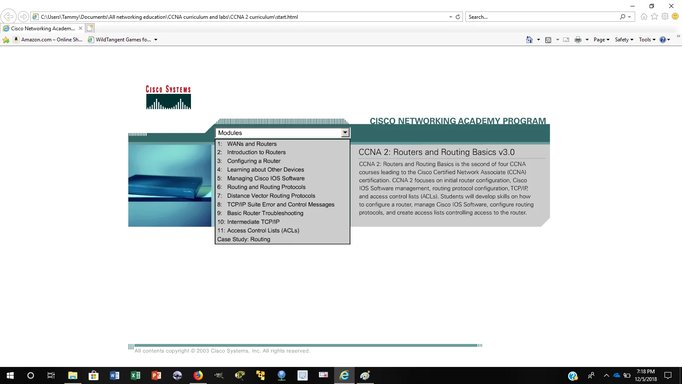
I try in internet explore(older version) and it loads the main page, but when i click on the menu, select one of the options, it never loads the page. it does nothing. Im not 100% sure if its swf files or active x stuff or what. I just click on start.html and it loads.

Is there a way to get this up and running because i would like to go over this stuff again. thank you:)
 

Solution
EDIT:

I think i got it to work in edge. I had to open the adobe flash setting, go down a rabbit hole of options and add my folder as a acceptable location for adobe to not block. Im testing it now. we will see how it goes.

LT72884

Senior Member
Member details
Joined
Dec 19, 2017
Messages
177
Thread Author #3
Ok, thanks. Ill give it a go and see what happens:) ill post back soon
 

LT72884

Senior Member
Member details
Joined
Dec 19, 2017
Messages
177
Thread Author #4
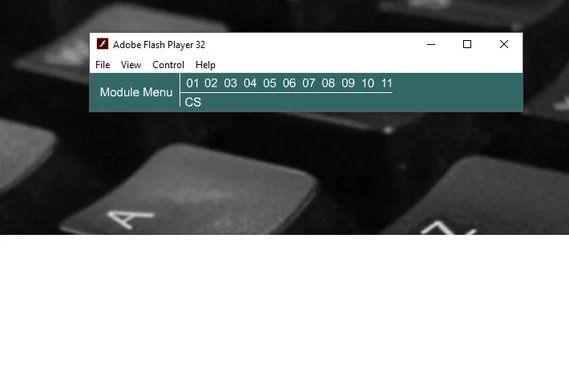
That is not playing it either. it loads a very small part of it and when i click on module 01 it still does same thing as internet explore where it does nothing.

it also tries to open it in firefox on some of the buttons i push.

Here are some screen shots of what it should look like in IE. But if i click on one of the modules. nothing every happens. no warnings or anything. In the flash projector, it only shows a little bit of the page.

thanks.

i might have to download an older version of IE to get this to one. Edge nor firefox will
 

Attachments

  • ccna page in IE.webp
    ccna page in IE.webp
    66.4 KB · Views: 207
  • flash player ccna.webp
    flash player ccna.webp
    11.5 KB · Views: 216
Last edited:

LT72884

Senior Member
Member details
Joined
Dec 19, 2017
Messages
177
Thread Author #5
EDIT:

I think i got it to work in edge. I had to open the adobe flash setting, go down a rabbit hole of options and add my folder as a acceptable location for adobe to not block. Im testing it now. we will see how it goes.
 

Solution

livix07

Honorable Member
Member details
Joined
Feb 19, 2018
Messages
585
EDIT:

I think i got it to work in edge. I had to open the adobe flash setting, go down a rabbit hole of options and add my folder as a acceptable location for adobe to not block. Im testing it now. we will see how it goes.

Or you can try a better web browser such as Firefox, Chrome, Opera...