📎 AI Summary:
The thread discusses a tutorial on customizing and naming tile groups in the Windows 8 start menu's tile view feature. The original poster provides step-by-step instructions, including how to access the tile grouping and rename them using the minus ("-") button, although some users experience issues, such as the entire start screen minimizing instead of renaming. Contributors verify the method and share similar experiences, with some suggesting alternative approaches or sharing related tutorials, reflecting a positive overall tone and interest in mastering the feature.
Thread Author
Here's a brief tutorial on something which I think is a very useful feature in the tileview/start menu area of Windows 8. And unfortunately, most people do not know about it!
L0Ymz.png

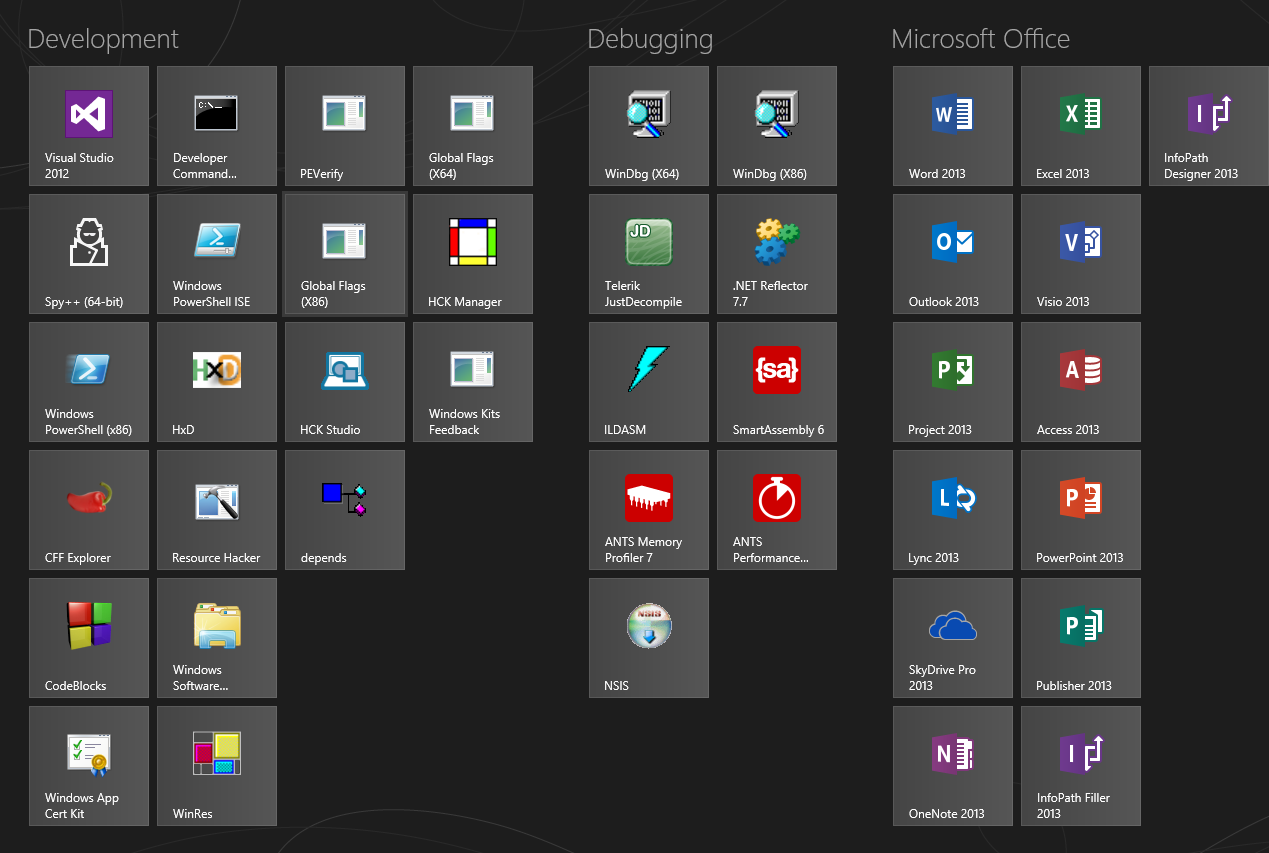
By the end of this tutorial, hopefully you will be able to achieve what is seen in this result image:
B3TEh.png

See the names above each collection of tiles in the tileview? You can customize these to your own liking!

This was an example for what my tiles look like on my own machine.

When scrolling side to side through the tileview, you'll notice horizontal scrollbar appears, and if you look to the very right side of the scrollbar at the bottom, a little tiny button with a "-" symbol in the middle.

GdJsw.png

Click that, and you'll get this:

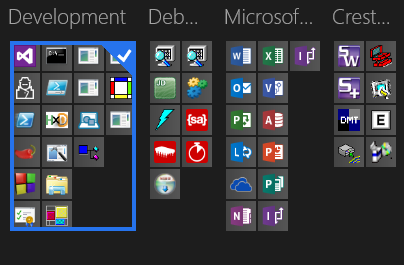
UxCDB.png

Although yours probably will not have names like in this example, as i've already named mine.

Next thing to do would be to RIGHT CLICK on a specific group of tiles that you want to name.

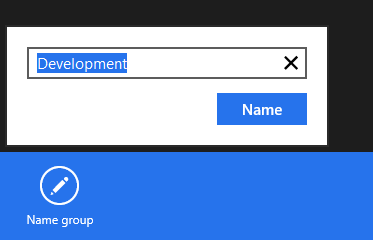
You should see a small input box pop up in the bottom left, to which you will type in the name you want to name that group and click the "Name" button to apply the changes.
WijL8.png

You've just named a tilegroup!

:)

You'll be able to see the tilegroup names whenever you open the tileview interface so you have an idea of the kinds of applications or shortcuts you're looking at.


Last edited by a moderator:

Adamsappleone

U.S.Navy D.A.V.
Joined
Aug 2, 2009
Messages
1,642
Very nice tutorial AceInfinity, only problem with mine, is when clicking the "-" symbol, just minimizes the whole Start Screen.
Obviously I've missed something here.

Don
 

AceInfinity

Senior Member
Microsoft MVP
Joined
Aug 12, 2011
Messages
161
Thread Author #4
Very nice tutorial AceInfinity, only problem with mine, is when clicking the "-" symbol, just minimizes the whole Start Screen.
Obviously I've missed something here.

Don

It gets minimized so that you can choose the group you want to navigate to, or in this case rename. Right click on the collection of tiles that you want to name and you'll see on the bottom blue bar, a renaming option :)
 

kemical

Essential Member
Joined
Aug 28, 2007
Messages
36,160

davehc

Essential Member
Premium Supporter
Joined
May 1, 2008
Messages
5,546
Can you not pin yours, Ross. With those pictures, it is a nice one. It will stop the subject from being repeated in posts.
 

kemical

Essential Member
Joined
Aug 28, 2007
Messages
36,160
Can you not pin yours, Ross. With those pictures, it is a nice one. It will stop the subject from being repeated in posts.

I think it is Dave, I'll check anyway..
 

techgeekcasey

Member
Joined
Jan 14, 2013
Messages
40
Very nice it took me a while to figure out how to name grouped tiles with a help of a tutorial from another site.