

📎 AI Summary:
The thread discusses users' experiences with upgrading from Windows 8.1 to Windows 10 around the official release date, with some noting successful upgrades and others facing delays or issues. Several users share their progress, including downloading and converting installation files, while one mentions being already on Windows 10. Overall, the sentiment reflects anticipation and varied experiences during the upgrade process.
The thread discusses users' experiences with upgrading from Windows 8.1 to Windows 10 around the official release date, with some noting successful upgrades and others facing delays or issues. Several users share their progress, including downloading and converting installation files, while one mentions being already on Windows 10. Overall, the sentiment reflects anticipation and varied experiences during the upgrade process.


Trouble
Noob Whisperer
Member details
- Joined
- Nov 30, 2009
- Messages
- 13,723
That would definitely be cool, but....So, today this is the last day of my Windows 8.1.
I'm not completely sure that updaters will be able to get the Windows 10 version that is suppose to be available on the 29th.
I believe that insiders will probably get it (maybe) and then some time later they intend to roll it out to a broader base.


Member details
- Joined
- Jul 22, 2005
- Messages
- 9,269
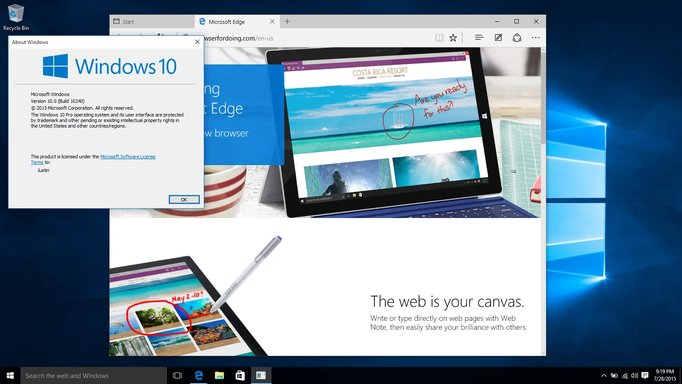
Annnd I am now on Windows 10.
On the right panel, you will find the key “CurrentBuildNumber“.The value of this key is your Windows Build Number. Then find a key called “CurrentVersion” and its value is your windows version i.e. the version of your windows vista, windows xp, etc. You will also find keys called “EditionID” and “ProductId” to know the windows edition and product id.
- Click Start, type regedit and press Enter to open the Windows registry
- Navigate to the registry key – HKEY_LOCAL_MACHINE\Software\Microsoft\Windows NT\CurrentVersion
The key BuildLabEx contains build number and revision number.For example, in the value 6001.17387.x86fre.vistasp1_gdr.070927-1921, the first four digits stand for build number i.e. 6001 and the next five digits stand for windows revision number i.e. 17387. x86 tells you that you are running a 32-bit operating system.
Or, even easier, open a Command Prompt and type:
reg query "HKLM\SOFTWARE\Microsoft\Windows NT\CurrentVersion" /v BuildLabEx
What is your full BuildLabEx string? Thanks for the info.
Last edited:
Member details
- Joined
- Jul 22, 2005
- Messages
- 9,269
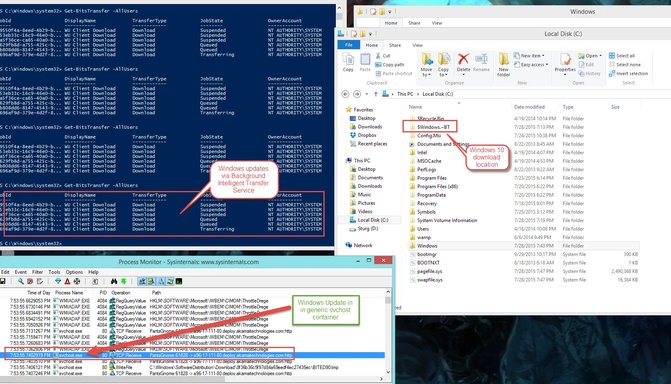
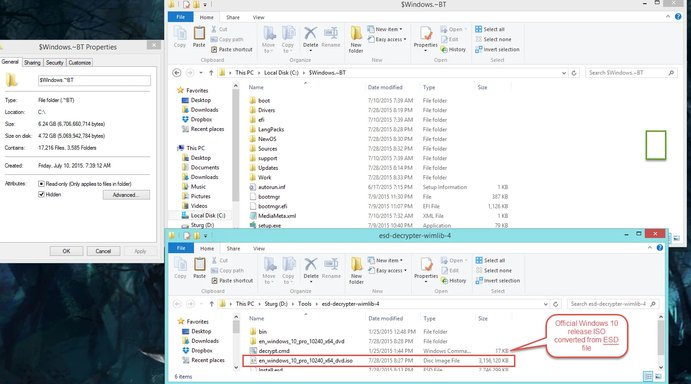
Yes, I am looking into this as well.I did it via converting the ESD, so it doesn't include the updates, they appear to be currently disabled on Windows Updates server.
10240.16384.amd64fre.th1.150709-1700
This is extremely useful. I will test this on a virtual machine.You can get the download from here Link Removed
You can upgrade or download the ISO for another machine, or for later in the event you need to reinstall or whatever.
As far as this new "automatic update" process, I can see it is going as we predicted... i.e... whenever someone pushes a button in the desert, maybe this thing will prompt me to upgrade.
Trouble
Noob Whisperer
Member details
- Joined
- Nov 30, 2009
- Messages
- 13,723
OR NOT!maybe this thing will prompt me to upgrade.
I'm currently up to 5 failures on my Windows 8.1 machine in update history.
It's getting late.
I shouldn't be doing this $h!t at this time of night.

Sonny
Fantastic Member
Member details
- Joined
- Nov 17, 2009
- Messages
- 1,386
OR NOT!
I'm currently up to 5 failures on my Windows 8.1 machine in update history.
It's getting late.
I shouldn't be doing this $h!t at this time of night.
Trouble I had 13 failures on Windows 8.1 before it took and I got started on upgrading. On 10 now. So far so good.


