
Solution

There is no way without doing some programing, e.g. ShowWindow Function (MSDN) or Link Removed - Invalid URLLink Removed - Invalid URL.Thanks, nice to know it can be done without 3rd party software.
Autohotkey (very easy to use, very popular):
n=0
!+t::
WinGetActiveTitle, T
if n=0
{
WinSet, Transparent, 222, %T%
n=1
Exit
}
WinSet, Transparent, Off, %T%
n=0
Exit
It'll make your active window semitransparent (or whatever value you set 0-255) when you press Alt-Shift-t. If the active window is already transparent, it'll make it opaque.

Jaydon H
New Member
- Joined
- May 23, 2010
- Messages
- 52
The only real way to have transparent windows is to download or install programs that have transparent windows by default. One of these is the Firefox 3.7 Alpha 4 Preview available for Windows. You can enable Aero Gass in this, so it is transparent. You can download it Link Removed due to 404 Error. Other than that, it is up to an individual program to have transparency enabled. There may be some people online that have a transparent copy of Windows Explorer, so just ask for that more specifically.
Jaydon H
New Member
- Joined
- May 23, 2010
- Messages
- 52
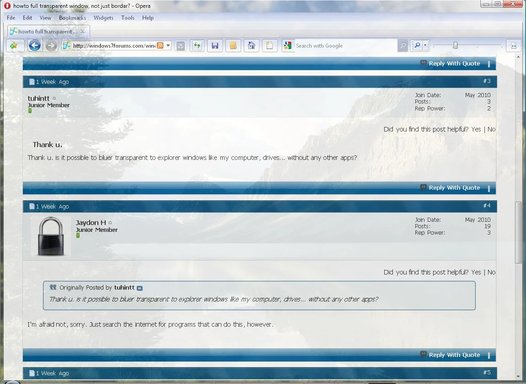
Thank u. is it possible to bluer transparent to explorer windows like my computer, drives... without any other apps?
I'm afraid not, sorry. Just search the internet for programs that can do this, however.

cybercore
New Member
- Joined
- Jul 7, 2009
- Messages
- 15,612
There is no way without doing some programing, e.g. ShowWindow Function (MSDN) or Link Removed - Invalid URLLink Removed - Invalid URL.Thanks, nice to know it can be done without 3rd party software.
Autohotkey (very easy to use, very popular):
n=0
!+t::
WinGetActiveTitle, T
if n=0
{
WinSet, Transparent, 222, %T%
n=1
Exit
}
WinSet, Transparent, Off, %T%
n=0
Exit
It'll make your active window semitransparent (or whatever value you set 0-255) when you press Alt-Shift-t. If the active window is already transparent, it'll make it opaque.
magiccottage
New Member
- Joined
- May 22, 2010
- Messages
- 28
With the standard windows API you can set your own level of transparency for any window (except 3d), 0 to 255. (Not like 'Add Gadgets' window though).
Link Removed due to 404 Error
View attachment 6514
How please? I can set transparency on/off but cant see the other options.
cybercore
New Member
- Joined
- Jul 7, 2009
- Messages
- 15,612
There is no GUI for it, you need to do some quick scripting. Try AutoHotkey, it's very easy: install it, write your program in Notepad, then save it as .ahk - and you can run it.
There is no way without doing some programing, e.g. ShowWindow Function (MSDN) or Link Removed - Invalid URLLink Removed - Invalid URL.
Autohotkey (very easy to use, very popular):
n=0
!+t::
WinGetActiveTitle, T
if n=0
{
WinSet, Transparent, 222, %T%
n=1
Exit
}
WinSet, Transparent, Off, %T%
n=0
Exit
It'll make your active window semitransparent (or whatever value you set 0-255) when you press Alt-Shift-t. If the active window is already transparent, it'll make it opaque.
Similar threads

- Article
- Replies
- 0
- Views
- 740
- Article
- Replies
- 0
- Views
- 984
- Replies
- 0
- Views
- 3K
- Replies
- 5
- Views
- 4K
