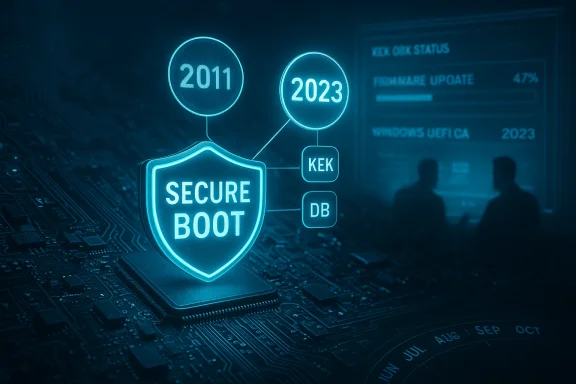
Microsoft has issued a coordinated warning: the original Secure Boot certificates that have underpinned Windows platform integrity since 2011 are reaching the end of their lifecycle, and a deliberate, ecosystem-wide refresh is required before mid‑2026 to avoid a progressive loss of firmware‑level protections.
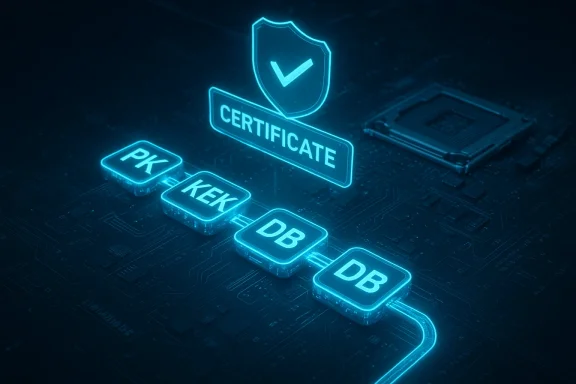
Secure Boot is a firmware‑level trust anchor built into the UEFI specification that prevents unsigned or tampered pre‑OS software from executing during the earliest stages of system startup. It does this by validating signatures against a small set of certificates and keys stored in UEFI variables commonly referred to as PK, KEK, DB, and DBX. Those cryptographic trust anchors determine whether a bootloader, option ROM, or other EFI application is allowed to run.
When Microsoft and OEMs introduced the Secure Boot ecosystem for Windows 8 and Windows Server 2012, they provisioned a standardized set of Microsoft‑issued certificate authorities (the “2011” CAs) into device firmware. Those same certificates have been used industry‑wide for more than 15 years. Cryptographic certificates, however, are explicitly time‑bound; when a root CA reaches expiration it can no longer validate or authorize subsequent updates to Secure Boot databases and revocation lists. Microsoft’s guidance makes clear the 2011 certificates begin expiring in June 2026, with expirations completing by October 2026 unless systems are updated.
Important practical notes:
Secure Boot certificate rotation is a large, cross‑industry maintenance event — perhaps one of the largest coordinated security maintenance efforts affecting the Windows ecosystem in a decade. Microsoft and its partners have engineered a cautious, multi‑vector rollout that minimizes immediate disruption, but the burden of proof for continuity rests with administrators, OEMs, and home users who must ensure devices adopt the 2023 trust anchors before the 2011 roots lapse. Treat this as scheduled security maintenance, audit your estate now, and prioritize remediation for unsupported, air‑gapped, or firmware‑outdated systems. The technical reality is simple: an expired CA won’t instantly brick your PC, but it will close the door on future boot‑level protections — and that is a door you do not want left open.
Source: TechSpot Windows Secure Boot certificates are expiring after more than 15 years
 Background / Overview
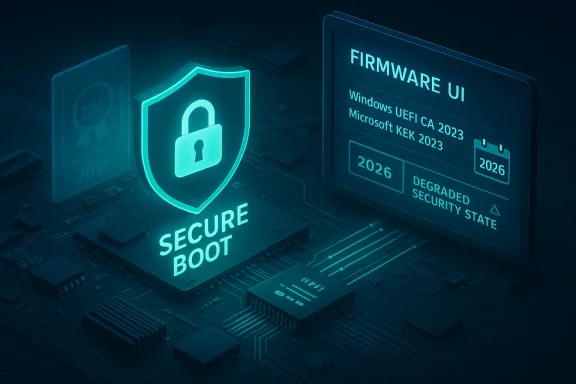
Secure Boot is a firmware‑level trust anchor built into the UEFI specification that prevents unsigned or tampered pre‑OS software from executing during the earliest stages of system startup. It does this by validating signatures against a small set of certificates and keys stored in UEFI variables commonly referred to as PK, KEK, DB, and DBX. Those cryptographic trust anchors determine whether a bootloader, option ROM, or other EFI application is allowed to run. When Microsoft and OEMs introduced the Secure Boot ecosystem for Windows 8 and Windows Server 2012, they provisioned a standardized set of Microsoft‑issued certificate authorities (the “2011” CAs) into device firmware. Those same certificates have been used industry‑wide for more than 15 years. Cryptographic certificates, however, are explicitly time‑bound; when a root CA reaches expiration it can no longer validate or authorize subsequent updates to Secure Boot databases and revocation lists. Microsoft’s guidance makes clear the 2011 certificates begin expiring in June 2026, with expirations completing by October 2026 unless systems are updated.
What is expiring — the technical picture
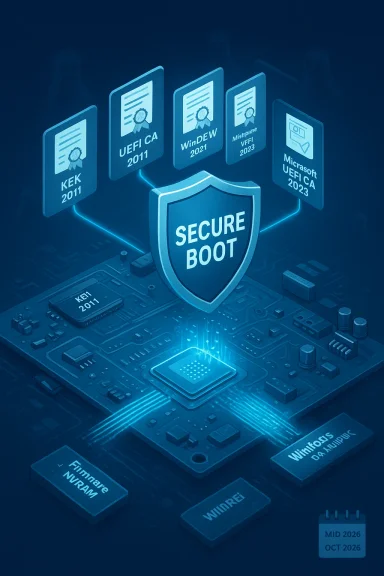
At a technical level, three Microsoft‑shipped certificate authorities embedded in many UEFI firmwares are the focus of the refresh:- Microsoft Corporation KEK CA 2011 — stored in KEK; authorizes updates to the DB and DBX.
- Microsoft UEFI CA 2011 — stored in DB; used to validate third‑party bootloaders, EFI apps and option ROMs.
- Microsoft Windows Production PCA 2011 — stored in DB; used to sign Windows boot components.
Timeline and scope — exact dates you must track
- June 2026 — the 2011 certificate authorities begin their expiration window; several entries in KEK/DB start lapsing.
- October 2026 — the remaining 2011 certificate (Microsoft Windows Production PCA 2011) is scheduled to expire by this date if devices have not adopted the 2023 replacements.
How Microsoft and OEMs are delivering the update
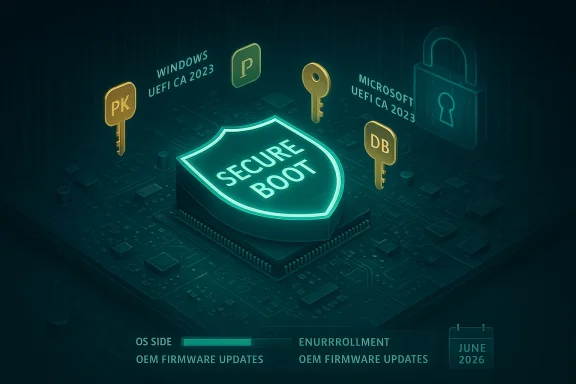
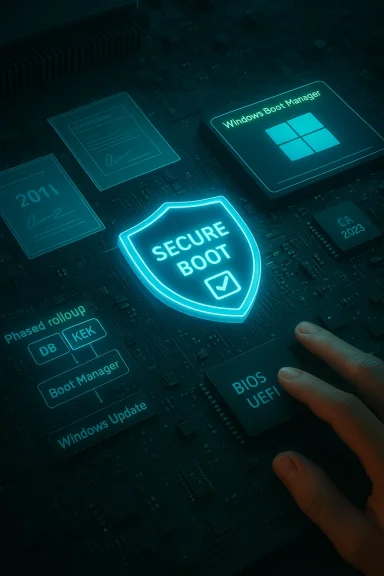
Microsoft’s rollout is deliberately layered and collaborative:- OS‑side enrollment via Windows Update: Where hardware and firmware permit, Windows cumulative and servicing updates will write the new 2023 certificate variables into UEFI NVRAM. Microsoft has staged the deployment and uses telemetry and eligibility signals to limit changes to devices showing stable update health. This is the default path for most consumer and managed devices.
- OEM firmware updates: For platforms where OEMs must provision certificates in firmware (for example, air‑gapped systems, specialized servers, or devices that prevent OS‑side writes), vendors will ship BIOS/UEFI updates that include the new certs. Major OEMs have published targeted guidance and lists of affected models and minimum firmware versions.
- Scope controls for enterprise: Microsoft’s servicing guidance explains that enterprises can control, schedule, and validate the delivery using their management tooling (Intune, ConfigMgr, third‑party patching systems). Microsoft’s ESU policy also affects Windows 10 devices: systems no longer under mainstream support will only receive these certificate updates if enrolled and entitled under Extended Security Updates programs.
Why this matters: security consequences and real‑world risk
The immediate technical consequence of expired CA certs is that Microsoft (and the wider UEFI trust ecosystem) can no longer cryptographically authorize updates to the Secure Boot allow‑list (DB) or revocation list (DBX) using those certs. Practically that means:- The platform loses the ability to receive future boot‑level mitigations delivered as signed updates.
- Microsoft cannot revoke compromised boot components on that device if the revocation list signing path depends on the expired cert.
- Compatibility problems may arise later: new OS builds, drivers, virtualization features, or anti‑cheat/anti‑tamper modules that expect modern Secure Boot roots might refuse to load on systems relying on expired certs.
Who is affected — and who is already safe
- Generally safe: Most modern consumer PCs purchased in 2024 and 2025 already include the 2023 certs in firmware from the factory, and therefore require no action. Microsoft’s telemetry‑guided rollout also aims to update a large portion of supported Windows 11 devices automatically.
- At risk:
- Older consumer PCs whose OEMs have stopped issuing firmware updates.
- Windows 10 machines not enrolled in Extended Security Updates (ESU) or otherwise outside Microsoft servicing.
- Specialized equipment (certain servers, appliances, point‑of‑sale units, some IoT devices) that rely on vendor‑managed firmware and that may require manual OEM updates.
- Air‑gapped systems and locked down fleets where Windows Update does not have permission to write UEFI variables.
Practical checks — how to confirm whether your PC already has the 2023 certificates
Administrators and power users can verify certificate presence using straightforward checks. Run PowerShell as Administrator and use these quick tests:- Check the active DB (what the system uses to validate boot components):
- ([System.Text.Encoding]::ASCII.GetString((Get‑SecureBootUEFI db).bytes) -match 'Windows UEFI CA 2023')
- Check the default DB baked into firmware (survives a firmware reset):
- ([System.Text.Encoding]::ASCII.GetString((Get‑SecureBootUEFI dbdefault).bytes) -match 'Windows UEFI CA 2023')
Important practical notes:
- If the 2023 cert is present in firmware’s default DB, it will survive a Secure Boot reset and BIOS defaults. If it’s only present in the active DB and not in dbdefault, a BIOS reset could revert the system to the older cert state until firmware is updated.
- For managed fleets, temporarily suspending BitLocker before firmware writes (where recommended by OEM guidance) is a common best practice to avoid recovery prompts during the update.
Recommended remediation checklist (admins and power users)
Follow this prioritized list to reduce operational and security risk before June–October 2026:- Inventory all UEFI/BIOS‑based endpoints (desktop, laptop, server, appliances). Confirm which machines have Secure Boot enabled and whether the 2023 certs are present. Use PowerShell checks and your management platform to collect results.
- Prioritize remediation for internet‑facing systems, critical servers, and machines with sensitive workloads (developer workstations, build servers, and gaming rigs with anti‑cheat components).
- Ensure devices are online and receiving Windows updates (or enrolled in ESU where applicable) and that the device update telemetry signals are intact so Microsoft’s staged rollout can target them.
- Coordinate with OEMs for platforms that require firmware updates; apply BIOS/UEFI updates that include the new certs. Confirm manufacturer lists of affected models and minimum firmware versions before mass deployment.
- Validate after update: verify db and dbdefault contain Windows UEFI CA 2023 (or equivalent 2023 entries), and run boot/restore tests to confirm recovery images and WinPE environments still boot correctly.
- For air‑gapped and restricted systems, establish an offline update plan with OEM firmware images and controlled enrollment procedures. Test thoroughly in a lab first.
- Document and automate: capture results in your CMDB, create alerts for machines still using 2011 certs after a deadline, and schedule follow‑up audits at fixed intervals.
Operational risks and edge cases to watch closely
- Firmware write failures and BitLocker: Updating UEFI variables can trigger BitLocker recovery if keys are not suspended or if the firmware changes flag a change in the platform. Follow OEM guidance to avoid recovery storms across fleets.
- Servers and specialized hardware: Some server platforms and embedded appliances either restrict OS‑side updates or do not support the enrollment mechanism Microsoft uses. For those systems, the only path is an OEM firmware update, and in some cases vendors may no longer support legacy platforms. Plan for replacement or isolation where firmware updates are unobtainable.
- Anti‑cheat and DRM interactions: Because anti‑cheat, virtualization and DRM stacks often rely on early‑boot integrity signals, compatibility issues may appear for systems still on expired certs when those stacks evolve to rely on the 2023 roots. Expect game publishers and some platform vendors to require modern Secure Boot roots for future versions.
- Air‑gapped fleets and isolated OT networks: These systems are the hardest to reach and the most likely to remain with 2011 certs inadvertently. Create an offline remediation path and test firmware provisioning thoroughly in a preproduction environment.
- Unverifiable edge claims: If you discover third‑party guidance claiming the expiration will “brick” all PCs or that certificates will cause immediate failures without context, treat those as sensationalized. Microsoft’s documentation explicitly states devices will continue to boot but lose updateability for the early boot chain unless remediated. Always cross‑check alarming claims against official guidance.
Why Microsoft’s approach is the right engineering choice — and its limits
Strengths- Proactive cryptographic hygiene: Rotating long‑lived CAs is best practice and reduces the window that an aged credential can become a systemic weakness. Microsoft, OEMs, and the UEFI community are following accepted lifecycle principles to refresh keys before they expire.
- Split of roles in 2023 certs: Splitting signing responsibilities (boot manager vs option ROMs, etc.) reduces attack blast radius and gives firmware owners finer control over third‑party code privileges. That is an important architectural improvement.
- Staged, telemetry‑informed rollout: Using staged deployment reduces the chance of widespread firmware incompatibilities and lets Microsoft target only devices that show safe update telemetry. This is prudent for a change that writes to firmware NVRAM.
- Firmware fragmentation: The UEFI ecosystem is diverse. Not every vendor or platform supports an OS‑side enrollment pathway, and many legacy systems are out of firmware support — those systems remain a long‑term exposure unless replaced.
- Operational complexity: Firmware updates, BitLocker management, and testing recovery/WinPE images add real operational overhead. For smaller IT teams and home users, the task can be confusing and error‑prone without clear OEM scripts and step‑by‑step guidance.
- Policy and compliance gaps: Organizations relying on strict change windows, air‑gapped policies, or regulators that require firmware change control must plan carefully; the certificate refresh is effectively a security baseline change with compliance implications.
Final recommendations — a short action plan you can implement this week
- If you manage endpoints at scale: schedule an inventory sweep now, run PowerShell checks across the estate, and open vendor ticket lists for any systems flagged as missing the 2023 certs. Prioritize servers, internet‑facing machines, and developer workstations.
- If you are a power user or home user: run the two PowerShell checks described above. If your machine already returns True for the 2023 cert in db or dbdefault, you’re set. If not, check your OEM support site for a BIOS/UEFI update or ensure Windows Update is fully applied and that your device is supported by Microsoft servicing.
- If you run specialized or air‑gapped systems: contact your vendor and schedule a firmware‑level remediation path well ahead of June 2026. Do not assume these devices will be automatically updated by Microsoft.
- Test recovery and WinPE images now: rebuild and validate your recovery media against the updated Boot Manager after any firmware or Secure Boot variable change. A tested recovery path is the single best defense against update‑induced disruption.
Secure Boot certificate rotation is a large, cross‑industry maintenance event — perhaps one of the largest coordinated security maintenance efforts affecting the Windows ecosystem in a decade. Microsoft and its partners have engineered a cautious, multi‑vector rollout that minimizes immediate disruption, but the burden of proof for continuity rests with administrators, OEMs, and home users who must ensure devices adopt the 2023 trust anchors before the 2011 roots lapse. Treat this as scheduled security maintenance, audit your estate now, and prioritize remediation for unsupported, air‑gapped, or firmware‑outdated systems. The technical reality is simple: an expired CA won’t instantly brick your PC, but it will close the door on future boot‑level protections — and that is a door you do not want left open.
Source: TechSpot Windows Secure Boot certificates are expiring after more than 15 years