

CVE-2026-48571 fixes a use-after-free flaw in Windows App Package Installer that can let a locally authenticated attacker elevate privileges. Microsoft released the correction on July 14, 2026, through the month’s cumulative Windows updates, making patch deployment the immediate priority for Windows 11 and Windows Server 2025 administrators.
Detailed in Microsoft’s Security Update Guide and the public CVE record, the vulnerability is classified as an elevation-of-privilege issue in Windows App Installer. It carries a CVSS 3.1 score of 7.0, rated High, and is mapped to CWE-416, the industry classification for use after free memory-safety defects.
The attack is local rather than remotely exploitable. An adversary must already have authorized access to the machine, but successful exploitation could allow that account or process to obtain privileges it should not possess.
A use-after-free vulnerability occurs when software continues to reference memory after that memory has been released. If an attacker can influence how the freed region is reused, the resulting memory corruption may redirect execution or alter data in ways the application did not intend.
Microsoft’s description says an authorized attacker can exploit CVE-2026-48571 locally to elevate privileges. The available record does not document a complete attack sequence, a proof-of-concept exploit, or the precise App Installer operation that triggers the flaw. That limits defensive opportunities beyond installing the update and restricting initial access to affected systems.
This is not the same threat model as an unauthenticated remote-code-execution vulnerability. An attacker cannot simply reach an exposed Windows PC over the internet and exploit App Installer without first establishing a local foothold.
That distinction reduces the immediate exposure but does not make the vulnerability harmless. Elevation-of-privilege bugs are frequently used as the second stage of an intrusion: phishing, malicious documents, stolen credentials, browser flaws, or compromised applications provide initial execution, and a local Windows vulnerability then helps the attacker escape a restricted security context.
The practical risk is therefore greatest on endpoints where standard users can run untrusted code, install or test application packages, or access systems shared with more privileged accounts. Developer workstations, help-desk machines, remote desktop hosts, and administrative jump systems deserve particular attention because a successful privilege escalation on those devices can expose credentials and management tooling.
Because Windows security updates are cumulative, administrators do not need a separate CVE-2026-48571 installer. Deploying the correct July 2026 cumulative update—or a later cumulative update that supersedes it—brings in the App Installer correction along with the rest of that servicing package.
Build verification matters more than simply checking whether Windows Update reports that a scan completed. Administrators should compare the installed OS build against Microsoft’s fixed-build threshold, particularly on machines subject to deployment rings, safeguard holds, maintenance windows, or manual update policies.
On an individual PC,
Organizations should also confirm that Server Core systems have received the update. The absence of the full desktop shell does not remove Windows servicing components or automatically eliminate exposure to a vulnerability listed for Server Core.
The component has previously drawn security scrutiny. Microsoft disabled the
Likewise, blocking the Store or limiting package deployment may reduce opportunities for abuse but is not a substitute for the operating-system update. CVE-2026-48571 is tracked against Windows builds, and Microsoft’s remediation is delivered through Windows servicing rather than solely as an optional Store application refresh.
Application-control measures still provide useful containment. Windows Defender Application Control, AppLocker, attack-surface reduction rules, and removal of unnecessary local administrator rights can make it harder for an attacker to establish the initial execution needed to reach a local privilege-escalation flaw.
Those controls are layers, however, not a reason to postpone the fix. A memory-safety bug in a trusted Windows component remains valuable to attackers precisely because the vulnerable code already exists on the system and may operate across security boundaries.
Endpoint detection systems should be reviewed for alerts where an unprivileged process rapidly transitions into administrator or SYSTEM-level activity. Such behavior is not unique to CVE-2026-48571, but it reflects the outcome defenders would expect from successful local privilege escalation.
Enterprises following staged deployment should put internet-facing user endpoints and shared systems into the first validated ring, followed by administrator workstations and application-packaging infrastructure. Windows Server 2025 deployments should be tested against business-critical workloads, but the local-access requirement should not be interpreted as permission for an open-ended delay.
The key boundary is now concrete: Windows 11 23H2 build 22631.7376, Windows 11 24H2 build 26100.8875, Windows 11 25H2 build 26200.8875, Windows 11 26H1 build 28000.2269, and Microsoft’s July servicing level for Windows Server 2025. Machines remaining below those builds should be treated as vulnerable to CVE-2026-48571 until the applicable cumulative update is installed and verified.
Detailed in Microsoft’s Security Update Guide and the public CVE record, the vulnerability is classified as an elevation-of-privilege issue in Windows App Installer. It carries a CVSS 3.1 score of 7.0, rated High, and is mapped to CWE-416, the industry classification for use after free memory-safety defects.
The attack is local rather than remotely exploitable. An adversary must already have authorized access to the machine, but successful exploitation could allow that account or process to obtain privileges it should not possess.
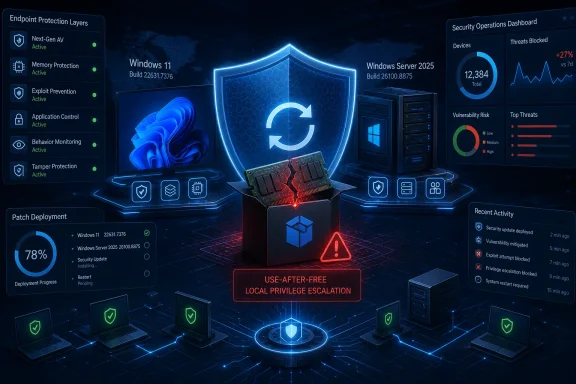 A Memory Flaw Turns Local Access Into a Larger Problem
A use-after-free vulnerability occurs when software continues to reference memory after that memory has been released. If an attacker can influence how the freed region is reused, the resulting memory corruption may redirect execution or alter data in ways the application did not intend.Microsoft’s description says an authorized attacker can exploit CVE-2026-48571 locally to elevate privileges. The available record does not document a complete attack sequence, a proof-of-concept exploit, or the precise App Installer operation that triggers the flaw. That limits defensive opportunities beyond installing the update and restricting initial access to affected systems.
This is not the same threat model as an unauthenticated remote-code-execution vulnerability. An attacker cannot simply reach an exposed Windows PC over the internet and exploit App Installer without first establishing a local foothold.
That distinction reduces the immediate exposure but does not make the vulnerability harmless. Elevation-of-privilege bugs are frequently used as the second stage of an intrusion: phishing, malicious documents, stolen credentials, browser flaws, or compromised applications provide initial execution, and a local Windows vulnerability then helps the attacker escape a restricted security context.
The practical risk is therefore greatest on endpoints where standard users can run untrusted code, install or test application packages, or access systems shared with more privileged accounts. Developer workstations, help-desk machines, remote desktop hosts, and administrative jump systems deserve particular attention because a successful privilege escalation on those devices can expose credentials and management tooling.
July’s Cumulative Updates Draw the Security Boundary
The public CVE data identifies multiple supported Windows releases as affected below their July 2026 servicing levels:- Windows 11 version 23H2 is affected before OS build 22631.7376.
- Windows 11 version 24H2 is affected before OS build 26100.8875.
- Windows 11 version 25H2 is affected before OS build 26200.8875.
- Windows 11 version 26H1 is affected before OS build 28000.2269.
- Windows Server 2025, including Server Core installations, is affected before the corresponding July servicing build identified in Microsoft’s advisory.
Because Windows security updates are cumulative, administrators do not need a separate CVE-2026-48571 installer. Deploying the correct July 2026 cumulative update—or a later cumulative update that supersedes it—brings in the App Installer correction along with the rest of that servicing package.
Build verification matters more than simply checking whether Windows Update reports that a scan completed. Administrators should compare the installed OS build against Microsoft’s fixed-build threshold, particularly on machines subject to deployment rings, safeguard holds, maintenance windows, or manual update policies.
On an individual PC,
winver provides a quick build check. PowerShell, Windows Admin Center, Microsoft Intune, Configuration Manager, Azure Update Manager, or an endpoint-management platform can provide the inventory data needed for broader estates.Organizations should also confirm that Server Core systems have received the update. The absence of the full desktop shell does not remove Windows servicing components or automatically eliminate exposure to a vulnerability listed for Server Core.
App Installer Is More Than a Store Dialog
Windows App Installer supports modern application deployment formats including MSIX and App Installer packages. Its integration with Windows package handling means flaws in the component can matter even in organizations where users rarely interact with the Microsoft Store.The component has previously drawn security scrutiny. Microsoft disabled the
ms-appinstaller URI scheme by default in App Installer version 1.21.3421.0 in December 2023 after threat actors abused the installation workflow to distribute malware. That earlier change addressed a different attack path and should not be treated as protection against CVE-2026-48571.Likewise, blocking the Store or limiting package deployment may reduce opportunities for abuse but is not a substitute for the operating-system update. CVE-2026-48571 is tracked against Windows builds, and Microsoft’s remediation is delivered through Windows servicing rather than solely as an optional Store application refresh.
Application-control measures still provide useful containment. Windows Defender Application Control, AppLocker, attack-surface reduction rules, and removal of unnecessary local administrator rights can make it harder for an attacker to establish the initial execution needed to reach a local privilege-escalation flaw.
Those controls are layers, however, not a reason to postpone the fix. A memory-safety bug in a trusted Windows component remains valuable to attackers precisely because the vulnerable code already exists on the system and may operate across security boundaries.
Patch Priority Depends on Where Local Access Leads
Microsoft has not published enough technical detail to support reliable hunting for an exploit-specific process chain. Security teams should therefore focus on broader indicators: unexpected package installation activity, suspicious child processes associated with application deployment, newly created privileged accounts, service creation, scheduled tasks, and security-tool tampering following execution by a standard user.Endpoint detection systems should be reviewed for alerts where an unprivileged process rapidly transitions into administrator or SYSTEM-level activity. Such behavior is not unique to CVE-2026-48571, but it reflects the outcome defenders would expect from successful local privilege escalation.
Enterprises following staged deployment should put internet-facing user endpoints and shared systems into the first validated ring, followed by administrator workstations and application-packaging infrastructure. Windows Server 2025 deployments should be tested against business-critical workloads, but the local-access requirement should not be interpreted as permission for an open-ended delay.
The key boundary is now concrete: Windows 11 23H2 build 22631.7376, Windows 11 24H2 build 26100.8875, Windows 11 25H2 build 26200.8875, Windows 11 26H1 build 28000.2269, and Microsoft’s July servicing level for Windows Server 2025. Machines remaining below those builds should be treated as vulnerable to CVE-2026-48571 until the applicable cumulative update is installed and verified.
References
- Primary source: MSRC
Published: 2026-07-14T07:00:00-07:00
Security Update Guide - Microsoft Security Response Center
 msrc.microsoft.com
- Official source: learn.microsoft.com
Windows Update Standalone Installer (WUSA) returns 0x5 ERROR_ACCESS_DENIED - Windows Server | Microsoft Learn
Works around an issue that occurs when you deploy Windows Update .msu files through Windows Remote Management 2.0 and Windows Remote Shell.learn.microsoft.com
