

Windows 11 26H2 Experimental Preview Build 26300.8697 is worth joining only on a dedicated virtualization pilot host, not on the daily-driver machine that carries important Hyper-V workloads. Microsoft used the June 19, 2026 flight to introduce the 26H2 version label and fix reported hypervisor-related bugchecks, but that combination makes this a point to validate carefully—not a reason to assume the host stack is production-ready.
Microsoft’s release notes for Build 26300.8697 identify fixes for HYPERVISOR_ERROR (0x20001) and KMODE_EXCEPTION_NOT_HANDLED (0x1E) bugchecks seen during system restarts, virtual-machine operations, and some gaming applications. That is directly relevant to anyone using Hyper-V locally, whether for lab environments, development VMs, Windows Sandbox-style workflows, or nested test platforms.
The practical decision is straightforward: join Experimental if your organization or home lab can dedicate a host to measuring the fix, preserving evidence, and rolling back when necessary. Stay on a more conservative build if the device runs business-critical VMs, is the only host for a lab, or has no tested recovery path.
Build 26300.8697 was the first Experimental flight to identify itself in Settings and
That servicing model matters for deployment planning, but it does not independently prove that Hyper-V, virtualization-based security, nested virtualization, GPU-heavy guest workloads, or third-party hypervisor combinations have been fully exercised. A small update package can still alter the operating conditions around a workload that depends on the Windows hypervisor.
The timing is the important signal. Microsoft did not simply relabel an Experimental build as 26H2; it did so while acknowledging and addressing crashes tied to restarts and VM activity. For virtualization users, the correct interpretation is that the first 26H2 build offers a focused test opportunity.
WindowsForum’s coverage of the 26H2 Experimental rollout and the parallel Beta flight shows why the channel distinction matters. The Beta build also received hypervisor and startup stability attention on June 19, while Experimental is where Microsoft is exposing the new 26H2 identity earlier. The label may be new, but the immediate task for IT pros is familiar: determine whether the advertised fix holds across the configurations they actually operate.
Start by selecting one recoverable test host and documenting it before changing Insider channels. The objective is to make the result reproducible: if the system stops crashing, you should know which workload and configuration passed; if it crashes, you should have enough information to isolate the pattern.
The matrix is intentionally modest. Microsoft’s public notes identify the crash classes but do not identify affected CPU families, particular VBS combinations, guest operating systems, graphics drivers, or third-party virtualization products. Treat those as open variables to test—not as known exclusions.
Do not test only the guest. Microsoft’s stated issue includes system restarts, so the host restart is part of the validation loop. A VM that starts correctly after a cold boot but triggers a crash during a later restart has not cleared the practical risk.
When a failure occurs, preserve the condition rather than immediately changing several settings. Record whether the event followed a host restart, a VM start or stop, a nested workload, or a graphics-intensive application. Capture the stop-code and retain any crash-dump evidence available on the host, then report the problem through Feedback Hub with the build number, configuration row, and reproduction sequence.
That level of reporting is more valuable than “Hyper-V crashed after updating.” Microsoft can act on a report that says Build 26300.8697, a specific host configuration, a defined VM operation, a repeatable restart sequence, and a specific bugcheck. It also lets the administrator determine whether the problem moved with a driver update, a security posture change, or the Insider build itself.
That does not mean the June 19 repair failed, and it does not establish that every Hyper-V scenario is fixed. It means the public change log has not supplied a second virtualization milestone that would justify broadening deployment simply because newer 26H2 builds exist.
This is where enablement-package language can be misleading in operational conversations. Easy servicing reduces the mechanics of moving devices to a new version label; it does not shrink the validation requirements for a host that runs VMs. For an administrator, the meaningful unit of approval is not “26H2 installed.” It is “this host-and-guest configuration completed its restart and workload tests without a recurrence.”
WindowsForum users have seen the broader lesson before in discussions of Windows 11 virtualization failures following prior updates: virtualization incidents are often environment-specific, and recovery is much easier when rollback options, backups, and a test host already exist. The 26H2 Experimental flight is an opportunity to apply that discipline before a wider Insider rollout makes troubleshooting noisier.
Avoid changing the Insider build, processor firmware settings, virtualization security posture, GPU driver, and guest configuration in the same test window. If a bugcheck returns, multiple simultaneous changes erase the evidence needed to identify the trigger.
For teams with limited hardware, the safer split is clear:
The next useful milestone is not simply the next Experimental build number. It is a clear pattern of successful host restarts and VM operations across the configurations that matter to your environment—or a reproducible failure report that gives Microsoft something concrete to fix.
Microsoft’s release notes for Build 26300.8697 identify fixes for HYPERVISOR_ERROR (0x20001) and KMODE_EXCEPTION_NOT_HANDLED (0x1E) bugchecks seen during system restarts, virtual-machine operations, and some gaming applications. That is directly relevant to anyone using Hyper-V locally, whether for lab environments, development VMs, Windows Sandbox-style workflows, or nested test platforms.
The practical decision is straightforward: join Experimental if your organization or home lab can dedicate a host to measuring the fix, preserving evidence, and rolling back when necessary. Stay on a more conservative build if the device runs business-critical VMs, is the only host for a lab, or has no tested recovery path.
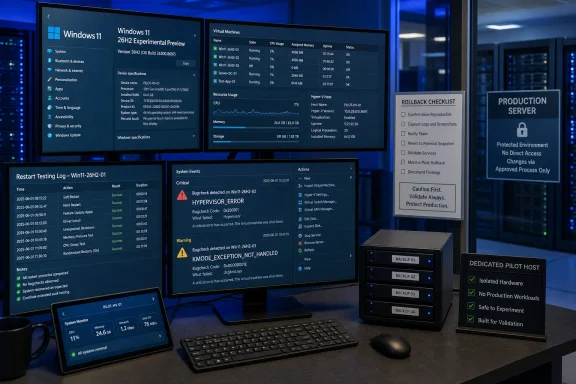 The 26H2 Label Arrived Beside a Hypervisor Fix
Build 26300.8697 was the first Experimental flight to identify itself in Settings and winver as Windows 11, version 26H2. Microsoft says 26H2 is delivered through an enablement-package approach for devices already on recent Windows versions, which should simplify servicing compared with a full-scale operating-system replacement.That servicing model matters for deployment planning, but it does not independently prove that Hyper-V, virtualization-based security, nested virtualization, GPU-heavy guest workloads, or third-party hypervisor combinations have been fully exercised. A small update package can still alter the operating conditions around a workload that depends on the Windows hypervisor.
The timing is the important signal. Microsoft did not simply relabel an Experimental build as 26H2; it did so while acknowledging and addressing crashes tied to restarts and VM activity. For virtualization users, the correct interpretation is that the first 26H2 build offers a focused test opportunity.
WindowsForum’s coverage of the 26H2 Experimental rollout and the parallel Beta flight shows why the channel distinction matters. The Beta build also received hypervisor and startup stability attention on June 19, while Experimental is where Microsoft is exposing the new 26H2 identity earlier. The label may be new, but the immediate task for IT pros is familiar: determine whether the advertised fix holds across the configurations they actually operate.
Build a Regression Matrix Before You Enroll a Host
A usable virtualization test is not “launch one VM and see whether it boots.” The two bugcheck categories cited by Microsoft were connected to restarts, VM operations, and some games—three conditions that can interact differently with processor features, graphics drivers, memory pressure, and security settings.Start by selecting one recoverable test host and documenting it before changing Insider channels. The objective is to make the result reproducible: if the system stops crashing, you should know which workload and configuration passed; if it crashes, you should have enough information to isolate the pattern.
- In Settings > System > About, record the Windows version, OS build, processor model, installed memory, and whether the device is a physical host or a VM itself.
- In Settings > Windows Update > Windows Insider Program, confirm the device is enrolled in the Experimental channel before accepting the 26H2 flight. If feature controls are relevant to the test, Microsoft directs Experimental Insiders to Settings > Windows Update > Windows Insider Program > Feature flags.
- Inventory every Hyper-V component and workload you intend to test. Separate ordinary guest startup and shutdown from restarts of the host, checkpoint-related operations, networking changes, storage-intensive activity, and any nested virtualization scenario.
- Create a simple test sheet with one row per configuration. Include processor family, whether virtualization-based security is enabled, Hyper-V features in use, GPU driver version, guest operating system, guest workload, nested virtualization status, and the observed result.
- Run the same sequence before and after the 26H2 update where possible. A comparison is more useful than a single successful boot because it distinguishes “the VM happened to start today” from a credible regression result.
- After every host restart or abnormal VM event, record the exact stop-code text, the time it occurred, the VM action underway, and whether a crash dump was created. Keep the evidence with the test sheet rather than relying on memory after several flights.
| Test dimension | Baseline configuration | Variant worth testing |
|---|---|---|
| Host processor | One primary CPU platform | A second CPU platform, if available |
| Security posture | Hyper-V without additional changes | Virtualization-based security enabled |
| Virtualization layout | Standard local guest | Nested virtualization workload |
| Graphics path | No GPU-intensive guest activity | Gaming or GPU-demanding workload where applicable |
| VM action | Cold start and clean shutdown | Restart-related and repeated VM operations |
| Guest mix | One known-good guest | The guest types that matter to your environment |
Validate the Fix as a Host Reliability Claim
The most useful test runs are repetitive and deliberately boring. Start a known VM, shut it down cleanly, restart the host, start it again, and repeat the sequence over multiple sessions. Then move to the conditions that matter to the host’s actual role: multiple guest launches, nested workloads, security-enabled configurations, or local gaming use if the device doubles as a workstation.Do not test only the guest. Microsoft’s stated issue includes system restarts, so the host restart is part of the validation loop. A VM that starts correctly after a cold boot but triggers a crash during a later restart has not cleared the practical risk.
When a failure occurs, preserve the condition rather than immediately changing several settings. Record whether the event followed a host restart, a VM start or stop, a nested workload, or a graphics-intensive application. Capture the stop-code and retain any crash-dump evidence available on the host, then report the problem through Feedback Hub with the build number, configuration row, and reproduction sequence.
That level of reporting is more valuable than “Hyper-V crashed after updating.” Microsoft can act on a report that says Build 26300.8697, a specific host configuration, a defined VM operation, a repeatable restart sequence, and a specific bugcheck. It also lets the administrator determine whether the problem moved with a driver update, a security posture change, or the Insider build itself.
The Later Flights Do Not Remove the Need to Test
Microsoft kept the 26H2 identification in Experimental Preview Build 26300.8758, released June 26, 2026, and Build 26300.8772, released July 6, 2026. Neither set of notes added a new virtualization-specific fix.That does not mean the June 19 repair failed, and it does not establish that every Hyper-V scenario is fixed. It means the public change log has not supplied a second virtualization milestone that would justify broadening deployment simply because newer 26H2 builds exist.
This is where enablement-package language can be misleading in operational conversations. Easy servicing reduces the mechanics of moving devices to a new version label; it does not shrink the validation requirements for a host that runs VMs. For an administrator, the meaningful unit of approval is not “26H2 installed.” It is “this host-and-guest configuration completed its restart and workload tests without a recurrence.”
WindowsForum users have seen the broader lesson before in discussions of Windows 11 virtualization failures following prior updates: virtualization incidents are often environment-specific, and recovery is much easier when rollback options, backups, and a test host already exist. The 26H2 Experimental flight is an opportunity to apply that discipline before a wider Insider rollout makes troubleshooting noisier.
Keep the Escape Route Intact
Before moving a host into Experimental, verify that its important virtual machines have a separate backup or export strategy and that the host itself has a recoverable state. A host rollback plan is not a substitute for guest protection; a successful return to an earlier Windows build does not help if a guest workload was altered or lost during testing.Avoid changing the Insider build, processor firmware settings, virtualization security posture, GPU driver, and guest configuration in the same test window. If a bugcheck returns, multiple simultaneous changes erase the evidence needed to identify the trigger.
For teams with limited hardware, the safer split is clear:
- Use a spare system for 26H2 Experimental validation and treat it as a pilot asset.
- Keep the sole host for critical VMs on the organization’s established servicing path.
- Promote a configuration only after it has passed the matrix relevant to its real workloads.
- Escalate reproducible crashes through Feedback Hub before assuming a future flight will silently correct them.
Frequently Asked Questions
Should a Hyper-V user install Windows 11 26H2 Experimental Build 26300.8697?
Yes, but only if the machine is a noncritical pilot host with recoverable VMs and a defined test plan. It should not be the default choice for the only machine running important virtual workloads.Did Microsoft fix the Hyper-V crash issue in 26H2?
Microsoft says Build 26300.8697 addressed HYPERVISOR_ERROR and KMODE_EXCEPTION_NOT_HANDLED bugchecks occurring on some devices during restarts, VM operations, or certain games. The release notes do not define every affected configuration, so local validation remains necessary.Does the enablement-package model make 26H2 safe for virtualization?
No. It may simplify servicing on recent Windows versions, but it does not validate Hyper-V features, VBS, nested virtualization, graphics drivers, or the guest workloads used on a particular host.Did the June 26 or July 6 Experimental builds add more Hyper-V fixes?
Microsoft’s notes for Builds 26300.8758 and 26300.8772 retained the 26H2 version identity but did not list a new virtualization-specific fix.The next useful milestone is not simply the next Experimental build number. It is a clear pattern of successful host restarts and VM operations across the configurations that matter to your environment—or a reproducible failure report that gives Microsoft something concrete to fix.
References
- Primary source: learn.microsoft.com
Windows 11 Insider Experimental Preview Build 26300.8758 - Windows Insider Program | Microsoft Learn
Release notes for Windows 11 Insider Experimental Preview Build 26300.8758learn.microsoft.com - Primary source: WindowsForum
Windows 11 Insider Beta 26220.8690 Fixes Hypervisor & Startup Stability | Windows Forum
Microsoft released Windows 11 Insider Preview Build 26220.8690 to the Beta Channel on June 19, 2026, delivering fixes for HYPERVISOR_ERROR and...windowsforum.com
