

Windows 11 has quietly done something it couldn’t quite pull off in previous generations: it has turned the question “Can ARM run PC games?” from a fringe thought experiment into a practical conversation that matters to millions of gamers and PC buyers.
ARM chips have long dominated mobile devices because they deliver strong performance-per-watt. That same efficiency is exactly what PC makers want for thin, cool, always-on devices. The idea of a fanless Windows laptop that can binge a few hours of competitive matches, last a full workday, and stay whisper-quiet is hugely attractive. Until recently, the obstacle was not the silicon alone but the software ecosystem: Windows, PC games, drivers, and anti-cheat systems were built around x86 (Intel/AMD) assumptions.
Over the last two years Microsoft, silicon partners, and a growing number of developers have chipped away at those barriers. Windows 11 brought two architectural changes that matter most: a new emulation layer that better translates x86/x64 code to ARM, and an application model (Arm64EC) that makes incremental porting feasible for developers. Meanwhile, OEMs shipped new Arm-based “Copilot+” laptops powered by Qualcomm’s Snapdragon X family and other Arm SoCs. Those chips are not merely efficient—they’re increasingly capable.
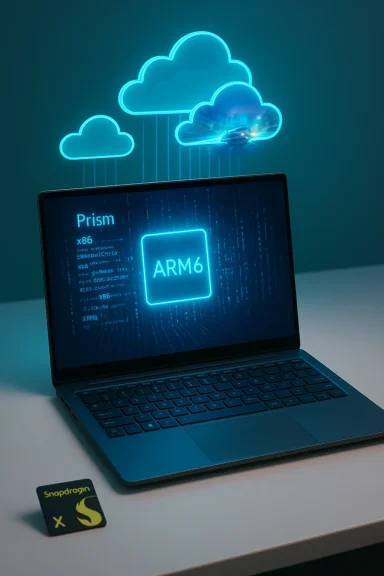
What changed: Microsoft reworked the emulation stack (now called Prism in retail Windows 11) to support a broader set of x86 CPU features, improved performance, and better compatibility. At the same time, major anti-cheat providers and the Xbox app ecosystem expanded support for Arm devices, bridging gaps that previously excluded many multiplayer titles and store experiences.
Recent progress is notable:
In practice:
On the point of third-party sellers and digital marketplaces that promise cheap product keys: marketplaces can offer bargains, but they carry risk. Marketplaces that operate as brokers for third-party sellers often combine legitimate deals with region-locked or previously-used keys. Buyer experiences vary widely: some users report smooth purchases and immediate delivery, while others report customer support or refund headaches when problems arise. If you choose a third-party marketplace, approach with caution:
Yet the story is incremental. Hardware and drivers must keep improving, developers must continue to ship native builds, and anti-cheat and middleware ecosystems must finish their work. Hardcore, AAA, or esports-focused gamers will still gravitate toward x86 desktops and laptops with discrete GPUs for the foreseeable future.
If you’re buying hardware today, evaluate specific titles and use cases before committing. If you’re watching the space, expect rapid improvement: the next 12–24 months will be decisive. Arm won’t replace x86 for high-end gaming overnight, but Windows 11 has finally put Arm on a path where it can plausibly be part of the future of PC gaming—efficient, portable, and cloud-aware—rather than just a curiosity.
Source: TheXboxHub Gaming on ARM: Can Windows 11 Finally Make It a Reality? | TheXboxHub
 Background: why ARM and why now
ARM chips have long dominated mobile devices because they deliver strong performance-per-watt. That same efficiency is exactly what PC makers want for thin, cool, always-on devices. The idea of a fanless Windows laptop that can binge a few hours of competitive matches, last a full workday, and stay whisper-quiet is hugely attractive. Until recently, the obstacle was not the silicon alone but the software ecosystem: Windows, PC games, drivers, and anti-cheat systems were built around x86 (Intel/AMD) assumptions.Over the last two years Microsoft, silicon partners, and a growing number of developers have chipped away at those barriers. Windows 11 brought two architectural changes that matter most: a new emulation layer that better translates x86/x64 code to ARM, and an application model (Arm64EC) that makes incremental porting feasible for developers. Meanwhile, OEMs shipped new Arm-based “Copilot+” laptops powered by Qualcomm’s Snapdragon X family and other Arm SoCs. Those chips are not merely efficient—they’re increasingly capable.
What changed: Microsoft reworked the emulation stack (now called Prism in retail Windows 11) to support a broader set of x86 CPU features, improved performance, and better compatibility. At the same time, major anti-cheat providers and the Xbox app ecosystem expanded support for Arm devices, bridging gaps that previously excluded many multiplayer titles and store experiences.
What’s different in Windows 11: Prism and Arm64EC
Prism: emulation built for modern games and apps
For years Windows on Arm relied on emulation that could run 32-bit x86 programs, but 64-bit (x64) support lagged until Windows 11. Microsoft’s newer emulator—referred to publicly as Prism—has been rolled into Windows 11 updates and Insider releases, and it brings several practical improvements:- It translates x86/x64 instructions into ARM64 at runtime with caching and optimizations, reducing repeated translation overhead.
- Recent updates expanded support for CPU feature sets previously missing under emulation, notably AVX and AVX2 instruction emulation for some workloads. That change opened the door for applications (and some games) that failed to launch before because they relied on those extensions.
- Prism is now delivered as part of the retail Windows 11 stack, which moves compatibility forward without forcing developers to ship native ARM builds for everything.
Arm64EC: porting without a cliff
Prism helps emulation; Arm64EC helps nativeization. Arm64EC is an ABI (Application Binary Interface) and toolchain approach that lets developers build apps where critical code runs natively on ARM64 while other components remain x64 and get handled by emulation. This incremental model is powerful because it:- Lets developers move a codebase to ARM piecemeal instead of rewriting everything.
- Provides native performance for hot paths (game engines, physics, graphics backends) while compatibility code continues to operate under emulation.
- Reduces the barrier for studios with large codebases to ship ARM-native versions.
Why this matters for gamers
Mobility and battery life
ARM devices excel at efficiency. If what you value is portability—playing casual titles on trains, in cafés, or between meetings—Arm laptops offer:- Significantly better battery life for many workloads compared with equivalent x86 designs.
- Smaller, lighter systems that remain cool and quiet under load.
- Consistent thermals, meaning fewer CPU/GPU throttling surprises in sustained sessions.
Price and form factor competition
Many Arm-based Copilot+ devices are targeted at productivity-first buyers with compelling price points for their category. The result: a lower-entry-cost route to a machine that is “good enough” for many gamers who do not require the raw horsepower of a discrete-GPU desktop.Cloud gaming as a force multiplier
Perhaps the single biggest accelerant for Arm gaming viability is cloud streaming. If your device can decode a 1080p/60 or 1440p stream reliably, the need for local GPU horsepower is removed for many titles. Integration of Xbox Cloud Gaming into Windows 11’s Xbox app makes that experience smoother and native-feeling for players. In practice, cloud services mean:- Full-fat AAA games can be played on low-power devices with negligible local compute.
- Latency-sensitive, competitive scenarios still favor powerful local hardware, but for casual multiplayer and single-player campaigns, cloud gaming is a practical solution.
- Developers and platform holders gain a route to reach Arm devices without rewriting code.
The remaining hurdles: compatibility, drivers, and GPU limits
Even with major progress, important challenges remain.Game compatibility is still uneven
- Emulation is not a silver bullet. Some titles, particularly older or niche games, crash or perform poorly under emulation.
- Anti-cheat systems historically blocked many Arm-based installs because kernel-level anti-cheat components must be ported and verified for the new architecture. Recent months have seen important anti-cheat ports and developer work—moving the needle—but the landscape is still mixed for multiplayer titles that rely on deep kernel integration.
- Some games rely on specific CPU features, third-party middleware, or plugins that are not yet compatible under Prism.
GPU driver maturity and discrete graphics expectations
Integrated GPUs in modern Arm silicon have improved dramatically, but they are still not equal to mid-range discrete GPUs from NVIDIA and AMD for raw rasterization throughput and driver maturity. Two practical points:- Manufacturers (Qualcomm, OEM partners) are still iterating graphics drivers and control panels. Updates in the last 12–18 months have yielded measurable improvements, but the driver stack remains a work in progress.
- Some synthetic and gaming benchmarks show large gaps between Snapdragon X-class iGPUs and contemporary x86 iGPUs, and especially discrete GPUs. That means AAA titles at high settings remain the domain of desktops and gaming laptops.
Driver and platform-level fragility
Arm PC driver ecosystems are less mature than x86. That affects compatibility in specific ways:- Graphics drivers for Windows on Arm come from silicon vendors or OEMs; availability and update cadence vary.
- Some specialized peripherals and low-level system utilities may lack Arm-native drivers.
- System-specific firmware and driver bugs can cause crashes or suboptimal performance that are often opaque to end users.
The anti-cheat problem—and how it’s being solved
Anti-cheat was a major blocker for console-level and PC multiplayer titles on Arm devices. Kernel-level anti-cheat components need architecture-specific ports, and game studios historically had no incentive to prioritize that work for a small segment of the PC market.Recent progress is notable:
- Major anti-cheat vendors have begun shipping Arm-compatible versions or updates that function under Windows 11’s emulation model. That unlocks titles previously banned from installation on Arm laptops.
- Platform vendors are collaborating with anti-cheat providers and developers to test and certify compatibility on Arm hardware.
Hardware snapshot: Snapdragon X-class and the Copilot+ wave
Qualcomm’s Snapdragon X family (marketed in many “Copilot+” devices) is the public face of the Arm push into premium Windows PCs. These chips prioritize efficiency and integration: CPU, GPU, NPU (neural processing unit), modem features, and power management are tuned for always-connected productivity.In practice:
- Early device tests show strong results for daily productivity, application startup, and battery life.
- Gaming performance varies: lightweight or well-optimized titles can run at good frame rates, but heavier games expose GPU and driver limits.
- Driver and system firmware updates have produced significant gains post-launch, underscoring how much the user experience depends on ongoing software support.
Cloud gaming: the equalizer
Cloud gaming services are a fundamental part of the Arm gaming argument. By streaming the game, the device only needs to handle video decoding and input, not expensive rendering. This changes the calculus:- Many Arm laptops become full-featured gaming devices for AAA titles via services like Xbox Cloud Gaming and other major providers.
- Input latency and network quality remain the limiting factors, but for many single-player and casual multiplayer sessions, the experience is perfectly acceptable.
- Cloud options also reduce the need to worry about anti-cheat and driver compatibility for some multiplayer experiences, since the game is executed on remote hardware.
Who should consider an Arm Windows 11 gaming device?
Arm Windows 11 PCs make sense for a number of user profiles:- Casual gamers who value battery life, portability, and quiet operation more than maximum frame rates.
- Travelers, students, and creators who want a single device for productivity and light gaming.
- Players who primarily use cloud gaming services and need only a lightweight client.
- Early adopters who enjoy tinkering, testing new firmware/driver updates, and helping shape the ecosystem.
- Hardcore AAA gamers demanding maximal fidelity and framerates.
- Competitive esports players who need the lowest possible latency and maximum GPU power.
- Users who require guaranteed compatibility with niche drivers, legacy middleware, or specific anti-cheat systems at launch.
Practical checklist: what to test before you buy
If you’re considering an Arm Windows 11 laptop primarily for gaming, run this checklist:- Verify whether the specific games you care about are reported working on the exact device model or SoC variant.
- Check anti-cheat compatibility for multiplayer titles you play—some require specific updates or have known issues.
- Confirm driver support and update cadence from the OEM or silicon vendor.
- Test cloud streaming performance from your location to determine whether latency and bandwidth are sufficient.
- Consider battery-life trade-offs if you’ll do extended local gaming sessions—sustained performance drains battery quickly even on efficient chips.
The product key and marketplace reality: a word of caution
There’s been some confusion online suggesting that buying a Windows 11 product key “unlocks” ARM optimizations. That framing is misleading. Windows 11’s Arm improvements—Prism emulation, Arm64EC support, and related platform features—are part of the operating system itself and are delivered through Windows updates and device-specific integrations. Activation with a product key controls licensing and personalization features; it does not flip a switch that suddenly makes emulation or ARM-native behavior possible.On the point of third-party sellers and digital marketplaces that promise cheap product keys: marketplaces can offer bargains, but they carry risk. Marketplaces that operate as brokers for third-party sellers often combine legitimate deals with region-locked or previously-used keys. Buyer experiences vary widely: some users report smooth purchases and immediate delivery, while others report customer support or refund headaches when problems arise. If you choose a third-party marketplace, approach with caution:
- Understand the seller reputation system and refund policies.
- Prefer sellers with long histories and positive, recent feedback.
- Keep evidence of purchase and act quickly if a key is invalid or revoked.
Where Arm gaming is strongest—today and in the next 24 months
Short-term (today)- The strongest use cases are casual and cloud-enabled gaming on lightweight laptops.
- Native Arm ports of major apps and game launchers are increasing, making day-to-day compatibility increasingly smooth.
- Emulation improvements let many legacy apps run, but not uniformly.
- Continued driver and firmware updates will improve integrated GPU performance and stability.
- More developer attention to Arm-native builds—driven by easier incremental porting with Arm64EC—should increase the catalog of native titles.
- Anti-cheat and middleware compatibility will expand, enabling a broader set of multiplayer titles to run locally.
- Cloud and hybrid models will become a standard way to reach Arm devices without full native parity.
- If the trend continues—mature drivers, more native builds, broader anti-cheat coverage—Arm devices could be mainstream for mid-range gaming use cases.
- Discrete GPUs and desktops will still dominate for top-end performance, but Arm machines could claim a large share of portable, social, and cloud-first gamers.
Risks and unknowns to watch
- Emulation always carries overhead and corner-case incompatibilities. Not every game will be fixable by emulation updates alone.
- Driver ecosystems and manufacturer support remain uneven; the best experiences will be on devices with strong OEM and silicon partner commitment.
- Some software vendors may never prioritize Arm, leaving a long tail of titles in an uncertain state.
- Marketplace and third-party key sellers introduce economic and security risks for buyers looking to activate Windows cheaply.
Practical recommendations for gamers and builders
- If portability, battery life, and silence matter more than ultimate framerate, buy an Arm Windows 11 device—ideally one with a proven record of driver updates and active OEM support.
- If you rely on specific multiplayer titles, verify anti-cheat and multiplayer compatibility before committing.
- Use cloud gaming as part of your strategy; it extends the usefulness of Arm devices dramatically.
- Keep systems up to date. Many Arm compatibility wins arrive via Windows updates, OEM driver packages, and runtime improvements.
- When buying activation keys or software from third parties, weigh the savings against the potential for region locks, revoked keys, and support hassles.
Final verdict: realistic optimism, not hype
Windows 11 has given Arm gaming legitimacy in a way previous Windows releases did not. The combination of a modern emulation layer (Prism), a practical porting path (Arm64EC), improved OEM silicon, and cloud gaming integration changes the game for many users. For casual players, travelers, and cloud-first gamers, Arm-based Windows 11 machines are now a legitimate option—not a niche oddity.Yet the story is incremental. Hardware and drivers must keep improving, developers must continue to ship native builds, and anti-cheat and middleware ecosystems must finish their work. Hardcore, AAA, or esports-focused gamers will still gravitate toward x86 desktops and laptops with discrete GPUs for the foreseeable future.
If you’re buying hardware today, evaluate specific titles and use cases before committing. If you’re watching the space, expect rapid improvement: the next 12–24 months will be decisive. Arm won’t replace x86 for high-end gaming overnight, but Windows 11 has finally put Arm on a path where it can plausibly be part of the future of PC gaming—efficient, portable, and cloud-aware—rather than just a curiosity.
Source: TheXboxHub Gaming on ARM: Can Windows 11 Finally Make It a Reality? | TheXboxHub
