

The best video conferencing software for 2026 is no longer a single obvious app but a short list led by Zoom, Microsoft Teams, Google Meet, Cisco Webex, and RingCentral, with the right choice depending on workplace stack, security posture, meeting style, and budget. That is the useful answer hiding inside a market that has become both mature and strangely harder to buy. Video meetings are now a commodity, but the platforms that carry them are not. The real contest in 2026 is not who can put faces in rectangles, but who can turn those rectangles into workflow, governance, memory, and measurable business value.
There was a time when video conferencing was a room, not an app. It meant dedicated codecs, expensive cameras, carefully provisioned network paths, and the sort of conference table that implied someone in facilities had signed a large purchase order. That era is not gone entirely, but it has been displaced by a browser tab, a calendar invite, and a subscription line item.
The cloud did to video conferencing what it did to email and storage: it stripped away the hardware mystique and made the service feel inevitable. A laptop webcam, a mobile app, and a broadband connection are now enough to run the sort of meeting that once required a specialized AV setup. That democratization is the reason the market exploded, but it is also why choosing software has become less obvious.
When every vendor can offer screen sharing, chat, recording, and background blur, feature checklists stop being useful. The practical question is whether the meeting system fits into the way an organization already works. A tool that is excellent for a sales webinar may be irritating for internal engineering standups; a platform that is frictionless inside a Microsoft 365 tenant may become a nuisance for outside guests.
This is why the “best” video conferencing platform in 2026 is conditional. Zoom remains the strongest standalone meeting product for many organizations. Microsoft Teams is the default gravity well for companies standardized on Microsoft 365. Google Meet is the cleanest choice for Workspace-heavy shops and browser-first collaboration. Webex still matters in enterprises that care deeply about controls, devices, and formal meeting operations. RingCentral and similar unified communications platforms make sense when video is one piece of a broader voice, messaging, and contact workflow.
The company has spent the post-pandemic years expanding beyond meetings into chat, phone, whiteboards, clips, events, scheduling, mail, calendar, and AI-assisted productivity. That expansion was necessary because the market punished single-purpose tools once Microsoft and Google could bundle video into suites customers were already paying for. But Zoom’s brand still rests on the assumption that an external participant can click a link and get into a room with minimal drama.
That matters more than software buyers sometimes admit. In real business life, meetings often involve customers, contractors, partners, job candidates, auditors, lawyers, agencies, and people who do not share the same collaboration stack. The more heterogeneous the audience, the more valuable a meeting-first platform becomes. Zoom’s cultural ubiquity is not just marketing residue from 2020; it is a form of interoperability.
The risk for Zoom is economic rather than technical. If an organization already pays for Teams through Microsoft 365 or Meet through Google Workspace, Zoom has to justify itself as an additional spend. That justification is easy for departments that run webinars, client trainings, board meetings, public events, or customer-facing calls. It is harder for companies trying to rationalize SaaS costs after years of tool sprawl.
Teams can be cumbersome, and its interface has often asked users to understand Microsoft’s collaboration worldview before simply joining a call. Yet its enterprise appeal is obvious. If users already live in Outlook, store files in OneDrive and SharePoint, authenticate through Entra ID, and collaborate in Microsoft 365, Teams is not an add-on so much as a continuation of the same system.
That integration gives Microsoft an enormous purchasing advantage. A business-grade video platform that arrives bundled with tools the company already licenses can look “free” even when it is merely absorbed into a larger subscription. Finance teams notice that. CIOs notice it even more.
The trade-off is that Teams is often best when everyone is inside the same Microsoft environment. External collaboration can work well, but the guest experience is not always as clean as the internal one. For organizations that mostly meet internally and want governance, compliance, recording, calendar integration, and file context in one place, Teams is hard to argue against. For organizations whose most important meetings cross company boundaries every day, it may not always feel like the lowest-friction choice.
That makes Meet especially attractive to organizations already standardized on Google Workspace. A calendar event becomes a meeting. A browser becomes the client. A shared document can become the center of gravity for the conversation. For many teams, particularly those with distributed, lightweight, or education-adjacent workflows, that simplicity is not a missing feature; it is the feature.
Meet also reflects Google’s broader bet that collaboration should happen in the cloud document as much as in the call. The meeting is often a companion to a Doc, Sheet, Slide deck, or calendar thread. That approach is less theatrical than a webinar platform and less administratively dense than Teams, but it fits workplaces that prize low setup cost and low user training.
The weakness is that Meet can feel thinner when judged against dedicated conferencing platforms. Advanced event production, complex host controls, deep room systems, and heavily managed enterprise calling scenarios may push buyers toward Zoom, Webex, Teams, or unified communications vendors. Meet is best understood as a highly competent meeting layer inside Google’s suite, not as the answer to every conferencing problem.
Webex’s strength is that it straddles the old and new worlds. It can serve browser and app-based meetings, but it also has deep roots in conference rooms, devices, telephony, and enterprise-grade meeting operations. For a security-conscious organization with existing Cisco relationships, that continuity carries weight.
The market’s consumerization of video made Webex look less glamorous during the Zoom boom. But the pendulum has partly swung back toward manageability. IT teams are again asking who can control recordings, authenticate users, apply policies, support regulated meetings, manage devices, and integrate with existing infrastructure. Those questions are where Webex can still make a strong case.
Its challenge is perception. Users often compare video tools by the fastest join experience and the least annoying interface, not by administrative depth. Cisco has improved Webex substantially over the years, but it still has to fight the assumption that it belongs to the conference-room era. In some enterprises, that history is a liability. In others, it is precisely why Webex remains on the shortlist.
That proposition is especially compelling for small and midsize businesses that do not want separate vendors for voice, meetings, and team communications. If the same employee needs a business phone number, voicemail, internal chat, video calls, and customer-facing communications, a unified communications-as-a-service platform can simplify operations. The appeal is not that the video feature always beats Zoom on pure meeting polish; it is that the whole package can be cleaner to buy and manage.
The strongest UCaaS pitch is continuity. A voice call can become a video meeting. A message thread can turn into a call. A customer conversation can stay attached to a business identity rather than a personal device or consumer app. That matters for organizations where communications are operational rather than merely collaborative.
The danger is mediocrity by bundling. Buyers should test whether the video component is good enough for the meetings that matter most. A platform that is adequate for quick internal check-ins may not be acceptable for board presentations, training sessions, investor calls, or high-stakes customer demos. In communications software, “included” is not the same as “sufficient.”
This changes the value of the software. A meeting platform used to be judged by what happened during the call. Increasingly, it is judged by what remains after the call ends. Who said what? What decisions were made? Which tasks were assigned? Can a colleague who missed the meeting catch up in two minutes? Can a manager search across recordings without replaying an hour of video?
That future is genuinely useful, but it is also a governance problem. Meeting recordings and transcripts can contain sensitive business strategy, employee data, legal advice, medical information, source code, customer details, and offhand comments that were never meant to become durable records. AI does not merely make meetings more productive; it makes them more persistent.
Administrators should therefore treat AI meeting features as data features. The questions are not just whether summaries are accurate or whether noise cancellation is impressive. The questions are where the data is stored, how long it is retained, who can access it, whether it is used for model training, how it interacts with legal hold, and whether employees understand that the meeting now has a memory.
But free tiers are usually constrained in exactly the places where organizations eventually care. Meeting duration limits, participant caps, recording restrictions, administrative controls, storage quotas, support access, dial-in options, and advanced security features tend to push businesses toward paid plans. That is not a trick so much as the SaaS business model working as designed.
The median business-grade cost cited in buyer guides tends to hover around the mid-teens per user per month, though real-world pricing varies by plan, billing term, bundle, region, add-ons, and enterprise negotiation. The sticker price is only the beginning. Webinar capacity, cloud recording storage, phone integration, large meeting licenses, room systems, compliance features, and AI entitlements can change the economics quickly.
The buyer’s mistake is to compare only the per-user meeting license. A company already paying for Microsoft 365 or Google Workspace may have a capable video platform bundled into its existing spend. A company that needs webinars may discover that a “cheap” meeting plan becomes expensive once event features are added. A company with many attendees but few hosts may prefer host-based pricing. A company where every employee creates meetings may need per-user licensing.
For individual users, the biggest improvement usually comes from audio. A decent headset or external microphone often matters more than a premium camera. Participants will tolerate a slightly soft image far longer than echo, clipping, background noise, or a voice that sounds like it is being transmitted from the bottom of a drawer.
For meeting rooms, the hardware question becomes more complicated. Cameras need to frame groups properly. Microphones need to capture people across a table. Displays need to make remote attendees visible enough to be treated as participants rather than thumbnails. Room systems must also play nicely with the platforms outsiders use, because a beautiful Teams Room that struggles with Zoom or Meet invites can become a daily embarrassment.
The best software buying process therefore includes real rooms, real users, and real meetings. A vendor demo on a perfect network tells only part of the story. Test the executive conference room, the huddle space, the home office, the hotel Wi-Fi join, the browser-only guest, and the mobile participant walking between appointments. Video conferencing is not bought in a vacuum; it is experienced in messy environments.
The security challenge is broader now. The meeting itself is only one part of the data trail. Chat messages, shared files, whiteboards, transcripts, recordings, attendance reports, AI summaries, calendar metadata, and integrations with CRM or project management systems all expand the attack surface. A video platform is no longer just a live communications tool; it is a content repository and workflow node.
Regulated organizations need to scrutinize compliance claims carefully. Healthcare, finance, legal, government, education, and defense-adjacent industries may require particular controls around retention, auditability, residency, encryption, access management, and contractual commitments. A consumer-friendly meeting experience is not enough when the meeting contains protected information.
Even less regulated companies should set policy before enthusiasm runs ahead of governance. Who can record? Are external meetings transcribed by default? Can AI assistants join calls? Are contractors allowed to download recordings? How long are chats retained? Can users invite personal accounts? These are not edge cases. They are the normal operating conditions of modern collaboration.
This is where the market’s big players separate themselves in practical ways. Zoom’s advantage is broad familiarity and a meeting-first flow. Teams’ advantage is deep integration for Microsoft-centered organizations, but guests may encounter account, tenant, or app confusion depending on configuration. Google Meet’s advantage is browser simplicity, especially for users already familiar with Google accounts and calendar links. Webex and UCaaS platforms can be excellent, but they should be tested with the exact kinds of external participants the business actually serves.
The best evaluation process starts with scenarios, not brands. A sales team needs fast external joins, recording, CRM integration, and reliable screen sharing. A school needs moderation, accessibility, affordability, and simple links. A software team may care about persistent chat, code-friendly screen sharing, calendar hygiene, and low CPU overhead. A law firm may prioritize confidentiality, transcription controls, dial-in reliability, and retention policy. A board may care about locked meetings, high-quality audio, and support.
This is why rankings can be helpful but insufficient. A publication can name top products, and those names are usually familiar for good reason. But no ranking can know whether your organization’s biggest pain is procurement cost, guest access, room hardware, compliance, webinars, call quality in rural broadband conditions, or executives who refuse to learn a new interface.
That map is more useful than pretending one product wins universally. In 2026, the best platform is the one that minimizes switching costs without trapping the organization in bad defaults. The ideal tool should be easy enough for guests, governed enough for IT, flexible enough for hybrid work, and priced in a way that survives budget review.
It should also reduce meeting waste rather than accelerate it. AI summaries and recordings are helpful, but they can also make it easier to schedule too many calls because the cost of missing one feels lower. Whiteboards and chat are useful, but they do not guarantee decisions. A better conferencing platform can improve collaboration; it cannot fix a culture that uses meetings as a substitute for management.
That is the uncomfortable truth beneath the buyer’s guide. Video conferencing software has matured faster than meeting culture. The tools now offer transcription, breakout rooms, webinars, annotations, persistent chat, virtual backgrounds, noise suppression, attendance reports, and automated follow-ups. Yet many organizations still struggle with unclear agendas, oversized calls, and decisions that vanish into the calendar archive.
The point is not purity. The point is intentionality. Too many organizations drift into a conferencing mess because each department buys what it likes, each vendor invites people into a different tool, and every employee ends up with five meeting apps, three headset profiles, and no shared etiquette.
A good video conferencing policy should be short, visible, and enforceable. It should say which platform is standard, when alternatives are permitted, who can record, how transcripts are handled, what settings apply to external meetings, and how rooms are configured. That is less glamorous than choosing between Zoom and Teams, but it is often where the real productivity gain lives.
The best platform for 2026 is therefore not just a product selection. It is an operating decision about how the organization communicates when people are not in the same room.
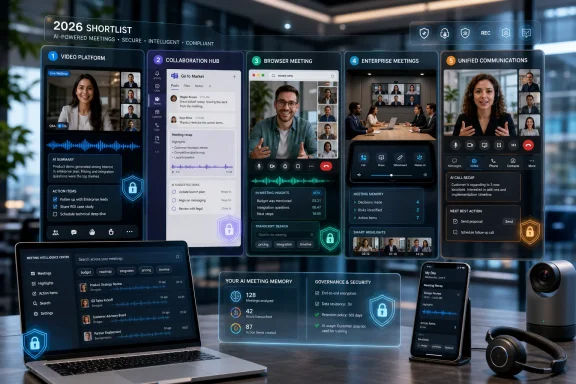 The Video Call Has Become Infrastructure
There was a time when video conferencing was a room, not an app. It meant dedicated codecs, expensive cameras, carefully provisioned network paths, and the sort of conference table that implied someone in facilities had signed a large purchase order. That era is not gone entirely, but it has been displaced by a browser tab, a calendar invite, and a subscription line item.The cloud did to video conferencing what it did to email and storage: it stripped away the hardware mystique and made the service feel inevitable. A laptop webcam, a mobile app, and a broadband connection are now enough to run the sort of meeting that once required a specialized AV setup. That democratization is the reason the market exploded, but it is also why choosing software has become less obvious.
When every vendor can offer screen sharing, chat, recording, and background blur, feature checklists stop being useful. The practical question is whether the meeting system fits into the way an organization already works. A tool that is excellent for a sales webinar may be irritating for internal engineering standups; a platform that is frictionless inside a Microsoft 365 tenant may become a nuisance for outside guests.
This is why the “best” video conferencing platform in 2026 is conditional. Zoom remains the strongest standalone meeting product for many organizations. Microsoft Teams is the default gravity well for companies standardized on Microsoft 365. Google Meet is the cleanest choice for Workspace-heavy shops and browser-first collaboration. Webex still matters in enterprises that care deeply about controls, devices, and formal meeting operations. RingCentral and similar unified communications platforms make sense when video is one piece of a broader voice, messaging, and contact workflow.
Zoom Won the Verb, but Not the Whole Workplace
Zoom’s enduring advantage is that it still behaves like a product designed around the meeting itself. Joining is usually straightforward, host controls are mature, and the platform’s identity remains clear: it is where the call happens. That sounds almost quaint in 2026, when every collaboration vendor wants to be the operating system of work, but it is also Zoom’s strength.The company has spent the post-pandemic years expanding beyond meetings into chat, phone, whiteboards, clips, events, scheduling, mail, calendar, and AI-assisted productivity. That expansion was necessary because the market punished single-purpose tools once Microsoft and Google could bundle video into suites customers were already paying for. But Zoom’s brand still rests on the assumption that an external participant can click a link and get into a room with minimal drama.
That matters more than software buyers sometimes admit. In real business life, meetings often involve customers, contractors, partners, job candidates, auditors, lawyers, agencies, and people who do not share the same collaboration stack. The more heterogeneous the audience, the more valuable a meeting-first platform becomes. Zoom’s cultural ubiquity is not just marketing residue from 2020; it is a form of interoperability.
The risk for Zoom is economic rather than technical. If an organization already pays for Teams through Microsoft 365 or Meet through Google Workspace, Zoom has to justify itself as an additional spend. That justification is easy for departments that run webinars, client trainings, board meetings, public events, or customer-facing calls. It is harder for companies trying to rationalize SaaS costs after years of tool sprawl.
Teams Is the Meeting Room Microsoft Already Sold You
Microsoft Teams is less a video conferencing app than a front door into Microsoft’s productivity estate. Meetings, chat, file sharing, calendars, channels, SharePoint, OneDrive, Outlook, Loop, Planner, and phone services all orbit the same identity and administrative model. For IT departments, that is the point.Teams can be cumbersome, and its interface has often asked users to understand Microsoft’s collaboration worldview before simply joining a call. Yet its enterprise appeal is obvious. If users already live in Outlook, store files in OneDrive and SharePoint, authenticate through Entra ID, and collaborate in Microsoft 365, Teams is not an add-on so much as a continuation of the same system.
That integration gives Microsoft an enormous purchasing advantage. A business-grade video platform that arrives bundled with tools the company already licenses can look “free” even when it is merely absorbed into a larger subscription. Finance teams notice that. CIOs notice it even more.
The trade-off is that Teams is often best when everyone is inside the same Microsoft environment. External collaboration can work well, but the guest experience is not always as clean as the internal one. For organizations that mostly meet internally and want governance, compliance, recording, calendar integration, and file context in one place, Teams is hard to argue against. For organizations whose most important meetings cross company boundaries every day, it may not always feel like the lowest-friction choice.
Google Meet Makes the Browser the Product
Google Meet’s appeal is its restraint. It is not trying quite as visibly as Teams to be the command center for all office work, and it does not carry Zoom’s legacy as the pandemic’s default meeting verb. It succeeds by being simple, web-native, and deeply connected to Google Calendar, Gmail, Drive, and Docs.That makes Meet especially attractive to organizations already standardized on Google Workspace. A calendar event becomes a meeting. A browser becomes the client. A shared document can become the center of gravity for the conversation. For many teams, particularly those with distributed, lightweight, or education-adjacent workflows, that simplicity is not a missing feature; it is the feature.
Meet also reflects Google’s broader bet that collaboration should happen in the cloud document as much as in the call. The meeting is often a companion to a Doc, Sheet, Slide deck, or calendar thread. That approach is less theatrical than a webinar platform and less administratively dense than Teams, but it fits workplaces that prize low setup cost and low user training.
The weakness is that Meet can feel thinner when judged against dedicated conferencing platforms. Advanced event production, complex host controls, deep room systems, and heavily managed enterprise calling scenarios may push buyers toward Zoom, Webex, Teams, or unified communications vendors. Meet is best understood as a highly competent meeting layer inside Google’s suite, not as the answer to every conferencing problem.
Webex Refuses to Leave the Enterprise Room
Cisco Webex has been declared unfashionable many times, yet it persists because enterprise communications is not a popularity contest. Large organizations do not buy only for vibes. They buy for management, security controls, room hardware, support models, network assumptions, compliance requirements, and the assurance that a vendor understands formal communications environments.Webex’s strength is that it straddles the old and new worlds. It can serve browser and app-based meetings, but it also has deep roots in conference rooms, devices, telephony, and enterprise-grade meeting operations. For a security-conscious organization with existing Cisco relationships, that continuity carries weight.
The market’s consumerization of video made Webex look less glamorous during the Zoom boom. But the pendulum has partly swung back toward manageability. IT teams are again asking who can control recordings, authenticate users, apply policies, support regulated meetings, manage devices, and integrate with existing infrastructure. Those questions are where Webex can still make a strong case.
Its challenge is perception. Users often compare video tools by the fastest join experience and the least annoying interface, not by administrative depth. Cisco has improved Webex substantially over the years, but it still has to fight the assumption that it belongs to the conference-room era. In some enterprises, that history is a liability. In others, it is precisely why Webex remains on the shortlist.
RingCentral and the UCaaS Crowd Sell the Meeting as One Channel Among Many
RingCentral, Dialpad, 8x8, GoTo, and other unified communications players approach video from a different angle. They are not merely selling a meeting room. They are selling a business communications fabric: phone, messaging, SMS, contact center integrations, fax in some stubborn corners, and video meetings under one administrative and billing umbrella.That proposition is especially compelling for small and midsize businesses that do not want separate vendors for voice, meetings, and team communications. If the same employee needs a business phone number, voicemail, internal chat, video calls, and customer-facing communications, a unified communications-as-a-service platform can simplify operations. The appeal is not that the video feature always beats Zoom on pure meeting polish; it is that the whole package can be cleaner to buy and manage.
The strongest UCaaS pitch is continuity. A voice call can become a video meeting. A message thread can turn into a call. A customer conversation can stay attached to a business identity rather than a personal device or consumer app. That matters for organizations where communications are operational rather than merely collaborative.
The danger is mediocrity by bundling. Buyers should test whether the video component is good enough for the meetings that matter most. A platform that is adequate for quick internal check-ins may not be acceptable for board presentations, training sessions, investor calls, or high-stakes customer demos. In communications software, “included” is not the same as “sufficient.”
AI Has Turned Meeting Software Into a Memory Machine
The most important shift in video conferencing is not higher resolution or prettier backgrounds. It is the transformation of meetings into searchable, summarized, machine-readable artifacts. AI summaries, transcription, action items, speaker identification, noise suppression, translation, scheduling assistance, and meeting analytics are rapidly becoming expected features rather than premium novelties.This changes the value of the software. A meeting platform used to be judged by what happened during the call. Increasingly, it is judged by what remains after the call ends. Who said what? What decisions were made? Which tasks were assigned? Can a colleague who missed the meeting catch up in two minutes? Can a manager search across recordings without replaying an hour of video?
That future is genuinely useful, but it is also a governance problem. Meeting recordings and transcripts can contain sensitive business strategy, employee data, legal advice, medical information, source code, customer details, and offhand comments that were never meant to become durable records. AI does not merely make meetings more productive; it makes them more persistent.
Administrators should therefore treat AI meeting features as data features. The questions are not just whether summaries are accurate or whether noise cancellation is impressive. The questions are where the data is stored, how long it is retained, who can access it, whether it is used for model training, how it interacts with legal hold, and whether employees understand that the meeting now has a memory.
The Free Tier Is a Demo, Not a Strategy
Free video conferencing plans are useful, and for families, clubs, classrooms, volunteer groups, and occasional business use, they may be enough. They also serve an important market function: they let users test the join experience, browser behavior, mobile apps, screen sharing, and general reliability before procurement gets involved. Every serious buyer should use them.But free tiers are usually constrained in exactly the places where organizations eventually care. Meeting duration limits, participant caps, recording restrictions, administrative controls, storage quotas, support access, dial-in options, and advanced security features tend to push businesses toward paid plans. That is not a trick so much as the SaaS business model working as designed.
The median business-grade cost cited in buyer guides tends to hover around the mid-teens per user per month, though real-world pricing varies by plan, billing term, bundle, region, add-ons, and enterprise negotiation. The sticker price is only the beginning. Webinar capacity, cloud recording storage, phone integration, large meeting licenses, room systems, compliance features, and AI entitlements can change the economics quickly.
The buyer’s mistake is to compare only the per-user meeting license. A company already paying for Microsoft 365 or Google Workspace may have a capable video platform bundled into its existing spend. A company that needs webinars may discover that a “cheap” meeting plan becomes expensive once event features are added. A company with many attendees but few hosts may prefer host-based pricing. A company where every employee creates meetings may need per-user licensing.
Hardware Still Matters, Even When the Software Works in a Browser
The cloud made video conferencing easier to deploy, but it did not repeal physics. Bad lighting, weak microphones, noisy rooms, poor Wi-Fi, low-quality webcams, and underpowered laptops can make excellent software look broken. The meeting experience is still only as good as the weakest endpoint.For individual users, the biggest improvement usually comes from audio. A decent headset or external microphone often matters more than a premium camera. Participants will tolerate a slightly soft image far longer than echo, clipping, background noise, or a voice that sounds like it is being transmitted from the bottom of a drawer.
For meeting rooms, the hardware question becomes more complicated. Cameras need to frame groups properly. Microphones need to capture people across a table. Displays need to make remote attendees visible enough to be treated as participants rather than thumbnails. Room systems must also play nicely with the platforms outsiders use, because a beautiful Teams Room that struggles with Zoom or Meet invites can become a daily embarrassment.
The best software buying process therefore includes real rooms, real users, and real meetings. A vendor demo on a perfect network tells only part of the story. Test the executive conference room, the huddle space, the home office, the hotel Wi-Fi join, the browser-only guest, and the mobile participant walking between appointments. Video conferencing is not bought in a vacuum; it is experienced in messy environments.
Security Is No Longer a Checkbox After the Invite Link
The early pandemic taught the industry that meeting security could not be an afterthought. Passwords, waiting rooms, host controls, authenticated joins, domain restrictions, encryption options, lobby policies, and meeting locks became part of mainstream vocabulary because open links created predictable chaos. In 2026, buyers are more sophisticated, but the risk has not disappeared.The security challenge is broader now. The meeting itself is only one part of the data trail. Chat messages, shared files, whiteboards, transcripts, recordings, attendance reports, AI summaries, calendar metadata, and integrations with CRM or project management systems all expand the attack surface. A video platform is no longer just a live communications tool; it is a content repository and workflow node.
Regulated organizations need to scrutinize compliance claims carefully. Healthcare, finance, legal, government, education, and defense-adjacent industries may require particular controls around retention, auditability, residency, encryption, access management, and contractual commitments. A consumer-friendly meeting experience is not enough when the meeting contains protected information.
Even less regulated companies should set policy before enthusiasm runs ahead of governance. Who can record? Are external meetings transcribed by default? Can AI assistants join calls? Are contractors allowed to download recordings? How long are chats retained? Can users invite personal accounts? These are not edge cases. They are the normal operating conditions of modern collaboration.
The Best Buying Test Is the Guest Who Has Never Used Your Stack
Internal users are forgiving because they are trained, managed, and logged in. External guests are the real test. If a job candidate, customer, attorney, vendor, or board member cannot join smoothly, the organization’s internal standardization has become someone else’s friction.This is where the market’s big players separate themselves in practical ways. Zoom’s advantage is broad familiarity and a meeting-first flow. Teams’ advantage is deep integration for Microsoft-centered organizations, but guests may encounter account, tenant, or app confusion depending on configuration. Google Meet’s advantage is browser simplicity, especially for users already familiar with Google accounts and calendar links. Webex and UCaaS platforms can be excellent, but they should be tested with the exact kinds of external participants the business actually serves.
The best evaluation process starts with scenarios, not brands. A sales team needs fast external joins, recording, CRM integration, and reliable screen sharing. A school needs moderation, accessibility, affordability, and simple links. A software team may care about persistent chat, code-friendly screen sharing, calendar hygiene, and low CPU overhead. A law firm may prioritize confidentiality, transcription controls, dial-in reliability, and retention policy. A board may care about locked meetings, high-quality audio, and support.
This is why rankings can be helpful but insufficient. A publication can name top products, and those names are usually familiar for good reason. But no ranking can know whether your organization’s biggest pain is procurement cost, guest access, room hardware, compliance, webinars, call quality in rural broadband conditions, or executives who refuse to learn a new interface.
The 2026 Shortlist Is Really a Map of Workstyles
The modern video conferencing market has sorted itself into recognizable patterns. Zoom is the independent meeting room that tries to work with everyone. Teams is the Microsoft workplace with video built in. Meet is the browser-native Google collaboration layer. Webex is the enterprise communications platform with conference-room memory. RingCentral and the UCaaS field treat video as one mode inside a larger communications suite.That map is more useful than pretending one product wins universally. In 2026, the best platform is the one that minimizes switching costs without trapping the organization in bad defaults. The ideal tool should be easy enough for guests, governed enough for IT, flexible enough for hybrid work, and priced in a way that survives budget review.
It should also reduce meeting waste rather than accelerate it. AI summaries and recordings are helpful, but they can also make it easier to schedule too many calls because the cost of missing one feels lower. Whiteboards and chat are useful, but they do not guarantee decisions. A better conferencing platform can improve collaboration; it cannot fix a culture that uses meetings as a substitute for management.
That is the uncomfortable truth beneath the buyer’s guide. Video conferencing software has matured faster than meeting culture. The tools now offer transcription, breakout rooms, webinars, annotations, persistent chat, virtual backgrounds, noise suppression, attendance reports, and automated follow-ups. Yet many organizations still struggle with unclear agendas, oversized calls, and decisions that vanish into the calendar archive.
The Sensible Buyer Chooses a Platform, Then Writes the Rules
The practical path is to pick the platform that fits the organization’s dominant workflow, then define where exceptions are allowed. A Microsoft 365 company may standardize on Teams while permitting Zoom for webinars or customer training. A Google Workspace company may default to Meet while using Webex for regulated external sessions. A sales-heavy business may keep Zoom because customers expect it, while consolidating internal voice and messaging elsewhere.The point is not purity. The point is intentionality. Too many organizations drift into a conferencing mess because each department buys what it likes, each vendor invites people into a different tool, and every employee ends up with five meeting apps, three headset profiles, and no shared etiquette.
A good video conferencing policy should be short, visible, and enforceable. It should say which platform is standard, when alternatives are permitted, who can record, how transcripts are handled, what settings apply to external meetings, and how rooms are configured. That is less glamorous than choosing between Zoom and Teams, but it is often where the real productivity gain lives.
The best platform for 2026 is therefore not just a product selection. It is an operating decision about how the organization communicates when people are not in the same room.
The Buying Advice Hidden Inside the 2026 Rankings
The mature market has made the shortlist clearer, but the decision more contextual. Buyers should use rankings as a starting point, not a procurement script.- Zoom is the safest standalone choice when external meetings, webinars, training, and cross-company collaboration are central to the business.
- Microsoft Teams is the most defensible default for organizations already committed to Microsoft 365, especially when governance and internal collaboration matter more than outside simplicity.
- Google Meet is the cleanest fit for Google Workspace organizations that value browser-based access, calendar simplicity, and low-friction collaboration.
- Cisco Webex remains relevant for enterprises that prioritize managed meeting environments, room systems, security controls, and formal communications workflows.
- RingCentral and other UCaaS platforms deserve attention when video must sit beside business phone, messaging, and customer communications under one vendor.
- AI meeting features should be evaluated as data governance features, not merely productivity conveniences.
References
- Primary source: PCMag Australia
Published: 2026-06-12T15:42:07.717297
The Best Video Conferencing Software for 2026
The top video conferencing services we've tested help you stay connected and communicate with clients, team members, and anyone else, no matter where you are.au.pcmag.com - Related coverage: comparetiers.com
Best Video Conferencing Software Pricing Compared (2026) | CompareTiers
Video conferencing pricing: Zoom ($0-21.99/user/mo), Google Meet (free-$12/user/mo), Microsoft Teams (free-$22/user/mo), Whereby ($0-9.99/mo), Loom ($0-15/user/mo). Compare meeting platforms.comparetiers.com - Related coverage: biztechscout.com
Best Video Conferencing Software 2026 | BizTechScout
Compare the best video conferencing software for 2026. Zoom, Microsoft Teams, Google Meet, Webex, and Whereby compared on features and pricing.biztechscout.com - Related coverage: forbes.com
- Related coverage: toolradar.com
Best Video Conferencing Software in 2026 | Zoom vs Teams vs Google Meet
Expert comparison of video conferencing tools. Zoom, Microsoft Teams, Google Meet, and alternatives compared. Find the right solution for your team.toolradar.com - Related coverage: telcom-int.com

Best Video Conferencing Software 2026: Beyond Zoom - TelcomInt
Zoom is not your only option. I tested the best video conferencing platforms for quality, features, and pricing to find alternatives that might suit your team better.
telcom-int.com
- Related coverage: getomnichannel.com
Best Video Conferencing Software 2026 (8 Picks Tested)
8 best video conferencing platforms in 2026 tested across 47 meetings. Zoom, Google Meet, Teams, Webex, Dialpad compared with verified pricing + bandwidth test.getomnichannel.com - Related coverage: techradar.com
Best video conferencing software of 2026 | TechRadar
Video calling, for business or personal usewww.techradar.com - Related coverage: stackscored.com
Video Conferencing Pricing 2026: Zoom vs Google Meet vs Teams Compared | StackScored
Compare 6 Video Conferencing plans from $4/mo — Zoom, Microsoft Teams, Google Meet, Webex by Cisco. See which saves you most. Prices verified April 21, 2026.www.stackscored.com
- Related coverage: toolpick.dev
5 Best Video Conferencing for Remote Dev Teams: Software in 2026 (Ranked by Real Testing) | ToolPick
We tested the top 5 video conferencing platforms on call quality, AI features, pricing, and reliability. Here's our definitive ranking for businesses of all sizes.www.toolpick.dev
