

Forbes Advisor named RingCentral, Zoom, Dialpad, Nextiva, Google Meet, GoTo Meeting, Microsoft Teams, Cisco Webex, Phone.com and FreeConferenceCall.com among its 10 best conference calling services of 2026 after testing 11 platforms across 41 pricing, capacity, collaboration, security and support data points. The ranking is useful less as a shopping list than as a snapshot of what “conference calling” now means. The old market for dial-in bridges has been swallowed by collaboration suites, AI notetakers, VoIP bundles and compliance controls. For Windows users and IT departments, the question is no longer which service can connect a call; it is which platform can be trusted to carry the working day.
The phrase conference calling service still sounds like something from the era of PIN codes, desk phones and speaker pucks in beige meeting rooms. But the 2026 field is not really about conference calls in that narrow sense. It is about the software layer where distributed work, customer meetings, training sessions, webinars, support escalations and internal decision-making now happen.
That shift explains why Forbes weighted features at 44 percent of its evaluation, more than value, security or support. In a market where many products can host a basic audio or video meeting, differentiation comes from everything wrapped around the call: transcription, captions, AI summaries, breakout rooms, whiteboards, polling, calendar integrations, cloud storage and administrative controls. The meeting itself is no longer the product. The product is the workflow before, during and after the meeting.
That is why RingCentral can be positioned as a complete phone system, Zoom as a collaboration workspace, Dialpad as an AI-first communications layer and Teams as a captions-and-transcripts contender rather than merely “Microsoft’s meeting app.” The category has stretched until it includes both free large-call utilities and deeply managed enterprise communications platforms. That makes the ranking helpful, but also slightly dangerous if buyers read it as a single ladder from best to worst.
A two-person consultancy, a school district, a law firm and a Windows-heavy enterprise with Microsoft 365 E5 licensing are not buying the same thing. They may all say they need “conference calls,” but the real requirement could be PSTN dial-in, HIPAA alignment, automatic transcription, international access, webinar moderation, room hardware support or simply a button that works when a client joins from a phone.
This is the part of the market Zoom and Teams sometimes obscure. Plenty of small and midsize businesses still need ordinary voice infrastructure, not just video rooms. Sales teams need numbers customers can call back. Clinics, contractors, professional services firms and local offices need call handling that does not assume everyone lives inside a calendar invite.
RingCentral’s appeal is therefore pragmatic. It gives buyers a way to modernize communications without pretending the public telephone network has vanished. The conference call becomes one mode inside a broader business phone system, rather than a standalone purchase.
The trade-off is that breadth brings its own administrative burden. A full communications platform must be deployed, governed and supported like infrastructure. That can be a strength for IT departments that want centralized control, but it can feel heavy for a team that only needs weekly client calls and the occasional screen share.
For users, Zoom’s advantage remains familiarity. It is one of the few meeting tools that external guests rarely need explained to them. Setup tends to be fast, the interface is recognizable, and the platform has spent years polishing the join experience that can make or break a call with customers or partners.
For IT, however, Zoom’s expansion is more complicated. A meeting app that adds documents, task management and AI summaries starts to overlap with Microsoft 365, Google Workspace, Slack, Notion and project-management tools. The question becomes whether Zoom is solving collaboration fragmentation or adding another collaboration surface that must be governed.
That tension is visible across the entire category. The best conferencing tools are no longer content to be utilities. They want to capture the artifacts of work: notes, decisions, action items, recordings, transcripts and documents. That makes them more useful, but also more sensitive.
That promise is powerful because meetings are often where work becomes least visible. Decisions are made verbally, obligations are implied, and context disappears into memory or scattered notes. AI transcription and summarization aim to make meetings legible to the organization.
But this is also where buyers should slow down. Recording and processing speech changes the risk profile of conferencing software. A casual meeting tool becomes a repository of employee comments, customer discussions, sales commitments, legal concerns, product plans and health or financial information. The more useful the AI layer becomes, the more important retention, access control, consent, data residency and auditability become.
Windows administrators already know this pattern from endpoint management and identity. Convenience features become infrastructure once they are widely adopted. AI meeting assistants are on the same path, and organizations that treat them as harmless add-ons may discover too late that they have created a searchable archive of conversations without a governance model.
Forbes’ framing of Teams as strongest for captions and transcripts lines up with Microsoft’s broader enterprise strategy. Teams is not merely trying to win on meeting polish. It is trying to win on integration, accessibility, governance and administrative control. For regulated organizations or multilingual teams, those features can matter more than a slightly cleaner guest interface.
The important detail is licensing. Microsoft’s most advanced meeting features increasingly live behind premium or Copilot-adjacent entitlements. Live translated captions, intelligent recaps and some advanced controls may require additional licensing beyond what a business assumes it already owns. That means “we have Teams” is not the same as “we have all the Teams meeting features we saw in a comparison chart.”
The Windows angle is also practical. Teams Rooms on Windows, meeting policies, transcription settings and admin-center controls make Teams more manageable at scale than many standalone tools. But manageability is not the same as simplicity. Teams can be powerful precisely because it is entangled with the rest of Microsoft 365, and that entanglement can make configuration, troubleshooting and user education harder.
Meet is strongest where the organization already lives in Google Workspace. Calendar invites, browser-based access, Drive integration and simple guest workflows make it attractive for schools, nonprofits, small businesses and companies that do not want conferencing to become an administrative discipline.
But the same simplicity can be a limitation. Organizations with advanced telephony needs, complex compliance requirements, room-device fleets or deep Windows management expectations may find Meet less natural than Teams or a VoIP-centered platform. Ease of use is real value, but it is not the only value.
This is a recurring theme in the 2026 field: the best product depends less on call quality than on organizational gravity. If your documents, identities and calendars live with Google, Meet feels obvious. If they live with Microsoft, Teams may be the default. If your business runs on phone calls, RingCentral, Nextiva, Dialpad or Phone.com may make more sense.
GoTo Meeting’s strength in international dial-in is a reminder that not every meeting starts from a fiber-connected laptop. Global teams still include mobile participants, hotel Wi-Fi, restrictive networks, regional phone access and people who join from environments where video is impractical. International dial-in may sound old-fashioned until it is the only thing that keeps a meeting from failing.
Webex’s attendee engagement story is similarly practical. Polling, Q&A and structured participation are not vanity features for large meetings. They are how hosts prevent webinars, trainings and all-hands sessions from becoming one-way broadcasts with a chat window full of noise.
Cisco also carries enterprise credibility in networking and security-conscious environments, even if Webex no longer defines the mainstream meeting experience the way Zoom does. For organizations that care about managed events, hardware ecosystems and attendee controls, the old guard still deserves a look.
But capacity is not the same as organizational fit. A free large-call service may solve the immediate problem of getting many people into the same audio session, but businesses also need to ask what happens afterward. Where are recordings stored? How are hosts authenticated? What controls exist for sensitive meetings? How does support work when a board meeting, incident bridge or customer call goes sideways?
That does not make free services unserious. It means they should be matched to the right job. A free bridge can be perfect for a low-risk community call and inappropriate for confidential legal strategy. The gap is not about snobbery; it is about risk.
The same logic applies to free tiers from major platforms. Free meeting plans can be excellent for individuals and small teams, but limits on duration, participant count, storage, dial-in or administrative policy often appear exactly when the tool becomes important enough to standardize.
Nextiva’s multichannel contact-center positioning reflects a broader shift in customer communications. Voice calls, email, live chat, social media messages and internal collaboration increasingly flow through the same operational dashboard. In that world, conference calling is not isolated; it is part of the customer engagement stack.
Phone.com’s appeal is more basic but no less real. Smaller organizations often need reliable calling, simple video meetings, screen sharing and predictable pricing without adopting a sprawling enterprise platform. For them, a straightforward VoIP service with conferencing may beat a sophisticated collaboration suite.
This is where buyer discipline matters. Vendors benefit when every communications problem looks like an opportunity to buy a platform. Customers benefit when they identify the actual job: internal meetings, external sales calls, customer support, webinars, international dial-in, regulated conversations or plain old phone service.
The security discussion is also more complicated because the modern conference call generates artifacts. Recordings, transcripts, chat messages, AI summaries, whiteboards and shared documents can all outlive the meeting. That means the risk is not just an uninvited guest joining a call. It is also the wrong person accessing the record of the call weeks later.
For Windows and Microsoft 365 administrators, this is where identity becomes central. SSO support, conditional access, device posture, guest access policies and retention settings can matter more than the meeting UI. A slightly less elegant platform may be preferable if it fits the organization’s existing security model.
The consumerization of conferencing has trained users to pick whatever link works. Enterprise IT has the opposite responsibility: make the secure option the easy option before employees route around it. That is why conference calling can no longer be evaluated apart from governance.
A Microsoft 365 shop should begin by asking whether Teams already meets 80 percent of the requirement and whether the remaining 20 percent justifies another vendor. A Google Workspace shop should ask the same about Meet. A phone-heavy organization should look first at RingCentral, Nextiva, Dialpad or Phone.com. A webinar-heavy organization should scrutinize attendee controls and engagement tools before obsessing over per-seat price.
The real mistake is buying for a demo rather than a month of normal work. Slick AI summaries matter less if guests cannot join reliably. Low pricing matters less if every large meeting requires an upgrade. Massive participant capacity matters less if the host controls are weak. A rich feature set matters less if nobody can find the mute button under pressure.
IT departments should also test across the real device mix. Forbes says its testing included multiple devices and operating systems, which is essential because conferencing failures often hide in the seams: headset drivers, browser permissions, Windows audio devices, locked-down endpoints, virtual desktops, VPNs, meeting-room PCs and mobile handoffs. The best spreadsheet score can still lose to a bad Monday morning rollout.
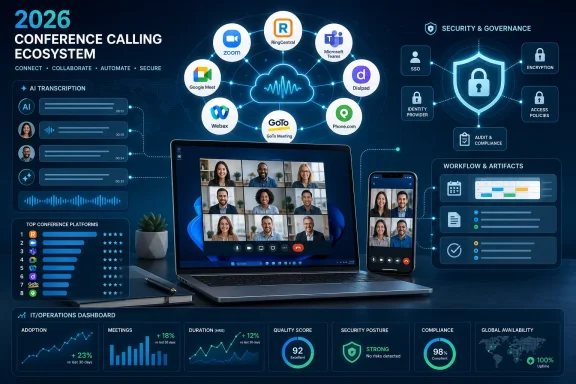 The Conference Call Has Become the Operating Layer of Work
The phrase conference calling service still sounds like something from the era of PIN codes, desk phones and speaker pucks in beige meeting rooms. But the 2026 field is not really about conference calls in that narrow sense. It is about the software layer where distributed work, customer meetings, training sessions, webinars, support escalations and internal decision-making now happen.That shift explains why Forbes weighted features at 44 percent of its evaluation, more than value, security or support. In a market where many products can host a basic audio or video meeting, differentiation comes from everything wrapped around the call: transcription, captions, AI summaries, breakout rooms, whiteboards, polling, calendar integrations, cloud storage and administrative controls. The meeting itself is no longer the product. The product is the workflow before, during and after the meeting.
That is why RingCentral can be positioned as a complete phone system, Zoom as a collaboration workspace, Dialpad as an AI-first communications layer and Teams as a captions-and-transcripts contender rather than merely “Microsoft’s meeting app.” The category has stretched until it includes both free large-call utilities and deeply managed enterprise communications platforms. That makes the ranking helpful, but also slightly dangerous if buyers read it as a single ladder from best to worst.
A two-person consultancy, a school district, a law firm and a Windows-heavy enterprise with Microsoft 365 E5 licensing are not buying the same thing. They may all say they need “conference calls,” but the real requirement could be PSTN dial-in, HIPAA alignment, automatic transcription, international access, webinar moderation, room hardware support or simply a button that works when a client joins from a phone.
RingCentral Wins the Old Category by Refusing to Stay in It
RingCentral’s placement at the top of the Forbes list is revealing because it represents the most direct evolution from conference calling into business telephony. Its pitch is not merely that it can host a meeting, but that calling, messaging, meetings and phone-system administration can live inside one service. For organizations still attached to phone numbers, call routing, extensions and external voice traffic, that matters.This is the part of the market Zoom and Teams sometimes obscure. Plenty of small and midsize businesses still need ordinary voice infrastructure, not just video rooms. Sales teams need numbers customers can call back. Clinics, contractors, professional services firms and local offices need call handling that does not assume everyone lives inside a calendar invite.
RingCentral’s appeal is therefore pragmatic. It gives buyers a way to modernize communications without pretending the public telephone network has vanished. The conference call becomes one mode inside a broader business phone system, rather than a standalone purchase.
The trade-off is that breadth brings its own administrative burden. A full communications platform must be deployed, governed and supported like infrastructure. That can be a strength for IT departments that want centralized control, but it can feel heavy for a team that only needs weekly client calls and the occasional screen share.
Zoom Is Still the Cultural Default, but It Is No Longer Just a Meeting Room
Zoom’s position as Forbes’ “best for team collaboration” captures how far the company has moved from its pandemic-era identity. The service that became shorthand for video meetings now wants to be a workspace with documents, tasks, AI notes and collaboration features sitting alongside audio and video. That is a rational move, but it changes the buying calculus.For users, Zoom’s advantage remains familiarity. It is one of the few meeting tools that external guests rarely need explained to them. Setup tends to be fast, the interface is recognizable, and the platform has spent years polishing the join experience that can make or break a call with customers or partners.
For IT, however, Zoom’s expansion is more complicated. A meeting app that adds documents, task management and AI summaries starts to overlap with Microsoft 365, Google Workspace, Slack, Notion and project-management tools. The question becomes whether Zoom is solving collaboration fragmentation or adding another collaboration surface that must be governed.
That tension is visible across the entire category. The best conferencing tools are no longer content to be utilities. They want to capture the artifacts of work: notes, decisions, action items, recordings, transcripts and documents. That makes them more useful, but also more sensitive.
Dialpad and the AI Arms Race Reframe the Call as Data
Dialpad’s “best for AI features” positioning reflects the most aggressive direction in conferencing: turning speech into structured business data. Real-time transcription and instant summaries are not just convenience features. They are a claim that the call itself can be indexed, searched, summarized and converted into tasks.That promise is powerful because meetings are often where work becomes least visible. Decisions are made verbally, obligations are implied, and context disappears into memory or scattered notes. AI transcription and summarization aim to make meetings legible to the organization.
But this is also where buyers should slow down. Recording and processing speech changes the risk profile of conferencing software. A casual meeting tool becomes a repository of employee comments, customer discussions, sales commitments, legal concerns, product plans and health or financial information. The more useful the AI layer becomes, the more important retention, access control, consent, data residency and auditability become.
Windows administrators already know this pattern from endpoint management and identity. Convenience features become infrastructure once they are widely adopted. AI meeting assistants are on the same path, and organizations that treat them as harmless add-ons may discover too late that they have created a searchable archive of conversations without a governance model.
Microsoft Teams Has the Home-Field Advantage on Windows, but That Is Not the Same as Winning
For WindowsForum readers, Microsoft Teams is the most consequential name on the list because it is the default gravitational force in many Windows and Microsoft 365 environments. Teams is not always the most loved meeting experience, but it is often the most available one. It is already tied into identity, calendars, SharePoint, OneDrive, compliance tooling, device management and Teams Rooms.Forbes’ framing of Teams as strongest for captions and transcripts lines up with Microsoft’s broader enterprise strategy. Teams is not merely trying to win on meeting polish. It is trying to win on integration, accessibility, governance and administrative control. For regulated organizations or multilingual teams, those features can matter more than a slightly cleaner guest interface.
The important detail is licensing. Microsoft’s most advanced meeting features increasingly live behind premium or Copilot-adjacent entitlements. Live translated captions, intelligent recaps and some advanced controls may require additional licensing beyond what a business assumes it already owns. That means “we have Teams” is not the same as “we have all the Teams meeting features we saw in a comparison chart.”
The Windows angle is also practical. Teams Rooms on Windows, meeting policies, transcription settings and admin-center controls make Teams more manageable at scale than many standalone tools. But manageability is not the same as simplicity. Teams can be powerful precisely because it is entangled with the rest of Microsoft 365, and that entanglement can make configuration, troubleshooting and user education harder.
Google Meet Wins When the Best Feature Is Getting Out of the Way
Google Meet’s appearance as the most user-friendly option is not surprising. Google has long understood that the best meeting interface is often the least theatrical one. Open the link, grant permissions, join the call, leave when done. That sounds banal until you compare it with products that bury users under upgrade prompts, plug-ins, sidebars and collaboration panels.Meet is strongest where the organization already lives in Google Workspace. Calendar invites, browser-based access, Drive integration and simple guest workflows make it attractive for schools, nonprofits, small businesses and companies that do not want conferencing to become an administrative discipline.
But the same simplicity can be a limitation. Organizations with advanced telephony needs, complex compliance requirements, room-device fleets or deep Windows management expectations may find Meet less natural than Teams or a VoIP-centered platform. Ease of use is real value, but it is not the only value.
This is a recurring theme in the 2026 field: the best product depends less on call quality than on organizational gravity. If your documents, identities and calendars live with Google, Meet feels obvious. If they live with Microsoft, Teams may be the default. If your business runs on phone calls, RingCentral, Nextiva, Dialpad or Phone.com may make more sense.
GoTo Meeting and Webex Prove the Old Guard Still Has a Job
GoTo Meeting and Cisco Webex occupy a different emotional space from Zoom and Teams. They are not always the products people discuss when talking about the future of work, but they remain credible precisely because conferencing was their job before it became everyone else’s land grab.GoTo Meeting’s strength in international dial-in is a reminder that not every meeting starts from a fiber-connected laptop. Global teams still include mobile participants, hotel Wi-Fi, restrictive networks, regional phone access and people who join from environments where video is impractical. International dial-in may sound old-fashioned until it is the only thing that keeps a meeting from failing.
Webex’s attendee engagement story is similarly practical. Polling, Q&A and structured participation are not vanity features for large meetings. They are how hosts prevent webinars, trainings and all-hands sessions from becoming one-way broadcasts with a chat window full of noise.
Cisco also carries enterprise credibility in networking and security-conscious environments, even if Webex no longer defines the mainstream meeting experience the way Zoom does. For organizations that care about managed events, hardware ecosystems and attendee controls, the old guard still deserves a look.
FreeConferenceCall.com Shows Why Capacity Is Not the Same as Fit
FreeConferenceCall.com stands out for a simple reason: scale at no cost. Forbes notes its ability to support up to 1,000 participants for free, which is an eye-catching number in a category where paid tiers often gate meeting size, duration or administrative features. For community groups, volunteer organizations, occasional large calls and cost-sensitive users, that can be compelling.But capacity is not the same as organizational fit. A free large-call service may solve the immediate problem of getting many people into the same audio session, but businesses also need to ask what happens afterward. Where are recordings stored? How are hosts authenticated? What controls exist for sensitive meetings? How does support work when a board meeting, incident bridge or customer call goes sideways?
That does not make free services unserious. It means they should be matched to the right job. A free bridge can be perfect for a low-risk community call and inappropriate for confidential legal strategy. The gap is not about snobbery; it is about risk.
The same logic applies to free tiers from major platforms. Free meeting plans can be excellent for individuals and small teams, but limits on duration, participant count, storage, dial-in or administrative policy often appear exactly when the tool becomes important enough to standardize.
Phone.com and Nextiva Keep the Phone System in the Conversation
Phone.com and Nextiva represent the side of the category that still starts with business communications rather than video collaboration. That matters because many organizations do not want a “meeting product” at all. They want a phone system that happens to include meetings, screen sharing and collaboration features.Nextiva’s multichannel contact-center positioning reflects a broader shift in customer communications. Voice calls, email, live chat, social media messages and internal collaboration increasingly flow through the same operational dashboard. In that world, conference calling is not isolated; it is part of the customer engagement stack.
Phone.com’s appeal is more basic but no less real. Smaller organizations often need reliable calling, simple video meetings, screen sharing and predictable pricing without adopting a sprawling enterprise platform. For them, a straightforward VoIP service with conferencing may beat a sophisticated collaboration suite.
This is where buyer discipline matters. Vendors benefit when every communications problem looks like an opportunity to buy a platform. Customers benefit when they identify the actual job: internal meetings, external sales calls, customer support, webinars, international dial-in, regulated conversations or plain old phone service.
Security Has Become a Buying Criterion, Not a Checkbox
Forbes weighted security at 19 percent, and that feels right for 2026. The category has matured beyond the point where a provider can wave vaguely at encryption and move on. Businesses now expect meeting locks, SSO, host controls, compliance claims, authentication options and policies for recording, transcription and participant access.The security discussion is also more complicated because the modern conference call generates artifacts. Recordings, transcripts, chat messages, AI summaries, whiteboards and shared documents can all outlive the meeting. That means the risk is not just an uninvited guest joining a call. It is also the wrong person accessing the record of the call weeks later.
For Windows and Microsoft 365 administrators, this is where identity becomes central. SSO support, conditional access, device posture, guest access policies and retention settings can matter more than the meeting UI. A slightly less elegant platform may be preferable if it fits the organization’s existing security model.
The consumerization of conferencing has trained users to pick whatever link works. Enterprise IT has the opposite responsibility: make the secure option the easy option before employees route around it. That is why conference calling can no longer be evaluated apart from governance.
The Best Service Is Usually the One Your Organization Can Actually Govern
There is a temptation in ranked lists to treat the top position as a universal recommendation. That is rarely how communications software works. The “best” service is a function of existing systems, user behavior, compliance obligations, budget structure and the kind of calls an organization actually runs.A Microsoft 365 shop should begin by asking whether Teams already meets 80 percent of the requirement and whether the remaining 20 percent justifies another vendor. A Google Workspace shop should ask the same about Meet. A phone-heavy organization should look first at RingCentral, Nextiva, Dialpad or Phone.com. A webinar-heavy organization should scrutinize attendee controls and engagement tools before obsessing over per-seat price.
The real mistake is buying for a demo rather than a month of normal work. Slick AI summaries matter less if guests cannot join reliably. Low pricing matters less if every large meeting requires an upgrade. Massive participant capacity matters less if the host controls are weak. A rich feature set matters less if nobody can find the mute button under pressure.
IT departments should also test across the real device mix. Forbes says its testing included multiple devices and operating systems, which is essential because conferencing failures often hide in the seams: headset drivers, browser permissions, Windows audio devices, locked-down endpoints, virtual desktops, VPNs, meeting-room PCs and mobile handoffs. The best spreadsheet score can still lose to a bad Monday morning rollout.
The 2026 Shortlist Says More About Work Than About Calls
The most concrete lesson from the Forbes ranking is that conference calling has fragmented into several overlapping product categories. The buyer’s first task is not choosing a vendor; it is naming the problem accurately.- RingCentral is the strongest fit when conference calling is part of a broader business phone-system modernization.
- Zoom remains compelling when external familiarity, fast setup and collaboration features matter more than tight suite consolidation.
- Microsoft Teams is the obvious contender for Windows-centric Microsoft 365 environments that prioritize governance, captions, transcripts and admin control.
- Google Meet is best suited to organizations that value simplicity and already work inside Google Workspace.
- Dialpad, Nextiva and Phone.com make the most sense when voice, customer communication or AI-assisted calling are central to the workflow.
- FreeConferenceCall.com is attractive for large, cost-sensitive calls, but buyers should match its controls and support model to the sensitivity of the meeting.
References
- Primary source: Forbes
Published: 2026-06-22T06:42:08.349191
