

Call of Duty: Black Ops 7 arrives on PC with a clearly tiered set of system requirements, an enforced firmware-level anti‑cheat posture, and a timed preload window — all of which matter for anyone planning to play at launch or in the first few weeks after release.
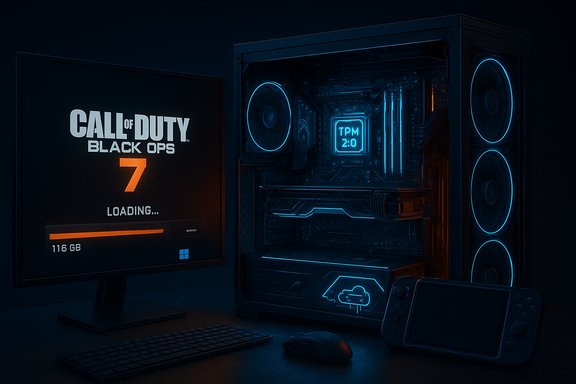
Beenox (in partnership with Treyarch and Activision) delivered the PC client for Black Ops 7 as a platform‑first build, emphasizing performance tuning, vendor upscaling/frame‑generation support, and deep customization. The official guidance published in the lead‑up to launch splits the PC experience into three practical tiers — Minimum, Recommended (60 FPS), and Competitive / Ultra 4K — and sets a sizable SSD requirement of 116 GB at launch. These details appear in the publisher’s official support and blog material and have been mirrored across multiple news outlets. Activision has also made a consequential change to its anti‑cheat enforcement: TPM 2.0 and UEFI Secure Boot are mandatory to play on PC at Beta and launch, tying RICOCHET deeper into the boot and firmware chain. That requirement, combined with kernel verification steps and a planned remote attestation system, raises the technical floor for players and admins preparing machines for launch.
Key global notes from Activision:
Quick launch checklist (one page)
Conclusion: prepare early, update firmware and drivers, reserve extra storage, and confirm TPM/Secure Boot status now if you want to be ready when the servers open.
Source: TechJuice Call of Duty: Black Ops 7 System Requirements & Preload Details
 Background / Overview
Beenox (in partnership with Treyarch and Activision) delivered the PC client for Black Ops 7 as a platform‑first build, emphasizing performance tuning, vendor upscaling/frame‑generation support, and deep customization. The official guidance published in the lead‑up to launch splits the PC experience into three practical tiers — Minimum, Recommended (60 FPS), and Competitive / Ultra 4K — and sets a sizable SSD requirement of 116 GB at launch. These details appear in the publisher’s official support and blog material and have been mirrored across multiple news outlets. Activision has also made a consequential change to its anti‑cheat enforcement: TPM 2.0 and UEFI Secure Boot are mandatory to play on PC at Beta and launch, tying RICOCHET deeper into the boot and firmware chain. That requirement, combined with kernel verification steps and a planned remote attestation system, raises the technical floor for players and admins preparing machines for launch. What’s new this launch: engineered for PC
Beenox’s PC-first focus
- The PC client was built from the ground up with the intention of giving players deep control over visuals, input, and interface.
- The launch messaging highlights over 800 customization options covering graphics, gameplay, and UI, plus an integrated Benchmark Tool to help tune settings.
Modern performance features
- Native support for vendor upscalers and frame‑generation: AMD FSR 4 is specifically noted, and the client supports other modern upscaling/frame‑gen tech where applicable.
- Sub‑frame mouse polling and input optimizations aim to reduce input latency for competitive players.
- Corsair iCUE RGB integration allows dynamic lighting tied to in‑game events for supported peripherals.
Handheld and ultrawide support
- Official notes call out optimizations for Windows handhelds (ROG Ally / ROG Ally X), including UI scaling and tuned performance to maintain visual clarity on small panels. This positions Black Ops 7 well for the expanding handheld Windows market.
Official PC system requirements — the numbers you need
Activision published the PC requirements in its support section and in the Black Ops 7 PC trailer/blog. The list is simple to read but has some important non‑performance caveats (firmware and driver requirements).Key global notes from Activision:
- All tiers require DirectX 12, broadband internet, and an SSD with 116 GB free space at launch; additional space may be required for day‑one patches. Intel Arc GPUs require Resizable BAR enabled; only Intel/AMD CPUs with the AVX instruction set are supported.
Minimum (Playable)
- OS: Windows 10 64‑bit (latest update)
- CPU: AMD Ryzen 5 1400 / Intel Core i5‑6600
- RAM: 8 GB
- GPU: AMD RX 470 / NVIDIA GTX 970 / GTX 1060 / Intel Arc A580
- VRAM: 3 GB
- Storage: SSD with 116 GB free
- Notes: Broadband internet and TPM 2.0 + Secure Boot required.
Recommended (Comfortable / ~60 FPS)
- OS: Windows 11 64‑bit (latest update)
- CPU: AMD Ryzen 5 1600X / Intel Core i7‑6700K
- RAM: 12 GB
- GPU: AMD RX 6600 XT / NVIDIA RTX 3060 / Intel Arc B580
- VRAM: 8 GB
- Storage: SSD with 116 GB free.
Competitive / Ultra 4K (High‑end)
- OS: Windows 11 64‑bit (latest update)
- CPU: AMD Ryzen 5 5600X / Intel Core i7‑10700K
- RAM: 16 GB
- GPU: AMD RX 9070XT / NVIDIA RTX 4080 / RTX 5070
- VRAM: 16 GB
- Storage: SSD with 116 GB free.
Recommended driver builds (launch)
- AMD: 25.9.2
- NVIDIA: 581.42
- Intel: 32.0.101.8132
Activision explicitly recommends updating drivers before launch to ensure vendor features (FSR, driver‑level optimizations) function correctly.
The TPM 2.0 and Secure Boot story — what’s enforced and why it matters
What Activision is requiring
Activision’s documentation states that TPM 2.0 and UEFI Secure Boot will be required for the Black Ops 7 Beta and at launch. These checks are used as part of an expanded RICOCHET anti‑cheat posture and feed into a planned remote attestation system that validates firmware settings via cloud services to reduce spoofing of local attestations.High‑level technical rationale
- Secure Boot ensures early boot components are signed and unmodified, making bootkits and unsigned kernel drivers harder to deploy.
- TPM 2.0 enables measured boot and provides a hardware root of trust (cryptographic attestations) that anti‑cheat can use to confirm an untampered boot chain.
Combined, these features let anti‑cheat systems detect a wider class of persistent, low‑level cheats that traditional detection can miss.
Practical compatibility impact
- Systems with legacy MBR partitions or Legacy BIOS will need conversion to GPT/UEFI to enable Secure Boot. That frequently requires backups and careful disk conversion steps.
- Some older motherboards expose TPM functionality as a firmware feature (Intel PTT or AMD fTPM) but may need BIOS updates to be fully compatible.
- Certain multi‑boot or Linux/Proton setups, and some handheld or hobbyist configurations, may be blocked at launch unless vendors or developers provide specific accommodations. Independent publisher and store notes have repeated these compatibility caveats.
How to check quickly (official guidance)
- Press Windows + R → type tpm.msc → confirm TPM Specification Version = 2.0.
- Press Windows + R → type msinfo32 → confirm BIOS Mode = UEFI and Secure Boot State = On.
Preload and launch timing — plan for scale
Preload window
- Activision confirmed preloading begins November 10 at 9:00 AM PT for players who pre‑purchase digitally. This preload includes Campaign, Multiplayer, and Zombies assets and is intended to reduce day‑one download bottlenecks.
Unlock / go‑live timing
- The global release is scheduled for November 14, 2025, with local midnight unlocks in many regions; time‑zone differences mean some countries will see playable access on the calendar day after (for example, players in Pakistan will experience their local unlock at midnight November 15). News outlets and official store pages mirror this staggered, local‑midnight approach. Treat published local times as authoritative for your platform (Steam, Battle.net, Xbox App).
Practical advice for preload and storage
- Activision’s 116 GB headline does not include post‑launch patches. To avoid installer failures and to allow for temporary caches, reserve 150–200 GB free on the target drive while preloading and patching. Many outlet analyses and community testers recommend this headroom to prevent mid‑download errors.
Real‑world performance expectations and tuning advice
What each tier will feel like
- Minimum: Expect playable 1080p sessions at reduced visual fidelity; 30 FPS on low settings is the target for older mid‑range GPUs.
- Recommended: Balanced 1080p/1440p at ~60 FPS with high settings and upscalers enabled — a pleasant experience on mainstream hardware.
- Competitive / Ultra 4K: Native 4K/60 or 1440p/144 targets require modern, high‑end GPUs and fast CPUs; AI frame‑generation/upscalers make high refresh targets far more attainable without flagship silicon.
Upscalers and frame generation
- Activision lists AMD FSR 4 support; other vendor tools may be available depending on GPU and driver support. Upscalers dramatically reduce GPU render workloads and are an essential lever for high‑refresh or high‑resolution play on midrange hardware. Ensure your GPU drivers are at the recommended builds for best compatibility.
Settings to prioritize for higher FPS
- Lower shadows and reflections (heavy GPU cost).
- Use dynamic resolution or an upscaler (FSR) instead of native resolution where framerate is the aim.
- Cap background tasks and update GPU drivers to the recommended versions.
- Enable Resizable BAR for Intel Arc GPUs (required per Activision notes).
Troubleshooting and setup checklist (practical steps)
- Backup important data and BitLocker recovery keys before changing firmware settings or converting disks.
- Verify TPM version: Run tpm.msc → ensure TPM Specification Version = 2.0.
- Verify UEFI & Secure Boot: Run msinfo32 → ensure BIOS Mode = UEFI; Secure Boot State = On.
- If using MBR, convert to GPT before switching to UEFI; follow vendor guidance or Microsoft’s MBR2GPT tool — do not skip backups.
- Update motherboard BIOS/UEFI and GPU drivers to the recommended launch drivers where possible (AMD 25.9.2, NVIDIA 581.42, Intel 32.0.101.8132).
- If RICOCHET enrollment prompts repeat on AMD systems, check for BIOS updates — Activision notes specific AMD firmware versions may require updates.
Upgrades to consider before launch
- If you’re under the Recommended tier and want 60+ FPS at higher quality, a GPU like the RTX 3060 / RX 6600 XT or equivalent is the most cost‑effective upgrade.
- For consistent native 4K or high refresh competitive play, invest in GPUs with 12–16 GB VRAM and CPUs that minimize frame‑time variability (6–8 core modern chips and fast dual‑channel RAM).
- Switching to an NVMe SSD improves asset streaming and reduces stutter on Recommended/Ultra presets; make sure you have 200 GB of temporary free space during preload/patching.
Risks, trade‑offs, and community impact
Strengths
- Hardening anti‑cheat: TPM + Secure Boot plus remote attestation raise the bar against persistent, kernel‑level cheats.
- PC-first tuning: Deep options, built‑in benchmarking, and vendor upscaler support improve the odds of a polished day‑one experience for many players.
Risks and downsides
- Compatibility exclusions: Players on older motherboards, non‑UEFI installs, certain handheld Linux/Proton environments, or custom boot chains may be locked out at launch. This could fragment the player base and cause frustration for communities that rely on non‑standard setups.
- Setup friction: Enabling TPM and Secure Boot can trigger BitLocker recoveries or require disk conversion; inadequate preparation risks data loss or downtime.
- Privacy and telemetry concerns: Remote attestation and TPM registration inevitably raise questions about what signals are transmitted and logged; while publisher guidance says the checks validate boot state rather than read files, transparency and third‑party auditing would reduce community skepticism. Flagged claims about "no file access" should be treated with caution until more independent auditing or technical detail is publicly available.
- Day‑one server and entitlement risk: Large live‑service launches still carry a risk of queueing/entitlement errors despite preloads; expect some teething issues and patch windows in the first 24–72 hours.
Special notes for handheld and Steam Deck communities
- Official notes confirm Windows handheld support (ROG Ally / ROG Ally X) with UI scaling and performance tuning; this is a focused optimization for native Windows handheld hardware. The game’s firmware requirements and anti‑cheat system, however, make Steam Deck/Proton support uncertain at launch unless Valve, Activision, or community tools provide compatible attestation paths. If you rely on Proton/SteamOS, expect limited or no official support at GA.
Final verdict and concise preparation checklist
Call of Duty: Black Ops 7’s PC launch balances accessibility with security: tiered hardware targets let many players join at reasonable fidelity, while mandatory firmware attestation and driver expectations raise the setup bar. Beenox’s PC focus and integrated tuning tools are positive signs for performance across handhelds, laptops, and desktops — but the enforced TPM 2.0 + Secure Boot requirement will create real friction for a non‑trivial segment of the PC community on day one.Quick launch checklist (one page)
- Preload: begin November 10, 9:00 AM PT if you pre‑purchased; confirm your store unlock time.
- Free space: reserve 150–200 GB during preload and patching; expect final installed size ~116 GB.
- TPM & Secure Boot: verify with tpm.msc and msinfo32; enable in BIOS/UEFI and convert MBR→GPT if required.
- Drivers & firmware: update GPU drivers to AMD 25.9.2 / NVIDIA 581.42 / Intel 32.0.101.8132 and update motherboard BIOS if needed.
- Handheld users: expect improved support for native Windows handhelds; Steam Deck/Proton support is uncertain at launch.
- Backup: back up BitLocker keys and important data before changing boot settings.
Conclusion: prepare early, update firmware and drivers, reserve extra storage, and confirm TPM/Secure Boot status now if you want to be ready when the servers open.
Source: TechJuice Call of Duty: Black Ops 7 System Requirements & Preload Details
