

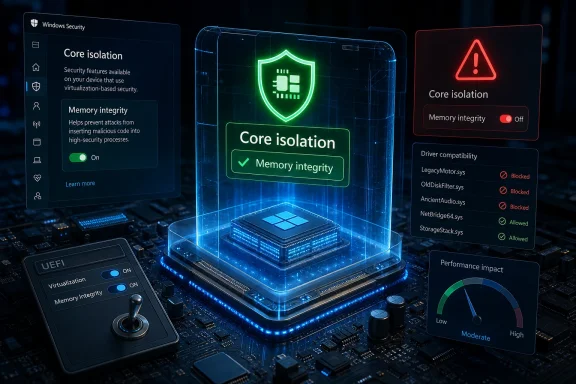
Microsoft’s Core isolation, introduced with the Windows 10 April 2018 Update and built into Windows 11 from launch, is the security feature many users overlook despite its role in isolating sensitive kernel-level protections through virtualization-based security on compatible PCs. That makes it less glamorous than antivirus and less visible than Windows Update, but arguably more revealing. If Memory integrity is off, the machine is not merely missing a checkbox; it is running with a weaker boundary between ordinary Windows compromise and the deepest layers of the operating system. The MakeUseOf argument lands because it identifies a real blind spot: the feature Microsoft depends on is still too easy for users, drivers, and performance folklore to quietly defeat.
Core isolation is not another badge in Windows Security meant to reassure users that Defender is awake. It is Microsoft’s attempt to make Windows harder to subvert after the attacker has already reached dangerous territory. Traditional antivirus watches files, processes, downloads, and behaviors; Core isolation changes the terrain by using virtualization-based security, or VBS, to separate critical security functions from the rest of the operating system.
That distinction matters because Windows’ kernel is where an attacker wants to be. Kernel-mode malware can tamper with security tools, hide processes, interfere with logging, and make a compromised system look healthier than it is. Once the kernel is no longer trustworthy, every tool that depends on the normal operating system view becomes suspect.
Memory integrity, also known as Hypervisor-protected Code Integrity or HVCI, is the part most users actually encounter. Its job is to make it harder for untrusted or tampered kernel-mode code to run by putting code integrity enforcement behind the hypervisor. In plainer English: before a driver or other kernel-mode component gets to operate in the most privileged neighborhood of Windows, it has to satisfy stronger checks.
That is why “turning on Core isolation” is not the same category of advice as “turn on real-time protection.” It is not scanning harder. It is moving some of the referee’s authority out of reach of the players on the field.
On a clean Windows 11 installation with compatible hardware, Memory integrity is generally intended to be on by default. On upgraded systems, older machines, and PCs carrying years of driver baggage, the picture is messier. A user can be running Windows 11, passing daily Defender scans, and still have the most important part of Core isolation switched off because of a driver installed for a peripheral they stopped using three years ago.
This is where MakeUseOf’s practical advice is strongest. Checking Core isolation first on every PC is not paranoia; it is a quick read on whether Windows’ modern hardware-backed security story is actually functioning. The toggle is a small window into a much larger truth about the machine.
The problem is that Microsoft’s user experience still treats this as a recoverable nuisance rather than a front-page security condition. A small warning that Memory integrity is off may be technically accurate, but it competes with the rest of Windows’ notification noise. On many PCs, users learn about the issue only when a game, anticheat system, enterprise policy, or security-conscious article sends them digging.
Drivers have always been Windows’ superpower and curse. They let the platform support a staggering range of hardware, from high-end GPUs to barcode scanners, audio interfaces, RGB controllers, capture cards, VPN adapters, and industrial equipment that outlives the companies that made it. But drivers also run close to the core of the system, and weak drivers can become a privileged attack surface.
Memory integrity exposes that bargain. When it blocks or flags a driver, it is not being fussy for its own sake. It is telling the user that some component wants access to a level of Windows where mistakes are expensive.
The usual remediation sounds simple: update the driver, remove the incompatible device software, or delete the stale driver package. In practice, that can turn into a scavenger hunt through Device Manager, vendor support pages, PowerShell, and the Windows driver store. The person who bought a USB adapter in 2016 did not sign up to become a kernel hygiene specialist in 2026.
This is why Microsoft’s long-term driver policy matters more than any individual toggle. The company can keep hardening Windows, but it also has to keep forcing the driver ecosystem forward. Otherwise, users are left choosing between a security feature they do not understand and hardware they know they need.
But the leap from “there can be overhead” to “disable this by default” is where much of the online tweaking culture becomes reckless. A measurable benchmark loss in a narrow gaming workload is not the same as a meaningful daily performance penalty for every user. On modern CPUs, the cost is often modest enough that the security trade-off looks poor, especially on laptops, work PCs, and general-purpose desktops used for browsing, banking, email, work accounts, and password managers.
Older hardware is the harder case. Systems predating the CPU features and performance assumptions behind Windows 11’s security model can feel the cost more sharply. On those PCs, the question becomes less ideological and more practical: is this a gaming rig chasing every frame, a lab machine, a family PC, or a work device touching sensitive accounts?
The trouble is that many tweak guides flatten those differences. They present Memory integrity as bloat, not as a defensive boundary. That framing is seductive because it offers an easy win: flip a switch, claim performance, feel in control.
Security rarely wins popularity contests against frame rates. But a Windows PC is not just a game console with a Start menu. It is usually also a browser, a credential store, a communications device, and a gateway to personal or corporate data.
That direction is not accidental. Credential theft, bring-your-own-vulnerable-driver attacks, kernel tampering, and firmware-level persistence have made old perimeter assumptions obsolete. The endpoint is now a battleground where the operating system needs protected places to keep secrets and enforce rules.
Credential Guard, available in enterprise-oriented editions, shows where the model goes. It uses virtualization-based isolation to protect credentials from theft techniques that once thrived on grabbing secrets from memory. Secured-core PCs extend the idea further by combining firmware, hardware, and OS protections into a more opinionated platform.
Consumers do not need to know every acronym to benefit from this. They do need to understand that “Windows Security says everything looks fine” and “Windows is using its strongest available isolation protections” are not identical statements. Core isolation is one of the places where that gap becomes visible.
The gap also affects small businesses, which often live in the worst of both worlds. They have valuable accounts and customer data but lack full-time endpoint security staff. For them, leaving Memory integrity off because an old printer utility installed a dubious driver is exactly the kind of quiet compromise that can persist for years.
That naming problem has consequences. If users do not understand what the toggle does, they are more likely to follow the loudest advice in search results. If the loudest advice is a gaming optimization guide saying to disable it, the security model loses before the malware ever arrives.
Windows Security also needs to be more explicit about consequence. A warning should not merely say that Memory integrity is off; it should explain why that matters in plain language, identify the blocking driver clearly, and guide the user toward a safe resolution. Too often, Windows surfaces the problem but leaves the user to solve a vendor accountability issue alone.
There is also a trust issue. Users are more willing to accept background security features when they believe the operating system will tell them clearly what changed. If Windows silently disables, fails to enable, or quietly leaves off a major protection because of compatibility constraints, Microsoft may have made the technically conservative choice. But the user is still left with a false sense of security.
The company’s direction is right. The presentation is still too administrative for a feature that now belongs in mainstream Windows.
A healthy Core isolation page does not prove a PC is secure. It does, however, suggest that the system is aligned with Microsoft’s current defensive assumptions. An unhealthy one says the machine may be carrying old compatibility debt into a threat landscape that no longer tolerates it.
The best practical advice is not to panic-toggle. If Memory integrity is off, users should first review the incompatible driver list, update the relevant device software from a reputable source, and remove only drivers they can identify and no longer need. If virtualization support is disabled in UEFI or BIOS, enabling Intel VT-x or AMD SVM may restore the missing Core isolation controls.
Administrators should go further. Fleet visibility matters: it is not enough to set a policy and assume every device complied. Reporting on VBS and HVCI state, driver failures, and hardware compatibility should be part of endpoint health, especially as Windows 10’s consumer life has ended and more organizations absorb Windows 11’s stricter assumptions.
 The Security Setting That Tells You How Seriously Windows Trusts Itself
Core isolation is not another badge in Windows Security meant to reassure users that Defender is awake. It is Microsoft’s attempt to make Windows harder to subvert after the attacker has already reached dangerous territory. Traditional antivirus watches files, processes, downloads, and behaviors; Core isolation changes the terrain by using virtualization-based security, or VBS, to separate critical security functions from the rest of the operating system.That distinction matters because Windows’ kernel is where an attacker wants to be. Kernel-mode malware can tamper with security tools, hide processes, interfere with logging, and make a compromised system look healthier than it is. Once the kernel is no longer trustworthy, every tool that depends on the normal operating system view becomes suspect.
Memory integrity, also known as Hypervisor-protected Code Integrity or HVCI, is the part most users actually encounter. Its job is to make it harder for untrusted or tampered kernel-mode code to run by putting code integrity enforcement behind the hypervisor. In plainer English: before a driver or other kernel-mode component gets to operate in the most privileged neighborhood of Windows, it has to satisfy stronger checks.
That is why “turning on Core isolation” is not the same category of advice as “turn on real-time protection.” It is not scanning harder. It is moving some of the referee’s authority out of reach of the players on the field.
Microsoft Built a Stronger Door, Then Hid the Lock in a Utility Closet
The awkward part is that Microsoft has spent years raising the Windows security baseline while leaving many users unsure whether the baseline applies to their own machines. Core isolation lives under Windows Security, inside Device security, inside Core isolation details. That is not exactly the path of a feature Microsoft expects average users to audit weekly.On a clean Windows 11 installation with compatible hardware, Memory integrity is generally intended to be on by default. On upgraded systems, older machines, and PCs carrying years of driver baggage, the picture is messier. A user can be running Windows 11, passing daily Defender scans, and still have the most important part of Core isolation switched off because of a driver installed for a peripheral they stopped using three years ago.
This is where MakeUseOf’s practical advice is strongest. Checking Core isolation first on every PC is not paranoia; it is a quick read on whether Windows’ modern hardware-backed security story is actually functioning. The toggle is a small window into a much larger truth about the machine.
The problem is that Microsoft’s user experience still treats this as a recoverable nuisance rather than a front-page security condition. A small warning that Memory integrity is off may be technically accurate, but it competes with the rest of Windows’ notification noise. On many PCs, users learn about the issue only when a game, anticheat system, enterprise policy, or security-conscious article sends them digging.
The Driver Ecosystem Is Still Windows’ Oldest Security Debt
If Memory integrity refuses to turn on, the villain is usually not malware. It is more often a driver: old, unsigned in the wrong way, poorly maintained, abandoned by a vendor, or simply not built to satisfy modern kernel integrity rules. That makes the issue simultaneously more mundane and more frustrating.Drivers have always been Windows’ superpower and curse. They let the platform support a staggering range of hardware, from high-end GPUs to barcode scanners, audio interfaces, RGB controllers, capture cards, VPN adapters, and industrial equipment that outlives the companies that made it. But drivers also run close to the core of the system, and weak drivers can become a privileged attack surface.
Memory integrity exposes that bargain. When it blocks or flags a driver, it is not being fussy for its own sake. It is telling the user that some component wants access to a level of Windows where mistakes are expensive.
The usual remediation sounds simple: update the driver, remove the incompatible device software, or delete the stale driver package. In practice, that can turn into a scavenger hunt through Device Manager, vendor support pages, PowerShell, and the Windows driver store. The person who bought a USB adapter in 2016 did not sign up to become a kernel hygiene specialist in 2026.
This is why Microsoft’s long-term driver policy matters more than any individual toggle. The company can keep hardening Windows, but it also has to keep forcing the driver ecosystem forward. Otherwise, users are left choosing between a security feature they do not understand and hardware they know they need.
The Performance Argument Is Real, but Often Used Lazily
The most common reason enthusiasts disable Memory integrity is performance. That argument is not imaginary. VBS and HVCI can impose overhead, and Microsoft itself has acknowledged scenarios where gamers may see performance impact from certain security features.But the leap from “there can be overhead” to “disable this by default” is where much of the online tweaking culture becomes reckless. A measurable benchmark loss in a narrow gaming workload is not the same as a meaningful daily performance penalty for every user. On modern CPUs, the cost is often modest enough that the security trade-off looks poor, especially on laptops, work PCs, and general-purpose desktops used for browsing, banking, email, work accounts, and password managers.
Older hardware is the harder case. Systems predating the CPU features and performance assumptions behind Windows 11’s security model can feel the cost more sharply. On those PCs, the question becomes less ideological and more practical: is this a gaming rig chasing every frame, a lab machine, a family PC, or a work device touching sensitive accounts?
The trouble is that many tweak guides flatten those differences. They present Memory integrity as bloat, not as a defensive boundary. That framing is seductive because it offers an easy win: flip a switch, claim performance, feel in control.
Security rarely wins popularity contests against frame rates. But a Windows PC is not just a game console with a Start menu. It is usually also a browser, a credential store, a communications device, and a gateway to personal or corporate data.
Core Isolation Is Where Consumer Windows Starts Looking Like Enterprise Windows
For enterprise administrators, none of this is philosophical. VBS, HVCI, Credential Guard, driver blocklists, secure boot, TPM-backed features, and hardware-backed attestation are part of the same trend: Windows security is moving below the layer where ordinary software can easily lie.That direction is not accidental. Credential theft, bring-your-own-vulnerable-driver attacks, kernel tampering, and firmware-level persistence have made old perimeter assumptions obsolete. The endpoint is now a battleground where the operating system needs protected places to keep secrets and enforce rules.
Credential Guard, available in enterprise-oriented editions, shows where the model goes. It uses virtualization-based isolation to protect credentials from theft techniques that once thrived on grabbing secrets from memory. Secured-core PCs extend the idea further by combining firmware, hardware, and OS protections into a more opinionated platform.
Consumers do not need to know every acronym to benefit from this. They do need to understand that “Windows Security says everything looks fine” and “Windows is using its strongest available isolation protections” are not identical statements. Core isolation is one of the places where that gap becomes visible.
The gap also affects small businesses, which often live in the worst of both worlds. They have valuable accounts and customer data but lack full-time endpoint security staff. For them, leaving Memory integrity off because an old printer utility installed a dubious driver is exactly the kind of quiet compromise that can persist for years.
Microsoft Still Has a Communication Problem, Not Just a Security Problem
Microsoft’s security architecture has become far more ambitious than its explanations. “Core isolation” sounds like something from a motherboard manual. “Memory integrity” sounds important but vague. “Hypervisor-protected Code Integrity” sounds like a feature only a Windows kernel engineer could love.That naming problem has consequences. If users do not understand what the toggle does, they are more likely to follow the loudest advice in search results. If the loudest advice is a gaming optimization guide saying to disable it, the security model loses before the malware ever arrives.
Windows Security also needs to be more explicit about consequence. A warning should not merely say that Memory integrity is off; it should explain why that matters in plain language, identify the blocking driver clearly, and guide the user toward a safe resolution. Too often, Windows surfaces the problem but leaves the user to solve a vendor accountability issue alone.
There is also a trust issue. Users are more willing to accept background security features when they believe the operating system will tell them clearly what changed. If Windows silently disables, fails to enable, or quietly leaves off a major protection because of compatibility constraints, Microsoft may have made the technically conservative choice. But the user is still left with a false sense of security.
The company’s direction is right. The presentation is still too administrative for a feature that now belongs in mainstream Windows.
The First Check on a PC Should Be the One That Reveals the Most
The MakeUseOf recommendation to check Core isolation first is useful because it compresses several questions into one place. Is virtualization enabled in firmware? Is Windows using VBS protections? Are incompatible drivers undermining the security baseline? Has an upgrade path left the machine less protected than a clean installation would be?A healthy Core isolation page does not prove a PC is secure. It does, however, suggest that the system is aligned with Microsoft’s current defensive assumptions. An unhealthy one says the machine may be carrying old compatibility debt into a threat landscape that no longer tolerates it.
The best practical advice is not to panic-toggle. If Memory integrity is off, users should first review the incompatible driver list, update the relevant device software from a reputable source, and remove only drivers they can identify and no longer need. If virtualization support is disabled in UEFI or BIOS, enabling Intel VT-x or AMD SVM may restore the missing Core isolation controls.
Administrators should go further. Fleet visibility matters: it is not enough to set a policy and assume every device complied. Reporting on VBS and HVCI state, driver failures, and hardware compatibility should be part of endpoint health, especially as Windows 10’s consumer life has ended and more organizations absorb Windows 11’s stricter assumptions.
The Toggle Is Small, but the Signal Is Big
A single Windows Security setting cannot carry the whole burden of endpoint defense, but Core isolation is a useful proxy for whether a PC is living in the modern Windows security era or merely wearing its interface. The practical lessons are concrete.- Memory integrity is worth checking because it protects the kernel boundary in a way ordinary antivirus does not.
- A disabled Core isolation page often points to driver compatibility, disabled firmware virtualization, or an upgrade path that preserved an older security posture.
- Performance losses can exist, especially on older systems or gaming-focused configurations, but disabling HVCI by habit is a poor default for general-purpose PCs.
- Incompatible drivers should be treated as security and maintenance debt, not merely as an obstacle to clearing a warning icon.
- Small businesses and power users should audit this setting deliberately because they often run diverse hardware without enterprise-grade endpoint oversight.
- Microsoft still needs clearer warnings and repair paths if it expects mainstream users to preserve hardware-backed protections.
References
- Primary source: MakeUseOf
Published: Mon, 18 May 2026 22:00:18 GMT
The Windows security feature most people ignore is the one I check first on every PC
And it's almost always disabled. www.makeuseof.com
- Official source: support.microsoft.com
Device Security in the Windows Security App | Microsoft Support
Learn how to access Windows device security settings in Windows Security to help protect your device from malicious software.support.microsoft.com - Official source: learn.microsoft.com
Windows Security - Core Isolation - Memory Integrity - No incompatible drivers found - Microsoft Q&A
I own a Dell XPS 13 9300, with all latest updates of Windows 11 and drivers through Dell's SupportAssist software installed, as of May 26th, 2023. I've noticed an alert icon on Windows Security a couple days ago and it says my Memory Integrity was…learn.microsoft.com - Official source: answers.microsoft.com
Core Isolation (Memory Integrity) disabled due to incompatible driver usb2ser.sys - Microsoft Q&A
This seems to be a common issue people are having with the MediaTek USB to COM port driver which is a mostly useless component since nobody uses COM ports anymore for anything but really old hardware. That's probably why they haven't bothered to update…answers.microsoft.com - Related coverage: tomshardware.com
Benchmarked: Do Windows 11’s Security Features Really Hobble Gaming Performance? | Tom's Hardware
How much do they hurt, and how to opt out.www.tomshardware.com - Official source: microsoft.com
Windows Security best practices for integrating and managing security tools | Microsoft Security Blog
We examine the recent CrowdStrike outage and provide a technical overview of the root cause.www.microsoft.com
- Related coverage: windowscentral.com
My 5 favorite tweaks to make Windows 11 better for PC gaming | Windows Central
Speed up your gaming experience on Windows 11 with these easy-to-configure tweaks.www.windowscentral.com - Related coverage: techradar.com
Microsoft has an ambitious plan to win users back, and go toe-to-toe with Valve's SteamOS for gaming — but I'm not getting my hopes up | TechRadar
Skepticism is necessary...www.techradar.com - Official source: cdn-dynmedia-1.microsoft.com
- Official source: csrc.nist.gov
