Clipchamp OneDrive Pivot: What Changes for Windows 11 Video Projects

  • Thread Author
Microsoft’s quiet transformation of Clipchamp into a OneDrive-backed editor is more than a product tweak; it is a statement about where Windows 11’s built-in creative tools are headed, and not everyone is going to like the direction. According to Microsoft’s own support documentation, Clipchamp for personal accounts is rolling out an updated cloud-storage model that began in late August 2025, and existing projects can be archived locally only if users accept that future editing will require uploading them to OneDrive first.

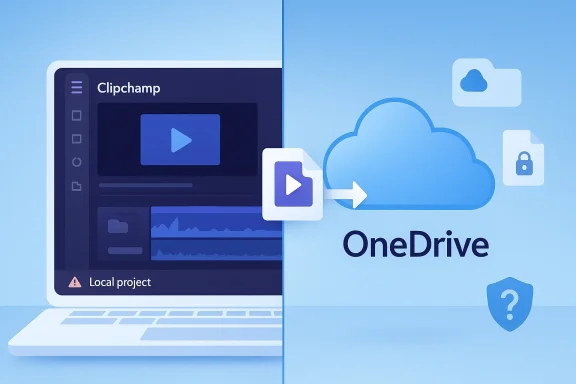
Cloud storage sync illustration showing Clipchamp local project and OneDrive with play/upload icons.Background: Clipchamp’s place in Windows 11​

Clipchamp has long occupied an odd but important niche in the Windows ecosystem. It is Microsoft’s default lightweight video editor for personal users, available in the Windows 10 and Windows 11 app experience and also through the web, and Microsoft now explicitly says the desktop app uses web technologies behind the scenes. That detail matters, because it explains why Clipchamp has always felt more like a cloud service than a traditional native Windows app.
For years, that cloud character was mostly invisible to casual users. Microsoft’s own guidance says Clipchamp was “fast and private” because, by default, it did not upload your video, image, or music files for processing, and personal-account projects stayed on the computer unless the user opted into content backup. In other words, local editing was the default, not the exception.
That is what makes the current shift so contentious. Microsoft’s updated FAQ now says Clipchamp is “integrated with OneDrive” for personal accounts, that projects are automatically saved, and that users who do not want to store existing projects in OneDrive can archive them locally — but only with the understanding that editing later requires uploading them to OneDrive.

What changed: local projects are no longer the center of the workflow​

The key complaint in Windows Latest’s report is simple: projects that were once kept locally are now being pushed into Microsoft’s cloud pipeline if you want to continue editing them. That criticism aligns closely with Microsoft’s support text, which says that if you choose not to save existing projects to OneDrive, you can archive them to your local disk, but to edit again in the future you must upload them to OneDrive.
That’s an important distinction. Microsoft is not merely offering cloud sync as a convenience feature; it is making OneDrive the persistence layer for editable project files. In practical terms, that means Clipchamp is no longer behaving like a simple local editor with optional cloud backup. It is becoming a cloud-first project manager with local archiving as a secondary, less capable path.
Microsoft’s documentation also confirms that the app will no longer display project folders in the same way it used to. Instead, users are told to organize projects in OneDrive, and the FAQ notes that saved projects are meant to be accessible across devices through Microsoft account login. For users who expected a straightforward local workflow, that is a major philosophical change, not a cosmetic one.

The user experience problem: convenience for Microsoft, friction for everyone else​

From Microsoft’s perspective, the rationale is easy to understand. OneDrive-based storage solves cross-device continuity, simplifies account recovery, and fits neatly into Microsoft 365’s broader ecosystem strategy. Microsoft even frames the change as a way to keep projects “safe, secure, and accessible” and to make it easier to export and share videos across devices.
But the user cost is equally obvious. If you are someone who edits short clips, trims screen recordings, or assembles occasional videos, you may not want your project history tied to a cloud account at all. You may also not want to consume cloud storage for a workflow that used to work entirely on-device. Microsoft’s own FAQ acknowledges that free users are capped at 5 GB of cloud storage and suggests that those with more data either download projects locally or upgrade to Microsoft 365.
That creates a strong incentive structure, and not a subtle one. Users who want seamless editing over time are nudged toward OneDrive, while users who resist cloud storage are pushed into a preservation-only mode that makes reopening and editing more cumbersome. It is hard to call that “free” in the everyday sense when the real cost is storage dependency and workflow friction.

Why this matters for Windows 11 users​

Windows 11 has long needed a simple, approachable built-in video editor. Microsoft once had Windows Movie Maker, and Windows 10’s Photos app offered a modest video editor that many users found sufficient for quick cuts and basic projects. Clipchamp was supposed to be the modern successor: light, approachable, and available without forcing people into professional-grade software or subscriptions.
That expectation now clashes with reality. Microsoft’s updated design moves Clipchamp closer to the same ecosystem logic that governs OneDrive, SharePoint, Microsoft 365, and other cloud-tethered services. In theory, that improves continuity. In practice, it can make the “simple editor” feel like another entry point into Microsoft’s storage and subscription universe.
There is also a deeper strategic implication. Microsoft has been steadily reshaping Clipchamp into a broader video platform, and the company’s documentation for work and school accounts already says projects are stored as files in OneDrive and SharePoint document libraries. The personal-account experience is now converging with that model.

The strongest argument in Microsoft’s favor​

To be fair, Microsoft does have a legitimate case for cloud-backed projects. If a user edits on a laptop at home, then later opens the same project on a desktop or another laptop, the OneDrive model is convenient. Microsoft’s support materials explicitly emphasize that benefit: projects and versions can be accessed across devices, and Clipchamp can rely on OneDrive version history for restoring earlier versions.
Cloud storage can also reduce the risk of losing project state when local files disappear. Microsoft’s content-backup documentation says that enabling the feature means you can keep working if original media files are lost, edited, or deleted. For users who value continuity over purity of local storage, that is a real benefit.
And in fairness, Microsoft is not hiding the change. The support documentation is fairly explicit about what happens if you choose not to save projects to OneDrive, what happens if you archive locally, and what it takes to get editing back later. The problem is not secrecy; the problem is that the default workflow now favors Microsoft’s ecosystem over the user’s preferred storage model.

Where the criticism lands hardest​

The criticism becomes strongest when you look at users who never asked for cloud synchronization in the first place. Many people use Clipchamp for the most mundane tasks imaginable: trimming a screen recording, cutting a gameplay clip, or joining two short videos into one file. For those jobs, OneDrive is not a feature; it is overhead.
The new model also creates confusion around what is and is not being uploaded. Microsoft says media files remain local unless users choose content backup, but projects themselves need OneDrive if users want to edit later. That distinction is technically coherent, but operationally awkward. If the project is cloud-tied but the media is local, the user can end up with a split-brain workflow in which the editable project and the actual source assets live in different places.
That is why many users will read this change as a dark pattern, even if Microsoft would describe it as integration. A product can be legally transparent and still feel coercive when the “best” path is also the path that increases cloud dependence.

The open-source escape hatch is real​

One reason this story resonates so strongly is that Windows users are not trapped. There are competent free and open-source alternatives available, and the trade-offs are refreshingly straightforward: install them, edit locally, and keep your files on your PC. That is a compelling counterpoint to Microsoft’s cloud-first direction.
Three names keep coming up because they serve different skill levels and use cases:
  • OpenShot: The easiest on-ramp for beginners coming from Clipchamp-like simplicity.
  • Shotcut: A step up in flexibility, with a more “professional editor” feel.
  • Kdenlive: The most advanced of the three, better suited to users who want more control and can tolerate a steeper learning curve.
This lineup matters because it shows how much goodwill Microsoft risks when it makes a mainstream utility feel less local and less optional. If a user wants a simple offline editor, the ecosystem already has one. If Clipchamp becomes too entangled with OneDrive, users have a credible reason to walk away.

The broader pattern: Microsoft’s cloud-first Windows​

Clipchamp is not an isolated case. Microsoft has been pushing more Windows experiences toward cloud identity, cloud storage, and subscription-linked services for years. The difference is that Clipchamp used to occupy a rare sweet spot: simple enough for casual users, free enough for low-friction editing, and local enough to feel genuinely desktop-native even if the underlying technology was web-based.
That balance appears to be shifting. The move to OneDrive-backed projects shows Microsoft’s willingness to trade local autonomy for ecosystem consistency. In business settings, that may make sense. For personal users, especially those on the free tier, it can feel like the company is turning a lightweight utility into a cloud retention funnel.
And that is where the broader Windows frustration comes in. Windows users often tolerate complexity because the platform still offers choice. When an inbox app like Clipchamp starts narrowing that choice, the disappointment is louder than it would be in a third-party app, because the expectation of platform neutrality has been violated.

A fair technical read of the move​

Technically, Microsoft’s rollout is not irrational. Cloud-backed project files improve portability, versioning, and account continuity. They also make the editor easier to unify across desktop and web experiences. Microsoft’s support pages suggest that the company wants Clipchamp to behave more like a modern web service than a traditional local app.
But technical elegance does not excuse poor product fit. A workflow can be technically justified and still be the wrong fit for the people who actually used it. That seems to be the core of the backlash here: Microsoft optimized for continuity and monetization, while many users valued speed, privacy, and local control.

The bottom line for Windows 11 users​

If you depend on Clipchamp for occasional editing, this change means you should assume that editable projects now live in OneDrive, whether you like that model or not. If you refuse OneDrive, your practical choices are to archive projects locally and accept that reopening them later will be more work, or to switch to another editor entirely. Microsoft’s own documentation makes that trade-off explicit.
For Microsoft, the upside is ecosystem cohesion and cloud continuity. For users, the downside is a loss of the simple local editing model that made Clipchamp appealing in the first place. That is why the reaction has been so sharp: this is not merely a feature update, but a redefinition of what “free” and “built-in” mean on Windows 11.
The most telling part may be that Microsoft still has not solved the fundamental trust issue. Users do not mind software changing when the new path is clearly better. They do mind when a once-straightforward tool starts feeling like a gateway to cloud dependency, subscription pressure, and storage policy. Clipchamp’s OneDrive pivot may be operationally neat, but for many Windows users it will read as another reminder that in Microsoft’s world, convenience increasingly comes with conditions.

Source: Windows Latest Microsoft forces OneDrive on Clipchamp, Windows 11’s built-in video editor
 

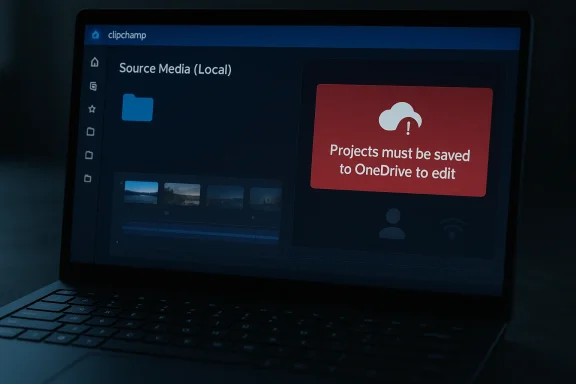
Microsoft has quietly turned Clipchamp into a far more cloud-dependent experience, and that matters because Clipchamp is not a niche add-on anymore. It is the built-in video editor for Windows 11, which means this is no longer just about a Microsoft 365 convenience feature; it is about a default Windows app changing the rules on millions of PCs. The new behavior requires a OneDrive-backed Microsoft account to create or edit projects, even though users can still keep their source media files local. That combination has predictably triggered a backlash from people who value offline workflows, privacy, or simple control over their own files. (support.microsoft.com)

Laptop screen shows clipchamp editing with a warning: “Projects must be saved to OneDrive to edit.”Overview​

Clipchamp’s trajectory has been a classic Microsoft story: acquire a product, fold it into the platform, and then gradually tighten its ties to the broader Microsoft ecosystem. Microsoft bought Clipchamp in September 2021 and positioned it as a friendly, creator-focused tool that would help people tell stories with video. Over time, Clipchamp became part of the Windows 11 experience and also a bridge into Microsoft 365, where its editing tools, cloud storage, and account system now fit together more tightly than ever. (microsoft.com)
The latest shift is not simply a UI tweak. Microsoft’s own support pages now explain that Clipchamp cloud storage is backed by OneDrive, that projects are meant to be backed up there to remain editable across devices, and that if you do not save existing projects to OneDrive, you can archive them locally but will need to upload them again if you want to edit later. In other words, local storage is becoming a holding area, not a fully supported working mode. That is a meaningful design change, especially for an app bundled with Windows rather than sold as a separate cloud service. (support.microsoft.com)
There is also a larger strategic context here. Microsoft has steadily made its consumer and productivity products more account-centric and more cloud-first, whether that means OneDrive, Microsoft 365 subscriptions, or synchronized experiences across devices. Clipchamp fits that pattern perfectly. The company’s own support materials even frame OneDrive as the mechanism that makes editing projects accessible across computers, while acknowledging that users may need to reactivate OneDrive entitlement to regain access to projects. That language suggests the cloud dependency is not accidental; it is now part of the product architecture. (support.microsoft.com)
For many users, though, this is exactly the wrong direction. Windows historically succeeded because it supported a wide range of use cases: enterprise networks, disconnected laptops, family PCs, and ad hoc personal workflows. When a core app starts requiring cloud sign-in for basic editability, it changes the meaning of “built in.” It stops feeling like a local Windows utility and starts feeling like a service with usage conditions attached. (clipchamp.com)

What Changed in Clipchamp​

The practical change is surprisingly blunt: projects must be saved to OneDrive to stay editable. Microsoft’s support documentation says users can archive projects locally, but if they want to edit again later, they must upload those projects to OneDrive. The same support material also says Clipchamp will no longer display folders in its user interface, pushing organization into OneDrive instead of the app itself. That is a large departure from the mental model most people have for a desktop editor. (support.microsoft.com)
There is a subtle distinction worth emphasizing. Microsoft is not saying that every piece of media must live in the cloud at all times. The company says users may keep media files local, and it even notes that project data and assets are handled differently depending on the version and storage mode. But the project file itself is now the gatekeeper. If that project is not in OneDrive, it does not behave like a normal editable Clipchamp project. That distinction is likely to confuse casual users and infuriate power users. (support.microsoft.com)

Local files are not the same as local projects​

This is the heart of the controversy. Users can preserve local source files, but the project metadata, timeline state, and editability are tied to OneDrive-backed storage. Microsoft’s own wording makes clear that a local copy is effectively an archive unless it is uploaded again. That is not how most people interpret “save locally,” and it helps explain why many users describe the change as a bait-and-switch. (support.microsoft.com)
From a product design perspective, the issue is not that cloud sync exists. The issue is that cloud sync is now the path to editability, while local-only storage is demoted to a secondary state. A cleaner model would have offered a true dual-mode workflow: one mode fully local, one mode fully cloud-enabled. Instead, Microsoft appears to have chosen a cloud-first default with a local escape hatch that is functionally limited. (support.microsoft.com)
A few key takeaways stand out:
  • Editable projects now depend on OneDrive rather than purely local storage. (support.microsoft.com)
  • Archived local projects are not immediately editable inside Clipchamp. (support.microsoft.com)
  • Project organization shifts out of Clipchamp and into OneDrive’s file structure. (support.microsoft.com)
  • OneDrive entitlement problems can block access to projects altogether. (support.microsoft.com)
  • Microsoft frames the web app and desktop app as functionally identical for personal users, reinforcing the cloud-first approach. (support.microsoft.com)
This is not just a technical footnote; it is a philosophical change. The app is no longer primarily a local editor with optional syncing. It is a cloud-managed editor that tolerates local storage in limited ways. That is a very different promise.

Why Microsoft Is Doing This​

The most obvious explanation is that Microsoft wants consistency. If projects live in OneDrive, they can move between devices, survive reinstallations, and integrate with Microsoft 365 workflows more cleanly. That also makes support easier because the company can standardize how editing state is stored and recovered. For Microsoft, fewer storage modes means fewer edge cases. (support.microsoft.com)
There is also a product ecosystem motive. Microsoft has spent years turning OneDrive into the connective tissue for its consumer and business software stack. Clipchamp is now described as being built on OneDrive and SharePoint in Microsoft 365 contexts, and the company’s messaging repeatedly points users toward cloud backup, cross-device access, and account-linked continuity. From Microsoft’s point of view, tying Clipchamp to OneDrive is not a bug; it is feature alignment.

The cloud-first logic​

In a cloud-first model, the project file becomes a portable asset rather than a private local artifact. That creates benefits: easier recovery, better sync, and a smoother path to multi-device editing. It also gives Microsoft a cleaner route to premium storage and subscription upsells, because cloud workflows naturally bump into quotas, entitlement checks, and account management. (support.microsoft.com)
But there is a downside to that logic. Software that is bundled with an operating system carries a different social contract than software sold as a cloud service. Users expect the OS to work offline, to respect local storage, and to remain useful without a recurring sign-in ritual. When Microsoft applies SaaS thinking to a Windows default app, it risks alienating exactly the audience that still cares about the local PC as a self-contained machine. (clipchamp.com)
The company has also been pushing a broader AI and subscription narrative across Microsoft 365, where storage, collaboration, and premium features are all part of a larger bundle. Clipchamp fits neatly into that strategy. It is easier to justify OneDrive-based storage when the rest of the ecosystem is already built around subscriptions and online identity. That may be commercially rational, but rational does not always mean welcomed. (microsoft.com)
Here is the tension in plain English:
  • Microsoft wants consistent cloud-managed state.
  • Microsoft wants cross-device continuity.
  • Microsoft wants subscription-friendly ecosystem lock-in.
  • Windows users want local control and offline resilience.
  • Clipchamp now sits right in the middle of those competing goals.
That conflict is why the backlash is so strong. Clipchamp is not being judged like a random web app; it is being judged like a Windows feature that used to feel more like a utility.

The User Experience Problem​

The frustration here is not just ideological. The new behavior is genuinely confusing. Microsoft’s support flow can make it appear as though you are setting up a local workflow, only for the app to reveal later that local projects will not appear in Clipchamp unless they are saved to OneDrive. That is the kind of user experience trap that creates lasting distrust because it feels like a hidden rule. (support.microsoft.com)
Users who expected a standard desktop workflow may also find the sign-in logic disorienting. Microsoft says OneDrive entitlement may need to be active even if the Clipchamp account was originally used only for video editing. In practice, that means a dormant or disconnected Microsoft account can become an access problem for your projects. The editor is now closer to a cloud portal than a local app. (support.microsoft.com)

Why the messaging feels misleading​

The real issue is expectation management. Windows 11 presents Clipchamp as an installed, built-in tool, which implies baseline local availability. But once a user opens the app, the workflow starts steering them into OneDrive setup, cloud backup, and account linking. If the “local” choice does not actually preserve editability, then the interface is not offering a true local option at all. (clipchamp.com)
That creates a mismatch between the platform and the product. A browser app asking for cloud storage is normal. A Windows-native editor that behaves like a cloud service is much less intuitive. The problem is not merely that Microsoft wants users signed in; it is that the app’s surface language still suggests flexibility that the underlying storage model no longer provides. (support.microsoft.com)
A few practical consequences flow from that mismatch:
  • Users may assume local projects are safely editable when they are not.
  • Users may discover the OneDrive requirement only after work has already been started.
  • Users may struggle to recover older projects after the storage model changes.
  • Users may blame Windows itself, not just Clipchamp, for the new limitation.
That last point matters. When a built-in app changes behavior, the complaint lands on the operating system brand, not just the app team. Microsoft is not simply redesigning an editor; it is shaping how people think about Windows as a platform.

Enterprise, Consumer, and Hybrid Use Cases​

Enterprise and consumer users are not experiencing this change in the same way. In managed environments, OneDrive and SharePoint are already part of the daily workflow, so Clipchamp’s cloud dependency may feel unsurprising or even beneficial. Microsoft’s work and school documentation makes clear that projects are already stored in OneDrive/SharePoint in those versions, and that cross-device access is a core advantage. For organizations, centralization is a feature. (support.microsoft.com)
For consumers, however, the story is much less comfortable. Many people use Windows PCs in exactly the situations where local storage still matters: travel, weak connectivity, home machines shared by family members, or privacy-sensitive projects that users do not want tied to cloud accounts. In that context, the requirement can feel like an unnecessary constraint on a perfectly ordinary Windows task. (support.microsoft.com)

Who gains and who loses​

The beneficiaries are easy to identify. People who work across multiple PCs, those already subscribed to Microsoft 365, and users who want automatic continuity across devices may appreciate the shift. A OneDrive-backed project can be convenient when you need to start on one machine and continue on another. Microsoft is clearly betting that this convenience outweighs friction. (support.microsoft.com)
The losers are equally clear. Offline creators, security-conscious users, and anyone who prefers a clean local file model will see this as another example of Microsoft turning a native Windows app into a cloud dependency. The fact that you can still use the app through the web only reinforces the feeling that the desktop version is being treated as a wrapper around an online service. (support.microsoft.com)
This is where the broader competitive story begins. Microsoft is not competing with a single editor; it is competing with the idea that Windows should be self-sufficient. The moment a built-in app starts requiring cloud identity to remain useful, local-first alternatives become more attractive, even if they are less polished. That is a dangerous tradeoff for a company that still depends on Windows’ reputation for flexibility.

Competitive Implications​

Clipchamp’s cloud shift does not happen in a vacuum. It comes at a time when creators have more editor choices than ever, from lightweight browser tools to serious desktop suites. Microsoft’s move may help it better align with its own ecosystem, but it also gives rivals a clean pitch: local-first editing, fewer account hoops, and less dependence on an online service. That pitch will resonate with a segment of users that Microsoft seems increasingly willing to deprioritize. (support.microsoft.com)
The biggest competitive risk is not that Clipchamp becomes unusable. It is that it becomes optional. If users conclude that the default Windows editor is no longer truly local or trustworthy for archival work, they may stop considering it for anything beyond quick edits. That would leave Microsoft with an installed app that still exists but has lost mindshare. (support.microsoft.com)

Local-first tools get a fresh opening​

This change gives third-party tools a marketing advantage they did not have to work as hard for before. A competitor can now say, in effect, “your projects are yours, stored where you choose, editable without account drama.” That message is simple, and simple messages win when users are angry. (support.microsoft.com)
For Microsoft, the concern is less about one app and more about trust erosion. Users tolerate cloud features when they believe they are optional or additive. They push back when the cloud becomes a requirement for core functionality. Once that line is crossed, the entire ecosystem starts to feel more conditional. (support.microsoft.com)
Key competitive implications include:
  • Third-party editors can position themselves as local-first alternatives.
  • Clipchamp may become a quick-editor tool rather than a primary editor.
  • Microsoft risks weakening trust in bundled Windows apps.
  • Cloud convenience may appeal to some, but it narrows the user base.
  • Rivals can target privacy, portability, and offline resilience in their messaging.
That last point is important because Windows users often make pragmatic decisions. If a competitor offers one fewer hurdle, many will move without much regret. Microsoft’s cloud strategy only works when convenience clearly outweighs friction.

The Subscription and Storage Angle​

One reason the change feels especially prickly is that it sits uncomfortably close to monetization. Microsoft says OneDrive is available at no cost up to a free quota, but the company also ties larger storage, premium Clipchamp features, and Microsoft 365 subscriptions together in ways that blur the line between a built-in feature and a paid ecosystem. That is enough to make users wonder whether they are watching a local feature slowly become a subscription funnel. (support.microsoft.com)
Microsoft’s own support pages reinforce the association by promoting premium Clipchamp benefits such as watermark-free exports, 4K resolution, premium stock, and other subscription-linked features. Even if the basic OneDrive-backed edit flow is not explicitly paywalled, the surrounding architecture clearly nudges users toward cloud storage and premium plans. That is a familiar Microsoft pattern, but familiarity does not make it less irritating. (support.microsoft.com)

Is this a soft paywall?​

Calling it a paywall would be too blunt, but calling it a soft gate would be fair. Users can technically use free OneDrive storage, yet the workflow’s convenience and reliability are increasingly bound to a Microsoft account and cloud capacity. Once your projects live there, expansion and continuity start depending on the account ecosystem rather than just the local PC. (support.microsoft.com)
There is also a symbolic problem. Microsoft has a long history of including media tools with Windows, from the old Windows Movie Maker era to the later Photos-based editor. Those tools made the OS feel complete. Clipchamp’s cloud-first design makes Windows feel less like an operating system with native tools and more like an on-ramp to Microsoft services. That is a different value proposition entirely. (microsoft.com)
The danger is not merely that users resist paying. It is that they start questioning whether every built-in feature is eventually going to require an account, a quota, or a subscription. Once that suspicion takes hold, even good features inherit the distrust.

Microsoft’s Platform Strategy​

Microsoft has spent years reimagining Windows as a managed service ecosystem rather than a static desktop OS. Cloud storage, identity, AI, web integration, and subscription bundles all serve that broader strategy. Clipchamp fits neatly into it because video projects are inherently portable and because many users now expect to move content across devices. The strategy is coherent, even if the execution is contentious. (microsoft.com)
But coherence is not the same as compatibility with all user expectations. Windows still runs in environments where the local machine is the center of gravity. IT admins, hobbyists, offline users, and even students working in poor connectivity conditions all rely on software that can function without a cloud backplane. Microsoft knows this; the company has simply decided that the benefits of cloud alignment are worth some amount of backlash. (support.microsoft.com)

The Windows contract is changing​

The old Windows promise was simple: install the OS, run the apps, keep working. The new promise is more conditional: sign in, sync, and accept that some functionality is tied to online services. Clipchamp is a small but visible example of that shift. Because it is a consumer-facing built-in app, it makes the change feel more personal than a backend service ever would. (clipchamp.com)
This shift also explains why user anger can seem disproportionate to the feature itself. People are not only reacting to Clipchamp; they are reacting to what Clipchamp represents. It symbolizes the broader move away from local ownership toward platform-managed state. That is a bigger debate than video editing. (support.microsoft.com)
Important platform-level signals include:
  • Microsoft is unifying consumer productivity around cloud identities.
  • Windows native apps are being made more service-like.
  • Account continuity is being prioritized over standalone local workflows.
  • Built-in tools are increasingly tied to Microsoft 365 economics.
  • The local PC is becoming one endpoint in a larger Microsoft network.
That is the long game, and Clipchamp is simply one of the latest visible markers. The question is whether enough users will accept that tradeoff without migrating to alternatives.

Strengths and Opportunities​

Despite the backlash, Clipchamp still has real strengths. It remains approachable, integrated, and good enough for small-to-medium editing tasks, and Microsoft’s cloud model does genuinely help users move projects between devices. If the company improves the clarity of its storage model, it could keep the convenience while reducing confusion. The opportunity is not trivial. (clipchamp.com)
  • Cross-device continuity is valuable for students, families, and mobile workflows.
  • Simple onboarding still makes Clipchamp attractive to beginners.
  • Built-in Windows placement gives it huge distribution advantage.
  • Microsoft 365 integration can streamline broader workflows.
  • Web and desktop parity can reduce friction for mixed-device users.
  • Cloud backup can protect projects from local hardware failure.
  • Standardized storage can simplify support and recovery scenarios.
The best-case scenario for Microsoft is that most users eventually see the OneDrive requirement as a convenience layer rather than a constraint. To get there, however, the company needs more honest and visible communication about what local storage does and does not preserve.

Risks and Concerns​

The risks are equally substantial. The biggest one is trust. If users feel that a local workflow was removed without being presented as a major change, they may not give Microsoft the benefit of the doubt the next time a built-in app changes behavior. That kind of distrust compounds quickly across a platform as broad as Windows. (support.microsoft.com)
  • Confusing local-vs-cloud messaging may lead to lost work or bad assumptions.
  • OneDrive entitlement issues can block access to existing projects.
  • Offline creators may abandon Clipchamp entirely.
  • Subscription anxiety may grow if cloud workflows keep expanding.
  • Platform trust erosion could spill into unrelated Windows features.
  • Support burden may rise as users try to recover projects or re-link accounts.
  • User backlash may harden around the idea that Windows features are becoming paywalled.
There is also a reputational issue. Microsoft already faces skepticism whenever it pushes cloud sign-ins into places users expect to remain local. Clipchamp may seem small in isolation, but it is large enough to become a symbol of that frustration. Symbols matter in operating systems because they shape how users interpret every other change.

Looking Ahead​

The next few months will likely determine whether this becomes a short-lived annoyance or a lasting identity shift for Clipchamp. If Microsoft improves the wording, makes the local archive behavior more transparent, or offers a real local-only editing mode, some of the anger will subside. If not, the app may increasingly be seen as a cloud editor that happens to ship with Windows. (support.microsoft.com)
There is also a broader lesson here for Microsoft. Users will tolerate cloud dependency when it is clearly explained and when the benefit is obvious. They will not tolerate it when it appears to downgrade a familiar local workflow without a strong reason. That distinction is especially important for something as central as a Windows-built editing tool. (clipchamp.com)
What to watch next:
  • Whether Microsoft adds a true local-only project mode.
  • Whether the company clarifies the difference between archive and editable storage.
  • Whether OneDrive-related access bugs continue to surface in support forums.
  • Whether competitors use the controversy to market offline-friendly editors.
  • Whether Microsoft expands the same cloud model to other built-in Windows apps.
The deeper story is not that Clipchamp changed. It is that Microsoft is once again redefining what a built-in Windows app means. If that definition increasingly depends on cloud accounts and OneDrive-backed storage, then Windows is becoming less of a local operating system and more of a service endpoint. For some users that will be progress; for others, it will feel like losing ownership of the PC they already paid for.

Source: Windows Central Microsoft just broke Clipchamp for anyone who hates the cloud.
 

Microsoft’s latest Clipchamp change on Windows 11 is bigger than a simple product tweak: it effectively turns the built-in video editor into a cloud-tethered workflow. According to Microsoft’s support documentation, Clipchamp editing projects now need to be saved to OneDrive if users want to create, open, or continue editing them, while locally stored project files will not remain editable inside the app. That moves OneDrive from a convenient sync layer into a required dependency for many Windows 11 users, including those who previously relied on offline or local-only editing.

A digital visualization related to the article topic.Background​

Clipchamp has long occupied an unusual place in the Windows ecosystem. It began as a browser-based, consumer-friendly video editor and eventually became part of Microsoft’s broader Windows 11 experience, giving casual creators an easy way to trim clips, add titles, and export short videos without learning professional software. The promise was straightforward: a lightweight editor integrated into the operating system, available to everyday users, with a lower learning curve than traditional desktop suites.
That simplicity, however, has always sat next to a deeper tension. Video projects are a strange hybrid of local assets, project metadata, cache files, and export targets. Microsoft’s own documentation makes clear that Clipchamp has treated media and project information differently depending on account type and version, with personal accounts keeping files on the computer unless cloud backup is enabled, while work and school versions have relied on OneDrive or SharePoint as the storage layer. The new change pushes the personal experience closer to that cloud-first model.
The shift is also consistent with Microsoft’s broader product direction. For years, the company has encouraged identity-based services, sync across devices, and subscription-backed storage as the glue of the modern Windows experience. OneDrive sits at the center of that strategy, not only as a file sync product but also as an enabler for continuity, backup, recovery, and device migration. Clipchamp’s new requirement fits neatly into that larger design philosophy, even if it feels less convenient to users who still expect editing software to work like traditional desktop tools.
There is an important distinction here between storing media and storing project state. Microsoft says users do not necessarily need to upload every source video, image, or audio file to OneDrive, but the project itself must live there to remain editable. That means the timeline, edit decisions, and project metadata are no longer treated as a purely local artifact. In practical terms, the edit session becomes a cloud object, even when the footage itself stays on disk.
This may sound technical, but the impact is broad. Casual users who simply want to edit vacation videos on a laptop may not care where project files live until Clipchamp stops opening them locally. More advanced users, including creators who build repeatable workflows around offline storage, will notice immediately. What Microsoft presents as a storage optimization is, for some, a fundamental change in how Windows 11 handles creative work.

What Microsoft Changed​

At the center of the update is a simple requirement with large consequences: Clipchamp projects must be saved to OneDrive if users want to edit them in the app. Microsoft’s support pages now frame OneDrive-backed projects as the supported way to preserve editability, and the company says projects not saved to OneDrive will not appear inside Clipchamp for editing in the same way. That is not a minor UI preference; it is a workflow gate.
The policy also applies to existing projects. That matters because many users build up a library of half-finished edits over time, returning to them days or weeks later. Microsoft’s guidance indicates that those older projects need to be moved to OneDrive if users expect to keep working on them in Clipchamp. The change therefore retroactively alters the status of already-created work, not just future projects.

A cloud requirement, not just a sync option​

The most important nuance is that Microsoft is not merely offering OneDrive as a convenience. It is making OneDrive part of the editing contract. Users can still keep the source media on their machine, but the project container itself becomes dependent on Microsoft’s cloud services. That is a meaningful shift from “save where you want” to save here if you want the app to keep working as expected.
The consequence is that Clipchamp stops behaving like a normal offline editor in one of the ways that matters most: project persistence. Even if the footage is local, the edit state is no longer fully local. In effect, Microsoft has made the project file itself a cloud-backed state machine. That may help with syncing and recovery, but it also means the editor now assumes ongoing access to Microsoft infrastructure.
A subtle but important implication is that this could change how users think about ownership. A project that lives in OneDrive is easier to recover on another device, but it is also tied to a Microsoft account and service entitlement. That is convenient when everything works; less so when the account has issues, storage runs out, or the user simply wants to work offline.

Why the Change Matters​

The practical impact of this change depends on how people use Clipchamp. For light users, the new model may barely register beyond an extra sign-in prompt. For anyone who values local-first workflows, however, the shift is significant. It removes one of the simplest assumptions about desktop software: that a file stored on your computer can be reopened on your computer without involving a cloud account.
Microsoft’s documentation around OneDrive-backed Clipchamp projects makes the new logic explicit. Projects can be archived locally, but if users choose not to save them to OneDrive, they must upload them later before editing again. That creates a two-step lifecycle where local storage is no longer enough to ensure continued access in the app.

The offline workflow problem​

This is where the change becomes more than a storage policy. Offline editing is not just a nice-to-have for travelers and remote workers; it is also valuable in low-bandwidth environments, on privacy-sensitive systems, and in organizations that avoid unnecessary cloud dependencies. By making OneDrive mandatory for project editing, Microsoft narrows the range of conditions under which Clipchamp is truly usable.
The company may argue that source media can remain local, which does preserve some privacy and bandwidth benefits. But that argument only goes so far. A project that cannot be reopened offline is still not an offline project. In editorial terms, Microsoft has preserved the raw material while moving the creative state into the cloud.
That distinction matters because video editing is inherently iterative. People rarely finish a video in one sitting. They return to it, tweak it, re-order clips, change titles, and export multiple versions. If the project itself is cloud-bound, that iterative process becomes tied to sign-in status, storage entitlements, and OneDrive availability.

Microsoft’s Cloud Strategy​

Seen in isolation, the Clipchamp change is easy to criticize as cloud creep. Seen in the context of Microsoft’s product strategy, it looks like a predictable extension of the company’s broader push toward unified identity, cloud backup, and cross-device continuity. OneDrive is not just storage in this model; it is the backbone of state synchronization across Microsoft apps.
The advantage for Microsoft is clear. Cloud-backed projects are easier to surface across devices, easier to tie to Microsoft 365 subscriptions, and easier to support when users need recovery help. Microsoft’s support documentation even discusses storage limits, subscription tie-ins, and the behavior of backed-up projects across devices. That suggests the company sees Clipchamp not as a standalone editor but as a service integrated into a larger account ecosystem.

From desktop app to account service​

This is the deeper strategic shift: software that once would have been defined by installation and local files is increasingly defined by account state and service access. Clipchamp’s new model is a small but telling example of that evolution. It aligns the editor more closely with Microsoft 365 than with the old-school notion of an app you simply install and use.
That has commercial logic. Subscription services tend to produce better recurring revenue than one-off tools. They also encourage retention, because users who move their projects into a cloud service are less likely to switch away casually. But the trade-off is that the app’s “Windows built-in” identity becomes less meaningful if core functionality depends on account services.
Microsoft may believe that most users prefer the benefits of continuity over the friction of local management. That is probably true for a majority of casual consumers. But for enthusiasts and professionals, especially those who remember when “local file” meant control, the change feels like the latest step in a long retreat from self-contained desktop software.

Consumer Impact​

For ordinary Windows 11 users, the change will likely show up as confusion first and frustration second. Someone might open a project they created earlier and discover that Clipchamp wants it moved to OneDrive before it can be edited. That is the kind of friction that can make a built-in tool feel less like a feature and more like an obligation.
The biggest consumer benefit is convenience across devices. If your project lives in OneDrive, you can pick up where you left off on another PC more easily, and Microsoft can frame that as a productivity win. The problem is that convenience and dependency are often two sides of the same coin. The same mechanism that makes switching devices easier also makes local autonomy harder.

Who gains, who loses​

The users most likely to appreciate the change are those already comfortable with Microsoft accounts, cloud sync, and multi-device workflows. They may see the requirement as a small price to pay for continuity and backup. For them, OneDrive is already part of how Windows works.
The users most likely to dislike it are those who treat Clipchamp like a lightweight offline utility. That group includes hobbyists, students on spotty Wi-Fi, and people who simply do not want every creative task tied to an online account. For those users, the new policy feels less like modernization and more like enclosure.
The practical decision tree is simple:
  • Sign in with a Microsoft account.
  • Move existing projects to OneDrive.
  • Keep working in Clipchamp if cloud access is acceptable.
  • Switch to another editor if local-only editing matters.
That sequence may sound obvious, but it reveals the real user-facing effect: Microsoft has made the decision for you unless you change tools.

Enterprise and Work-School Implications​

In the enterprise and education world, the reaction may be more muted because OneDrive and SharePoint are already deeply embedded in Microsoft 365 deployments. Microsoft’s own support documentation for Clipchamp’s work version states that media files and project information are backed up in OneDrive or SharePoint, which makes the consumer change look more like convergence than surprise.
That said, enterprises have different tolerances for cloud dependency. Even when an organization already licenses Microsoft 365, administrators still care about retention, entitlement, storage policies, and access control. If Clipchamp projects are effectively bound to OneDrive availability, then a temporary account issue can become a workflow issue. Microsoft’s troubleshooting pages even discuss cases where a disabled OneDrive entitlement can prevent project access.

Governance and compliance questions​

This raises governance questions that go beyond convenience. If editing projects are now cloud-backed by default, organizations need to know where those projects live, who can access them, how they are shared, and what happens when employees leave. Those are standard enterprise concerns, but the mandatory nature of OneDrive makes them unavoidable rather than optional.
There is also the matter of retention policy. A local project file can be managed by the user alone, but a cloud-backed project may fall under organizational controls. That can be a positive for compliance, yet it also makes simple creative work part of a much larger administrative structure.
For schools, the implications are similar. A student-friendly editor that assumes constant cloud access may work fine in a managed environment, but it can create problems for users in low-connectivity settings or on shared devices. As with many Microsoft ecosystem choices, the enterprise benefit is strongest when the organization is already all-in on the platform.

How It Compares With Other Editors​

Compared with traditional desktop video editors, Clipchamp now looks much more cloud-first. Legacy editors generally assume projects live on local disk and only require the internet for activation, updates, or asset downloads. Microsoft’s approach is the inverse: the internet is not peripheral; it is part of the project’s existence.
That puts Clipchamp closer to browser-native creative tools and subscription ecosystems than to classic installed software. It also makes the app easier to position as part of Microsoft 365 rather than as a standalone Windows utility. The cost is that some users will immediately compare it unfavorably with editors that still permit a fully local project workflow.

Why local-first still matters​

Local-first workflows are not nostalgic indulgences. They are useful because they reduce dependence on bandwidth, sign-in state, and vendor availability. They also make backup easier to reason about: if the project file is on your disk, you know where it is. If it is in the cloud, you are relying on sync, permissions, and the provider’s retention model.
This is especially relevant for users who edit on laptops, travel frequently, or work in environments with limited connectivity. A local-only editor can be slower or less polished, but it gives the user a clear sense of control. Clipchamp’s new OneDrive requirement weakens that sense, even if it improves cross-device access.
The broader market implication is straightforward: Microsoft is signaling that “built into Windows” now means “tied to the Microsoft account stack.” Competing editors that preserve offline independence can use this as a selling point, especially for creators who value portability over ecosystem integration.

Strengths and Opportunities​

There are real advantages to Microsoft’s approach, and they should not be dismissed simply because the rollout is unpopular with some users. Cloud-backed projects can reduce lost work, streamline device switching, and make it easier for Microsoft to connect Clipchamp to the rest of its productivity stack. They also align with the company’s long-standing investment in OneDrive as the default storage layer for personal and organizational content.
  • Cross-device continuity is much easier when project state lives in OneDrive.
  • Recovery and backup become more straightforward for average users.
  • Subscription integration with Microsoft 365 becomes cleaner.
  • Supportability improves when Microsoft can standardize storage behavior.
  • Collaboration potential increases if projects are already cloud-bound.
  • Onboarding can be simpler for users already signed into Microsoft services.
  • Administrative oversight may improve for enterprise and education customers.
The opportunity for Microsoft is not just technical. It is strategic. By making Clipchamp cloud-native, the company can keep folding it into a broader ecosystem where identity, storage, and subscription all reinforce one another. That is exactly how platform lock-in is made to feel like convenience.

Risks and Concerns​

The downside is equally clear. Any time a creative app makes cloud access mandatory, it raises questions about offline resilience, privacy, account recovery, and user autonomy. Those concerns are amplified when the app is bundled into Windows 11, because users may not have chosen it as a service relationship in the first place.
  • Offline editing is effectively weakened for anyone who relied on local-only projects.
  • Account problems can block access to work that is otherwise stored locally.
  • Storage limits may become a new friction point for free users.
  • User confusion is likely when older projects stop opening as expected.
  • Privacy concerns grow when project state depends on a cloud account.
  • Vendor lock-in becomes more visible when the app’s core feature depends on OneDrive.
  • Migration pain increases if users later move away from the Microsoft ecosystem.
The most serious concern is that Microsoft may normalize this pattern elsewhere. If a built-in editor can require cloud storage for editability, other bundled tools may eventually follow the same logic. That would further erode the idea that Windows still offers meaningful local-first software as a default.

What to Watch Next​

The next questions are not just whether users complain, but whether Microsoft reacts. The company could soften the transition with clearer messaging, a hybrid model, or a way to keep local projects editable without forcing cloud storage. It could also choose to double down, treating the current approach as the new normal and pushing users toward OneDrive as the only supported path.
A lot will depend on how much friction the rollout creates. If most users never notice, Microsoft will likely see little reason to retreat. If support forums fill with complaints about project access, the company may be pressured to clarify the limits or preserve a more flexible fallback. Silent adoption is usually what platform shifts depend on; visible backlash is what can interrupt them.

Key developments to monitor​

  • Whether Microsoft introduces a hybrid local/cloud project mode.
  • Whether existing local projects can still be migrated smoothly without data loss.
  • Whether Clipchamp’s UI starts emphasizing OneDrive status more prominently.
  • Whether Microsoft extends similar cloud requirements to other Windows creative tools.
  • Whether third-party editors gain attention from users who want offline independence.
If Microsoft is measuring success by account engagement and cloud adoption, the change may be a win internally even if it annoys some power users. If it is measuring success by user satisfaction, the result will depend on how many people hit the wall between “save” and “editable.”
The larger pattern is unmistakable. Windows is no longer just a local operating system with optional online services layered on top; it is increasingly a cloud-connected platform where the line between software and subscription keeps getting thinner. Clipchamp’s OneDrive requirement is a small change in code and a large change in philosophy.
For casual creators, that may be manageable. For anyone who still values the idea that a project stored on a PC should remain fully usable on that PC, it is a warning sign. Microsoft may call it modernization, but for many users it will read as a reminder that the modern Windows experience increasingly comes with strings attached.

Source: gHacks Microsoft Now Requires OneDrive For Editing Projects In Clipchamp On Windows 11 - gHacks Tech News
 

Back
Top