Copilot Tasks: Microsoft’s Agentic AI for Multi-Step Automation

  • Thread Author
Microsoft’s Copilot has taken a decisive step beyond chat: with the new Copilot Tasks research preview, the company is offering an agentic AI that will plan, act, and return results on multi‑step work you describe in plain English — and you can now join a public waitlist to try it.

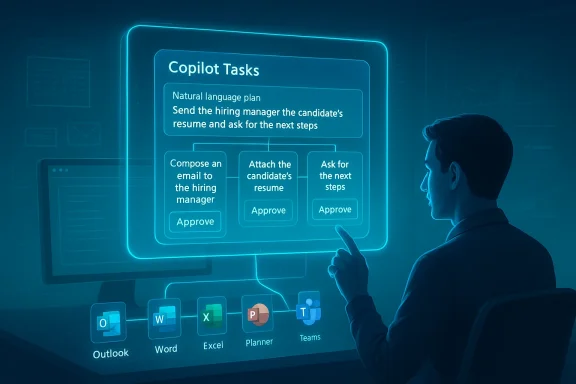
Person uses a holographic screen showing Copilot Tasks for hiring with app icons.Background / Overview​

For more than two years Microsoft has incrementally shifted Copilot from an assistant that answers questions into a platform that can operate across apps and services. That evolution — from Copilot Chat to Actions, Agent Builder, and Copilot Studio — set the technical and policy groundwork for a more autonomous capability: Copilot Tasks. Microsoft describes Tasks as a feature that accepts a natural‑language goal, creates a plan, and then executes that plan using a controlled browsing and app orchestration environment while keeping the user in control of meaningful decisions like spending or sending messages. The company opened a limited research preview and a public waitlist on February 26, 2026.
Copilot Tasks represents a clear pivot: instead of answering a single prompt inside a chat, Copilot will now run longer‑running, conditional workflows in the background, coordinating between Microsoft 365 apps, web pages, and permitted connectors to produce outcomes — from scheduling recurring actions to generating documents, booking appointments, monitoring price changes, and following up on email threads. Early reporting and Microsoft’s own descriptions emphasize iterative proposals, consent gates, and an ability to pause or cancel operations mid‑flight.

How Copilot Tasks works — the mechanics and user flow​

1. Describe a goal; Copilot builds a plan​

Users start with a natural‑language instruction — for example, “Organize a week of client visits in Boston, draft agendas, and book hotel rooms with flexible cancellation.” Copilot translates that goal into a multi‑step plan, breaking it into discrete actions such as checking calendars, proposing time windows, compiling draft agendas, comparing hotel rates, and preparing confirmation drafts for review. This plan is presented to the user for review and modification before execution.

2. Controlled environment for execution​

When the user approves the plan, Copilot spawns a contained execution environment: an agentic workspace with its own browser instance and compute sandbox. This environment is not your normal web browser tab; Microsoft says it’s a controlled context that can interact with sites and apps at the permissioned level required to complete tasks. The agent reports progress and can ask for clarifications as it works. Microsoft frames this as safety‑first: meaningful actions that affect finances, messages, or external systems require explicit consent before being executed.

3. Connectors and app orchestration​

Copilot Tasks uses connectors — similar to the existing Microsoft 365 connectors and the Model Context Protocol (MCP) approach — to access calendars, email, files, and third‑party services when the user authorizes them. With the right connectors enabled, Tasks can draft emails in Outlook, create or edit files in Word/Excel/PowerPoint, update Planner or To Do, and interact with web services for bookings or lookups. Microsoft’s Agent Builder tooling and Copilot Studio underpin this integration, allowing declarative agents and templates to be used as building blocks.

4. Iteration and human oversight​

A critical design point is that Copilot Tasks is iterative rather than fully autopilot. Copilot proposes a plan, the user refines it, and the agent executes steps while offering checkpoints for review. For any step that has material impact (spending money, sending messages to people, permanently deleting data), the system must ask for user confirmation before proceeding. That human‑in‑the‑loop model is central to Microsoft’s stated approach.

What Copilot Tasks promises to automate (use cases)​

  • Recurring administrative workflows: nightly digests of urgent emails, automated customer follow‑ups, or subscription audits.
  • Document production: create research briefs, draft slide decks from meeting notes, or generate standardized contract language.
  • Scheduling and logistics: coordinate meeting series, book travel with timed pickups, and auto‑adjust plans after flight delays.
  • Shopping and monitoring: watch product listings or hotel rates and rebook or purchase when thresholds are hit (with prior permissions).
  • Data lookups and reporting: query spreadsheets and internal databases, produce reconciliations, and prepare executive summaries.
These examples are consistent across early reporting and Microsoft’s own product pages for related Copilot agent capabilities, which emphasize Planner and Teams integrations, document generation, and scheduled prompts. The demo scenarios show how Tasks can compress multi‑hour, multi‑app workflows into a single high‑level instruction.

What’s new versus existing Copilot features​

Copilot Chat vs. Copilot Actions vs. Copilot Tasks​

  • Copilot Chat (the conversational interface) answers questions and drafts content inside a chat window.
  • Copilot Actions (previously announced features) allowed Copilot to perform discrete interactions with websites — e.g., booking a restaurant through partner integrations — usually in a foreground flow.
  • Copilot Tasks moves to asynchronous, long‑running, multi‑step orchestration in a sandboxed environment and ties in broader app connectors and scheduled execution.
In short, Tasks elevates Copilot from a reactive helper to a workflow engine that can run over time and manage conditional logic across systems. Early coverage highlights this transition from “chat” to “autonomous workflows.”

Technical underpinnings and governance features​

Agent framework and Agent Builder​

Copilot Tasks leverages the same agent frameworks Microsoft has been steadily rolling out: Agent Builder, Copilot Studio, and the Model Context Protocol. Agent Builder allows declarative agent creation either via natural language or manual configuration, and Copilot Studio provides the controls for enterprise knowledge sources and capability toggles (code interpreter, image generation, connectors). These are the plumbing that lets Copilot Tasks bind to internal data sources and execute multi‑step logic.

Privacy, consent, and transparency​

Microsoft has amplified its transparency notes for Copilot: the platform is built to disclose AI interactions, require sign‑offs for material actions, and give users controls to opt out of personalization or memory. For Tasks specifically, Microsoft states that spending and messaging actions require explicit confirmation, and admin controls exist for enterprise governance. Expect to see tenant‑level settings, permissions for connectors, and auditing through Microsoft Purview and the AI admin role introduced for Copilot governance. These governance knobs are crucial for enterprise adoption.

Controlled browsing and compute​

Early descriptions emphasize a separate, controlled browser and compute sandbox where web interactions happen. That design reduces the attack surface exposed to the user’s ordinary browser session and limits cross‑site contamination while allowing the agent to interact with web forms and services as needed. Microsoft’s documentation on Copilot Actions and Copilot Studio describes these sandboxed, permissioned execution environments in more general terms.

Cross‑checking claims — what’s verified and what remains tentative​

I verified major product claims across multiple, independent sources:
  • The public announcement and waitlist opening have been reported by major outlets including Windows Central and PureInfotech, and corroborated by Microsoft’s own product messaging and documentation for the agent platform. These independent reports align on the feature set and research‑preview status.
  • The requirement for consent on material actions and the sandboxed execution model are consistently described in Microsoft’s transparency and product pages, and in coverage summarizing Microsoft’s demos. While Microsoft’s messaging emphasizes human control, the practical UX details (how many confirmation prompts, how granular permissions are, etc.) are yet to be observed at scale.
  • Connections to Microsoft 365 workloads (Planner, Outlook, Teams, OneDrive) and the ability to generate Office files are supported by Microsoft support pages and release notes for Planner/Copilot integrations and Agent Builder documentation. These confirm that Copilot already has the integration surface to plausibly do the Tasks scenarios Microsoft shows.
Caveats and unverifiable items:
  • Microsoft’s demonstrations show a wide range of scenario coverage (shopping, independent web bookings, subscription cancellation). While the pieces exist — browser automation, connectors, and consent gates — the real‑world reliability of cross‑site automation (across diverse vendor websites and their changing UIs) is unproven outside controlled demos and the research preview. Until broader field testing occurs, claims about broad, dependable web automation should be treated with caution.

Security, privacy, and compliance: a deep dive for IT​

Copilot Tasks amplifies the capabilities that enterprises have been wrestling with for years: automation that acts with agency requires new governance patterns. Below I outline the chief concerns and practical mitigations organizations should plan for.

Key risks​

  • Unauthorized actions via connector compromise: if an agent can access a mailbox or calendar, a compromised agent or connector could be misused to send messages or approve transactions.
  • Data exfiltration and over‑broad context usage: agents drawing on internal documents, chat transcripts, and external web pages create complex data flows that raise leakage risks.
  • Inadvertent or mistaken financial commitments: automated purchase or booking flows that do not correctly ask for confirmation could create liabilities.
  • Auditability and forensics: long‑running automated tasks must create reliable logs and explainable trails showing why an action was taken, what data was used, and when approvals were granted.
  • Site fragility and brittle automation: web UI changes can break automation, causing agents to produce incorrect outcomes without immediate detection.

Mitigations and admin controls​

  • Enforce least privilege connectors: provision connectors only where necessary and require tenant admin review for new connectors. Microsoft’s emerging AI admin role and Copilot governance controls are designed to help here.
  • Require two‑step approvals for financial/material actions: implement policy that any financial commitment triggers an elevated approval flow or a mandatory human review step.
  • Enable Purview auditing and DLP: tie Copilot Tasks activities to Microsoft Purview (or equivalent) so data movement, external accesses, and generated artifacts are recorded and subject to DLP policies.
  • Sandbox scope restrictions: limit agent scopes to non‑sensitive sites and pre‑approved domains when possible; block agents from accessing high‑risk external services unless explicitly approved.
  • Implement monitoring and alerting: treat agent tasks as scheduled jobs — monitor their start/stop states, outcomes, and error rates; alert on unexpected retries or unusual spending patterns.
  • Test and stage automations: require any new agent or Tasks plan to undergo a staging validation with synthetic data before permitting production runs.

Governance recommendations for policy and procurement teams​

  • Update acceptable use policies to explicitly cover AI agents and long‑running automations.
  • Add Copilot‑specific controls to change‑management processes: new Copilot agents and Tasks plans should go through an approval workflow with security and legal reviews.
  • Negotiate vendor SLAs for agent‑driven actions, including remediation and rollback clauses for erroneous automated transactions.
These mitigations align with Microsoft’s current guidance and the enterprise controls being added to the Microsoft 365 admin surfaces, but will require active implementation and auditing by customers.

Developer and ISV implications​

Copilot Tasks creates opportunity and complexity for developers and ISVs:
  • Platform extensibility: Agent Builder and Copilot Studio already allow makers to create declarative agents with knowledge grounding. For ISVs, publishing connectors and ensuring stable endpoints will be a competitive advantage.
  • New integration patterns: vendors may need to publish machine‑friendly APIs or tidy up forms and flows to be robust to agent interactions.
  • Testing and QA: ISVs must add automated test cases that simulate agent interactions (form filling, booking flows) since agents will effectively be another class of automated user.
  • Marketplace and monetization: expect a surge in templates, prebuilt agents, and managed automation offerings built on top of Copilot Tasks.
These business implications are consistent with how GitHub Copilot agents reshaped developer workflows and how other platform agents ecosystems have formed around agent orchestration.

Real‑world scenarios: short reads from the preview chatter​

Early community discussion and forum threads show a mix of excitement and caution. Enthusiasts point out that Copilot Tasks could be the productivity multiplier everyone has been waiting for — turning long, repetitive sequences into single instructions — while IT professionals stress the need for robust admin controls and predictable billing behavior. Threads from enterprise and Windows communities also discuss how Copilot Tasks is the natural extension of earlier Copilot Actions and Planner automation features, and that the research preview will be essential for assessing how brittle or dependable the system is in messy, real‑world environments.

UX expectations and what to look for in the preview​

If you join the waitlist or follow the early releases, watch for:
  • How explicit and granular are the consent prompts for each action?
  • The visibility and reliability of the agent’s activity log: can you see every step, inputs used, and the web interactions performed?
  • Error handling and rollbacks: when a web form changes or a booking fails, does the agent notify you with actionable next steps?
  • Rate‑limiting and cost transparency: will scheduled or recurring Tasks count against tenant quotas, and how are compute or connector costs shown?
  • Integration with existing automation standards (Power Automate, Logic Apps): does Tasks complement or duplicate existing automation tooling?
The answers to these questions will inform whether Copilot Tasks is a liberating productivity addition or an extra governance burden for enterprises. Early reports suggest Microsoft intends to integrate Tasks with existing admin controls and to surface progress and checkpoints, but real‑world testing will be the decisive factor.

Competitive and market context​

Agentic AI is now a competitive battleground. Microsoft’s move with Copilot Tasks places it in direct competition with other agent and automation offerings that combine natural language prompting and background execution. GitHub’s Copilot coding agents and third‑party agent platforms have already shown how formalized agents can accelerate workflows; Microsoft’s differentiator is the deep, first‑party tie into Microsoft 365, Windows, and enterprise governance tooling. That vertical integration — combined with the agent and connector ecosystem — is what makes Copilot Tasks compelling for organizations already heavily invested in the Microsoft stack.

Limitations and the case for cautious optimism​

Copilot Tasks is promising, but there are clear limits today:
  • Web automation is inherently brittle: pages change, CAPTCHAs appear, and integrations can break. Robustness will come from well‑maintained connectors and fallback logic.
  • Hallucination risk: when generating documents, drafting messages, or summarizing data, AI‑generated content can include inaccuracies. Human review remains essential.
  • Data governance complexity: blending internal knowledge with public web sources creates complex compliance obligations for regulated industries.
  • Operational transparency: enterprises will need clear, queryable logs and retention policies for agent actions — not just audit trails but explainable rationales for decisions.
Nevertheless, the potential for real productivity gains is real: when agents can reliably reduce multi‑app, multi‑hour tasks into a single verified workflow, organizations will recoup time and redirect attention to higher‑value work. The preview will be the moment of truth.

Practical guidance: what I’d advise organizations to do now​

  • Join the waitlist and evaluate: sign up for the research preview and build test cases that emulate your common multi‑step workflows.
  • Inventory connectors and sensitive data paths: know which services would be exposed to agents and lock down high‑risk connectors until controls mature.
  • Update policies and training: ensure staff know that agent‑driven actions require review and that AI outputs are not authoritative without human sign‑off.
  • Prepare monitoring: extend your operational telemetry to capture agent activity, success/failure rates, and unusual spending or external interactions.
  • Coordinate with legal and compliance: ensure you have rules for automated communications, contract commitments, and data residency considerations.
These steps will help organizations decouple short‑term hype from long‑term value, and they reflect practical lessons from prior Copilot rollouts in Planner and Teams.

Verdict — why this matters​

Copilot Tasks is the most concrete signal yet that Microsoft is aiming to turn Copilot into an agentic productivity platform rather than only a conversational assistant. The combination of agent frameworks, connectors to Microsoft 365, and a controlled execution environment makes the feature plausible and potentially powerful for both consumer and enterprise users. At the same time, the shift to long‑running, autonomous workflows raises governance, auditability, and reliability questions that only real‑world use and rigorous admin controls can answer.
If Microsoft nails the consent, auditing, and connector governance while keeping agent automation robust against the messy reality of the web, Copilot Tasks could be transformative. If not, organizations will face the familiar pattern of promising automation causing operational friction and security headaches.
For Windows and Microsoft 365 customers, the prudent posture is to test early, harden governance, and treat agentic AI as a new class of automation that requires the same discipline you apply to scripts, RPA, and scheduled jobs — plus a few extra guardrails for the unpredictability of generative models.

Conclusion​

Copilot Tasks is a logical — and ambitious — next step in Microsoft’s Copilot roadmap: it moves AI out of the chat bubble and into the role of a background worker that can orchestrate apps, the web, and your Microsoft 365 data to get things done. The research preview and public waitlist open the door to hands‑on testing, but the feature’s real impact will hinge on Microsoft’s execution around transparency, permissions, logging, and reliability. For IT leaders, product teams, and developers, Copilot Tasks is an opportunity to rethink automation patterns — but it is also a reminder: agency demands accountability. Join the preview, design for governance, and prepare to treat AI agents like the powerful, auditable automation tools they are becoming.

Source: Neowin Microsoft introduces Copilot Tasks, a new way to get things done using AI
 

Microsoft has quietly pushed Copilot past the point of conversation and into the realm of background work with the introduction of Copilot Tasks — a cloud‑hosted, browser‑driven agent that builds multi‑step plans from plain‑English goals and executes them on your behalf while keeping you in the loop.

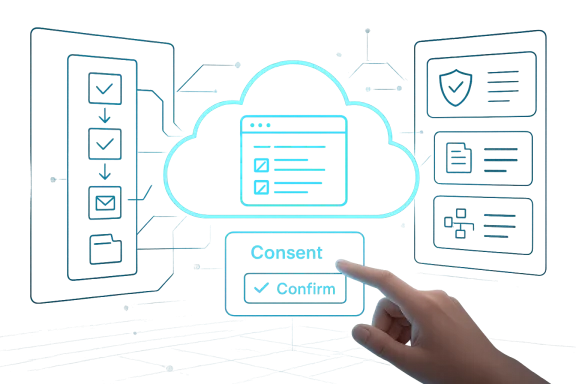
A hand taps a glowing cloud icon on a digital interface featuring a consent and confirm button.Background / Overview​

Microsoft framed Copilot Tasks as a deliberate evolution of the Copilot family: not just an assistant that talks but an agent that does. The company began a limited research preview in late February 2026 and opened a public waitlist for broader testing, describing Tasks as an option to run one‑off, scheduled, or recurring automations that run in a contained cloud environment and report back when finished. Early public reporting and Microsoft’s own messaging emphasize iterative plans, permission gates for consequential actions (payments, outgoing messages), and the ability to pause or cancel work mid‑flight.
This is not the first time Microsoft has moved Copilot toward action. Over the past year the company has layered agentic features, connectors for cross‑account search, and document export workflows into Copilot, turning it into a productivity surface across Windows and Microsoft 365. Copilot Tasks builds on that foundation by giving Copilot a dedicated execution environment — effectively its own cloud compute and browser instance — to perform tasks that would otherwise require manual, repetitive interaction across sites and apps.

What Copilot Tasks is designed to do​

A plain‑English goal becomes a multi‑step plan​

The user flow Microsoft outlines is simple by design. You describe an outcome in natural language — for example, “turn this class syllabus into a week‑by‑week study plan with practice tests” or “monitor new apartment listings in Seattle every Friday and book viewings that match my calendar” — and Copilot Tasks proposes a step‑by‑step plan for approval. Once you accept (or refine) the plan, Tasks runs the steps in the background and reports progress and completion.
  • Copilot plans: it decomposes a goal into discrete actions (check calendars, compare options, draft messages).
  • Copilot executes: it runs those actions from a contained cloud browser and compute instance, interacting with websites and permitted services.
  • Copilot reports: it provides summaries, drafts, and completion reports; crucially, it seeks explicit user consent before making meaningful decisions like paying or sending messages.

Examples Microsoft is highlighting​

Microsoft and reporters have given a practical tour of early use cases:
  • Inbox management: surface urgent messages each evening with draft replies and unsubscribe from unused promotions.
  • Scheduling and appointments: monitor listings, compare options, and book viewings or appointments when they match constraints.
  • Study and event planning: convert syllabi into study schedules with practice tests or plan parties end‑to‑end (venue, invites, vendor comparison).
  • Document transformation: turn emails, attachments, and images into slide decks or tailored CVs for job applications.
These examples are intentionally broad because the product’s core promise is generalization: let users describe outcomes and have Copilot stitch together the necessary interactions.

How it works: controlled browsing, cloud compute, and connectors​

The controlled execution environment​

A key technical claim is that Copilot Tasks runs in its own cloud‑hosted compute and browser sandbox rather than on the user’s device. That design reduces the load on local hardware and provides Microsoft with a predictable, auditable execution surface for automation. Independent reporting confirms this architecture and describes a controlled browser environment Microsoft can instrument for consent flows, inputs, and safety checks.
The practical implication is twofold:
  • Users do not have to leave their machines running; Tasks operate remotely.
  • Microsoft can implement centralized monitoring, rate limiting, and security controls on those cloud instances — important for auditing automated actions across third‑party sites.

Connectors and permissioned access​

To perform meaningful multi‑step work, Tasks can use connectors (with user consent) to access email, calendars, cloud storage, and other services. This model mirrors prior Copilot features that let the assistant read across OneDrive, Outlook, Gmail, Google Drive and similar services after explicit opt‑in. Microsoft stresses the permissioned nature of these connectors and the consent gates before any transactional action is taken.

Iterative proposals, human‑in‑the‑loop control​

Microsoft’s public descriptions make a point of the iterative flow: Copilot proposes a plan, the user reviews and edits, and after approval the agent begins execution. For actions that carry risk (sending a message that impersonates the user, paying a vendor), Copilot Tasks asks again for confirmation. This design keeps a human in the loop for consequential choices while allowing more routine, low‑risk work to proceed under user‑defined constraints.

Strengths: where Copilot Tasks could deliver real value​

1. Real automation for real chores​

Many of the most time‑consuming office tasks are routine and rule‑based: triaging email, checking price drops, scheduling appointments. Automating these reliably, when safe and consented to, can free significant time for higher‑value work. Early reporting suggests Microsoft is targeting exactly those repetitive workflows.

2. Consistency and auditability via centralized execution​

Because Tasks run in Microsoft’s cloud environment, the company can apply consistent security, telemetry, and throttling. For organizations this can help with compliance and logging — provided the telemetry and logs are surfaced in a way admins can consume. The centralized approach also simplifies updates and safety patches for the agent runtime.

3. Lower device footprint​

Users with modest hardware can benefit because heavy lifting occurs in the cloud. That’s a practical advantage for users on low‑power laptops, mobile devices, or for organizations standardizing on thin endpoints.

4. Leverages existing Copilot investments​

Tasks build on Connectors, Copilot Actions, and Copilot’s cross‑app integrations, allowing Microsoft to reuse models, connectors, and consent patterns while extending Copilot’s value into longer‑running workflows. This continuity should accelerate polish and enterprise readiness.

Risks and open questions: governance, privacy, and reliability​

1. Data movement and exposure​

Any agent that reads mail, calendars, and files — even via connectors — raises legitimate concerns about data exposure. The risk profile depends on where Microsoft stores logs, how long execution traces persist, and whether third‑party sites receive identifiable user data during automation. Microsoft’s transparency materials reiterate consent and opt‑in controls, but organizations and privacy‑conscious users will want granular controls and clear retention policies before enabling broad automation.

2. Consent and UX edge cases​

Microsoft says Tasks will ask for permission before carrying out payments or sending messages, but UX design matters when automation spans many micro‑decisions. Will Copilot surface meaningful context for each consent step (who will receive the message, what payment amount, what refund/cancellation policy applies)? Poorly designed consent dialogs risk users blindly approving sequences they do not fully understand. Early previews will need to surface clear, context‑rich confirmations.

3. Reliability on third‑party sites​

Automations that rely on scraping websites or interacting with third‑party interfaces are brittle by nature: change the site layout or flow and the Task can fail or behave unpredictably. Running Tasks from a centralized controlled browser helps Microsoft mitigate this with monitoring and error handling, but users should expect occasional failures and a need for retry/repair workflows. Reporters note that Microsoft positions Copilot as iterative — it proposes plans and asks for refinements — which will matter when automations encounter real‑world variability.

4. Authorization and impersonation risks​

Tasks that send messages or act on behalf of a user require robust authorization and fraud prevention. Microsoft’s pledge to require explicit consent for meaningful actions is necessary but not sufficient; enterprises will demand role‑based controls, audit trails, and the ability to revoke agent permissions centrally. Technical and policy safeguards must evolve alongside functionality to prevent misuse.

5. Economic and legal implications​

Automating actions that interact with commerce (ticket purchases, bookings) introduces questions about liability, disputes, and receipts. If an automated booking is made incorrectly, who bears responsibility: the user, the business, or Microsoft? These are legal and operational questions companies will need to address in terms of terms of service and contractual protections. Early research previews are the right place to surface these edge cases, but consumers and businesses should proceed cautiously.

Competitive landscape: how Copilot Tasks stacks up​

Copilot Tasks enters a fast‑moving field of agentic AI. Google, Anthropic, OpenAI and smaller startups have all shipped agent‑style products that browse, monitor, and act with varying de containment.
  • Google has been testing browser‑driven auto‑browse features tied to Gemini and Chrome.
  • OpenAI and Anthropic have pushed agent modes and workspaces that let the assistant run workflows or manage specific tasks.
  • Perplexity and other third parties have printed more experimental “computer‑like” agent products that operate in the background.
Microsoft’s differentiators are its deep integration with Windows and Microsoft 365, enterprise governance story, and the centralized controlled execution environment that can be instrumented for security and compliance. Those strengths matter for businesses and mainstream users who want automation with guardrails. However, the market will judge the product on reliability, privacy, and the clarity of consent flows.

Enterprise and IT implications​

Governance and admin controls​

Enterprises will evaluate Copilot Tasks through the prism of governance. Microsoft’s existing enterprise controls for Microsoft 365 and Azure give administrators some levers — but agentic automation raises new needs: task approval policies, scope limits (which connectors are allowed), centralized logging of agent actions, and incident response procedures for misbehaving Tasks. IT leaders should insist on:
  • Role‑based permissioning for Task creation and execution.
  • Centralized audit logs with exportable, tamper‑evident records.
  • Revocation and emergency kill switches for rogue automations.

Opportunity for productivity gains — with training​

If deployed carefully, Copilot Tasks can reduce time spent on low‑value repeat work. Organizations should pair rollout with training and policy: who can create automation, how to review plan proposals, and how to escalate errors. Pilot programs in HR, procurement, and IT ticket triage are natural starting points.

Practical advice for early adopters​

  • Start small and observable. Trial Copilot Tasks on clearly defined, low‑risk workflows (e.g., weekly job‑listing alerts, internal meeting briefings) where failure mode is benign.
  • Insist on audit access. Make sure you can see what the agent did, when, and in response to which prompts. Central log visibility is non‑negotiable for teams.
  • Test consent dialogs. Review every consent flow and confirm it surfaces sufficient context before allowing the agent to send messages or make payments.
  • Define retention and deletion policies. Know how long Microsoft will keep execution traces and whether you can purge them. Check contractual terms for enterprise customers.
  • Expect brittleness. Build human check steps where the agent interacts with external sites known to change frequently.

What remains unverified or evolving​

Several practical details are still unclear in public reporting and Microsoft’s early materials:
  • Exact rollout timing beyond the limited research preview and waitlist windows (Microsoft has said more users will be invited in coming weeks, but no global availability date has been announced).
  • Pricing and tiering: Microsoft has not published whether Tasks will be part of existing Copilot subscriptions, bundled with Microsoft 365, or offered as a separate paid service. Reporters note the preview status, but pricing details are absent. Treat any claim about price or included tiers as unverified until Microsoft publishes official terms.
  • Retention, telemetry, and enterprise export formats: Microsoft’s transparency note outlines broad capabilities, but detailed retention and export guarantees for execution traces and connector logs are not yet public. Enterprises should request explicit contractual terms during procurement.
When a product runs actions on behalf of users, the legal, privacy, and operational boilerplate matters as much as the headline AI features — and those specifics often appear later in product documentation and contractual materials.

Longer view: what Copilot Tasks signals about the AI product cycle​

Microsoft’s move is emblematic of the industry’s shift from chat‑first assistants to agentic systems that bridge intent and execution. The next phase of mainstream AI will not be judged solely on conversational quality but on safe, reliable automation that integrates with people’s workflows. Copilot Tasks shows Microsoft’s strategy: lean on enterprise trust, centralized control, and deep integration with the productivity stack to make agentic AI useful and governable.
If Microsoft executes well on consent UX, governance hooks, and transparency, Tasks could become a practical time‑saver for millions of users. If it missteps — by exposing data, automating risky actions without clear consent, or delivering brittle automations — it will reinforce skepticism about handing routine control to AI. The preview period is the right place to surface and fix those issues.

Conclusion​

Copilot Tasks is a consequential evolution for Microsoft’s Copilot: it turns the assistant’s voice into sustained background work using a cloud‑hosted browser and compute environment, iterative planning, and permissioned connectors. The value proposition — automating repetitive, multi‑step chores — is obvious and compelling, especially when paired with Microsoft’s enterprise governance story. Early reporting confirms the architecture and preview approach, but major questions remain about pricing, data retention, and the resilience of automations that interact with third‑party sites.
For users and IT teams, the sensible path is cautious experimentation: pilot low‑risk workflows, demand auditability and clear consent UX, and treat broad automation as a governance and security project as much as a productivity one. Copilot Tasks promises to do more — whether it will do so safely and reliably at scale depends on execution in the weeks and months ahead.

Source: NDTV Profit https://www.ndtvprofit.com/technolo...oes-more-with-background-work-11143316/amp/1/
 

Microsoft has quietly moved Copilot beyond conversation and into execution: Copilot Tasks is a new, cloud‑driven capability that accepts plain‑English goals, builds multi‑step plans, spins up its own browser and compute environment, and runs workflows in the background — returning progress updates and asking for explicit consent before any consequential actions.

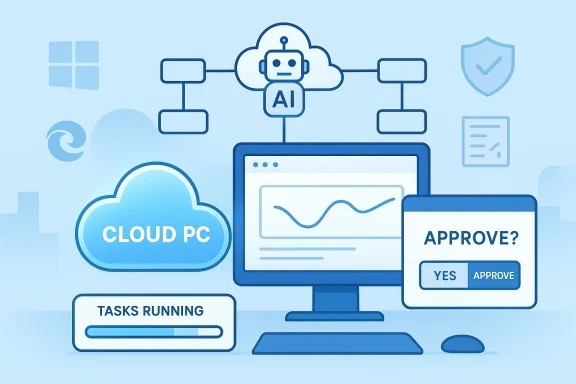
AI-powered Cloud PC with task progress and an approval prompt.Background​

Microsoft’s Copilot program has steadily evolved from a chat‑centric assistant into a platform for agentic automation over the last two years. Early steps included in‑app Copilot experiences in Word, Excel and Outlook, agent templates in Copilot Studio, and browser‑driven “Actions” that could interact with web pages on behalf of users. Copilot Tasks builds on that lineage by giving the agent a dedicated execution environment — a cloud PC and contained browser — designed to safely coordinate multi‑service, multi‑step work on a user’s behalf.
Microsoft introduced Copilot Tasks as a limited research preview with a public waitlist, positioning it as a tool for automating recurring routines (like email triage and booking viewings), document generation workflows, and service or logistics tasks (like price monitoring or subscription management). The company emphasizes human‑in‑the‑loop checks for sensitive activities — payments, outgoing messages, or anything that could have real‑world consequences — while letting routine, non‑sensitive steps run unattended.

What Copilot Tasks is and how it works​

The user story: from goal to background execution​

The UX Microsoft describes is deliberately simple. Users tell Copilot a goal in natural language — for example, “monitor new apartment listings in Seattle every Friday and book viewings that match my calendar” — and Copilot Tasks:
  • Proposes a step‑by‑step plan to reach that goal.
  • Requests user approval or edits to the plan.
  • Executes the approved plan in a contained cloud environment, using an isolated browser to interact with sites and services.
  • Reports status, results, and any prompts requiring explicit consent.
That workflow reframes Copilot from a drafting and analysis assistant into an execution engine — effectively a digital worker that can manage scheduled, conditional, and recurring tasks across web and app surfaces.

Architecture: a cloud PC + controlled browser​

A core architectural detail distinguishes Copilot Tasks from simple automation macros: it runs on Microsoft‑hosted cloud compute that includes a browser instance dedicated to the task. This means the agent carries out interactions away from the user’s local device, freeing the PC and avoiding the need for complex local automation setups. The cloud browser both enables broader web compatibility and acts as a control boundary for auditing and governance.

Modes and autonomy levels​

Reports indicate Copilot Tasks supports varying degrees of autonomy and role‑based modes (for example, Auto, Researcher, or Analyst) to let the user or admin choose how much initiative the agent takes. Sensitive actions are gated behind explicit permission prompts, and the system surfaces progress updates so users can pause, cancel, or refine ongoing work. These safeguards are central to Microsoft’s design to retain trust while enabling autonomy.

Features and early use cases​

Copilot Tasks bundles several practical capabilities that target the kinds of busywork that consume time but add little strategic value.
  • Recurring & scheduled workflows: daily email summaries with drafted replies, routine data pulls and reports, and periodic price or listing monitoring.
  • One‑off orchestration: compile inbox content into a presentation, transform syllabi into study plans with practice tests, or compare quotes from contractors.
  • Service orchestration: book appointments, reserve rides aligned with flight schedules, and monitor rebooking opportunities when prices drop — with approval gates for purchases.
  • Document generation: stitch together emails, attachments, and calendar items into polished artifacts (slide decks, agendas, briefings) and surface them for review.
These capabilities aim to replace repetitive multi‑step tasks where human intervention is mainly clerical — screening options, copying information across sites, and confirming standard choices.

Why the cloud browser matters (technical and operational considerations)​

Running the agent inside a Microsoft‑controlled cloud browser and compute instance changes both the capabilities and the risks.
  • Compatibility and reach: a cloud browser emulates real user interaction across a wide variety of websites, reducing the need for site‑specific APIs or bespoke connectors. This enables Copilot Tasks to operate on services that don’t expose automation hooks.
  • Isolation and auditability: executing actions server‑side creates a clear containment boundary, allowing Microsoft to log interactions, provide progress reporting, and implement permission checks before risky actions. This also simplifies rollback or mitigation of undesired interactions.
  • Scale and cost: spinning up cloud compute incurs infrastructure cost and latency tradeoffs. Microsoft will need to manage resource provisioning and pricing decisions for sustained, large‑scale background automation. At the announcement stage, pricing and enterprise licensing were not published. Organizations should treat the preview as exploratory rather than a production‑ready billing model.

Security, privacy and governance — what IT teams must know​

Copilot Tasks opens significant new attack and compliance surfaces even as it promises efficiency gains. Early public reporting and Microsoft’s own messaging highlight several built‑in controls, but the onus will be on IT and security teams to evaluate and enforce policies.

Built‑in controls Microsoft calls out​

  • Human‑in‑the‑loop for consequential actions: spending money, sending messages, or changing account state requires explicit approval.
  • Containment via cloud PC: operations occur in an isolated compute environment that Microsoft controls for the duration of the task, allowing richer telemetry and potentially easier incident investigation.
  • Permissioned connectors and entitlements: existing Copilot governance constructs (the Copilot Control System, connectors model and Entra identity management) will likely be extended to grant or restrict agent access to data and systems.

Enterprise risks to plan for​

  • Data exfiltration and over‑privileging: agents that interact with web portals and account systems can access sensitive content. Over‑broad entitlements or default‑on access could create pathways for leakage if not tightly limited.
  • Supply‑chain and impersonation attacks: an agent navigating third‑party sites must handle deceptive UX patterns; malicious or spoofed pages could trick the agent into unsafe actions. Robust detection and manual approval gates for unfamiliar sites are essential.
  • Auditability and non‑repudiation: organizations will demand detailed logs, replayable session captures, and cryptographic attestations that show what the agent did and why. Microsoft’s cloud execution model helps, but IT must validate those auditing features meet internal and regulatory requirements.
  • Legal and compliance constraints: automated actions that touch regulated data or cross geographies need clear policy constraints. Expect legal teams to require configurability for data residency, retention, and deletion controls.

Practical governance checklist for IT​

  • Define a least‑privilege entitlement model for agent connectors and test all default access levels.
  • Require explicit approval flows for actions that spend money, send external messages, or change account states.
  • Validate logging, replay and forensic exports for every task run.
  • Segment agent usage by business unit and apply data residency controls where required.
  • Run red‑team scenarios to assess how agents behave on adversarial or malformed web pages.

Comparison with competing approaches​

Copilot Tasks is not the first autonomous agent effort, but its design choices are distinctive.
  • OpenAI and other startups have demonstrated browser‑controlling agents (OpenAI’s Operator/Agent experiments and third‑party agent platforms) that run in cloud environments to complete user workflows. Microsoft’s differentiator is the integration with its Copilot ecosystem (Windows, Edge, Microsoft 365) and the emphasis on enterprise governance hooks.
  • Google’s agent roadmap (Gemini agents and automation experiments) similarly targets proactive task completion, but Microsoft’s cloud browser + Copilot Studio agent authoring plus broad enterprise connectors aim to position copilot as both a consumer and business automation substrate.
The net effect: many players converge on the same idea — agents that can act — but Microsoft’s advantages are integration depth with Office and Windows, built‑in governance constructs, and a strategy that ties agentic features to paid Microsoft 365 tiers and Copilot surfaces.

Early adopter considerations and recommended pilot plan​

If your organization is evaluating Copilot Tasks, treat the preview as a controlled experiment and follow a phased, risk‑aware path.
  • Pilot with low‑risk automation: choose tasks that interact with public, non‑sensitive systems (e.g., price monitoring, calendar coordination, public procurement portals) and validate behavior.
  • Validate logs and replay: insist on full session logs and replay capability to trace actions step‑by‑step.
  • Define approval gates: require manual consent for payments, message sends, or account changes.
  • Involve legal and privacy early: map the data flows created by agent runs and sign off on retention policies.
  • Test incident response: simulate a misbehaving task, then practice pause, revoke, and rollback procedures.
These steps will identify technical gaps and governance weaknesses before more consequential automations are entrusted to agents.

Limitations, unknowns and unverifiable claims​

At the time of the announcement, several operational details remain unclear or were not publicly disclosed by Microsoft:
  • Pricing and licensing: Microsoft has not published GA pricing, subscription tiers, or how background compute will be billed for large volumes of agent runs. Organizations should assume eventual monetization and model costs before scaling.
  • Enterprise SSO and connector specifics: the full list of supported enterprise connectors, SSO options, and per‑connector entitlements were not fully enumerated at preview. IT teams should await formal documentation.
  • Regional data residency and compliance controls: while Microsoft has existing compliance frameworks, it has not detailed how Copilot Tasks will surface controls for specific regulations or how session data is retained across regions. Treat this as an open question until Microsoft publishes a compliance whitepaper or support matrix.
These gaps are significant for enterprise adoption; I label them as unverifiable claims in the sense that public reporting does not yet provide comprehensive answers. Organizations must demand these details before entrusting mission‑critical workflows to autonomous agents.

Strategic implications for IT and knowledge workers​

Copilot Tasks is a structural change in how digital work is done. For IT leaders and knowledge‑work managers, the arrival of autonomous, scheduled agents suggests three strategic moves:
  • Refocus human effort upward: automate repetitive, rule‑based tasks and redirect human time to judgment, relationship work, and creative problem solving. Early pilots should aim to free measurable hours from clerical tasks.
  • Treat agents as digital employees: inventory, manage, and measure agent activity the way you do contractor or vendor work. That includes budgeting for compute, access governance, and operational SLAs.
  • Build an agent governance program: create policies that cover agent creation, auditing, approval, and retirement; integrate agent monitoring into SIEM and ITSM workflows.
Executives should also weigh the potential productivity gains against the operational cost of additional governance and the reputational risk of mistakes. In many sectors, the net value will depend on how tightly governance is implemented.

Final assessment — strengths, risks, and where this fits​

Copilot Tasks is an important step: it operationalizes the promise of AI agents by combining natural language goals, multi‑step planning, and a controlled cloud execution environment. The strengths are clear:
  • Practical productivity gains for busywork and scheduling.
  • Integration leverage across Windows and Microsoft 365 for contextual automations.
  • Safer execution model than local macros, thanks to cloud containment and human approval gates.
However, the technology surfaces significant risks that will determine enterprise uptake:
  • Unclear commercial model and potential compute costs.
  • Data governance, compliance, and auditing gaps that must be closed before critical systems are entrusted to agents.
  • Attack surface introduced by autonomous interaction with web services and third‑party portals.
For IT leaders the correct posture is cautious experimentation: pilot low‑risk use cases, validate governance controls, and demand full operational transparency from Microsoft before scaling. For knowledge workers, Copilot Tasks promises an appealing future where the assistant is not merely a collaborator but a digital worker that can shoulder the repetitive load of everyday work.

How to engage with the preview today​

Microsoft opened Copilot Tasks as a limited research preview with a public waitlist. Organizations and users interested in early access should join the waitlist, prepare pilot scenarios that keep sensitive actions out of scope, and bundle relevant stakeholders — security, legal, and operations — into the evaluation plan. Expect Microsoft to expand availability in waves while it refines governance, logging, and partner integrations.

Copilot Tasks is not a speculative idea anymore; it’s a concrete product direction that turns natural‑language goals into scheduled, repeatable work. That shift — from “tell me” to “do for me” — will reshape desktop productivity, cloud governance, and the responsibilities of IT teams. The prize is real: reclaimed time and streamlined workflows. The price of admission, however, is rigorous governance, precise entitlements, and a careful approach to rollout.

Source: Windows Report https://windowsreport.com/microsoft...to-turn-ai-into-an-autonomous-digital-worker/
 

Microsoft has quietly pushed Copilot from the realm of suggestions and drafts into a new category: an AI that actually gets things done for you. With the research-preview rollout of Copilot Tasks, Microsoft is testing a cloud-hosted, browser-driven agent that accepts plain‑English goals, maps multi‑step workflows, and executes them on a schedule — booking appointments, cancelling subscriptions, composing and sending messages only after getting your OK, and monitoring prices or listings over time. Early reporting and Microsoft’s own product framing all show a deliberate shift from passive assistance to background automation with human oversight. s://www.theverge.com/tech/885741/microsoft-copilot-tasks-ai)

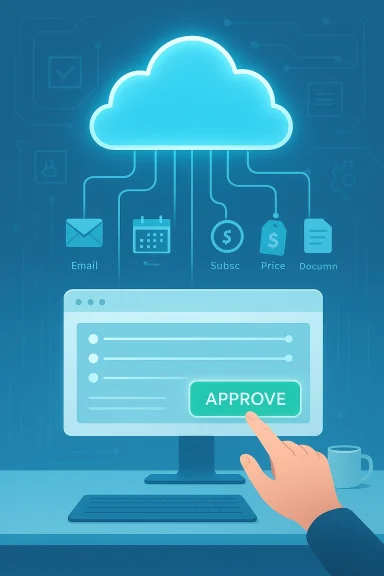
Cloud-based workflow linking apps to a computer, with an Approve button.Background​

Microsoft has been evolving Copilot from a chat-first assistant into a layered productivity platform for more than a year. The company’s strategy has moved in stages: embed Copilot across Windows, Office, Edge and cloud services; add connectors to personal inboxes and drives; and then introduce agentic features inside Office apps that can plan, iterate, and export finished artifacts. Copilot Tasks is the next step in that trajectory — an agent that doesn’t just draft the email or show you a plan, but spins up its own compute and browser, performs the necessary web and application interactions, and delivers a completion report when the job is done. Early previews are deliberately limited while Microsoft tests reliability, safety controls, and the human‑t prevents true “autopilot” behavior.
The idea behind Copilot’s shift — sometimes called “vibe working” internally — is simple: reduce multi‑step busywork by letting an agent coordinate across services for you. This follows a broader industry trend toward agentic AI: competitors and peers are launching similar capabilities (OpenAI’s Operator, Anthropic’s browser agents, Google’s auto‑browse experiments), and Microsoft’s approach positions Copilot to leverage deep integration with Microsoft 365, Edge, and Windows. Early coverage underscores that Copilot Tasks runs in a controlled cloud environment to keep your device free while it works.

What Copilot Tasks can do — real examples​

Microsoft and press previews present Copilot Tasks by example rather than technical minutiae, because its value proposition is practical: hand off chores you’d normally do across sites and apps. Typical scenarios shown to early testers and described in coverage include:
  • Email triage: surface urgent messages each evening, draft short replies, and queue them for your approval.
  • Subscription cleanup: identify newsletters or recurring services you don’t use and unsubscribe on your behalf (with confirmation).
  • Apartment hunts: scan listings on a schedule, surface matches weekly, and book showings when you want to view them.
  • Job hunting: monitor job boards for matches, tailor a resume and cover letter per listing, and pre-fill application forms up to the point of submission.
  • Presentation and document work: convert emails, attachments, or images into a slide deck or draft a PowerPoint from a syllabus and schedule study time.
  • Sgistics: track hotel or airfare prices and rebook when rates drop; find venues, send invites, and collect RSVPs for events.
  • Car shopping: scan used-car listings, contact sellers or dealerships, and book test-drive appointments.
These are not toy examples: they are the kinds of multi‑step, cross‑site chores that take real time. Copilot Tasks promises three operational modes for each job: one‑time execution, scheduled runs at specific times, or recurring monitoring. When a task could have real consequences — spending money, sending messages, accepting terms of service — Microsoft says the agent prompts for consent before acting. That human‑approval gate is central to the experience Microsoft is pitching.

How it works (high level)​

Understanding the architecture clarifies both the promise and the risk. Copilot Tasks operates by:
  • Accepting a plain‑English instruction from the user describing the desired outcome.
  • Decomposing that goal into a multi‑step plan (research, authentication, form‑fill, booking, email draft).
  • Spinning up an isolated cloud compute instance and a browser environment that performs the steps across web pages and services.
  • Reporting progress and asking for confirmations when the task reaches consequential points (payments, outbound messages, authenticated actions).
  • Delivering a final report and artifacts (documents, calendar events, receipts) and optionally repeating the workflow on a schedule.
This “its own cloud PC and browser” approach removes the need for Copilot to run those flows on a user’s local device, reducing latency and privacy leakage through your machine, while centralizing execution in Microsoft’s cloud. That design makes the agent powerful — it can automate complex, cross‑site workflows — but also concentrates trust and risk with Microsoft’s service layer, raising critical governance and security questions (explored below).

Why this shift matters: productivity and user experience​

The shift from answer to execution changes the user relationship with an assistant. Instead of returning a to‑do list item (“Here’s how to unsubscribe”), Copilot can perform the sequence and return a completion confirmation. That represents:
  • Time saved on repetitive, low‑value tasks.
  • Fewer context switches between tabs and apps.
  • The ability to delegate scheduled monitoring tasks that previously would require manual checking.
  • Straightforward, natural‑language delegation instead of scripting or manual workflows.
For users who treat time as a scarce resource, the net gain is clear: Copilot Tasks promises to rescue hours from routine maintenance and coordination tasks. In office contexts, that could shift work away from administrative triage toward higher-value activities. Early reporting suggests Microsoft positions this as part of a broader Microsoft 365 productivity play: integrate Copilot into the full stack so the agent can touch calendars, emails, documents, and the web where needed.

Strengths and notable design choices​

  • Human‑in‑the‑loop confirmations: Microsoft emphasizes that Copilot asks for explicit approvals before any action with significant consequences (payments, outbound messages). That reduces accidental expenditures or embarrassing broadcasts.
  • Isolated cloud execution: Running tasks in a dedicated cloud “computer” prevents unnecessary local access, which can simplify the user device footprint and centralize observability and controls.
  • Cross‑service coordination: Tight integration with Microsoft 365 and connectors to Gmail, calendars, and cloud drives means Copilot can assemble richer context and produce more useful outputs than single‑site agents.
  • Recurring and scheduled workflows: Automating monitoring tasks (price drops, new listings, inbox triage) turns repetitive vigilance into a scalable service.
  • Auditability and reporting: The model returns progress updates and completion reports, which are essential for user trust and troubleshooting when an automation misbehaves.
These choices show Microsoft is aware that agency requires not just capability but governance: confirmations, logs, and opt‑ins are woven into the preview experience.

Risks, unknowns, and attack surface​

No technology that controls web interactions is risk‑free. Copilot Tasks’ power creates several clear risk vectors that both individual users and IT teams must evaluate:
  • Prompt‑injection and web automation attacks: Any agent that interprets web content and fills forms can be misled by malicious pages that attempt to change the agent’s plan. Browsing automation must include robust prompt‑injection defenses and site‑level restrictions. Anthropic and other developer previews have emphasized permission controls and site blocking for similar agents — a blueprint Microsoft must match or exceed.
  • Account compromise and credential use: To act on your behalf, Copilot may need permissioned access to email, calendars, and accounts. How those credentials are granted, stored, and scoped matters. If connectors are too broad, one misconfiguration could expose multiple services. Microsoft’s transparency notes and early guidance stress opt‑ins and the ability to revoke access, but enterprise deployments will demand stricter controls and audit trails.
  • Spending and contractual commitments: Even with approval gates, the UX around consent matters. A confusing prompt could allow an agent to initiate payments or accept terms. Organizations will want spend ceilings, dual approvals, or an enterprise policy that forbids financial actions without human confirmation in a separate channel.
  • Hallucination and erroneous actions: Agents can misinterpret context and take inappropriate actions (booking the wrong time, contacting the wrong person, unsubscribing a necessary service). The cost of errors ranges from embarrassing to materially damaging, so Copilot’s verification and rollback tools matter.
  • Privacy and data retention: Centralized execution means Microsoft logs tasks and web interactions in the cloud. How long those logs persist, how they are used for product improvement, and whether they are accessible to enterprise administrators or legal processes must be clearly documented. Microsoft’s transparency resources are a start, but enterprises will demand contractual CLAs and compliance mappings.

Comparison with other agentic systems​

Copilot Tasks arrives into an already competitive and rapidly iterating field of agentic AI:
  • OpenAI’s Agent Mode and Operator experiments demonstrate browser control and automation via hosted agents.
  • Anthropic’s Chrome agent and other browser plugins emphasize tight site permissions, explicit blocking lists, and staged rollouts to reduce safety incidents.
  • Google and other players are experimenting with “auto‑browse” and autonomous assistants integrated into the browser.
Microsoft’s differentiator is platform integration: Copilot can bridge Outlook, Office files, Edge, and Windows. That integration is powerful for enterprise productivity but also places a large share of the trust and control layer on Microsoft. Comparative safety designs from Anthropic and others underscore the importance of permission scoping, action confirmations, and blocked domain lists — features users should expect from Copilot Tasks as it matures.

What IT teams and power users should consider now​

For IT and security leaders evaluating Copilot Tasks for pilots or rollouts, here are practical considerations and steps:
  • Start in a controlled pilot
  • Limit initial use to non‑critical workflows (e.g., price monitoring, listing aggregation).
  • Enforce strict connector scoping and use test accounts where possible.
  • Review and enforce authentication flows
  • Prefer tokenized, least‑privilege access and short refresh lifetimes.
  • Document revocation steps and test them.
  • Require explicit multi‑party confirmations for financial or contractual actions
  • Configure enterprise policy so any payment or contract acceptance requires a human double‑approval.
  • Audit and logging
  • Ensure Copilot’s completion reports and action logs are available to enterprise SIEM and auditing workflows.
  • Define retention policies and data use limits for logs created by Copilot Tasks.
  • Red‑team the automation
  • Run threat modeling and prompt‑injection tests against common vendor sites and internal tools the agent will access.
  • Update incident response playbooks
  • Add an “agent misaction” playbook that includes remediation steps, credential rotation, and notification procedures.
  • Train end users
  • Teach users to recognize confirmation prompts, check the agent’s summarized plan before approval, and revoke connectors when not needed.
These steps reduce the likelihood of a misstep during early deployments and provide the governance that auditors and privacy officers will require.

User guidance: how to try Copilot Tasks safely​

If you’re an individual tester or a Windows user curious about the waitlist preview, follow these practical rules:
  • Use Copilot Tasks first for low‑risk, non‑monetary chores (calendar organization, price monitoring, draft generation).
  • Always inspect the agent’s proposed plan before granting approval, and never approve payments from a prompt you don’t fully understand.
  • Revoke connectors when you no longer need them and use disposable test accounts for initial trials.
  • Keep a local record of changes suggested or made by the agent (calendar events created, emails sent) so you can quickly identify unintended actions.
  • Report surprising behavior through Microsoft’s feedback channels; early preview feedback is what shapes safer defaults for production.

The commercialization puzzle: availability, pricing, and enterprise models​

Microsoft has framed Copilot Tasks as a research preview with a limited tester cohort and a public waitlist. The company’s public messaging underscores the preview’s experimental nature: Microsoft wants real‑world feedback before wider release. What remains unclear in the announcement window is how Microsoft will price and license agentic features, whether certain capabilities will require a Microsoft 365 subscription tier, and how enterprise controls will be packaged for admins. Early reporting recommends treating the preview as an evaluation opportunity rather than a deployment signal, because SLAs, compliance attestations, and billing models are typically decided later in the product lifecycle.

Verdict: why Copilot Tasks is important — and why cautious optimism is the right reaction​

Copilotuct‑design step: turning an assistant into an actual worker. For users, that means fewer mundane chores and more time for creative or high‑impact work. For Microsoft, it is a natural extension of Copilot’s role across Windows and Microsoft 365. For the industry, it marks an acceleration of agentic AI into everyday productivity tooling.
But the feature’s promise comes with non‑trivial responsibilities. The centralization of execution in Microsoft’s cloud, the need for cross‑service credentials, and the open web’s security complexities require careful guardrails. The early preview’s emphasis on confirmations, reporting, and limited access is encouraging — but real safety will be proven in long‑term usage, adverse‑scenario testing, and the enterprise governance controls Microsoft provides.
If you’re evaluating Copilot Tasks: be excited about what it can save you, but insist on demonstrable safety, logging, and consent mechanisms before letting it touch anything that can charge a card or permanently change contractual relationships. In the meantime, testers should take advantage of Microsoft’s preview to shape those defaults — because the agentic assistants that get adopted widely will be those that balance utility with auditable, comprehensible control.

Microsoft’s research preview moves a distinct needle: it shows AI moving from suggestion to execution. How quickly it becomes a safe, enterprise‑grade tool depends less on model performance and more on governance: clear consent flows, least‑privilege connectors, robust prompt‑injection defenses, and transparent logging. For Windows users and administrators, Copilot Tasks is worth watching — and for those who join the waitlist, worth testing under strict rules that preserve control while exploring the productivity upside.

Source: Digital Trends Microsoft’s new Copilot Tasks finally does the work for you
 

Microsoft’s Copilot has taken a decisive step beyond conversation: with the newly announced Copilot Tasks, Microsoft is previewing an autonomous, cloud‑hosted assistant that plans and executes multi‑step jobs on your behalf — running in its own browser and compute environment, reporting back when work is done, and asking for your approval before any consequential action.

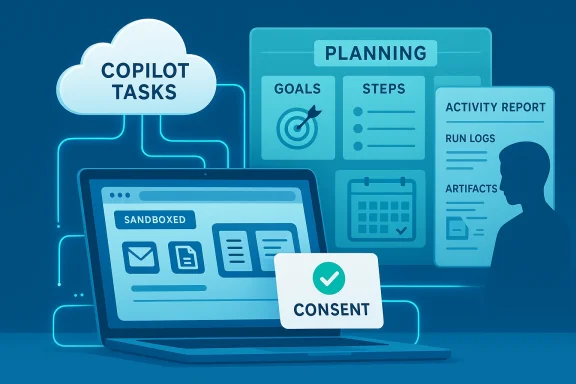
A digital planning scene featuring a Copilot Tasks cloud, planning board, and a consent card.Background​

Microsoft introduced Copilot Tasks as a research preview on February 26, 2026, positioning it as the next chapter in Copilot’s evolution: from a chat‑first helper that drafts text and answers questions to an agentic assistant that can do work for you. The company describes Tasks as a personal to‑do list that “does itself” — users describe objectives in natural language, and Copilot builds, runs, and monitors the workflow in the background.
Industry coverage and early hands‑on reporting confirm the core claims: Copilot Tasks operates using cloud compute and a sandboxed browser instance so the agent can interact with websites and web apps on the user’s device. The feature is rolling out to a small group of testers (a waitlist is open) while Microsoft gathers real‑world feedback before a broader release.

What Copilot Tasks is designed to do​

Copilot Tasks turns a conversational assistant into a background worker by providing these core capabilities:
  • Describe goals in plain English and have the agent plan multi‑step actions.
  • Execute tasks across web apps and services from a sandboxed cloud browser and compute instance.
  • Run tasks one‑time, scheduled, or recurring (for example: monitor apartment listings every Friday, then schedule showings).
  • Pause, review, or cancel tasks at any time; require user consent before doing anything meaningful (sending messages, spending money, or other consequential operations).
  • Produce reports when tasks complete, including the exact steps taken and resulting artifacts (documents, emails, bookings, etc.).
These capabilities are intentionally broad: Microsoft showcases both everyday consumer scenarios (booking a venue, tracking used‑car listings) and professional workflows (turning email attachments into slide decks, compiling job listings and tailoring applications).

How it works — architecture and sandboxing​

Microsoft’s public description emphasizes two architectural choices designed to balance capability with safety:
  • Cloud compute + dedicated browser: Copilot Tasks runs in a Microsoft‑hosted environment, which gives the agent a persistent runtime that can poll sites, follow links, and interact with pages as needed without tying up your local machine. This model enables long‑running, recurring automation while keeping local devices free.
  • Sandboxed execution: To reduce risk when an agent must act across web services, Microsoft runs Tasks inside a contained environment with explicit consent gates for meaningful actions. Early reporting and internal previews indicate the company intends a permissioned workflow where the final decision remains with the user.
Those design choices matter in practice because they change the threat model: an agent with web access and execution capability raises integrity, privacy, and identity risks unless tightly governed. Microsoft’s sandboxing approach is a pragmatic first step, but — as experts inside and outside Microsoft note — the devil is in the details of integration with identity, credentials, and enterprise controls.

Key use cases Microsoft highlights​

Microsoft’s marketing and early press coverage list multiple high‑value scenarios that illustrate how Tasks might be used day‑to‑day:
  • Recurring inbox triage: surface urgent messages each evening, draft suggested replies, and optionally unsubscribe from long‑unused promotional lists.
  • Document generation: convert a course syllabus into a structured study plan with practice questions; transform emails and attachments into a polished slide deck with charts.
  • Shopping and services: find and compare local service providers, book vendors and venues, or watch listings and schedule appointments when matching criteria appear.
  • Logistics and price monitoring: reserve rides timed to flights and rebook hotels when rates fall, or organize subscriptions and flag unused services for cancellation.
Independent coverage and early testers report similar workflows and note that the agent’s ability to act — not just draft messages — is the major differentiator. For example, Copilot Tasks can open websites, fill forms, and coordinate across multiple screens and services inside its sandboxed browser.

A practical example: from brief to execution​

A concrete, step‑by‑step example helps show how Copilot Tasks works in practice:
  • You ask: “Find three nearby venues for a birthday party on June 14, get quotes under $1,200, and hold the best option for 48 hours; email guests if I confirm.”
  • Copilot Tasks plans: identify candidate venues, collect pricing and availability, compare reviews and distance, and prepare a short recommendation.
  • Execution phase: the agent opens venue websites in its sandbox, completes contact forms where needed, records quotes, and compiles results into a single summary with a recommended option.
  • Consent gate: before making any booking or sending invitations, Tasks asks you to approve the action it proposes.
  • You confirm; the agent completes the booking or sends messages, then provides a full activity report.
This workflow illustrates Microsoft’s core premise: Tasks reduces manual context switching and typing, while preserving the user’s authority over material decisions. The company repeatedly describes the feature as not autopilot.

Security, privacy, and governance — what to watch​

Turning a chatbot into a background worker magnifies several risk categories. Microsoft and early reporting have addressed some of these, but many important details remain implementation‑dependent.

Identity, credentials, and least privilege​

Agents that interact with services will need credentials or delegated access. Best practice is to follow least‑privilege patterns: short‑lived tokens, explicit scoping, and auditable sessions. Microsoft’s sandbox model helps, but administrators and users will need clear controls for which accounts Copilot may access and what actions it may perform. Enterprise guidance and admin tooling will be essential.

Audit trails and explainability​

For both consumer confidence and enterprise compliance, Copilot Tasks must produce comprehensive, tamper‑evident logs that record every action, the inputs used, and the reasoning the agent followed. Microsoft says Tasks will report on completed activities, but the detail level required for regulatory or legal audits is an open question. Organizations planning to adopt Tasks must verify audit fidelity and retention policies.

Consent and human‑in‑the‑loop safeguards​

Microsoft emphasizes consent before “meaningful” actions. That’s a cruciaing meaningful is subjective. Will sending an email to a small distribution list require the same checks as making a payment? Early descriptions point to explicit review steps, but enterprises should demand granular consent policies and escalation workflows.

Data leakage and grounding​

Copilot features have previously exposed weaknesses in data handling: recent incidents where Copilot‑style systems accidentally summarized protected mailboxes have heightened sensitivity around what automated agents can access. Enterprises should treat Copilot Tasks adoption as a governance project: apply DLP controls, label‑based restrictions, and scoped connectors to prevent unintended access. Microsoft’s staged rollout and sandboxing are intended to mitigate these concerns, but vigilance is required.

Third‑party interactions and fraud risk​

When agents send messages, place orders, or book services, suppliers and platforms must be able to verify intent and provenance. There is an increased fraud surface if credentials are stored or reused insecurely. Contracts, authentication methods (for example, OAuth with limited scopes and user approvals), and rate‑limiting will be operational necessities.

Enterprise implications and governance controls​

Copilot Tasks is not only a consumer convenience; by design, it reaches into enterprise productivity flows. That raises governance questions that will determine organizational adoption speed:
  • IT and security teams will need admin controls to enumerate which connectors and mailboxes Tasks can reach, with the ability to enforce organization‑wide policies.
  • Compliance teams will want to know how long Tasks retains data, where logs are stored, and how to subpoena or export activity histories for audits.
  • Legal and procurement should update vendor agreements and SLAs to handle agentic interactions with third parties, particularly when the agent signs contracts or submits payments. This is a new class of operational risk.
Microsoft’s rollout plan — a limited research preview followed — signals the company understands the governance work required and intends to refine controls with enterprise input. Early community threads also emphasize that Microsoft bundles Copilot with existing identity and compliance controls, which creates both a distribution advantage and a responsibility to harden integration points.

How Copilot Tasks compares to competing agentic systems​

Copilot Tasks arrives amid a fast‑moving field of “agent” offerings from major AI vendors. The main differentiators to watch are:
  • Infrastructure model: Microsoft emphasizes a dedicated cloud browser and compute for each task — similar in spirit to other agent platforms but tightly integrated with Microsoft’s ecosystem. (microsoft.com)
  • Enterprise integration: Microsoft can leverage Windows, Microsoft 365, Azure identity and compliance tooling to offer richer admin controls out of the box — a significant advantage for business users.
  • Consent model and sandboxing: Microsoft is explicitly highlighting consent gates; competitors vary in how they expose and restrict agent actions. Observers will compare the granularity of those controls.
Competitors such as OpenAI with ChatGPT Agent Mode, Google’s Gemini “auto‑browse” features, and Anthropic’s agentic offerings have similar goals — reduce hands‑on friction and automate repetitive work — but Microstion and sandbox claims give it a distinct enterprise play. That said, independent testing will reveal practical differences in safety, reliability, and usefulness.

Practical concerns for early adopters​

If you’re thinking about trying Copilot Tasks or piloting it inside an organization, consider the following practical checklist:
  • Inventory and scope: determine which workflows are safe to automate and which require strict human oversight.
  • Credential handling: prefer delegated, scoped authentication (OAuth), short‑lived tokens, and service accounts where appropriate.
  • Audit readiness: ensure logs and artifacts generated by Tasks are retained in systems that security and compliance teams control.
  • Test failure modes: simulate network outages, third‑party changes, and data‑format differences; agents must fail gracefully.
  • User training: teach users how to interpret agent reports, verify suggested actions, and revoke permissions.
Enterprises should also pilot Tasks with a narrow white‑list of connectors and supervise a small group of users before expanding use across departments. Microsoft’s staged researtunity to develop policies and incident playbooks while the feature remains opt‑in.

Strengths and opportunities​

Copilot Tasks signals several concrete opportunities:
  • Real productivity gains: automating repetitive, multi‑step chores (email triage, appointment booking, price monitoring) could save hours per week for busy professionals and consumers alike. Early reporting points to high utility in these scenarios.
  • Platform leverage: Microsoft can integrate Tasks with Windows, Edge, OneDrive, and Microsoft 365 — streamlining automation across desktop and cloud surfaces in ways thot easily match.
  • Enterprise controls: by folding Tasks into existing admin and compliance tools, Microsoft has an avenue to offer a safer, governed agent experience for businesses. That reduces friction for corporate pilots and procurement.

Risks and limitations​

At the same time, meaningful risks temper the opportunity:
  • Privacy incidents can be severe: prior Copilot issues have shown that automated access to inboxes and documents can produce accidental exposures. Enterprises must treat deployment as a controlled project, not a flip‑the‑switch upgrade.
  • Ambiguity around consent and “meaningful actions”: Microsoft’s promise to ask before spending money or sending messages is necessary, but implementation details (timeouts, default approvals, batching of actions) will determine real user safety.
  • Dependence on cloud compute: the agent model increases background compute consumption, which affects cost and sustainability. For enterprises, the economics of large‑scale agent use must be evaluated. Industry analysts suggest cloud usage will rise substantially if agent workloads scale.
  • Third‑party change management: websites and service APIs change. Agents that rely on scraping or web automation can be brittle; robust monitoring and retry logic is essential.

What Microsoft still needs to clarify​

Microsoft’s announcement is detailed in use cases and the high‑level model, but important questions remain that early adopters should press Microsoft to answer:
  • Exact governance features for admins (policy controls, connector whitelists, and enterprise audit APIs).
  • Data retention and exportability of agent logs for legal discovery and compliance.
  • Pricing model: will Copilot Tasks be bundled into existing Copilot/Microsoft 365 plans, offered as an Azure‑metered service, or sold as a distinct add‑on? Microsoft has not yet published firm pricing details in the preview announcement; this is an important commercial unknown. Treat any pricing speculation as unverified until Microsoft publishes formal guidance.
  • Failure and rollback semantics: what happens if an agent partially completes a multi‑step workflow (e.g., books a refundable room but fails to send confirmations)? Clear remediation tooling will be necessary.
Flagging these gaps is not criticism — it’s practical housekeeping. The preview’s whole point is to surface these operational questions before broader rollout.

Recommendations for users and IT teams​

  • Join the waitlist if you want early access and you’re prepared to test and document results; treat all early findings as experimental.
  • For enterprises: begin a cross‑functional governance project now (security, legal, procurement, and end‑user adoption) so policies are ready when Tasks expands.
  • Start with low‑risk automations: monitoring, summarization, and data collection tasks before enabling actions that involve payments or broad communication.
  • Demand transparency: insist on readable, exportable logs and clear consent dialogues for any action the agent proposes.

The broader picture: agents as infrastructure​

Copilot Tasks is a visible sign that autonomous agents are moving from boutique research demos to platform features. Running agents in cloud sandboxes with integrated identity and admin controls is a practical path to mainstream adoption. If Microsoft gets the balance right — powerful automation with robust governance — Tasks could become a default productivity primitive across consumer and enterprise software.
But mainstreaming agent‑based automation will also push organizations to rethink process design, compliance frameworks, and hiring priorities. The tasks agents will take over are often entry‑level or administrative; organizations that automate those workflows will need to retrain staff toward oversight, exception management, and higher‑value collaboration.

Conclusion​

Copilot Tasks marks a consequential step in the maturation of AI assistants: moving from drafting and advising into doing. Microsoft’s research preview, its cloud sandbox model, and its emphasis on consent suggest a cautious, pragmatic rollout aimed at learning from real users before scaling. That cautious approach is appropriate given the stakes — autonomy amplifies both utility and risk.
For consumers and businesses alike, the immediate takeaway is practical: Copilot Tasks promises real time savings and a new class of background automation, but early adopters must treat deployment as a governed project. Security teams should prepare for new integration and audit needs, compliance teams must clarify policy boundaries, and users should verify how consent and logs operate in practice.
This is a pivotal moment for agentic AI: the technology’s usefulness will be judged not by marketing but by how reliably, safely, and transparently it completes the everyday jobs people hand it. Microsoft has given us a research preview that aims to answer those questions in the wild. The next months of testing, incident reviews, and product refinements will determine whether Copilot Tasks becomes a trusted extension of our workflows — or a cautionary case study in premature automation.

Source: The Windows Club Copilot Tasks will turn the AI Chatbot into a Personal Assistant
 

Back
Top