

A newly disclosed command-injection flaw in Windows PowerShell can allow specially crafted web content to cause unintended code execution when fetched with common cmdlets such as Invoke-WebRequest, prompting urgent remediation and an immediate re-evaluation of PowerShell automation in production environments.
Microsoft published guidance alongside December 2025 security updates after security researchers reported a vulnerability in Windows PowerShell tracked as CVE-2025-54100. The flaw is described as an improper neutralization of special elements used in a command, commonly classified as command injection, and Microsoft’s advisory states the issue “allows an unauthorized attacker to execute code locally.” Public vulnerability catalogs and multiple industry write-ups characterize CVE-2025-54100 as a high-severity issue with a CVSS v3.1 base score of 7.8 and the vector string AV:L/AC:L/PR:N/UI:R/S:U/C:H/I:H/A:H — indicating a local attack vector with low complexity, no privileges required, required user interaction, and high impacts to confidentiality, integrity, and availability when the conditions for exploitation are satisfied. Microsoft has released security updates for affected Windows builds and published KB advisories that change PowerShell’s behavior: after installing the updates, Invoke-WebRequest will present an explicit confirmation prompt warning that web pages may contain scripts which could run during parsing, and will recommend using the -UseBasicParsing switch to avoid script execution. Administrators should plan to apply the December 2025 patches that include these mitigations and follow Microsoft’s additional guidance for PowerShell 5.1.
Because many automation workflows implicitly trust the content they fetch (for example, internal provisioning pages, mirrored software repositories, or third-party web endpoints), any change in how the cmdlet parses that content can either open or close attack vectors. The recent changes force a decision point — a user confirmation — before full HTML parsing proceeds.
Examples of plausible attack chains:
Security Warning: Script Execution Risk
Invoke-WebRequest parses the content of the web page. Script code in the web page might be run when the page is parsed.
RECOMMENDED ACTION: Use the -UseBasicParsing switch to avoid script code execution.
Do you want to continue?
Users can choose to continue — which preserves the legacy parsing mode — or cancel, which prevents potentially unsafe parsing. Microsoft documents the change in the KB updates associated with the December 2025 patches.
A pragmatic approach:
In sum, this vulnerability is a timely reminder that automation hygiene — explicit parsing choices, minimal privileges, application control, and robust telemetry — must be treated as first-class security controls. Applying Microsoft’s updates, updating scripts proactively, and hardening PowerShell environments are the essential steps to reduce risk and maintain operational continuity.
Conclusion
CVE-2025-54100 is a high-impact command-injection vulnerability that affects a core administration tool. The combined response — Microsoft’s update that introduces a security prompt and recommendations for safer parsing, alongside proactive patching, logging, and script remediation — is the correct operational pathway. Organizations should treat this as an immediate priority: apply the updates, inventory and update automation that uses Invoke-WebRequest, and strengthen PowerShell logging and access controls to reduce the chances that crafted web content can be used as an attack vector.
Source: eSecurity Planet https://www.esecurityplanet.com/thr...w-allows-attackers-to-execute-malicious-code/
 Background
Microsoft published guidance alongside December 2025 security updates after security researchers reported a vulnerability in Windows PowerShell tracked as CVE-2025-54100. The flaw is described as an improper neutralization of special elements used in a command, commonly classified as command injection, and Microsoft’s advisory states the issue “allows an unauthorized attacker to execute code locally.” Public vulnerability catalogs and multiple industry write-ups characterize CVE-2025-54100 as a high-severity issue with a CVSS v3.1 base score of 7.8 and the vector string AV:L/AC:L/PR:N/UI:R/S:U/C:H/I:H/A:H — indicating a local attack vector with low complexity, no privileges required, required user interaction, and high impacts to confidentiality, integrity, and availability when the conditions for exploitation are satisfied. Microsoft has released security updates for affected Windows builds and published KB advisories that change PowerShell’s behavior: after installing the updates, Invoke-WebRequest will present an explicit confirmation prompt warning that web pages may contain scripts which could run during parsing, and will recommend using the -UseBasicParsing switch to avoid script execution. Administrators should plan to apply the December 2025 patches that include these mitigations and follow Microsoft’s additional guidance for PowerShell 5.1. Technical overview
What the bug is, in plain terms
At its core, CVE-2025-54100 stems from insufficient sanitization of input and special characters during PowerShell’s web content parsing. When PowerShell’s web-parsing logic consumes HTML or other web content, certain embedded sequences can change the intended command interpretation and allow unexpected execution paths. In practical terms, specially crafted web pages or responses can include payloads that escape normal parsing rules and cause code to execute in the context of the user running the command. This is a classical command-injection pattern applied to a tighter integration: instead of user-supplied command-line strings, the downstream “input” is web content, and the vulnerable component is PowerShell’s HTML/content parser invoked by cmdlets like Invoke-WebRequest (and thus by aliased commands such as curl in PowerShell environments). Parsing HTML with embedded script support effectively increases the attack surface, because web pages can carry JavaScript and other executable content that the parser may interpret or execute under certain modes.Why Invoke-WebRequest is central
Invoke-WebRequest is widely used in automation and provisioning scripts to pull artifacts, query APIs, or retrieve configuration blobs. Historically, PowerShell’s default parsing behavior for Invoke-WebRequest included more than simple string body retrieval — it performed HTML parsing and provided access to DOM elements, which made it convenient but also able to execute or evaluate script-like constructs found in pages.Because many automation workflows implicitly trust the content they fetch (for example, internal provisioning pages, mirrored software repositories, or third-party web endpoints), any change in how the cmdlet parses that content can either open or close attack vectors. The recent changes force a decision point — a user confirmation — before full HTML parsing proceeds.
Scope and affected systems
Versions and product impact
Advisories and vulnerability databases indicate that CVE-2025-54100 affects Windows PowerShell 5.1 on supported Windows client and server builds, and the mitigation has been rolled into multiple KB updates for Windows 10, Windows 11, and Windows Server servicing channels. The issue’s broad applicability across supported Windows versions means many enterprise endpoints and servers that rely on the built-in PowerShell shell are in scope. Note: PowerShell Core (PowerShell 7+) already uses a different web-parsing implementation and behavior, which historically minimized this specific risk; Microsoft’s mitigation aligns PowerShell 5.1 behavior more closely with PowerShell 7’s safer defaults. Organizations running PowerShell 7 may be less affected by the parsing behavior, but mixed environments require careful analysis.Attack prerequisites and realistic scenarios
Microsoft rates the likelihood of exploitation as low in part because the vulnerability requires local access and user interaction — an attacker needs a way to get a target to run a PowerShell command that fetches crafted web content (for example, by persuading an operator to run a script, opening a tampered file, or executing a crafted command). However, real-world attackers routinely combine social engineering with automated tooling to bridge local-access requirements.Examples of plausible attack chains:
- An operator runs a provisioning script that calls Invoke-WebRequest against an internal build server; the server or a compromised mirror returns specially crafted HTML that triggers execution.
- An attacker persuades an admin via social engineering to execute a one-line PowerShell command (e.g., a pastebin-hosted script invoking Invoke-WebRequest), leading to local code execution.
- Automation agents running under user contexts fetch external content as part of CI/CD pipelines or scheduled tasks; when those agents parse malicious pages, attacker-controlled payloads run with whatever privileges the agent’s user has.
Microsoft’s fix and behavioral change
What Microsoft changed
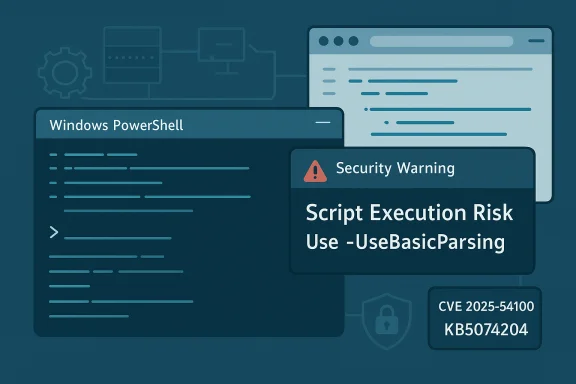
As part of the December 2025 security updates, Microsoft implemented a behavioral change for PowerShell 5.1: when Invoke-WebRequest is called without parameters that opt into safer parsing, PowerShell now displays a confirmation prompt that reads in essence:Security Warning: Script Execution Risk
Invoke-WebRequest parses the content of the web page. Script code in the web page might be run when the page is parsed.
RECOMMENDED ACTION: Use the -UseBasicParsing switch to avoid script code execution.
Do you want to continue?
Users can choose to continue — which preserves the legacy parsing mode — or cancel, which prevents potentially unsafe parsing. Microsoft documents the change in the KB updates associated with the December 2025 patches.
Why this matters practically
The prompt protects interactive users but can break unattended automation. Long-running scripts, scheduled jobs, or headless agents will pause waiting for user confirmation, creating operational impact. Microsoft explicitly recommends that administrators modify automation to include -UseBasicParsing when the intended behavior is to fetch content without executing embedded scripts or to adjust scripts so they can explicitly accept the risk when full parsing is required. This aligns with the principle of explicitness over implicit trust.Operational impact: scripts, tools, and breakage risk
Automation and CI/CD pipelines
Many enterprise scripts implicitly relied on the legacy parsing behavior of Invoke-WebRequest. After patching, any script that calls Invoke-WebRequest without explicit parameters will be subject to the interactive prompt, and thus:- Scheduled tasks and automation jobs may hang or fail.
- CI/CD pipelines fetching remote build artifacts may stall.
- Third-party tooling that shells out to PowerShell for web requests could see timeouts or failures.
Compatibility and regression concerns
Security researchers have warned that the change may “break existing customer scripts” that expected full HTML parsing, particularly those that relied on DOM parsing to extract elements from pages. Organizations with heavy use of HTML parsing in automation should inventory affected scripts and test them in a staged environment after applying Microsoft’s updates. Conversely, this is an intentional security hardening that prevents a class of living-off-the-land attacks that abuse legitimate tooling.Detection and monitoring: how to spot attempted exploitation
Logging and telemetry
PowerShell offers a suite of logging features administrators should enable and monitor:- Script Block Logging captures the content of scripts as they are executed and is one of the most valuable telemetry sources for detecting malicious PowerShell activity.
- Module Logging records pipeline and module-level events.
- PowerShell Transcription saves a record of all input and output within sessions.
Monitoring specific indicators
- Unexpected interactive prompts from PowerShell in non-interactive sessions (indicates scripts invoking dangerous parsing).
- Invocation of Invoke-WebRequest against external or unusual domains, especially in contexts where such calls are not part of normal behavior.
- Execution of downloaded artifacts or creation of new scheduled tasks shortly after web-fetch operations.
Remediation and mitigation guidance
Immediate actions (first 24–72 hours)
- Patch: Apply the Microsoft security updates that address CVE-2025-54100 for all affected Windows clients and servers and reboot where required. Microsoft published KB updates for affected Windows builds to deliver the behavior change. Prioritize endpoints that execute PowerShell as part of critical automation or where administrators run interactive PowerShell sessions regularly.
- Inventory: Identify all scripts, scheduled tasks, automation agents, and CI/CD jobs that call Invoke-WebRequest (or use aliases like curl) and categorize them by environment and purpose.
- Test: Run trimmed-down tests in staging on the patched builds to see which scripts prompt or fail; update scripts to include -UseBasicParsing if they only need raw body content or to handle the confirmation explicitly if full parsing is required.
Configuration hardening (next 1–4 weeks)
- Enable PowerShell logging: Script block logging, module logging, and transcription should be enabled and forwarded to centralized logging for correlation. This provides forensic visibility if a crafted page is fetched.
- Apply least privilege: Ensure that automation agents and scheduled tasks run with the minimal privileges necessary. If a process that fetches web content runs under a high-privilege account, the impact of any successful injection is magnified.
- Constrained Language Mode and signed scripts: For endpoints that permit user scripts, consider applying Constrained Language Mode or enforcing signature requirements for executed scripts, especially on workstations used by high-value administrators.
- Application control: Use AppLocker or Windows Defender Application Control (WDAC) to restrict what scripts and binaries can run, and ensure that only approved scripting hosts and signed modules are allowed in sensitive environments.
Operational best practices
- Replace ad-hoc web fetches with validated APIs where possible; when parsing web pages is required, use robust sanitization, whitelisting, and isolated execution contexts.
- Train operators and administrators to treat pasted commands from web sources as untrusted and to validate the content before execution.
- Make the use of -UseBasicParsing explicit in automation libraries or wrappers used across the organization so behavior is consistent and non-interactive.
Threat landscape and likelihood of exploitation
Public disclosure drives attention. Historically, vulnerabilities that allow code execution — even when local and requiring interaction — attract adversaries because social engineering can supply the missing link. Several security vendors and news outlets have flagged CVE-2025-54100 as a high-interest target because it touches a common administrative surface — PowerShell — and because the exploit complexity is low apart from the user interaction requirement. Multiple analysts note that attackers often chain low-complexity local exploits with phishing or insider compromise to achieve broader objectives, such as lateral movement or control of automation pipelines. In many environments, the line between “local” and “remote” blurs when systems automatically fetch external content as part of scheduled workflows. Therefore, the practical exploitability increases in environments that: (a) accept remote content without validation, (b) use PowerShell widely in automation, and (c) permit interactive or unattended scripts to execute with elevated privileges.Balancing security and continuity
Microsoft’s mitigation is deliberately conservative: it shores up parsing behavior while preserving backward compatibility via an explicit confirmation. That balance reduces the immediate exploitation surface but introduces operational friction. Security teams must weigh the short-term availability risk (automation breakage) against the longer-term security benefit (reduced attack surface for living-off-the-land misuse).A pragmatic approach:
- Patch broadly and rapidly to ensure the behavior change is present everywhere.
- Triage critical automation to minimize downtime by proactively updating scripts to explicit parsing flags or to PowerShell 7 where appropriate.
- Use central configuration management to apply consistent changes, audit them, and provide operators with clear migration playbooks.
Notable strengths and potential risks of Microsoft’s response
Strengths
- Immediate mitigation: The confirmation prompt directly reduces the chance that a silent fetch will execute scripts unexpectedly, increasing user awareness and control.
- Backward-compatible path: By allowing continuation and recommending -UseBasicParsing, Microsoft gives administrators deterministic control over script behavior for non-interactive automation.
- Alignment with PowerShell 7 behavior: The change reduces inconsistency across PowerShell versions, steering older builds toward safer defaults.
Risks and limitations
- Operational disruption: Unattended automation may hang or fail until scripts are updated, creating potential service interruptions.
- User acceptance: Operators pressed for time may click through warnings, which erodes the protective value of prompts. Social engineering remains a major risk in such cases.
- Not a silver bullet: The change mitigates this specific parsing risk, but it does not eliminate risks from other PowerShell execution paths (e.g., direct script execution, remoting sessions, or malicious modules). Comprehensive hardening and logging are still necessary.
Practical checklist for administrators
- Patch all affected systems with the December 2025 updates that include the PowerShell mitigations and reboot hosts where required.
- Inventory scripts and jobs using Invoke-WebRequest or its aliases; update them to include -UseBasicParsing or other explicit handling.
- Enable and centralize PowerShell logging (script block, module, transcription) and integrate with EDR/SIEM.
- Apply least-privilege and application-control policies to reduce impact if an exploit is attempted.
- Test critical automation in a patched staging environment before deploying changes to production.
Final assessment
CVE-2025-54100 highlights a recurring security dynamic: the convenience of powerful administrative tools like PowerShell improves productivity but also concentrates risk when parsing and execution boundaries are implicit. Microsoft’s fix — adding an explicit confirmation prompt and recommending safer parsing — is a pragmatic, defense-in-depth step that reduces silent exploitation opportunities while giving organizations time to remediate and modernize automation practices. That said, the operational impact can be material. Organizations that postpone patching to avoid breaking automation are effectively trading an immediate operational problem for a residual security gap. Conversely, those that patch must rapidly adapt their automation and logging posture to avoid service disruption and to gain the visibility necessary to detect attempted misuse.In sum, this vulnerability is a timely reminder that automation hygiene — explicit parsing choices, minimal privileges, application control, and robust telemetry — must be treated as first-class security controls. Applying Microsoft’s updates, updating scripts proactively, and hardening PowerShell environments are the essential steps to reduce risk and maintain operational continuity.
Conclusion
CVE-2025-54100 is a high-impact command-injection vulnerability that affects a core administration tool. The combined response — Microsoft’s update that introduces a security prompt and recommendations for safer parsing, alongside proactive patching, logging, and script remediation — is the correct operational pathway. Organizations should treat this as an immediate priority: apply the updates, inventory and update automation that uses Invoke-WebRequest, and strengthen PowerShell logging and access controls to reduce the chances that crafted web content can be used as an attack vector.
Source: eSecurity Planet https://www.esecurityplanet.com/thr...w-allows-attackers-to-execute-malicious-code/
