

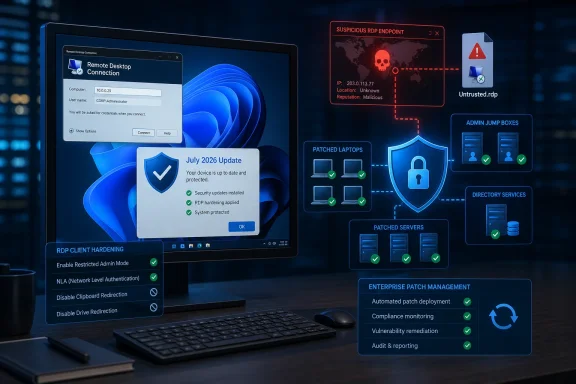
Microsoft’s Security Update Guide rates the issue as Important with a CVSS 3.1 score of 6.5. The National Vulnerability Database records the underlying weakness as an out-of-bounds read, CWE-125, and summarizes the impact plainly: an unauthorized attacker may disclose information over a network. The July cumulative updates are the fix.
The important operational detail is in the attack requirements. Microsoft’s CVSS vector says the bug is network-reachable, low complexity, requires no attacker privileges, but does require user interaction. In practical terms, this is a client-side RDP problem: an organization should be more concerned about users opening attacker-controlled .rdp files or connecting to untrusted Remote Desktop endpoints than about an unauthenticated internet scan immediately compromising every exposed RDP host.
The Remote Desktop Client Is the Attack Surface
CVE-2026-58539 is not described as a Remote Desktop Services server vulnerability, and Microsoft has not characterized it as remote code execution, elevation of privilege, or a wormable issue. It is an information disclosure flaw in Windows RDP handling, with confidentiality rated High and integrity and availability rated None.
That distinction matters. A vulnerable Windows workstation may be at risk when it initiates an RDP connection to a hostile or compromised destination. Patching RDP gateways and session hosts remains essential hygiene, but it does not replace patching the laptops, desktops, jump boxes, and administrator workstations from which people make RDP connections.
NIST’s entry also includes CISA’s Stakeholder-Specific Vulnerability Categorization data: exploitation is listed as “none,” automation as “no,” and technical impact as “partial.” Those labels are not a guarantee that exploitation will not emerge, but they reinforce the immediate reading of Microsoft’s advisory: this is a real vulnerability with a meaningful data-exposure consequence, yet it is not presently presented as an in-the-wild, easily automated emergency.
Microsoft has not published a public proof of concept or detailed the precise data that could be exposed. That restraint leaves administrators with an incomplete technical picture, but it should not delay normal Patch Tuesday deployment. The vulnerability’s existence and affected build ranges are vendor-confirmed; the mechanics beyond the out-of-bounds read are not.
July’s Cumulative Updates Carry the Fix
The affected operating systems span an unusually broad range of Windows releases, including Windows 10, Windows 11, and supported Windows Server generations. Microsoft identifies the following patched build thresholds:
| Product family | Patched build level |
|---|---|
| Windows 11, version 24H2 | 26100.8875 |
| Windows 11, version 25H2 | 26200.8875 |
| Windows 11, version 26H1 | 28000.2525 |
| Windows 10, version 22H2 | 19045.7548 |
| Windows 10, version 21H2 | 19044.7548 |
| Windows 10/Windows Server, version 1607 | 14393.9339 |
| Windows 10/Windows Server, version 1809 | 17763.9020 |
| Windows Server 2022 | 20348.5386 |
| Windows Server 2025 | 26100.33158 |
| Windows Server 2012 and 2012 R2 | 9200.26226 and 9600.23291 |
For mainstream Windows 11 estates, the relevant package is KB5101650, released July 14, which moves Windows 11 24H2 to build 26100.8875 and Windows 11 25H2 to build 26200.8875. Microsoft says the update is available through Windows Update, Windows Update for Business, Windows Server Update Services, and the Microsoft Update Catalog.
Windows 10 Extended Security Updates and LTSC deployments should look for KB5099539, which delivers builds 19045.7548 and 19044.7548. Windows Server 2022 receives KB5099540, build 20348.5386. Administrators using Windows Server 2016, Server 2019, Server 2025, or the older 2012/2012 R2 estates should confirm their devices meet the build thresholds in Microsoft’s advisory rather than assuming one client-side KB applies everywhere.
This is a cumulative-update vulnerability fix. There is no separate RDP client hotfix, registry-based mitigation, or configuration switch documented by Microsoft specifically for CVE-2026-58539.
RDP File Controls Matter More Until Every Device Is Patched
The timing of this vulnerability is notable because Microsoft has already been tightening the experience around .rdp files. Starting with the April 2026 Windows security updates, Remote Desktop Connection added warnings intended to make remote destination details and requested device redirections more visible before a connection begins.
Microsoft’s Remote Desktop guidance says that an RDP file can request access to local resources including drives, the clipboard, and cameras. The new dialog defaults those redirections to off and requires users to opt in. Unsigned files receive an “Unknown publisher” warning, while Microsoft advises users not to open unexpected RDP files and to verify unusual connection requests through a separate channel.
Those defenses do not patch CVE-2026-58539. They do, however, address the same trust boundary: a local client deciding to connect to infrastructure it may not control. For an attacker, a phishing email carrying an RDP file or a convincing invitation to connect to a “support” server can create the user interaction required by the vulnerability’s CVSS assessment.
IT teams should therefore treat the update rollout and RDP-file policy review as parallel work:
- Deploy the July cumulative update to every managed Windows endpoint that uses
mstsc.exe, administrative jump hosts included. - Restrict RDP connections to approved hosts through firewall, DNS, Remote Desktop Gateway, and conditional-access design where applicable.
- Review
.rdpfile distribution workflows, particularly emailed files, web downloads, help-desk procedures, and vendor support playbooks. - Keep clipboard, drive, printer, camera, and smart-card redirection disabled unless a business scenario explicitly needs each capability.
- Train administrators to distrust unexpected RDP prompts as aggressively as unexpected Office documents or authentication dialogs.
The existing April warning dialog can be temporarily rolled back through policy for compatibility reasons, but Microsoft has warned that the rollback setting may disappear in a future update. Organizations that suppressed the prompts after rollout friction should revisit that decision instead of allowing a short-term usability workaround to become permanent policy.
Patch the Client Estate, Not Just the RDP Servers
RDP has long been treated as a server-exposure problem because internet-facing Remote Desktop Services and poorly secured gateways are obvious targets. CVE-2026-58539 is a reminder that the initiating device also deserves a place in the threat model. A hardened server does not eliminate client-side parsing bugs when the client is pointed at an attacker-controlled endpoint.
For Windows enthusiasts, the practical answer is simple: install the July 2026 cumulative update and avoid opening RDP files or connecting to systems you cannot identify. For enterprises, the priority is to include Remote Desktop usage in patch compliance reporting, especially for privileged access workstations, help-desk devices, developer endpoints, and unmanaged or BYOD systems that may still launch RDP sessions.
Microsoft currently documents no known issue for KB5101650, and NIST has not recorded public exploitation of CVE-2026-58539. That makes this a routine but worthwhile security deployment—not a panic event. The unresolved question is whether later research will show exactly what data a malicious RDP endpoint can extract; until then, the defensible position is to patch promptly and reduce the number of untrusted RDP connections users can initiate.