

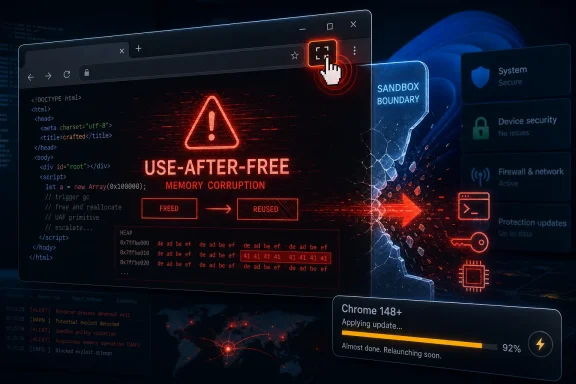
CVE-2026-7908 is a high-severity Chromium vulnerability disclosed on May 6, 2026, affecting Google Chrome before version 148.0.7778.96, where a use-after-free bug in the Fullscreen component could let a remote attacker attempt a sandbox escape through a crafted HTML page. That sentence sounds clinical because the advisory language is clinical; the underlying story is not. A browser feature designed to make video, games, and web apps feel native has again become part of the security boundary that modern computing depends on. For Windows users and administrators, the lesson is blunt: Chromium updates are no longer “browser maintenance” — they are operating-system-adjacent emergency work.
The most important phrase in the CVE description is not “Fullscreen.” It is “sandbox escape.” A memory-safety flaw in a browser component is bad enough, but the moment the advisory says an attacker could potentially cross the sandbox boundary, the vulnerability moves from nuisance territory into the category that security teams must treat with urgency.
Modern browsers assume the web is hostile. The whole architecture is built around containing untrusted code inside renderer processes, restricting what those processes can touch, and forcing dangerous operations through brokered interfaces. A sandbox escape is the nightmare scenario because it implies a path from a malicious page toward privileges the page was never supposed to reach.
CVE-2026-7908 is described as a use-after-free in Chromium’s Fullscreen component. In plain terms, that means the browser may have continued to reference memory after the object that owned it had already been freed. Attackers prize this class of bug because stale memory references can sometimes be shaped into code execution, information disclosure, or control-flow manipulation.
The “crafted HTML page” condition matters as well. This is not an attack that requires someone to install a shady executable or approve a macro. It lives in the browser’s normal threat model: a user visits a page, clicks a link, or lands on content delivered through a compromised site or malicious ad chain. The advisory still requires user interaction, but in browser security, “open a page” is not a comforting barrier.
That breadth is the real story. A single CVE can draw the headline, but Chrome 148 reads like a map of the modern browser’s attack surface: Blink, V8, ANGLE, GPU, WebRTC, ServiceWorker, DOM, SVG, Chromoting, Media, and Fullscreen all appear in the security notes. The browser is no longer an application in the old sense. It is a runtime, graphics stack, document engine, media platform, remote-access client, identity surface, and application container.
For WindowsForum readers, that should feel familiar. Windows administrators have spent years learning that “just patch the OS” is an obsolete security model. The browser now sits beside the OS as one of the most exposed and most privileged pieces of software in daily use. A Chrome vulnerability can matter to Windows shops even before Microsoft ships anything on Patch Tuesday.
Microsoft’s own listing for CVE-2026-7908 reflects that reality. Edge is Chromium-based, and the Chromium vulnerability pipeline flows into Microsoft’s security ecosystem whether or not the bug originated in Microsoft code. The platform boundary that users see — Chrome versus Edge, Google versus Microsoft — is much less meaningful than the shared engine boundary underneath.
Chromium’s severity labels are shaped by the project’s internal triage model. CVSS, by contrast, tries to express exploitability and impact in a standardized vector. For CVE-2026-7908, the CISA vector describes a network-reachable issue with low attack complexity, no privileges required, user interaction required, changed scope, and high impact to confidentiality, integrity, and availability.
Administrators should not waste time arguing whether the badge says High or Critical. The useful operational reading is simpler: the bug is remotely reachable through web content, it involves memory safety, it touches a component involved in user-facing browser state, and it may enable sandbox escape. That combination is enough to justify accelerated patching.
The absence of a public exploit report in the advisory should not become an excuse for delay. Google often restricts bug details until most users have received a fix. That policy is sensible, but it creates an information gap defenders must live with. If the details are private and the affected software is internet-facing by design, waiting for proof-of-concept code is not prudence; it is gambling.
That is exactly the kind of complexity where use-after-free bugs survive. Objects are created and destroyed as tabs navigate, frames change state, permissions are requested, user gestures are processed, and windows move between normal and fullscreen presentation. Race-like lifecycle mistakes become easier when a feature crosses boundaries between web content and browser-controlled interface.
Fullscreen also matters because it has a long history as a phishing and spoofing concern. Browsers have spent years refining warnings, escape behavior, and permission rules so a malicious page cannot convincingly impersonate the operating system or browser UI. A memory-corruption issue in this area is not automatically a spoofing bug, but it does sit in a component where browser designers are already nervous about trust boundaries.
That is why “Fullscreen” should not lull anyone into thinking this is a cosmetic flaw. The component may be user-facing, but the risk is architectural. Browser UI is not merely decoration; it is part of the security model.
A CPE entry is not the same thing as a full product-impact matrix. It is a machine-readable naming scheme used for vulnerability matching, and it can lag, overgeneralize, or fail to capture vendor-specific packaging details. In this case, the core affected product is Chrome before the fixed version. The operating-system entries simply express that the vulnerable application runs on those desktop platforms.
The harder question is whether other Chromium-based browsers need their own tracking. The answer, operationally, is yes — but not necessarily as part of this exact NVD CPE line. Edge, Brave, Vivaldi, Opera, Electron-based apps, and embedded Chromium runtimes all have their own release pipelines and exposure windows. A vulnerability in upstream Chromium does not automatically mean every downstream product is exploitable in the same way, but it does mean defenders should check downstream updates rather than assume immunity.
For Windows environments, Microsoft Edge deserves special attention because it is both widely deployed and deeply integrated into enterprise management. Microsoft usually republishes Chromium fixes through Edge security updates, but the timing and version number can differ from Google Chrome. Treat Chrome’s fixed version as the upstream marker, then verify the actual browser versions installed across the fleet.
In managed Windows environments, the problem is messier. Chrome auto-update is reliable for consumer machines, but enterprises often introduce deferral, testing rings, proxy constraints, application control, golden images, nonpersistent VDI pools, and user-session persistence. Those are legitimate management practices, but they can turn a “days/weeks” rollout into a blind spot.
The right control is inventory. Administrators need to know not only whether Chrome is installed, but which channel and version are active, whether the machine has relaunched after update, and whether Edge or other Chromium-derived browsers are carrying equivalent fixes. Software inventory that refreshes weekly is not good enough for browser memory-corruption flaws.
This is where vulnerability management tools often underperform. They may detect Chrome on disk but miss a portable install, user-profile install, stale VDI base image, or old browser bundled inside a third-party application. The rise of Chromium as a shared substrate means browser patching is no longer confined to the browser icon on the desktop.
Google has invested heavily in mitigations, fuzzing, sanitizers, memory allocators, process isolation, control-flow protections, and safer-language experiments. Those investments matter. They make exploitation harder, catch large classes of bugs earlier, and reduce the blast radius of individual mistakes.
But Chrome 148’s advisory is a reminder that mitigation is not elimination. The release includes numerous use-after-free issues across components, not merely CVE-2026-7908. When the same bug class appears repeatedly in different subsystems, the lesson is not that engineers are careless. The lesson is that browser complexity has outrun what traditional memory-unsafe architecture can comfortably guarantee.
This is why the industry’s move toward memory-safe languages is more than a fashionable talking point. It is an admission that testing and sandboxing are necessary but insufficient. The browser sandbox catches failures after they happen. Memory safety tries to prevent whole categories of failure from existing in the first place.
The same applies to browser choice policies. Some organizations standardize on Edge and think that removes Chrome from the equation. Others allow both Chrome and Edge but monitor only one. Some block Chrome installation but still run Chromium-based WebView2 components, Electron apps, or vendor-packaged browsers. The attack surface does not care what the corporate standard says.
CVE-2026-7908 is a good case study because the exploit path described is web content, not a local configuration mistake. That means exposure follows user behavior. A finance user opening a supplier portal, a teacher clicking a shared resource, a developer browsing documentation, or an executive reading a linked article all exercise the same risky surface.
The most defensible posture is boring but effective: rapid browser update rings, enforced relaunch deadlines, version telemetry, extension control, site isolation policies where appropriate, and isolation for high-risk browsing. None of those controls is glamorous. All of them matter more than another dashboard that turns red after exploitation begins.
But restricted disclosure is not secrecy for secrecy’s sake. Browser vendors know that once a fix is shipped, attackers can diff code, reverse engineer patches, and build exploits against users who have not updated. Publishing detailed exploit notes before the update has saturated the user base would help attackers more than defenders.
This creates a familiar asymmetry. Attackers can focus on a narrow technical target, while defenders must patch a vast installed base under imperfect visibility. The only practical answer is to make patch latency the metric. If your organization cannot move a critical browser update quickly without drama, the problem is not CVE-2026-7908. The problem is the update machinery itself.
That machinery includes communications. Users need to understand that browser restarts are not optional housekeeping. Help desks need scripts that distinguish “downloaded” from “applied.” Security teams need authority to compress testing windows when a browser release contains memory-corruption and sandbox-escape language.
Chrome 148’s 127 security fixes show why. A modern browser release can carry more security consequence than an operating-system cumulative update, yet it may arrive outside the cadence that change boards, maintenance windows, and compliance reports were designed around. The organizations that still treat browser updates as routine application churn are solving yesterday’s problem.
The right comparison is not between Chrome and another desktop app. It is between Chrome and the Windows kernel, LSASS, Office document parsing, and remote access tooling: components that are exposed, heavily used, and attractive to attackers. Browsers deserve the same operational seriousness.
That does not mean every browser CVE requires panic. It means the triage model must mature. A low-impact UI bug can wait for normal deployment. A high-severity memory-safety issue with possible sandbox escape should not.
That does not mean disclosure is bad. It means slow patching is costly. The public advisory gives defenders the same starting gun it gives attackers. The race is not theoretical; it is a race between update adoption and exploit development.
In consumer Chrome, automatic updates reduce that window for many users. In enterprise Chrome, the window is whatever the organization’s process allows. If a change-control board requires a week for every browser update, then the organization has effectively chosen a week of known exposure for every high-severity browser memory bug.
There are ways to manage this without chaos. Use early stable or beta channels on test rings. Validate core business apps continuously rather than manually after every emergency. Set policies that force relaunch after a defined grace period. Separate compatibility testing from security deployment so one broken legacy web app does not hold an entire fleet hostage.
For Windows enthusiasts, the action is simple: update and restart. For sysadmins, the action is broader: verify Chrome, Edge, and other Chromium-dependent software; shorten the browser patch loop; and make relaunch compliance visible. For security teams, the action is to treat browser sandbox-escape language as a priority signal, not as one more line item in the CVE feed.
Source: NVD / Chromium Security Update Guide - Microsoft Security Response Center
 A Fullscreen Bug Is Really a Browser Boundary Bug
The most important phrase in the CVE description is not “Fullscreen.” It is “sandbox escape.” A memory-safety flaw in a browser component is bad enough, but the moment the advisory says an attacker could potentially cross the sandbox boundary, the vulnerability moves from nuisance territory into the category that security teams must treat with urgency.Modern browsers assume the web is hostile. The whole architecture is built around containing untrusted code inside renderer processes, restricting what those processes can touch, and forcing dangerous operations through brokered interfaces. A sandbox escape is the nightmare scenario because it implies a path from a malicious page toward privileges the page was never supposed to reach.
CVE-2026-7908 is described as a use-after-free in Chromium’s Fullscreen component. In plain terms, that means the browser may have continued to reference memory after the object that owned it had already been freed. Attackers prize this class of bug because stale memory references can sometimes be shaped into code execution, information disclosure, or control-flow manipulation.
The “crafted HTML page” condition matters as well. This is not an attack that requires someone to install a shady executable or approve a macro. It lives in the browser’s normal threat model: a user visits a page, clicks a link, or lands on content delivered through a compromised site or malicious ad chain. The advisory still requires user interaction, but in browser security, “open a page” is not a comforting barrier.
Chrome 148 Was Not a Routine Point Release
Google’s Chrome 148 stable-channel release for desktop landed with versions 148.0.7778.96 for Linux and 148.0.7778.96/97 for Windows and macOS. The update contained 127 security fixes, an unusually large haul even by Chromium standards. CVE-2026-7908 was one of many high-severity issues in a release that also included multiple critical vulnerabilities elsewhere in the browser stack.That breadth is the real story. A single CVE can draw the headline, but Chrome 148 reads like a map of the modern browser’s attack surface: Blink, V8, ANGLE, GPU, WebRTC, ServiceWorker, DOM, SVG, Chromoting, Media, and Fullscreen all appear in the security notes. The browser is no longer an application in the old sense. It is a runtime, graphics stack, document engine, media platform, remote-access client, identity surface, and application container.
For WindowsForum readers, that should feel familiar. Windows administrators have spent years learning that “just patch the OS” is an obsolete security model. The browser now sits beside the OS as one of the most exposed and most privileged pieces of software in daily use. A Chrome vulnerability can matter to Windows shops even before Microsoft ships anything on Patch Tuesday.
Microsoft’s own listing for CVE-2026-7908 reflects that reality. Edge is Chromium-based, and the Chromium vulnerability pipeline flows into Microsoft’s security ecosystem whether or not the bug originated in Microsoft code. The platform boundary that users see — Chrome versus Edge, Google versus Microsoft — is much less meaningful than the shared engine boundary underneath.
“High” Can Still Mean “Drop Everything”
There is a small but dangerous trap in Chromium advisories: the word “High” can make a vulnerability sound less urgent than it is. CVE-2026-7908 carries Chromium’s high severity, while CISA’s ADP scoring lists a CVSS 3.1 score of 9.6, which falls into critical territory. That mismatch is not a clerical oddity; it is a reminder that severity systems measure different things in different contexts.Chromium’s severity labels are shaped by the project’s internal triage model. CVSS, by contrast, tries to express exploitability and impact in a standardized vector. For CVE-2026-7908, the CISA vector describes a network-reachable issue with low attack complexity, no privileges required, user interaction required, changed scope, and high impact to confidentiality, integrity, and availability.
Administrators should not waste time arguing whether the badge says High or Critical. The useful operational reading is simpler: the bug is remotely reachable through web content, it involves memory safety, it touches a component involved in user-facing browser state, and it may enable sandbox escape. That combination is enough to justify accelerated patching.
The absence of a public exploit report in the advisory should not become an excuse for delay. Google often restricts bug details until most users have received a fix. That policy is sensible, but it creates an information gap defenders must live with. If the details are private and the affected software is internet-facing by design, waiting for proof-of-concept code is not prudence; it is gambling.
Fullscreen Is a Small Door Into a Large Attack Surface
Fullscreen seems mundane because users experience it as a button. Click it, and a video fills the display. Press Escape, and the browser chrome comes back. Under the hood, however, fullscreen mode is a negotiation among the renderer, browser UI, input handling, permission checks, display state, security indicators, and platform windowing APIs.That is exactly the kind of complexity where use-after-free bugs survive. Objects are created and destroyed as tabs navigate, frames change state, permissions are requested, user gestures are processed, and windows move between normal and fullscreen presentation. Race-like lifecycle mistakes become easier when a feature crosses boundaries between web content and browser-controlled interface.
Fullscreen also matters because it has a long history as a phishing and spoofing concern. Browsers have spent years refining warnings, escape behavior, and permission rules so a malicious page cannot convincingly impersonate the operating system or browser UI. A memory-corruption issue in this area is not automatically a spoofing bug, but it does sit in a component where browser designers are already nervous about trust boundaries.
That is why “Fullscreen” should not lull anyone into thinking this is a cosmetic flaw. The component may be user-facing, but the risk is architectural. Browser UI is not merely decoration; it is part of the security model.
The CPE Listing Is Awkward but Not Mysterious
The user-facing question in the vulnerability entry — “Are we missing a CPE here?” — is easy to misread. The NVD configuration listed Google Chrome versions up to, but excluding, 148.0.7778.96, combined with operating-system CPEs for Windows, Linux, and macOS. That is a normal way to express a cross-platform application vulnerability, even if the presentation looks clumsy.A CPE entry is not the same thing as a full product-impact matrix. It is a machine-readable naming scheme used for vulnerability matching, and it can lag, overgeneralize, or fail to capture vendor-specific packaging details. In this case, the core affected product is Chrome before the fixed version. The operating-system entries simply express that the vulnerable application runs on those desktop platforms.
The harder question is whether other Chromium-based browsers need their own tracking. The answer, operationally, is yes — but not necessarily as part of this exact NVD CPE line. Edge, Brave, Vivaldi, Opera, Electron-based apps, and embedded Chromium runtimes all have their own release pipelines and exposure windows. A vulnerability in upstream Chromium does not automatically mean every downstream product is exploitable in the same way, but it does mean defenders should check downstream updates rather than assume immunity.
For Windows environments, Microsoft Edge deserves special attention because it is both widely deployed and deeply integrated into enterprise management. Microsoft usually republishes Chromium fixes through Edge security updates, but the timing and version number can differ from Google Chrome. Treat Chrome’s fixed version as the upstream marker, then verify the actual browser versions installed across the fleet.
The Patch Is Simple; Proving It Landed Is Not
For individual users, the remediation is straightforward: update Chrome to 148.0.7778.96 or later, or 148.0.7778.97 where that is the delivered Windows/macOS build. Restarting the browser matters because Chrome can download an update and still leave old processes running until relaunch. The green, yellow, or red update indicator is not a security control; the running binary version is.In managed Windows environments, the problem is messier. Chrome auto-update is reliable for consumer machines, but enterprises often introduce deferral, testing rings, proxy constraints, application control, golden images, nonpersistent VDI pools, and user-session persistence. Those are legitimate management practices, but they can turn a “days/weeks” rollout into a blind spot.
The right control is inventory. Administrators need to know not only whether Chrome is installed, but which channel and version are active, whether the machine has relaunched after update, and whether Edge or other Chromium-derived browsers are carrying equivalent fixes. Software inventory that refreshes weekly is not good enough for browser memory-corruption flaws.
This is where vulnerability management tools often underperform. They may detect Chrome on disk but miss a portable install, user-profile install, stale VDI base image, or old browser bundled inside a third-party application. The rise of Chromium as a shared substrate means browser patching is no longer confined to the browser icon on the desktop.
The Use-After-Free Problem Keeps Coming Back
CVE-2026-7908 belongs to a family of bugs that refuses to die. Use-after-free vulnerabilities have haunted browsers for decades because browsers are large C++ programs that constantly create, mutate, and destroy objects in response to adversarial input. The web is a hostile document format with scripting, graphics, media, storage, networking, accessibility hooks, and increasingly GPU-backed execution.Google has invested heavily in mitigations, fuzzing, sanitizers, memory allocators, process isolation, control-flow protections, and safer-language experiments. Those investments matter. They make exploitation harder, catch large classes of bugs earlier, and reduce the blast radius of individual mistakes.
But Chrome 148’s advisory is a reminder that mitigation is not elimination. The release includes numerous use-after-free issues across components, not merely CVE-2026-7908. When the same bug class appears repeatedly in different subsystems, the lesson is not that engineers are careless. The lesson is that browser complexity has outrun what traditional memory-unsafe architecture can comfortably guarantee.
This is why the industry’s move toward memory-safe languages is more than a fashionable talking point. It is an admission that testing and sandboxing are necessary but insufficient. The browser sandbox catches failures after they happen. Memory safety tries to prevent whole categories of failure from existing in the first place.
Windows Shops Cannot Outsource Chromium Risk to Google
There is a persistent enterprise habit of mentally filing Chrome vulnerabilities under “Google problem.” That view is obsolete. On Windows, Chromium is part of the daily application platform, a dependency for line-of-business apps, a runtime for SaaS, and the engine beneath Microsoft Edge. If it breaks, your help desk hears about it. If it is exploited, your incident-response team owns the damage.The same applies to browser choice policies. Some organizations standardize on Edge and think that removes Chrome from the equation. Others allow both Chrome and Edge but monitor only one. Some block Chrome installation but still run Chromium-based WebView2 components, Electron apps, or vendor-packaged browsers. The attack surface does not care what the corporate standard says.
CVE-2026-7908 is a good case study because the exploit path described is web content, not a local configuration mistake. That means exposure follows user behavior. A finance user opening a supplier portal, a teacher clicking a shared resource, a developer browsing documentation, or an executive reading a linked article all exercise the same risky surface.
The most defensible posture is boring but effective: rapid browser update rings, enforced relaunch deadlines, version telemetry, extension control, site isolation policies where appropriate, and isolation for high-risk browsing. None of those controls is glamorous. All of them matter more than another dashboard that turns red after exploitation begins.
The Advisory Silence Is Part of the Defense
One frustration with Chromium security advisories is that the most interesting details are often missing. The bug link for CVE-2026-7908 is restricted. The advisory does not publish exploit mechanics, proof-of-concept code, or a detailed root-cause analysis. That opacity can annoy defenders who want to understand whether their environment is uniquely exposed.But restricted disclosure is not secrecy for secrecy’s sake. Browser vendors know that once a fix is shipped, attackers can diff code, reverse engineer patches, and build exploits against users who have not updated. Publishing detailed exploit notes before the update has saturated the user base would help attackers more than defenders.
This creates a familiar asymmetry. Attackers can focus on a narrow technical target, while defenders must patch a vast installed base under imperfect visibility. The only practical answer is to make patch latency the metric. If your organization cannot move a critical browser update quickly without drama, the problem is not CVE-2026-7908. The problem is the update machinery itself.
That machinery includes communications. Users need to understand that browser restarts are not optional housekeeping. Help desks need scripts that distinguish “downloaded” from “applied.” Security teams need authority to compress testing windows when a browser release contains memory-corruption and sandbox-escape language.
The Chrome 148 Pileup Shows the Browser Has Become the New Patch Tuesday
Windows administrators are trained around Patch Tuesday because it imposes rhythm on chaos. Browser security no longer obeys that rhythm. Chrome, Edge, Firefox, and WebKit updates ship when they need to, and the exploit economy does not wait for the second Tuesday of the month.Chrome 148’s 127 security fixes show why. A modern browser release can carry more security consequence than an operating-system cumulative update, yet it may arrive outside the cadence that change boards, maintenance windows, and compliance reports were designed around. The organizations that still treat browser updates as routine application churn are solving yesterday’s problem.
The right comparison is not between Chrome and another desktop app. It is between Chrome and the Windows kernel, LSASS, Office document parsing, and remote access tooling: components that are exposed, heavily used, and attractive to attackers. Browsers deserve the same operational seriousness.
That does not mean every browser CVE requires panic. It means the triage model must mature. A low-impact UI bug can wait for normal deployment. A high-severity memory-safety issue with possible sandbox escape should not.
The Patch Window Is the Attack Window
The uncomfortable truth is that browser vulnerabilities become more dangerous after patches ship. Before disclosure, only the finder, vendor, and perhaps a small circle know the details. After disclosure, the existence of the bug is public, the fixed version is identified, and motivated attackers can begin hunting the patch delta.That does not mean disclosure is bad. It means slow patching is costly. The public advisory gives defenders the same starting gun it gives attackers. The race is not theoretical; it is a race between update adoption and exploit development.
In consumer Chrome, automatic updates reduce that window for many users. In enterprise Chrome, the window is whatever the organization’s process allows. If a change-control board requires a week for every browser update, then the organization has effectively chosen a week of known exposure for every high-severity browser memory bug.
There are ways to manage this without chaos. Use early stable or beta channels on test rings. Validate core business apps continuously rather than manually after every emergency. Set policies that force relaunch after a defined grace period. Separate compatibility testing from security deployment so one broken legacy web app does not hold an entire fleet hostage.
The Practical Read for WindowsForum Readers
CVE-2026-7908 is not the most spectacular browser vulnerability ever disclosed, and there is no public evidence in the advisory language that it is being exploited in the wild. That should not make it comfortable. Its value is that it neatly illustrates how small-sounding browser components can sit on top of enormous security assumptions.For Windows enthusiasts, the action is simple: update and restart. For sysadmins, the action is broader: verify Chrome, Edge, and other Chromium-dependent software; shorten the browser patch loop; and make relaunch compliance visible. For security teams, the action is to treat browser sandbox-escape language as a priority signal, not as one more line item in the CVE feed.
Chrome’s Fullscreen Flaw Leaves a Short Checklist Behind
The operational answer to CVE-2026-7908 is not complicated, but it does require discipline. This is the moment to check whether the browser update process you think you have is the one your endpoints are actually following.- Chrome desktop should be updated to 148.0.7778.96 or later, with Windows and macOS systems receiving the applicable 148.0.7778.96/97 build.
- A browser restart is required before administrators should consider the update fully applied on active user systems.
- Edge and other Chromium-based browsers should be checked separately because upstream Chromium fixes do not prove downstream deployment.
- Vulnerability scanners should be validated against live version inventory, not merely install records or stale software catalogs.
- Enterprises should treat “crafted HTML page” plus “sandbox escape” as a fast-track patch condition, even when public exploit code has not appeared.
Source: NVD / Chromium Security Update Guide - Microsoft Security Response Center
