

DataVare has released a streamlined “smart migration” workflow that promises to make Mac Outlook’s OLM archives readable inside Windows Outlook by converting OLM files into Windows-compatible PST files with a focus on preserving folder structure, attachments, and metadata.
For many users switching from macOS to Windows, email data is one of the trickiest migration problems because Outlook for Mac uses the .olm archive format while Outlook for Windows relies on .pst (Personal Storage Table) files. Microsoft publicly documents that Outlook for Windows does not support importing .olm files directly and offers server-side options (Exchange) or export/import procedures as the supported paths. Third‑party OLM→PST conversion tools have long been part of the workaround ecosystem; forum threads and community posts document both manual IMAP-based transfer methods and a wide market of vendor utilities for converting OLM to PST when server‑side options aren’t available. Community threads show years of users recommending IMAP/Gmail sync or vendor converters as practical alternatives.
Users and IT teams should pair DataVare’s demo testing with Microsoft’s documented constraints and community‑documented best practices to build a migration plan that balances speed, fidelity, and security.
Source: openPR.com DataVare Simplifies Access to Mac Outlook Data on Windows Outlook with Smart Migration
 Background
For many users switching from macOS to Windows, email data is one of the trickiest migration problems because Outlook for Mac uses the .olm archive format while Outlook for Windows relies on .pst (Personal Storage Table) files. Microsoft publicly documents that Outlook for Windows does not support importing .olm files directly and offers server-side options (Exchange) or export/import procedures as the supported paths. Third‑party OLM→PST conversion tools have long been part of the workaround ecosystem; forum threads and community posts document both manual IMAP-based transfer methods and a wide market of vendor utilities for converting OLM to PST when server‑side options aren’t available. Community threads show years of users recommending IMAP/Gmail sync or vendor converters as practical alternatives.Overview of DataVare’s Smart Migration Claim
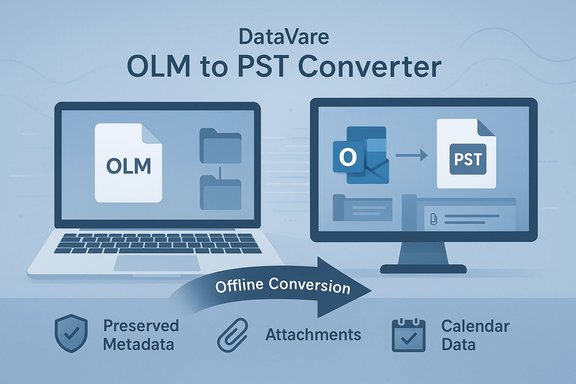
DataVare’s announcement positions its OLM to PST Converter as a simple, self‑contained tool that:- Converts Mac Outlook (.olm) to Windows Outlook (.pst)
- Preserves folder hierarchy, message properties, attachments and calendar/contacts items
- Offers bulk conversion of multiple OLM files
- Lets users preview OLM content prior to conversion
- Requires no installed Outlook client or internet connection to run the conversion
- Provides a free trial that converts a sample number of items so users can verify results before purchase
Why OLM → PST Conversion Matters (Technical Context)
OLM and PST: incompatible container formats
- .olm is a Mac Outlook archive format used for exporting mail, contacts, calendars, tasks and notes from Outlook for Mac.
- .pst is Microsoft’s long‑standing Outlook data container for Windows; modern PST files use Unicode encoding and can be very large (defaults and practical limits vary by Outlook version).
PST capacity and encoding
Modern Outlook uses Unicode PST files by default; default size thresholds are considerably larger than legacy ANSI PSTs (which are limited to around 2 GB). Microsoft’s guidance shows Unicode PSTs in recent Outlook releases are constrained by default registry settings (commonly 50 GB by default in many modern Outlook versions) and can be tuned by administrators. That means converters that produce Unicode PST files are generally compatible with current Outlook installations, though users must still be mindful of PST size and performance.What DataVare Offers — Feature Breakdown and Verification
Claimed features (as described by DataVare)
- Full mailbox conversion: emails, contacts, calendars, tasks, notes.
- Preserves structure: folder hierarchy and message properties remain intact.
- Bulk conversion: handle multiple OLM files in a single session.
- Preview: scan + internal preview pane to inspect items before export.
- No Outlook or internet required: software runs independently on Windows to produce PSTs.
- Free trial: a demo that converts a limited number of items per folder so users can evaluate results.
Independent verification and context
- The vendor page documents those exact features and system specs, including the claim that the produced PST is the Unicode format and that the utility runs without Outlook being installed. That aligns with standard expectations for third‑party conversion utilities that produce a PST file offline.
- Microsoft’s official stance — no Microsoft utility to convert OLM to PST — is the reason third‑party tools are needed in the first place; DataVare’s offering is consistent with the gap documented by Microsoft.
- Longstanding community practice confirms both the existence of many converter tools and the alternative “IMAP/Gmail sync” manual method for smaller mailstores; community posts document these practices and mixed results from various tools and approaches.
Practical Considerations for IT Pros and Power Users
1. Confirm the target Outlook environment
Before converting, identify the exact Windows Outlook versions you will be using and any size or policy constraints. Modern Outlook versions expect Unicode PSTs with default size thresholds (often around 50 GB); verify registry or Group Policy settings in enterprise environments.2. Inventory Mac data types and special items
OLM files can include:- Mail (standard and nested folders)
- Attachments (including large binaries)
- Contacts and distribution lists
- Calendar items, recurring events and reminders
- Tasks, notes, and flagged items
3. Test with representative data sets
- Use the free trial and a representative OLM file that contains a range of item types (attachments, calendar recurrences, numerous contacts).
- Verify metadata fidelity: sender/recipient headers, message timestamps, read/unread state, categories/labels, and the folder hierarchy.
- Check calendar integrity: recurring patterns, exceptions, and attachments on calendar items.
4. Watch for duplicates and threading changes
When migrating via IMAP or when converters map messages differently, duplicate messages or altered threading order can appear. Use a staging PST and validate with message counts and sampling before replacing any production mailstore.5. Security, encryption and password‑protected items
- If the OLM is encrypted or contains password‑protected items, confirm whether the converter preserves encryption or requires decryption prior to conversion. Vendor documentation should explicitly state support for encrypted OLMs; DataVare’s page does not emphasize encryption handling, so treat this as an open question to confirm with support before proceeding.
Strengths of DataVare’s Approach
- Self‑contained offline conversion: For users constrained by privacy, regulatory, or bandwidth concerns, an offline tool that does not require cloud upload is attractive and reduces exposure.
- Preview prior to conversion: A preview pane reduces blind conversion risks and lets users perform selective exports.
- Bulk processing: Support for multiple OLM files speeds migration in multi‑user or large mailbox contexts.
- Trial offering: The free demo that converts a sample subset is a useful verification step before committing to a paid license.
Risks, Limitations and Things the Announcement Leaves Unclear
Data fidelity and metadata
- The press release and product page assert preservation of the original structure and attachments, but complete fidelity is rarely guaranteed across all edge cases (complex calendar rules, custom properties, or uncommon message encodings). Independent verification by the user or IT team is essential.
Unsupported or poorly documented scenarios
- The product page does not explicitly document handling of encrypted OLMs, S/MIME signatures, or digitally signed messages, which can complicate conversions. Treat vendor silence on these points as a prompt to request clarification from support.
Trial limits vs. production expectations
- The free trial converts a limited set of items per folder (DataVare states 10 items per folder in the demo). This is useful for sampling but does not replace large‑scale pilot testing on full data sets. Relying solely on the demo for assurance is insufficient.
Vendor trust and procurement concerns
- Third‑party conversion utilities sit at high privilege levels: they read personal archives and write completed PSTs that may become production mailstores. Organizations should perform:
- Vendor due diligence (review company history, support responsiveness, and refund policy),
- Controlled pilots on non‑production data,
- Integrity checks of output files via checksums and sample message comparisons.
Microsoft’s official stance remains unchanged
- Microsoft does not publish a conversion tool for OLM→PST, and its recommended supported paths involve server synchronization (Exchange) or administrative server exports. This leaves third‑party tools in a necessary but unofficial position for many migration scenarios.
Practical Migration Checklist
- Back up source OLM files (make read‑only copies) and store copies offline.
- Inventory mailbox items and identify critical folders, calendar owners, and large attachments.
- Confirm target Outlook versions and PST size limits; adjust policy/registry if needed.
- Download the DataVare free demo and run it against a representative OLM file.
- Validate output PST: counts, folder hierarchy, attachments, calendar recurrences, and contact fields.
- Run staged tests with small user groups before enterprise‑wide rollout.
- Retain original OLM copies until all stakeholders confirm data accuracy.
Vendor Practices and Questions to Ask Before Buying
- Can you provide an exact list of supported OLM and target PST versions, including edge cases like encrypted items and signed messages?
- Does the product produce a Unicode PST (and can you show metadata confirming encoding)? DataVare asserts it generates Unicode PSTs; confirm by sampling the produced file in Outlook and checking file properties.
- What is the refund policy and the support SLA if converted output is found to be incomplete on a larger data set?
- Are there any known limitations with calendar recurrence exceptions, distribution lists, or custom MAPI properties?
How This Fits Inside Broader Migration Strategies
- If the organization uses Exchange Online or on‑prem Exchange, server synchronization or mailbox export is often preferable because it avoids file‑based conversion and preserves server‑side properties.
- For smaller teams or individual users moving between personal accounts or out of enterprise control, an offline converter is often the only practical option.
- When compliance or data residency matters, prioritize offline converters and ensure local control of all converted PST files.
Final Analysis: When DataVare Makes Sense — and When to Be Cautious
DataVare’s offering addresses a real gap: Microsoft does not provide a built‑in conversion path from OLM to PST and many users and IT teams need predictable, offline tools. The product’s advertised features — preview, bulk conversion, Unicode PST output, and an offline workflow — align with standard expectations for a competent converter and are consistent with what the vendor documents on its product page. However, buyers should treat vendor claims as starting points, not guarantees. Key areas that require verification are handling of encrypted/signed items, fidelity of complex calendar and contact data, and how the tool behaves on very large or corrupted OLMs. Pilot tests with real data and explicit vendor commitments on support/refund are essential.Conclusion
For Windows users who need to access Mac Outlook archives, the OLM→PST conversion space remains an operational reality because Microsoft does not provide a direct OLM→PST utility. DataVare’s smart migration tool is a legitimate entrant into this market with features that match standard expectations: offline conversion, previewing, bulk processing, and Unicode PST output. These features can materially reduce migration friction for both home users and IT professionals — provided that organizations perform careful pilot testing and validation.Users and IT teams should pair DataVare’s demo testing with Microsoft’s documented constraints and community‑documented best practices to build a migration plan that balances speed, fidelity, and security.
Source: openPR.com DataVare Simplifies Access to Mac Outlook Data on Windows Outlook with Smart Migration
