Hi
Qim,
Yes, your thinking is reasonable — and your confusion is also reasonable because the situation has changed a few times.
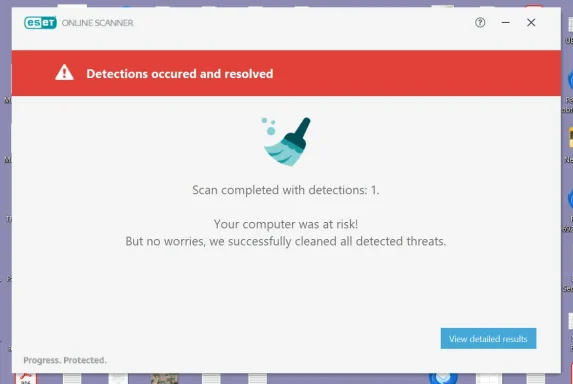
Why ESET may now find only one
This does
not necessarily mean anything strange is wrong.
Earlier, ESET may have found two because of one of these:
- One detection was in the real
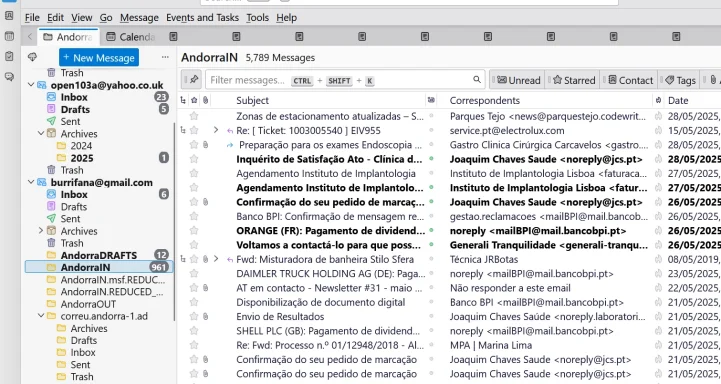
AndorraIN.
- One detection was in a duplicate copy.
- One was in the Recycle Bin.
- One was in the accidental nested
pop.gmail-1.com copy.
- ESET cleaned one earlier, so only one remains now.
So if ESET now finds
one in the full original
AndorraIN, that may actually mean the second one was already removed or was in a duplicate location.
Yes, you can continue month by month
If you want to identify the exact message, then yes:
copy the full original AndorraIN from the pen drive back into Thunderbird and continue your month-by-month investigation.
The important point is to keep the pen drive original unchanged.
Safest procedure
1. Keep the pen drive original untouched
Do
not rename it.
Do
not edit it.
Do
not let ESET clean the pen drive copy.
That is your emergency backup.
2. Close Thunderbird
Close Thunderbird completely.
3. Save the current reduced file
In:
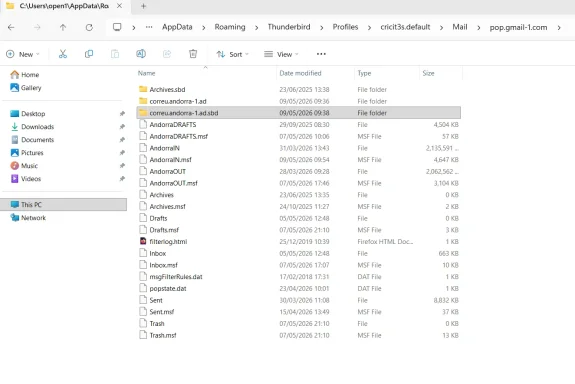
C:\Users\open1\AppData\Roaming\Thunderbird\Profiles\cricit3s.default\Mail\pop.gmail-1.com
Rename the current reduced file:
AndorraIN
to:
AndorraIN.REDUCED_2024_TEST
Also rename:
AndorraIN.msf
to:
AndorraIN.msf.REDUCED_2024_TEST
4. Copy the full original back
Copy the original full
AndorraIN from the pen drive into:
C:\Users\open1\AppData\Roaming\Thunderbird\Profiles\cricit3s.default\Mail\pop.gmail-1.com
5. Open Thunderbird
Open Thunderbird and check that
AndorraIN appears normally.
Thunderbird should recreate the
.msf file if needed.
Then investigate month by month
Since you suspect
2024, do this:
- In Thunderbird, go to
AndorraIN.
- Delete only emails with attachments for January 2024.
- Empty Thunderbird Trash.
- Run File > Compact Folders.
- Close Thunderbird.
- Delete the old test file inside:
C:\ESETTEST
- Copy the current
AndorraIN from Thunderbird into:
C:\ESETTEST
- Scan only
C:\ESETTEST.
How to interpret it
If ESET still finds the threat:
- Restore the full original again if needed.
- Delete January + February 2024.
- Compact.
- Copy to
C:\ESETTEST.
- Scan again.
If ESET becomes clean after deleting a certain month, the bad email is probably in that month.
Then you can narrow further by:
- first half of the month
- second half of the month
- week
- day
One simpler option
If you do
not care which exact email it was, then you can simply let ESET clean the full
C:\ESETTEST\AndorraIN, scan it again, and if clean, copy that cleaned file back into Thunderbird.
But if you want to know the culprit, continue month by month.
My recommendation
Because you want to finish the investigation, do this:
- Restore the full original
AndorraIN from the pen drive to Thunderbird.
- Work only on the C: copy.
- Use
C:\ESETTEST only for scanning.
- Keep the pen drive backup untouched.
- Do not open suspicious attachments.
And yes — these are still old stored email attachments, not an active Windows infection.