Code:
*******************************************************************************
*                                                                             *
*                        Bugcheck Analysis                                    *
*                                                                             *
*******************************************************************************

Use !analyze -v to get detailed debugging information.

BugCheck 50, {fffff68008282c90, 0, fffff8000346755b, 2}


Could not read faulting driver name
Probably caused by : memory_corruption ( nt!MiAgeWorkingSet+1d1 )

Followup: MachineOwner
Hi,
most of the dump files are Bugcheck 50 which can mean:
1.Bug check 0x50 usually occurs after the installation of faulty hardware or in the event of failure of installed hardware (usually related to defective RAM, be it main memory, L2 RAM cache, or video RAM).
2.Another common cause is the installation of a faulty system service.
3.Antivirus software can also trigger this error, as can a corrupted NTFS volume.
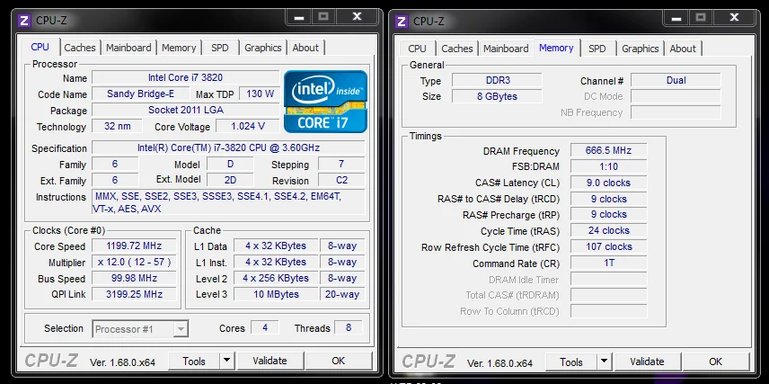
I notice your currently overclocked. Please remove until source of BSOD can be found otherwise it can influence testing.
I also notice your mention on Memtest86 and Rammon. If your running memtest and seeing errors then the likely outcome is that your RAM could need replacing. Try testing each stick individually to determine which stick is the culprit.
Have you stress tested your GPU? This can determine if it's starting to fail. Try running this app and if you get a bsod then your card could be at fault:
http://www.ozone3d.net/benchmarks/fur/
If your running an SSD look for firmware updates. If not try running a chkdsk by following the guide here:
Link Removed
asmthub3.sys Mon Aug 20 13:28:29 2012: USB3 driver. Later version found on website:
https://www.asus.com/Motherboards/P9X79_LE/#support
CAHS164.sys Thu Jun 16 08:10:06 2011: C-Media Electronics USB Audio Driver please update:
Link Removed
iaStorA.sys Fri Dec 02 21:58:55 2011: Rapid storage Technology later version found on support site:
https://www.asus.com/Motherboards/P9X79_LE/#support
Please update your Intel chipset drivers which are found on the above page.
nvlddmkm.sys Thu Dec 19 17:02:52 2013: Nvidia GPU driver. Please remove using the application found here:
Link Removed
This will ensure any old bits of driver are removed. Re-install latest version (334.89):
http://www.geforce.co.uk/drivers
Rt64win7.sys Wed Dec 18 03:21:42 2013: Realtek RTL8168D/8111D Family PCI-E Gigabit Ethernet please update:
Link Removed
RTKVHD64.sys Tue Dec 25 12:36:43 2012: Realtek Hi Def driver please update:
Link Removed
WIMBLEMS.sys Sat Oct 08 07:08:24 2011: M60 mouse driver update if possible:
Link Removed
Post any new dmp files.